
Introduction
This manual provides essential information for the safe and efficient operation, maintenance, and troubleshooting of your Vileda Relax Robot Vacuum Cleaner, model 142861. Please read this manual thoroughly before using the appliance and keep it for future reference.
The Vileda Relax Robot Vacuum Cleaner is designed for daily cleaning of various floor types, including hard floors (tiles, parquet, laminate) and short-pile carpets. It features an intelligent navigation system and a 3-step cleaning process to effectively remove dirt, dust, and hair.
Setup
Unpacking and Initial Charge
- Carefully remove all components from the packaging. Ensure all accessories are present: 1 rechargeable battery, 1 charger, 1 cleaning brush, 1 extra mesh filter, 1 extra side brush.
- Insert the rechargeable battery into the designated compartment on the robot vacuum cleaner.
- Connect the charger to the robot vacuum cleaner and plug it into a power outlet. For the first use, charge the device for 12 hours to ensure optimal battery performance.
Preparing the Cleaning Area
- Remove any large obstacles, loose cables, or small items from the floor that could obstruct the robot's movement or get tangled in its brushes.
- Ensure the robot has clear access to all areas you wish to clean.
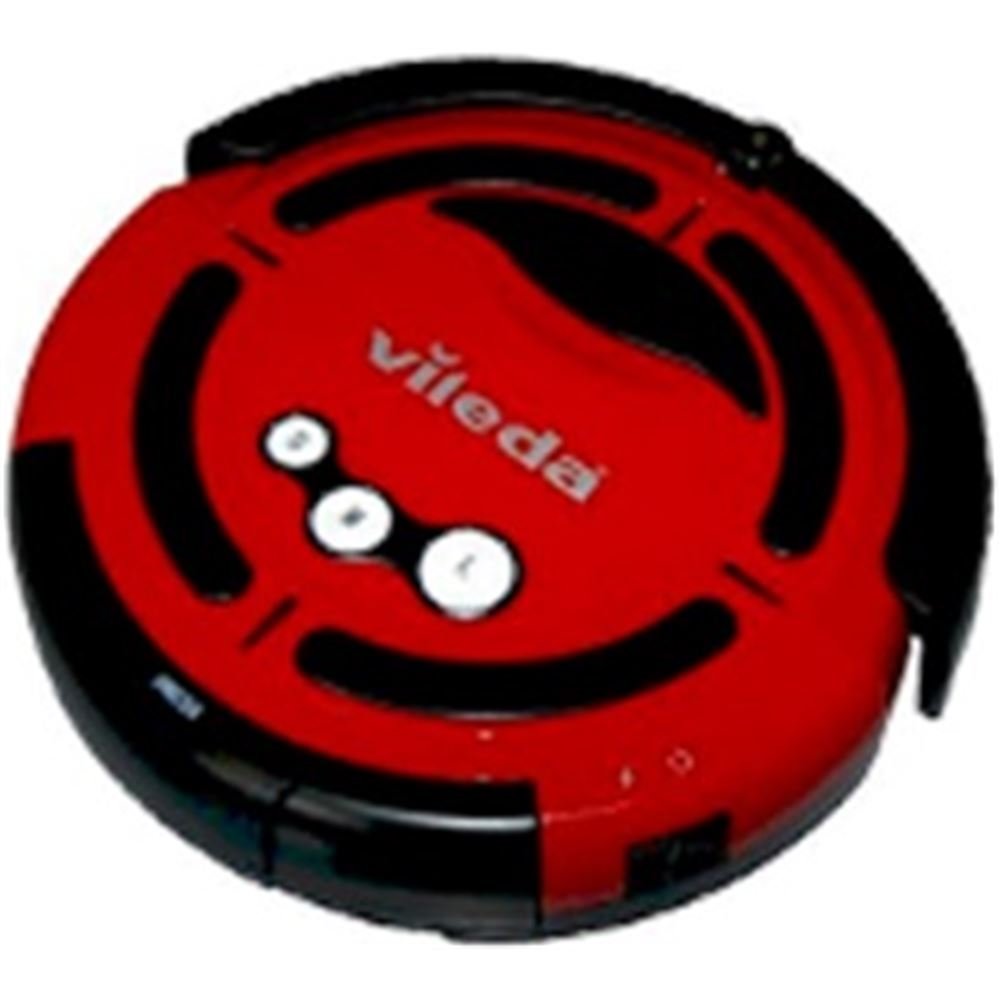
Image: The Vileda Relax Robot Vacuum Cleaner operating on a rug in a home environment. The robot is red and black, demonstrating its compact design suitable for various living spaces.
Operating Instructions
Starting a Cleaning Cycle
The Vileda Relax Robot Vacuum Cleaner offers three cleaning programs, selectable via buttons on the device, to suit different room sizes and cleaning needs:
- 5-minute program: Ideal for quick cleaning of small areas.
- 30-minute program: Suitable for medium-sized rooms.
- 60-minute program: For thorough cleaning of larger spaces.
To start a cleaning cycle, press the corresponding button for your desired program. The robot will begin cleaning automatically.
Cleaning System
The robot utilizes a powerful 3-step cleaning system:
- Step 1: Side Brush Cleaning: The side brush effectively cleans edges and corners, sweeping debris into the robot's path.
- Step 2: Rotating Brush: A rotating brush is designed to agitate and collect dirt, dust, and hair from the floor surface.
- Step 3: Suction Power: Powerful suction then draws fine dust and collected debris into the dustbin.
Navigation and Safety Features
- Intelligent Navigation: The robot employs an intelligent navigation program, cleaning in spirals and adapting its path when encountering furniture.
- Obstacle Avoidance: It autonomously avoids obstacles. Soft bumpers protect your furniture from strong impacts. If it gets stuck, it will attempt to reverse and find a new path.
- Cliff Sensors: Special sensors detect stairs and elevated edges, preventing the robot from falling.
- Low Profile Design: With a height of 8.7 cm, the robot can easily clean under most furniture.
Maintenance
Regular maintenance ensures optimal performance and extends the lifespan of your Vileda Relax Robot Vacuum Cleaner.
Emptying the Dustbin
- The dustbin should be emptied frequently, especially after each cleaning cycle, as its capacity is relatively small.
- Locate the dustbin release mechanism (refer to the product diagram if available).
- Remove the dustbin and dispose of the collected debris.
Cleaning the Filter
- The sponge filter should be cleaned regularly to prevent clogging and maintain suction power. An extra mesh filter is included for replacement.
- Remove the filter from the dustbin.
- Tap the filter gently to remove loose dust. Use the provided cleaning brush to remove any stubborn debris.
- Do not wash the filter unless explicitly stated in a more detailed guide. Ensure it is completely dry before reinserting.
Cleaning the Brushes
- The rotating brush and side brushes can accumulate hair and pet fur.
- The rotating brush is easy to remove for detangling hair. Use scissors or the provided cleaning tool to cut and remove tangled hair.
- Inspect the side brushes for wear or damage. Replace them with the extra side brush provided if necessary.
Troubleshooting
| Problem | Possible Cause | Solution |
|---|---|---|
| Robot does not start or stops unexpectedly. | Low battery; Obstruction; Dustbin full. | Charge the battery; Clear any obstructions from brushes or wheels; Empty the dustbin. |
| Reduced suction power. | Clogged filter; Full dustbin; Blocked suction inlet. | Clean or replace the filter; Empty the dustbin; Check and clear the suction inlet. |
| Robot gets stuck frequently. | Loose cables or small objects on the floor; Uneven surfaces. | Prepare the cleaning area by removing obstacles; Ensure the robot is used on suitable surfaces. |
| Robot does not clean corners effectively. | Side brush tangled or damaged. | Clean the side brush; Replace if damaged. |
Specifications
- Model: Vileda Relax Robot Vacuum Cleaner 142861
- Dimensions (L x W x H): 34 x 34 x 8.5 cm
- Weight: 3.7 kg
- Color: Red/Black
- Battery Type: NiMH
- Battery Life: Up to 80 minutes
- Voltage: 230 Volts
- Noise Level: 63 Decibels
- Filter Type: Sponge filter (an extra mesh filter is included for replacement)
- Recommended Surfaces: Hard floors (tiles, parquet, laminate), short-pile carpets
- Special Features: Intelligent navigation, obstacle detection, cliff sensors, 3 cleaning programs (5/30/60 min), low profile (8.7 cm height).
- Included Components: 1 rechargeable battery, 1 charger, 1 cleaning brush, 1 extra mesh filter, 1 extra side brush.
Warranty Information
The Vileda Relax Robot Vacuum Cleaner 142861 comes with a 2-year warranty from the date of purchase. This warranty covers manufacturing defects and material faults under normal use conditions. Please retain your proof of purchase for warranty claims.
For detailed warranty terms and conditions, please refer to the warranty card included with your product or visit the official Vileda website.
Customer Support
If you encounter any issues not covered in the troubleshooting section or require further assistance, please contact Vileda customer support.
- Online Support: Visit the official Vileda website for FAQs, product registration, and contact forms.
- Telephone Support: Refer to the contact information provided in your product packaging or on the Vileda website for your region.
When contacting support, please have your product model number (142861) and proof of purchase readily available.


