
1. Introduction
This manual provides essential information for the safe and effective use of the Omron E2E-X2D2-N Inductive Proximity Sensor. This sensor is designed for reliable detection of metallic objects without physical contact, making it ideal for various industrial automation applications. Please read this manual thoroughly before installation and operation.
2. Safety Information
Always observe the following safety precautions to prevent injury to personnel and damage to the product or other equipment.
- Ensure power is disconnected before performing any installation, wiring, or maintenance work.
- Do not exceed the specified voltage and current ratings.
- Avoid installing the sensor in environments with excessive vibration, shock, or extreme temperatures outside the specified operating range.
- Protect the sensor from direct impact or excessive force.
- Wiring must be performed by qualified personnel in accordance with local electrical codes and regulations.
3. Product Description
The Omron E2E-X2D2-N is an M8 cylindrical inductive proximity sensor with a 2mm detection distance. It features a Normally Closed (NC) output configuration, meaning the output is ON when no object is detected and OFF when a metallic object enters the sensing range. This sensor is RoHS compliant, ensuring it meets environmental standards for hazardous substances.
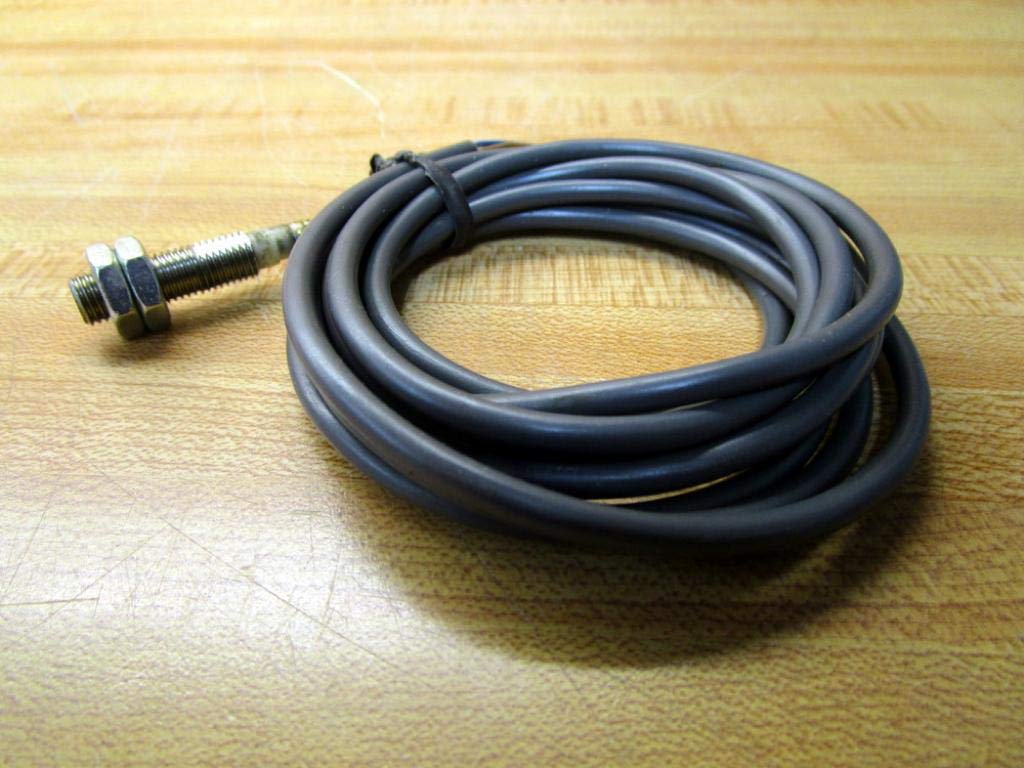
Figure 3.1: General view of the Omron E2E-X2D2-N inductive proximity sensor with its coiled cable.
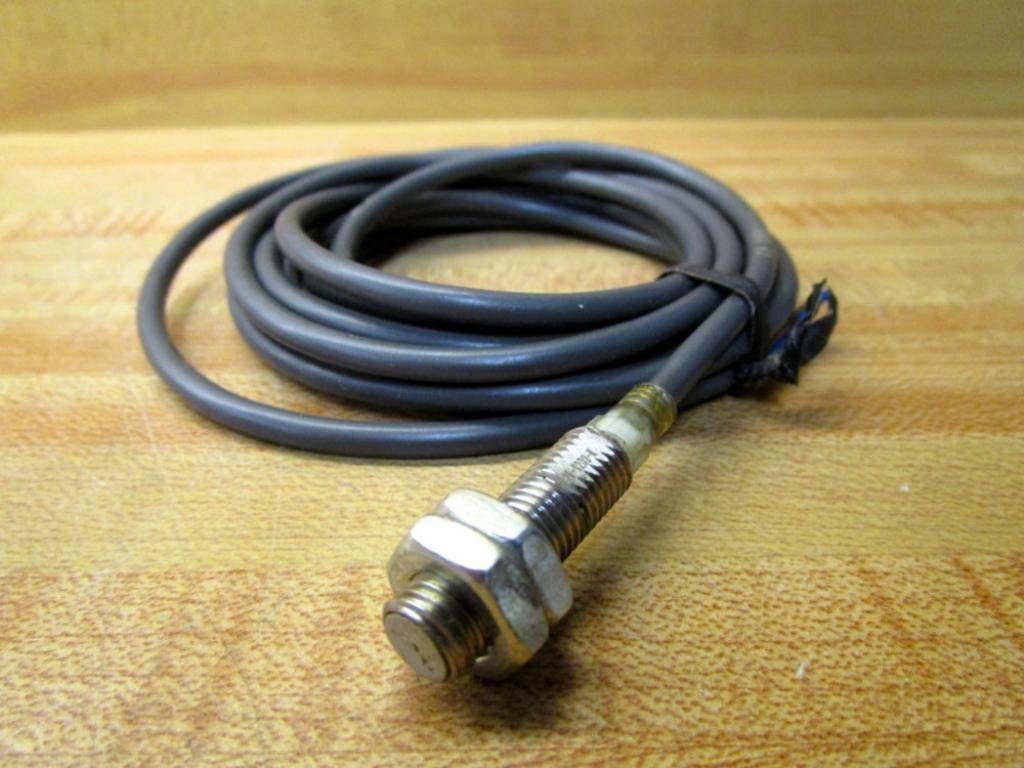
Figure 3.2: The sensor head with mounting nuts and the attached cable, showing its compact M8 design.
4. Setup and Installation
4.1 Mounting
The E2E-X2D2-N sensor features an M8 threaded body for easy mounting. Use the provided nuts to secure the sensor in place. Ensure the sensor head is positioned correctly relative to the target object and that there is no interference from other metallic objects within the sensing field.
- Mount the sensor securely to prevent movement or vibration.
- Maintain the specified sensing distance (2mm) from the target object.
- Ensure adequate clearance around the sensor to avoid mutual interference if multiple sensors are used nearby.
4.2 Wiring
The sensor is typically wired for DC operation. Refer to the markings on the cable for proper connection. The cable markings indicate the model number and voltage requirements.

Figure 4.1: Cable marking showing the model number "OMRON E2E X2D2-N".

Figure 4.2: Cable marking indicating the operating voltage range "12 to 24VDC".
Connect the sensor according to the following typical wiring scheme for a 3-wire DC sensor:
- Brown wire: +VDC (Positive power supply)
- Blue wire: 0VDC (Negative power supply / Ground)
- Black wire: Output (Connect to input of control device)
Ensure all connections are secure and insulated to prevent short circuits.
5. Operating Instructions
Once properly installed and wired, the E2E-X2D2-N sensor operates automatically. As an inductive proximity sensor, it generates an electromagnetic field from its sensing face. When a metallic object enters this field within the 2mm detection range, the sensor detects its presence.
- Normally Closed (NC) Output: In its normal state (no metallic object detected), the output is ON (conducting). When a metallic object enters the sensing range, the output switches OFF (non-conducting).
- The sensor is designed for continuous operation within its specified environmental and electrical limits.
6. Maintenance
The Omron E2E-X2D2-N sensor is designed for low maintenance. Regular checks can help ensure optimal performance and longevity.
- Cleaning: Periodically clean the sensing face to remove dust, dirt, or debris that may accumulate and affect detection accuracy. Use a soft, dry cloth. Do not use abrasive cleaners or solvents.
- Cable Inspection: Inspect the cable for any signs of damage, such as cuts, abrasions, or kinks, which could lead to intermittent operation or failure.
- Mounting Security: Verify that the sensor remains securely mounted and has not shifted due to vibration or external forces.
- Environmental Check: Ensure the operating environment continues to meet the sensor's specifications (temperature, humidity, absence of strong electromagnetic interference).
7. Troubleshooting
If the sensor is not functioning as expected, consider the following common issues and solutions:
- No Detection / Always OFF (for NC output):
- Check power supply: Ensure correct voltage (12-24VDC) is applied and polarity is correct.
- Verify wiring: Confirm all connections are secure and correct according to the wiring diagram.
- Check sensing distance: Ensure the target object is within the 2mm detection range.
- Target material: Confirm the target is metallic.
- Sensor damage: Inspect the sensor for any visible physical damage.
- Continuous Detection / Always ON (for NC output):
- Interference: Check for any metallic objects permanently within the sensing range or nearby that might be causing interference.
- Mounting: Ensure the sensor is not mounted too close to a metallic surface that it is detecting itself.
- Sensor failure: If all other checks pass, the sensor may be faulty.
- Intermittent Operation:
- Loose connections: Check all wiring connections for looseness.
- Vibration: Excessive vibration can cause inconsistent detection. Secure mounting.
- Power fluctuations: Ensure a stable power supply.
- Environmental factors: Check for sudden temperature changes or electromagnetic noise.
8. Specifications
| Attribute | Value |
|---|---|
| Model Number | E2E-X2D2-N |
| Manufacturer | Omron Industrial Automation |
| Product Dimensions | 1 x 4 x 4 inches |
| Weight | 2.08 ounces |
| ASIN | B00FV22GCM |
| Detection Distance | 2mm |
| Output Configuration | Normally Closed (NC) |
| Compliance | RoHS Compliant |
9. Warranty and Support
For specific warranty information regarding the Omron E2E-X2D2-N sensor, please refer to the official Omron Industrial Automation warranty policy or contact their customer support directly. Omron provides technical support and resources to assist with product inquiries, installation guidance, and troubleshooting.
For further assistance, please visit the official Omron Industrial Automation website or contact their authorized distributors.