Product Overview
The PISEN Power Bank 2C is a portable external battery designed to charge your mobile devices on the go. Featuring a high-quality lithium-polymer cell and a super thin metal casing, it offers reliable and efficient power delivery.

Image: The PISEN Power Bank 2C, a sleek black portable charger with a textured surface and LED indicators, viewed from an angle.
Key Features:
- 10000mAh High Capacity
- Micro USB and Lightning Input Ports
- Smart 2.1A Max Output (2 USB outputs)
- Automatic Power On/Off
- 4 LED Battery Status Indicators
- Super Thin Metal Casing
- Multiple Safety Protections
Package Contents
- PISEN Power Bank 2C (Model: TS-D210)
- USB Charging Cable
- User Manual

Image: The PISEN Power Bank 2C, its retail box, a USB charging cable, and the user manual laid out on a white surface, showing the complete package contents.
Setup
Initial Charging
Before first use, fully charge your PISEN Power Bank 2C. This ensures optimal battery performance and longevity.
- Connect the provided USB charging cable to the Micro USB or Lightning input port on the power bank.
- Connect the other end of the cable to a USB wall adapter (not included) or a computer's USB port.
- The LED indicators on the power bank will light up, indicating the charging progress. All four LEDs will be solid when fully charged.

Image: A close-up view of the PISEN Power Bank 2C's top edge, highlighting the power button, LED indicators, 1.5A output, 2A input, and Smart 2.1A output ports with labels.
Operating Instructions
Charging Your Devices
The PISEN Power Bank 2C features two USB output ports for charging your devices simultaneously.
- Connect your device's charging cable to one of the USB output ports on the power bank. The power bank supports Smart 2.1A output.
- The power bank will automatically detect your device and begin charging. If it does not start automatically, press the power button once.
- The LED indicators will show the remaining battery level of the power bank during charging.
- Once your device is fully charged or disconnected, the power bank will automatically turn off.

Image: Two individuals holding smartphones, both connected via USB cables to a single PISEN Power Bank 2C, demonstrating its dual-device charging capability.
Checking Battery Level
Press the power button once to check the current battery level of the power bank. The four LED indicators represent the following charge levels:
- 1 LED: 0-25%
- 2 LEDs: 25-50%
- 3 LEDs: 50-75%
- 4 LEDs: 75-100%
Maintenance
- Keep the power bank away from extreme temperatures, direct sunlight, and humid environments.
- Do not drop, disassemble, or attempt to repair the device yourself.
- Clean the power bank with a soft, dry cloth. Do not use harsh chemicals or abrasive materials.
- For optimal battery life, fully charge the power bank at least once every three months if not in regular use.
Troubleshooting
| Problem | Possible Cause | Solution |
|---|---|---|
| Power bank not charging | Cable not connected properly; faulty cable/adapter; power bank fully discharged. | Ensure cable is securely connected. Try a different cable or wall adapter. Allow power bank to charge for a longer period. |
| Device not charging from power bank | Power bank battery low; device cable faulty; power bank in standby mode. | Recharge the power bank. Try a different charging cable for your device. Press the power button on the power bank to activate output. |
| LED indicators not lighting up | Power bank completely discharged; internal malfunction. | Charge the power bank for several hours. If problem persists, contact customer support. |
Specifications
| Feature | Detail |
|---|---|
| Model | TS-D210 |
| Capacity | 10000mAh |
| Battery Type | Lithium-ion Polymer |
| Input (Micro USB / Lightning) | 2A |
| Output 1 | 1.5A |
| Output 2 (Smart) | 2.1A Max |
| Total USB Ports | 2 |
| Dimensions | Approx. 13.72 x 6.86 x 1.52 cm (5.4 x 2.7 x 0.6 inches) |
| Weight | Approx. 197 g |
| Color | Black |
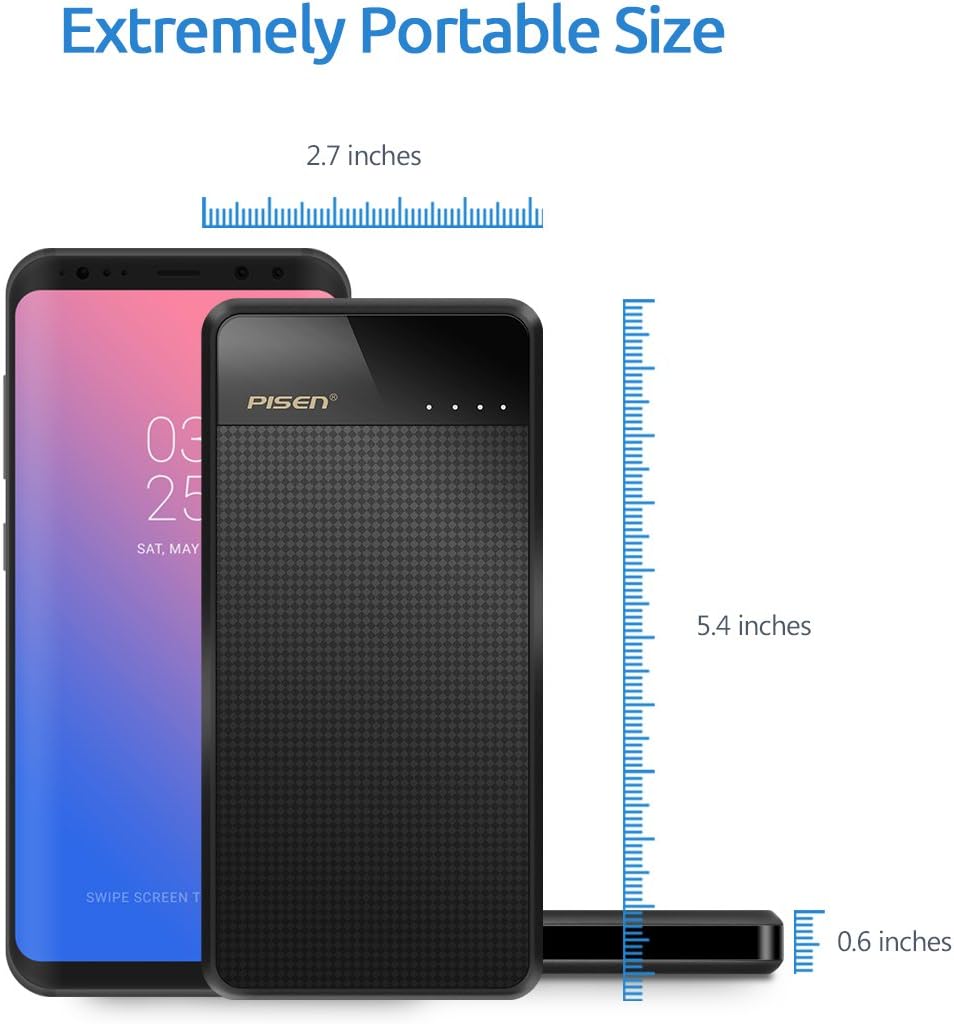
Image: The PISEN Power Bank 2C shown next to a smartphone, with measurements indicating its compact size: 5.4 inches in length, 2.7 inches in width, and 0.6 inches in thickness.

Image: A graphic illustrating the 10000mAh capacity of the PISEN Power Bank 2C, showing it can provide approximately 1 charge for an iPad mini4, 3.5 charges for an iPhone 7, and 2.3 charges for a Galaxy S8, along with images of these devices being charged.
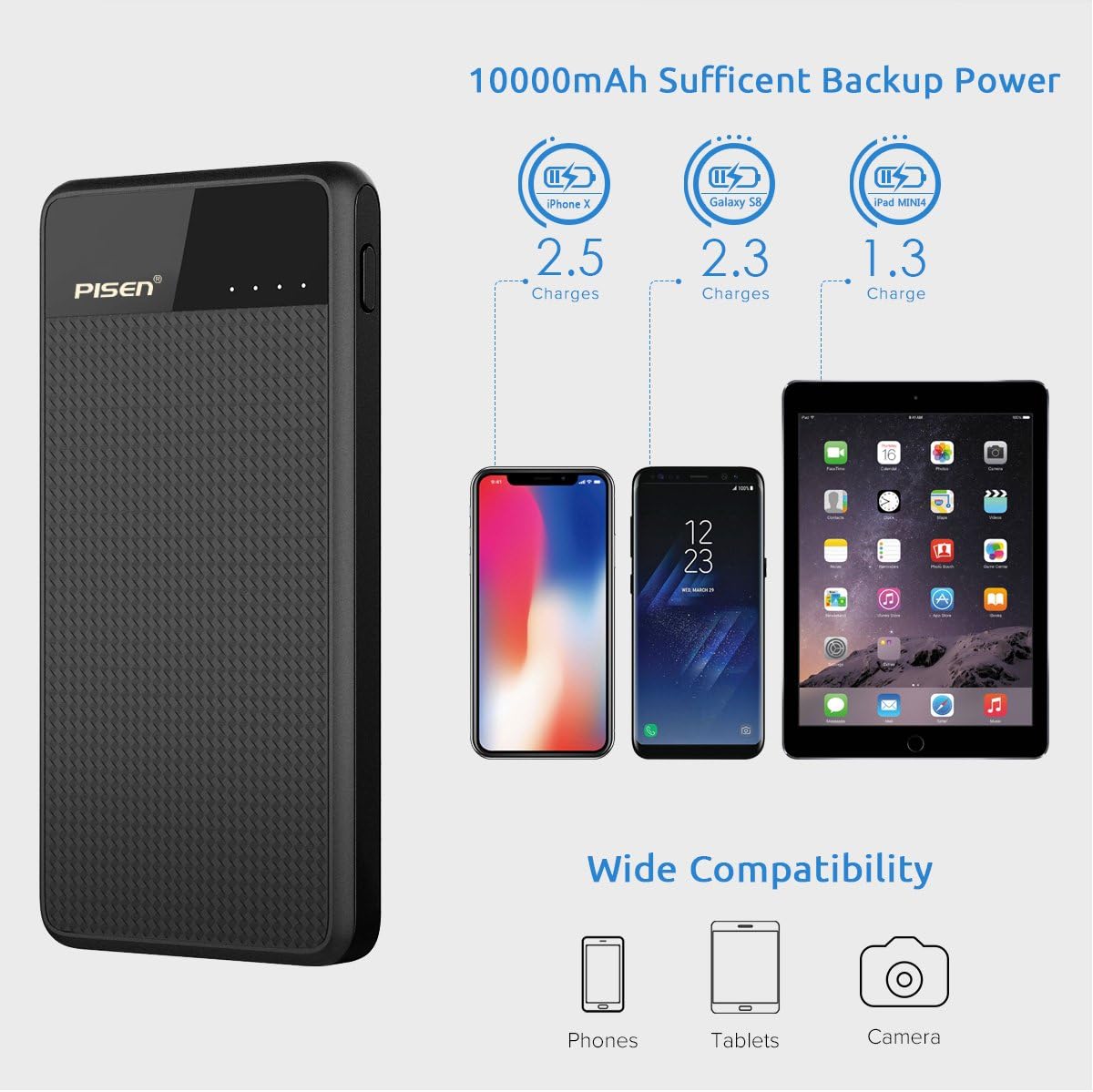
Image: A graphic demonstrating the wide compatibility of the PISEN Power Bank 2C, showing it can charge phones, tablets, and cameras, with icons representing each device type.
Safety Information
The PISEN Power Bank 2C is equipped with multiple protection features to ensure safe charging for your devices and the power bank itself.
- Over-Current Protection
- Over-Heating Protection
- Over-Circuit Protection
- Over-Voltage Protection
- Over-Charging Protection
- Over-Power Protection
- Over-Discharging Protection

Image: A graphic depicting a shield with a microchip inside, illustrating the 7 multi-protection features of the PISEN Power Bank 2C, including over-current, over-heating, over-circuit, over-voltage, over-charging, over-power, and over-discharging protection.
Important Safety Warnings:
- Do not expose to fire or water.
- Do not use if damaged or swollen.
- Keep out of reach of children.
- Dispose of the product responsibly according to local regulations.
Warranty and Support
PISEN products come with a standard manufacturer's warranty. Please refer to the warranty card included in your package for specific terms and conditions.
For technical support, troubleshooting assistance, or warranty claims, please contact PISEN customer service through their official website or the retailer where you purchased the product.
Note: Warranty terms may vary by region. Please retain your proof of purchase for warranty purposes.


