
Introduction
This manual provides detailed instructions for the setup, operation, maintenance, and troubleshooting of your Beetel M63 Corded Phone. Please read this manual carefully to ensure proper use and to maximize the features of your device.
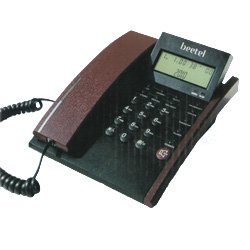
Image: Front view of the Beetel M63 Corded Phone, showcasing its compact design and keypad.
1. Setup
Follow these steps to set up your Beetel M63 Corded Phone:
- Connect the Telephone Line: Plug one end of the telephone line cord into the jack labeled 'LINE' on the back or side of the phone. Plug the other end into your wall telephone jack.
- Power Source: The Beetel M63 is a corded electric phone and draws power directly from the telephone line. No external power adapter is required for basic operation.
- Handset Connection: Connect the coiled cord to the handset and to the handset jack on the phone base.
- Initial Check: Lift the handset and listen for a dial tone to confirm the phone is properly connected.
2. Operating Instructions
This section details the various functions and operations of your Beetel M63 phone.
- Making a Call: Lift the handset, wait for a dial tone, and dial the desired number.
- Answering a Call: When the phone rings, lift the handset to answer.
- Ending a Call: Place the handset back on the cradle.
- 10 Two-Touch Memory: Your phone features 10 memory slots for frequently dialed numbers. Consult the on-screen prompts or a dedicated 'MEM' button (if present) to program and recall these numbers. Typically, you would press 'MEM', then a digit (0-9), then the stored number.
- 5 Steps Adjustable LCD: The LCD display contrast can be adjusted for optimal viewing. Look for a dedicated 'LCD' or 'CONTRAST' button, or navigate through the phone's menu settings to find the adjustment option.
- Alarm Clock: The phone includes an alarm function. Access the menu settings to set the alarm time and activate/deactivate it.
- Calculator: A basic calculator function is integrated. Press the 'CALC' button (if available) or access it via the menu to perform simple calculations.
- 58 Incoming Call Memory (Caller ID): The phone stores details of up to 58 incoming calls, provided you have Caller ID service from your telephone provider. To view call logs, press the 'CALL LOG' or 'CID' button and use the navigation keys to scroll through the entries.
3. Maintenance
Proper care ensures the longevity and performance of your Beetel M63 phone.
- Cleaning: Use a soft, slightly damp cloth to clean the plastic surfaces of the phone. Avoid using harsh chemicals, abrasive cleaners, or excessive moisture, as these can damage the device.
- Placement: Place the phone on a stable, flat surface away from direct sunlight, heat sources, and areas with high humidity.
- Cord Care: Avoid tangling or stretching the telephone and handset cords excessively to prevent damage.
4. Troubleshooting
If you encounter issues with your Beetel M63 phone, try these basic troubleshooting steps:
- No Dial Tone:
- Ensure all telephone line connections are secure at both the phone and the wall jack.
- Test the wall jack with another working phone to rule out a line issue.
- Display Not Working/Dim:
- Adjust the LCD contrast setting as described in the 'Operating Instructions' section.
- Ensure the phone is properly connected to the telephone line, as it draws power from it.
- Cannot Make/Receive Calls:
- Verify the telephone line is active and not disconnected by your service provider.
- Check for any physical damage to the phone or cords.
- Caller ID Not Displaying:
- Confirm that you have subscribed to Caller ID service from your telephone service provider.
- Ensure the phone is connected correctly.
If these steps do not resolve the issue, please contact Beetel customer support or your telephone service provider.
5. Specifications
| Brand | Beetel |
| Model | M63 |
| Telephone Type | Corded |
| Material | Plastic |
| Power Source | Corded Electric (Line Powered) |
| Answering System Type | Digital |
| Caller ID | Yes |
| Incoming Call Memory | 58 entries |
| Two-Touch Memory | 10 entries |
| LCD Adjustment | 5 steps adjustable |
| Features | Alarm clock, Calculator |
6. Warranty and Support
The Beetel M63 Corded Phone typically comes with a manufacturer-sponsored warranty. For specific warranty terms and conditions, please refer to the documentation provided with your purchase or contact Beetel customer service directly. No specific support contact information is provided in this manual.

