1. Introduction and Product Overview
This manual provides important information for the safe and efficient operation of your Daewoo 2000W Convector Heater with Turbo Function, Model HEA1137. Please read these instructions carefully before use and retain them for future reference.
The Daewoo 2000W Convector Heater is designed to provide efficient heating for rooms, garages, or small offices. Its portable design, adjustable thermostat, and multiple heat settings offer versatile comfort. The integrated turbo function and fan setting enhance its heating and cooling capabilities.
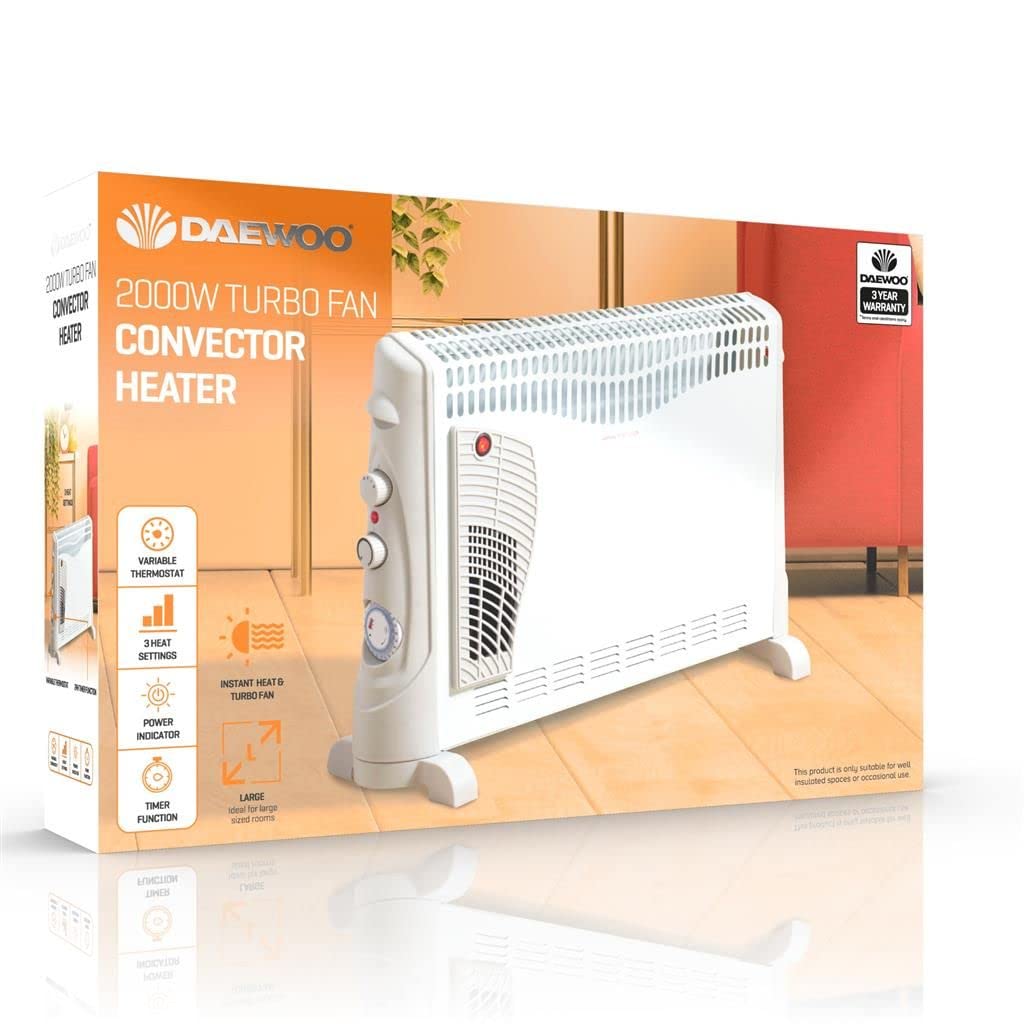
Image 1.1: The Daewoo 2000W Convector Heater positioned in a room, showcasing its compact and portable design.
2. Important Safety Instructions
When using electrical appliances, basic safety precautions should always be followed to reduce the risk of fire, electric shock, and injury to persons.
- Read all instructions before using this heater.
- Do not use this heater in the immediate surroundings of a bath, a shower, or a swimming pool.
- Do not use this heater if it has been dropped.
- Do not use if there are visible signs of damage to the heater.
- Keep combustible materials, such as furniture, cushions, bedding, papers, clothes, and curtains at least 1 meter (3 feet) from the front of the heater and keep them away from the sides and rear.
- Always unplug the heater when not in use.
- Do not run cord under carpeting. Do not cover cord with throw rugs, runners, or similar coverings. Arrange cord away from traffic area and where it will not be tripped over.
- Do not insert or allow foreign objects to enter any ventilation or exhaust opening as this may cause an electric shock or fire, or damage the heater.
- This appliance is not intended for use by persons (including children) with reduced physical, sensory or mental capabilities, or lack of experience and knowledge, unless they have been given supervision or instruction concerning use of the appliance by a person responsible for their safety.
- Children should be supervised to ensure that they do not play with the appliance.
3. Product Features
The Daewoo Convector Heater is equipped with several features designed for user convenience and effective heating:
- 2000W Turbo Power Output: Quickly warms up rooms within minutes.
- 3 Heat Settings: Allows selection of desired heat intensity for customized warmth.
- Adjustable Thermostat Control: Maintains a consistent room temperature.
- Integrated Timer: For scheduled operation.
- Forced Fan Setting: Provides a cooling function during warmer months.
- Portable Design: Slim and free-standing with convenient carry handles for easy transportation between rooms.

Image 3.1: Visual representation of key features including thermostat control, multiple heat settings, and turbo power.
4. Setup
- Unpacking: Carefully remove the heater from its packaging. Retain the packaging for storage or future transport.
- Placement: Place the heater on a firm, level surface. Ensure it is at least 1 meter (3 feet) away from walls, furniture, curtains, and other combustible materials. Do not place it directly below a power socket.
- Power Connection: Ensure the heater is switched off (all controls set to '0' or 'OFF') before plugging it into a suitable 220-240V AC, 50Hz power outlet.
5. Operating Instructions
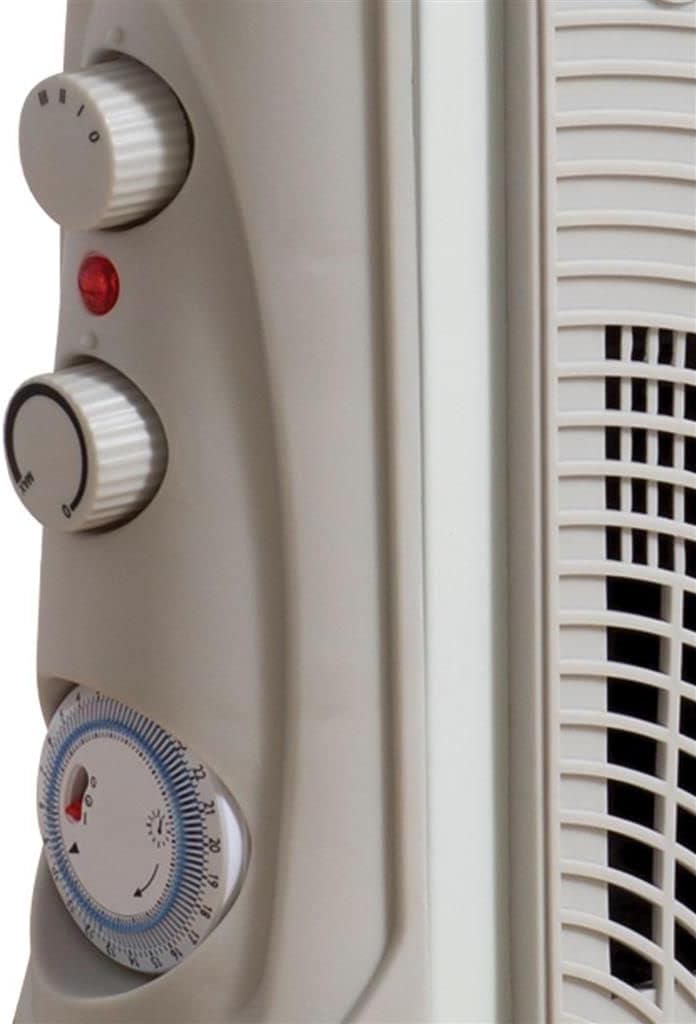
Image 5.1: Detail of the heater's control panel, including the power indicator, heat setting dial, thermostat, and timer.
- Power On: Plug the heater into a power outlet. The power indicator light may illuminate.
- Select Heat Setting: Use the heat setting dial to choose one of the three available power levels:
- Setting 1: Low Heat
- Setting 2: Medium Heat
- Setting 3: High Heat (2000W)
- Adjust Thermostat: Turn the thermostat dial to your desired temperature. The heater will cycle on and off to maintain this temperature. For continuous heating, set the thermostat to its maximum position.
- Turbo Function: If your model includes a turbo function, activate it for rapid heating. This typically involves a separate switch or a specific heat setting.
- Fan Setting: To use the heater as a fan for cooling, select the fan-only setting on the heat setting dial (usually indicated by a fan symbol). Ensure the thermostat is set appropriately if it affects fan operation.
- Timer Operation: To set the timer, rotate the timer dial to the desired operating duration. The heater will switch off automatically once the set time has elapsed. Ensure the heat settings and thermostat are also configured.
- Power Off: To turn off the heater, set all dials to the '0' or 'OFF' position and unplug it from the power outlet.
6. Maintenance and Cleaning
Regular maintenance ensures the longevity and efficient operation of your heater.
- Before Cleaning: Always unplug the heater from the power outlet and allow it to cool down completely before cleaning.
- Exterior Cleaning: Wipe the exterior surfaces of the heater with a soft, damp cloth. Do not use abrasive cleaners, solvents, or harsh chemicals, as these can damage the finish.
- Dust Removal: Use a vacuum cleaner with a brush attachment to remove dust from the air inlets and outlets. Ensure these openings are clear of obstructions to maintain proper airflow.
- Storage: If storing the heater for an extended period, clean it thoroughly and store it in its original packaging in a dry, cool place.
- No Internal Servicing: Do not attempt to open or service the internal components of the heater. Refer all servicing to qualified service personnel.
7. Troubleshooting
| Problem | Possible Cause | Solution |
|---|---|---|
| Heater does not turn on. | Not plugged in; power outlet faulty; heat setting or thermostat set to 'OFF' or too low; thermal cut-out activated. | Check power plug and outlet; ensure heat setting and thermostat are on; unplug and allow to cool for 10-15 minutes before restarting. |
| Heater produces insufficient heat. | Heat setting too low; thermostat set too low; room too large for heater capacity; air inlets/outlets blocked. | Increase heat setting and thermostat; ensure heater is appropriate for room size; clear any obstructions from air vents. |
| Heater suddenly stops working. | Overheating protection activated; timer has expired. | Unplug and allow to cool for 10-15 minutes; check timer setting. |
| Unusual noise or smell. | Dust accumulation; foreign object inside; internal fault. | Unplug immediately. Clean dust from vents. If problem persists, do not use and contact customer support. |
8. Specifications
- Model Number: HEA1137
- Power Output: 2000W
- Heat Settings: 3 (Low, Medium, High)
- Features: Adjustable Thermostat, Timer, Turbo Function, Fan Setting, Portable
- Product Dimensions: 70 x 44.6 x 19.7 cm (L x H x W)
- Item Weight: 4.06 Kilograms
- Form Factor: Pedestal
- Heating Method: Convection
- Power Source: Corded Electric
- Indoor/Outdoor Use: Indoor
- Color: White
9. Warranty and Support
Your Daewoo Convector Heater is covered by a manufacturer's warranty. Please refer to the warranty card included with your purchase for specific terms and conditions, including the warranty period and coverage details.
For technical support, troubleshooting assistance, or warranty claims, please contact Daewoo customer service. Contact information can typically be found on the product packaging, the official Daewoo website, or your purchase receipt.
Please have your model number (HEA1137) and proof of purchase ready when contacting support.


