
General Electric 45174
GE Personal Security Window and Door Alarm User Manual
Brand: General Electric | Model: 45174
Product Overview
The GE-branded Personal Security Window and Door Alarms provide a simple-to-use, cost-effective security solution to protect against home invasions. The 120-decibel alarms are loud enough to make a would-be intruder think twice about entering through your doors or windows. Each alarm features an easy-access CHIME/OFF/ALARM switch — this straightforward design makes your security setup intuitive and streamlined. With no wires required for installation, protecting an entry point is as easy as mounting the alarm using the included double-sided tape. When a door or window is opened the alarm’s base becomes separated from its magnet, triggering a gentle chime or ringing alarm. Powered by 4 LR44 batteries (included), the LED indicator on the front will notify you when power is low. This set of GE-branded Personal Security Window and Door Alarms are perfect for homes, apartments, dorm rooms, offices, RVs, campers and much more.
Key Features
- Safe and Secure: Ward off would-be intruders with a 120-decibel alarm triggered by a high-quality magnetic sensor, or choose for a chime to sound when windows or doors are opened and closed.
- User Friendly: Features an easy-to-use OFF/CHIME/ALARM switch on the side of the alarm to let you choose your preference of alert, comes in a set of four to provide extra coverage for your home.
- Easy Install: Experience wire and hassle-free mounting with the included double-sided tape, everything you need is included in the box.
- Battery Operated: Powered by 4 LR44 button batteries (included) and features a battery test button and low battery indicator LED.
- Peace of Mind: These home security products are designed and tested to fortify your home with a reliable layer of protection, empowering you to live your life free of worry.
Package Contents
- Magnetic Indoor Window Alarms (4 Pack)
- 4 LR44 Button Batteries (pre-installed or included)
- Double-sided mounting tape

Image: The GE Personal Security Window and Door Alarm 4-pack, showing the product in its retail packaging and three individual alarm units.
Setup Instructions
1. Identify Alarm Components
Familiarize yourself with the alarm unit and its magnetic sensor. The main unit contains the alarm speaker, battery compartment, low battery indicator light, and the CHIME/OFF/ALARM switch. The smaller unit is the magnetic sensor.

Image: A detailed view of the alarm unit, highlighting the alarm button, magnet, Chime/Off/Alarm switch, low battery indicator light, and battery compartment.
2. Prepare Mounting Surface
Ensure the surface where you plan to install the alarm (window frame or door frame) is clean, dry, and smooth for optimal adhesive performance. The alarm is designed for easy, wire-free installation.

Image: A graphic icon depicting a crossed-out wire, signifying that no wiring is required for installation.
3. Apply Double-Sided Tape
Peel the backing from the included double-sided tape and firmly apply it to the back of both the main alarm unit and the magnetic sensor. Ensure the tape covers the designated areas for secure attachment.

Image: A graphic icon showing a corner of a square being peeled back, symbolizing the adhesive mounting method.
4. Mount the Alarm Units
Mount the main alarm unit and the magnetic sensor on the window or door frame. Position them so that when the window or door is closed, the two units are aligned and within 0.5 inches of each other. This proximity is crucial for the magnetic sensor to function correctly. The units should be mounted on the same plane (e.g., both on the window frame, not one on the frame and one on the glass).

Image: A diagram illustrating the compact dimensions of the alarm unit (4.62in. x 1.63in. x 0.38in.) and emphasizing its easy, no-wiring installation.
Operating Instructions
1. Select Mode
Locate the CHIME/OFF/ALARM switch on the side of the main alarm unit. Slide the switch to your desired mode:
- OFF: The alarm is deactivated. Use this mode when you want to open the window or door without triggering any sound.
- CHIME: When the window or door is opened and the magnetic sensor separates from the main unit, a gentle chime sound will be emitted. This is ideal for knowing when someone enters or exits.
- ALARM: When the window or door is opened and the magnetic sensor separates from the main unit, a loud 120-decibel alarm will sound continuously until the units are brought back together or the switch is moved to OFF.

Image: A graphic icon of a ringing bell, symbolizing the audible alert function of the device.
2. Triggering the Alarm/Chime
The alarm or chime will activate when the main unit and the magnetic sensor separate by more than approximately 0.5 inches. Ensure the units are properly aligned when the door or window is closed to prevent false alarms.

Image: The alarm installed on a window, with red arcs illustrating the 120-decibel chime or alarm triggering when the magnet separates from the base by more than 0.5 inches.
3. Security Benefits
These alarms provide an immediate audible alert, deterring potential intruders and notifying occupants of unauthorized entry. They are suitable for various applications, including homes, apartments, dorm rooms, offices, RVs, and campers.

Image: A young child peeking through a slightly open door, with the alarm visible, illustrating how the device provides extra safety for families.

Image: A scene depicting an intruder attempting to enter through a window, with the alarm installed and red arcs indicating its activation, demonstrating its crime deterrence capability.
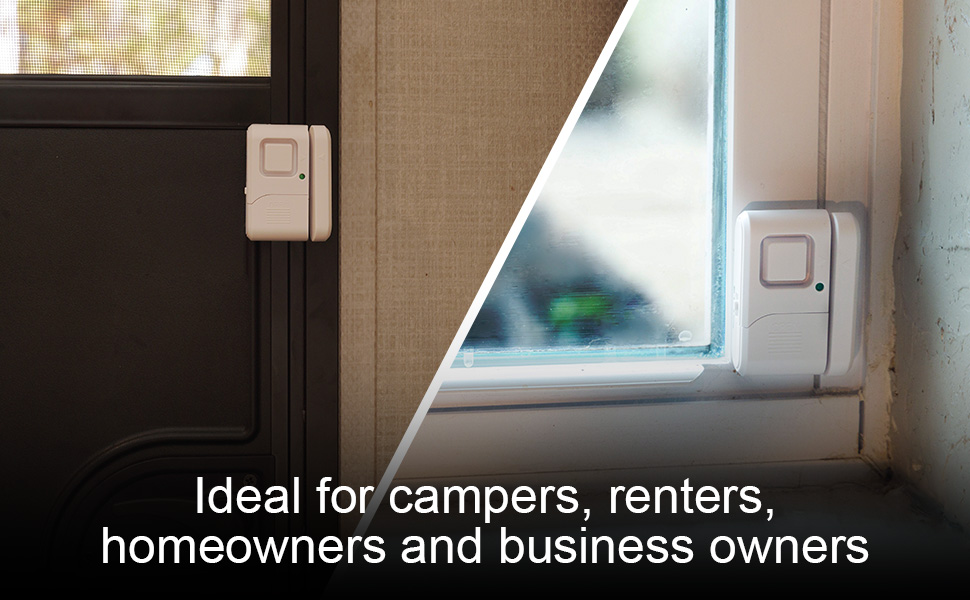
Image: A split image showing the alarm installed on both a dark door and a light window, with text overlay stating "Ideal for campers, renters, homeowners and business owners," highlighting its versatility.
Maintenance
Battery Replacement
The GE Personal Security Window and Door Alarms are powered by 4 LR44 button batteries. A low battery indicator LED on the front of the unit will illuminate when the batteries need to be replaced. To replace the batteries:
- Carefully remove the main alarm unit from its mounting surface.
- Locate the battery compartment (as shown in the component diagram in the Setup section).
- Open the battery compartment cover. Some models may have small screws securing the cover.
- Remove the old LR44 batteries and dispose of them properly.
- Insert new 4 LR44 batteries, ensuring correct polarity (+/-).
- Close the battery compartment cover securely.
- Re-mount the alarm unit to its original position.
Cleaning
To clean the alarm units, wipe them gently with a soft, dry cloth. Do not use abrasive cleaners or immerse the units in water.
Troubleshooting
- Alarm not sounding/chime not working:
- Check the CHIME/OFF/ALARM switch position. Ensure it is set to CHIME or ALARM.
- Verify that the main unit and magnetic sensor are within 0.5 inches of each other when the door/window is closed. Adjust their positions if necessary.
- Check the low battery indicator. If illuminated, replace the batteries.
- False alarms:
- Ensure the main unit and magnetic sensor are securely mounted and do not shift when the door/window is closed.
- Confirm the units are perfectly aligned when the door/window is closed, maintaining the required close proximity.
- Adhesive not holding:
- Ensure the mounting surface was clean and dry before application.
- Apply firm pressure for several seconds when mounting the units.
- Consider using stronger adhesive tape if the surface is textured or prone to temperature fluctuations.
Specifications
| Attribute | Detail |
|---|---|
| Brand | General Electric |
| Model Number | 45174 |
| Product Dimensions | 0.72 x 1.63 x 2.41 inches (or 1.63"L x 0.8"W x 4.62"H) |
| Item Weight | 6.4 ounces |
| Color | White |
| Power Source | Battery Powered |
| Battery Type | 4 LR44 batteries (included) |
| Voltage | 6 Volts |
| Noise Level | 120 dB |
| Mounting Type | Window Mount (Adhesive) |
| Sensor Technology | Magnetic Sensor |
| UPC | 043180451743 |
| Manufacturer | Jasco Products Company, LLC |
Warranty Information
This product comes with a 90-day limited warranty. Please refer to the original product packaging or contact customer support for full warranty details and terms.
Support
For further assistance, technical support, or product inquiries, please visit the official General Electric website or contact their customer service department. Keep your product model number (45174) handy for quicker service.
You can also refer to the official User Guide (PDF) available online for more detailed information: GE Personal Security Window and Door Alarm User Guide
Related documents45174

Ask a question about this manual
Ask about setup, troubleshooting, compatibility, parts, safety, or missing instructions. Manuals+ will review the question and use this page’s manual context to help answer it.