
1. Introduction
Thank you for choosing the BLACK+DECKER 7.2V Impact Driver ISD72. This compact and lightweight tool is designed for efficient fastening and light drilling tasks, making it ideal for furniture assembly and various DIY projects. For your safety and to ensure optimal performance, please read this instruction manual carefully before operating the tool. Keep this manual for future reference.

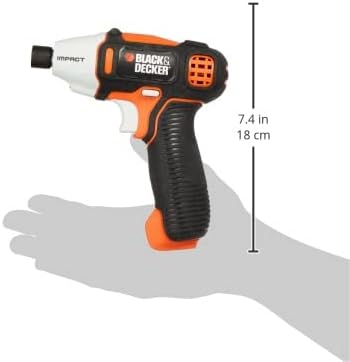
The BLACK+DECKER 7.2V Impact Driver ISD72, showcasing its compact design and orange/black color scheme.
2. Safety Information
Always follow basic safety precautions to reduce the risk of fire, electric shock, and personal injury when using power tools.
General Safety Rules:
- Work Area Safety: Keep your work area clean and well-lit. Cluttered or dark areas invite accidents.
- Electrical Safety: Do not expose power tools to rain or wet conditions. Water entering a power tool will increase the risk of electric shock.
- Personal Safety: Always wear eye protection. Use hearing protection when operating for extended periods. Dress properly; avoid loose clothing or jewelry.
- Tool Use and Care: Do not force the power tool. Use the correct power tool for your application. Disconnect the battery pack from the power tool before making any adjustments, changing accessories, or storing power tools.
- Battery Pack Use and Care: Recharge only with the charger specified by the manufacturer. Do not use a battery pack or tool that is damaged or modified.
3. Package Contents
Verify that all items listed below are included in your package:
- BLACK+DECKER 7.2V Impact Driver ISD72
- 10-piece Bit Set (Phillips 50mm #1/#2, 100mm #1; Slotted 50mm #8; PoziDrive 50mm #2, 100mm #2; Hex bits 50mm #3/#4/#5/#6)
- 4-hour Rapid Charger
- Soft Carrying Bag
- Instruction Manual
The included accessories: a set of 10 bits, a 4-hour rapid charger, and a soft carrying bag.
4. Product Features
The ISD72 Impact Driver is designed with user convenience and efficiency in mind:
- Compact and Lightweight Design: Easy to handle and maneuver in tight spaces.
- LED Light: Illuminates the work area, improving visibility in dimly lit conditions.
- One-Touch Chuck: Allows for quick and easy bit changes.
- Variable Speed Switch: Provides precise control over rotation speed for various applications.
- Integrated Battery: 7.2V Lithium-Ion battery for cordless operation.

A diagram highlighting key features of the ISD72 Impact Driver, including its one-touch chuck, LED light, and variable speed switch.
This image illustrates the easy one-touch bit exchange mechanism and the integrated LED light for improved visibility during operation.
5. Setup
Charging the Battery:
- Connect the 4-hour rapid charger to a standard power outlet.
- Plug the charger into the charging port on the impact driver.
- Allow the battery to charge completely. The charging indicator light will show the charging status.
- Disconnect the charger once charging is complete.
Installing/Removing Bits:
- Ensure the tool is off and the trigger is not pressed.
- Pull the one-touch chuck collar forward.
- Insert the desired bit into the chuck until it clicks into place.
- Release the chuck collar to secure the bit.
- To remove, pull the chuck collar forward and pull the bit out.
6. Operating Instructions
Basic Operation:
- Select the appropriate bit for your task (screwdriving or light drilling).
- Hold the tool firmly with both hands if necessary, ensuring a stable grip.
- Position the bit on the fastener or workpiece.
- Press the variable speed trigger to start the tool. The speed can be controlled by the amount of pressure applied to the trigger.
- Apply steady, even pressure to drive the fastener or drill the hole.
- Release the trigger to stop the tool.
Working in Dark Areas:
The integrated LED light automatically activates when the trigger is pressed, illuminating your work surface for better visibility.

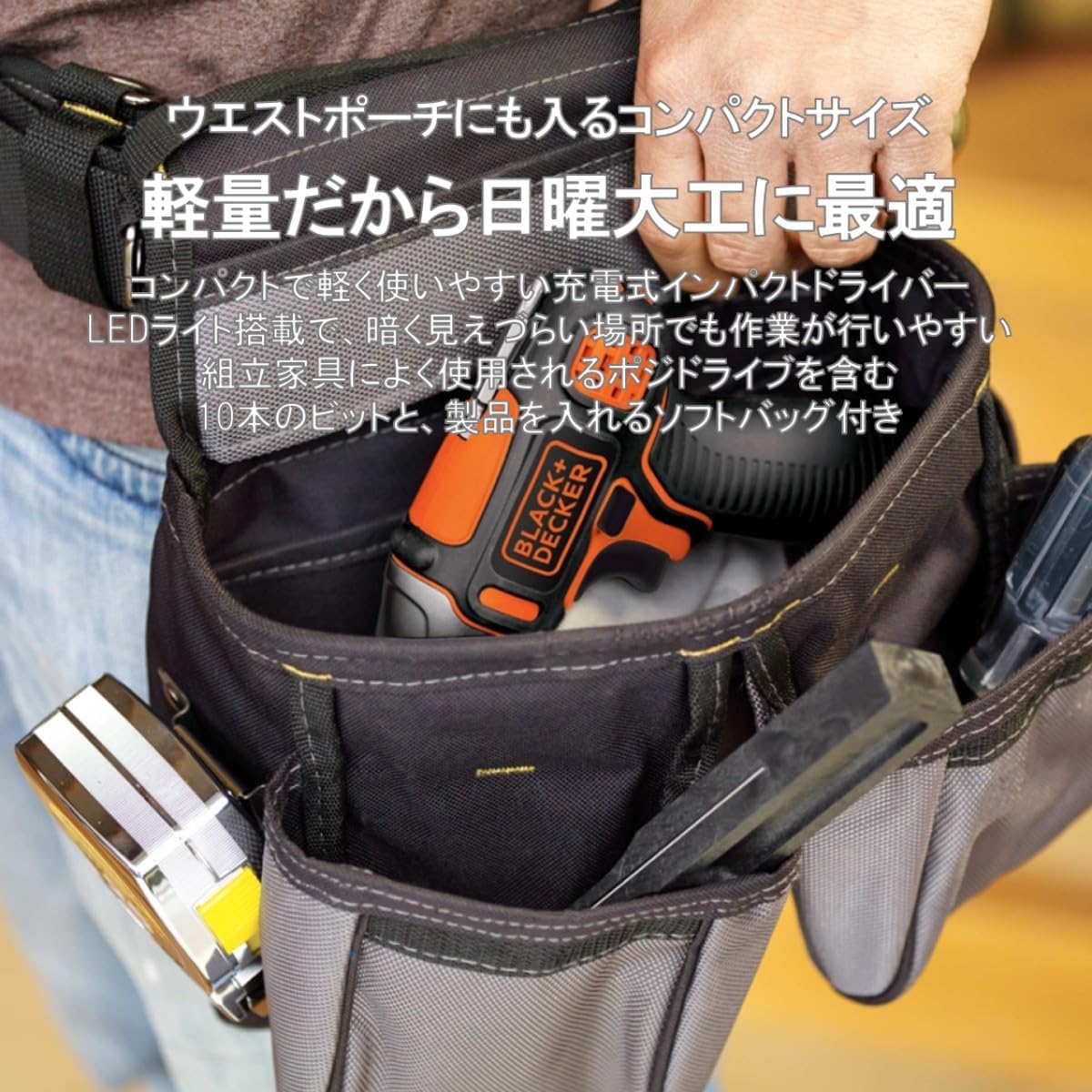
The compact ISD72 Impact Driver fits conveniently into a belt pouch, demonstrating its portability for various tasks.
An official seller video showcasing the impact driver in action, performing tasks such as driving screws into wood and metal, and drilling.
7. Maintenance
Regular maintenance ensures the longevity and optimal performance of your impact driver.
- Cleaning: Keep the tool's ventilation openings clean to prevent overheating. Use a soft, damp cloth to clean the exterior. Do not use harsh chemicals or abrasive cleaners.
- Bit Care: Inspect bits regularly for wear or damage. Replace worn bits to ensure efficient operation and prevent damage to fasteners.
- Storage: Store the tool and accessories in the soft carrying bag in a dry, secure place, away from children and direct sunlight.
- Battery: For long-term storage, charge the battery partially (around 50%) and store it in a cool, dry place. Avoid storing fully discharged batteries.
8. Troubleshooting
If you encounter issues with your impact driver, refer to the following common problems and solutions:
| Problem | Possible Cause | Solution |
|---|---|---|
| Tool does not start | Battery is discharged | Charge the battery fully. |
| Battery not properly inserted | Ensure the battery is securely clicked into place. | |
| Reduced power/performance | Low battery charge | Recharge the battery. |
| Worn or incorrect bit | Replace the bit or use the correct type for the application. | |
| Tool overheats | Blocked ventilation openings | Clean the ventilation openings. Allow the tool to cool down. |
| Bit falls out of chuck | Bit not properly secured | Ensure the bit is fully inserted and the chuck collar is released to lock it. |
If the problem persists after trying these solutions, please contact BLACK+DECKER customer support.
9. Specifications
| Feature | Specification |
|---|---|
| Brand | BLACK+DECKER |
| Model Number | ISD72 |
| Product Dimensions | 5.2 x 16 x 18.4 cm |
| Item Weight | 640 g |
| Color | Orange |
| Power Source | Rechargeable (Cordless) |
| Voltage | DC 7.2V |
| Maximum Tightening Torque | 12 Nm |
| Rotation Speed | 0 - 2200 RPM |
| Impact Rate | 0 - 2500 BPM |
| Chuck Size | 6.35 mm |
| Chuck Type | One-touch |
| Switch Type | Variable Speed |
| Battery Type | Lithium-Ion |
| Country of Origin | China |
10. Warranty and Support
BLACK+DECKER products are manufactured to high-quality standards and are guaranteed against manufacturing defects. For specific warranty details, please refer to the warranty card included with your product or visit the official BLACK+DECKER website.
For technical assistance, troubleshooting not covered in this manual, or to order replacement parts, please contact BLACK+DECKER customer support:
- Website: www.blackanddecker.com
- Customer Service: Refer to your regional BLACK+DECKER contact information.
Please have your model number (ISD72) and purchase date available when contacting support.