
Artisan RD-NMID-M
Artisan Raiden Classic MID M Gaming Mouse Pad Instruction Manual
Model: RD-NMID-M
1. Product Overview
The Artisan Raiden Classic MID M is a high-performance gaming mouse pad crafted in Japan. It features a unique gliding surface designed to offer a balance of speed and control, minimizing changes in glide performance due to moisture or sweat. The MID model is specifically engineered for speed, catering to fast mouse movements required in competitive gaming environments.
This mouse pad is constructed with a high-gauge polyester knit gliding surface, utilizing fine count fabric with extra tissue density to provide a silky smooth and fast glide. Its design aims to reduce fatigue during extended use and is particularly recommended for games that benefit from agile mouse operation.
2. Features
- High-Performance Gliding Surface: Made from high-gauge polyester knit for smooth, fast mouse movements.
- Consistent Glide: Engineered to minimize performance changes caused by moisture or sweat.
- MID Model Design: Optimized for speed, suitable for games requiring quick and precise mouse control.
- Durable Construction: Features a 0.1 inch (3 mm) thick special structure foam middle layer with NewMid hardness.
- Non-Slip Base: Designed to stay firmly in place during intense gaming sessions.
- Made in Japan: Reflects quality craftsmanship and attention to detail.
3. Setup
- Unpack the Mouse Pad: Carefully remove the Artisan Raiden Classic MID M mouse pad from its packaging. The mouse pad is designed to lay flat immediately upon unboxing.
- Choose a Surface: Place the mouse pad on a clean, flat, and stable surface, such as a desk or table. Ensure there are no obstructions or debris underneath that could affect its flatness or stability.
- Positioning: Position the mouse pad to allow for comfortable and unrestricted mouse movement during use.
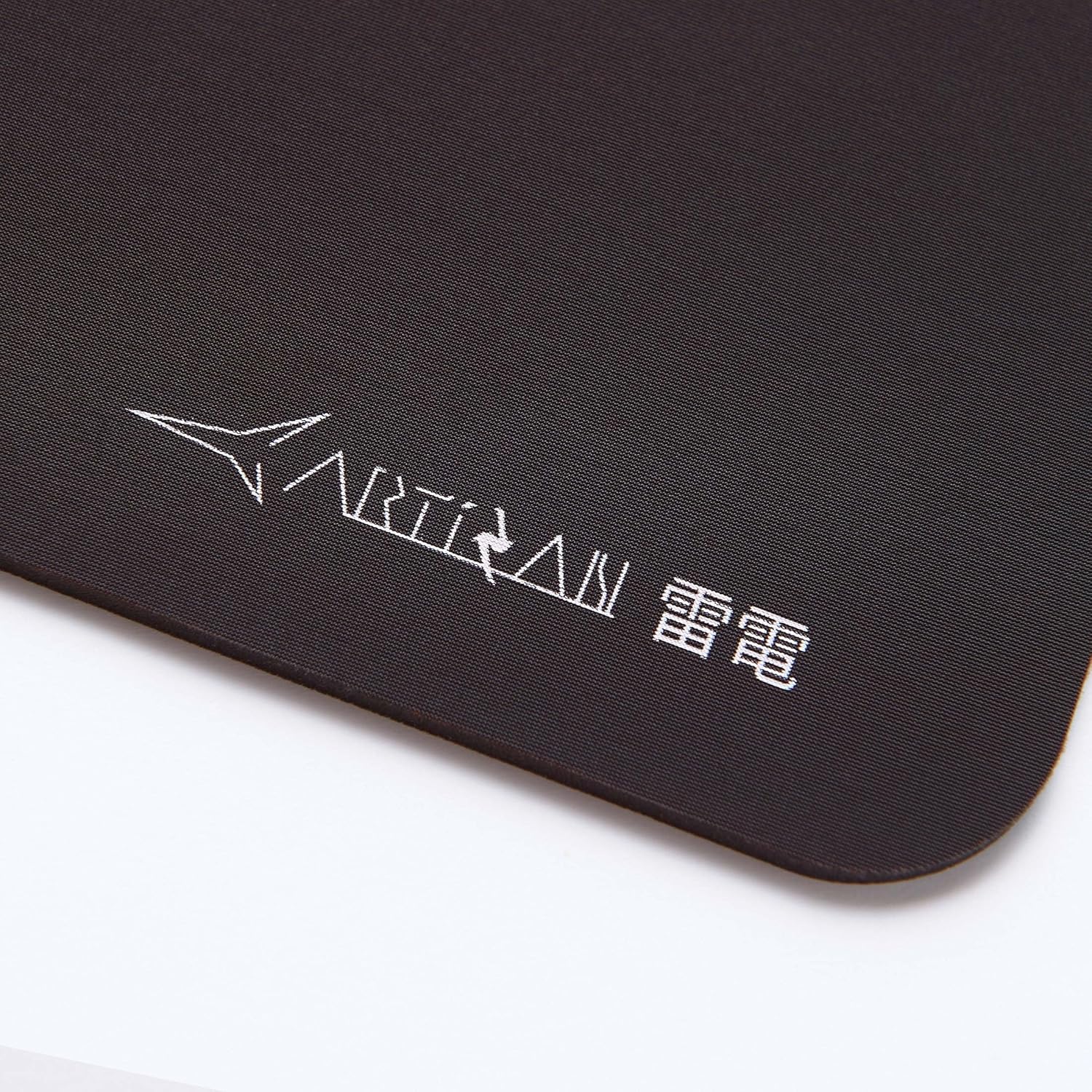
Figure 1: Front view of the Artisan Raiden Classic MID M mouse pad, highlighting the logo and the smooth polyester surface.
4. Operating Instructions
The Artisan Raiden Classic MID M mouse pad is designed for optimal mouse tracking and smooth gliding. Simply place your gaming mouse on the pad and begin use. The specialized surface provides low friction for rapid movements while maintaining sufficient control for precision tasks.
The non-slip base ensures the mouse pad remains stationary on your desk, preventing unwanted shifts during intense gaming or work sessions.

Figure 2: Back view of the Artisan Raiden Classic MID M mouse pad, illustrating the non-slip rubber base that grips the desk surface.
5. Maintenance
To ensure the longevity and optimal performance of your Artisan Raiden Classic MID M mouse pad, follow these maintenance guidelines:
- Regular Cleaning: Periodically wipe the surface of the mouse pad with a soft, damp cloth to remove dust and minor smudges.
- Deep Cleaning (if necessary): For more stubborn dirt, use a small amount of mild soap diluted in water. Gently scrub the affected area with a soft brush or cloth. Rinse thoroughly with clean water, ensuring all soap residue is removed.
- Drying: Allow the mouse pad to air dry completely before reuse. Do not expose it to direct sunlight or use a heat source (like a hairdryer) as this may damage the material.
- Avoid Harsh Chemicals: Do not use harsh detergents, bleach, or abrasive cleaners, as these can degrade the surface material and affect glide performance.
- Storage: When not in use for extended periods, store the mouse pad flat or rolled loosely to prevent creases.
6. Troubleshooting
- Mouse Glide Feels Slow or Uneven: This is often due to accumulated dust, dirt, or oils on the mouse pad surface. Refer to the Maintenance section for cleaning instructions. Ensure your mouse feet are also clean and undamaged.
- Mouse Pad Not Lying Flat: If the mouse pad does not lie perfectly flat after unpacking, gently roll it in the opposite direction for a short period. Ensure the surface it rests on is completely flat and free of debris.
- Mouse Pad Slipping: Ensure the underside of the mouse pad and your desk surface are clean and dry. The non-slip base requires a clean surface to maintain its grip.
7. Specifications
| Specification | Detail |
|---|---|
| Brand | Artisan |
| Model Number | RD-NMID-M |
| Color | Coffee Brown |
| Material | Polyester |
| Shape | Rectangular |
| Item Dimensions (L x W) | 12.6 x 9.8 inches (320 x 250 mm) |
| Item Thickness | 0.1 inches (3 mm) |
| Middle Layer Hardness | NewMid |
| Special Feature | Durable, Ergonomic |
| Recommended Uses | Gaming |
| Manufacturer | ARTISAN |

Figure 3: Close-up view of the mouse pad surface with a ruler, demonstrating its texture and dimensions.
8. Warranty and Support
For information regarding warranty coverage, product support, or any inquiries not covered in this manual, please contact Artisan customer service directly. Refer to the official Artisan website or your purchase documentation for contact details and specific warranty terms.
Ask a question about this manual
Ask about setup, troubleshooting, compatibility, parts, safety, or missing instructions. Manuals+ will review the question and use this page’s manual context to help answer it.