
1. Introduction
1.1 Product Overview
The Dwyer Series CCS Current Switches are self-powered devices engineered for reliable monitoring of the operating status of various electrical loads, including fans, pumps, and motors. Their innovative split-core design facilitates installation on existing electrical cables or wires without the need for disconnection, making them ideal for retrofit applications.
These switches provide a clear visual indication of current flow through integrated LED indicators. They are available with both fixed and adjustable set points, allowing for versatile application. Adjustable models feature a potentiometer for precise set point calibration.
1.2 Key Features
- Output: Normally open, NPN.
- Humidity Limits: 0 to 95% (non-condensing).
- Range: 0 to 200 Amps AC.
- Enclosure Rating: UL, 94 V-O flammability rated, ABS plastic housing.
- Approvals: CE, cUL, UL.
1.3 Package Contents
- 1 x Dwyer CCS-231150 Current Switch
- Instruction Manual
2. Setup
2.1 Installation Guidelines
The CCS-231150 is designed for easy installation. For existing installations, the split-core design allows the unit to be installed without disconnecting the cables. Ensure the power to the circuit being monitored is off before installation.
The device can be hung or tied directly to the cables or wires. Ensure a secure fit to prevent movement and ensure accurate readings.
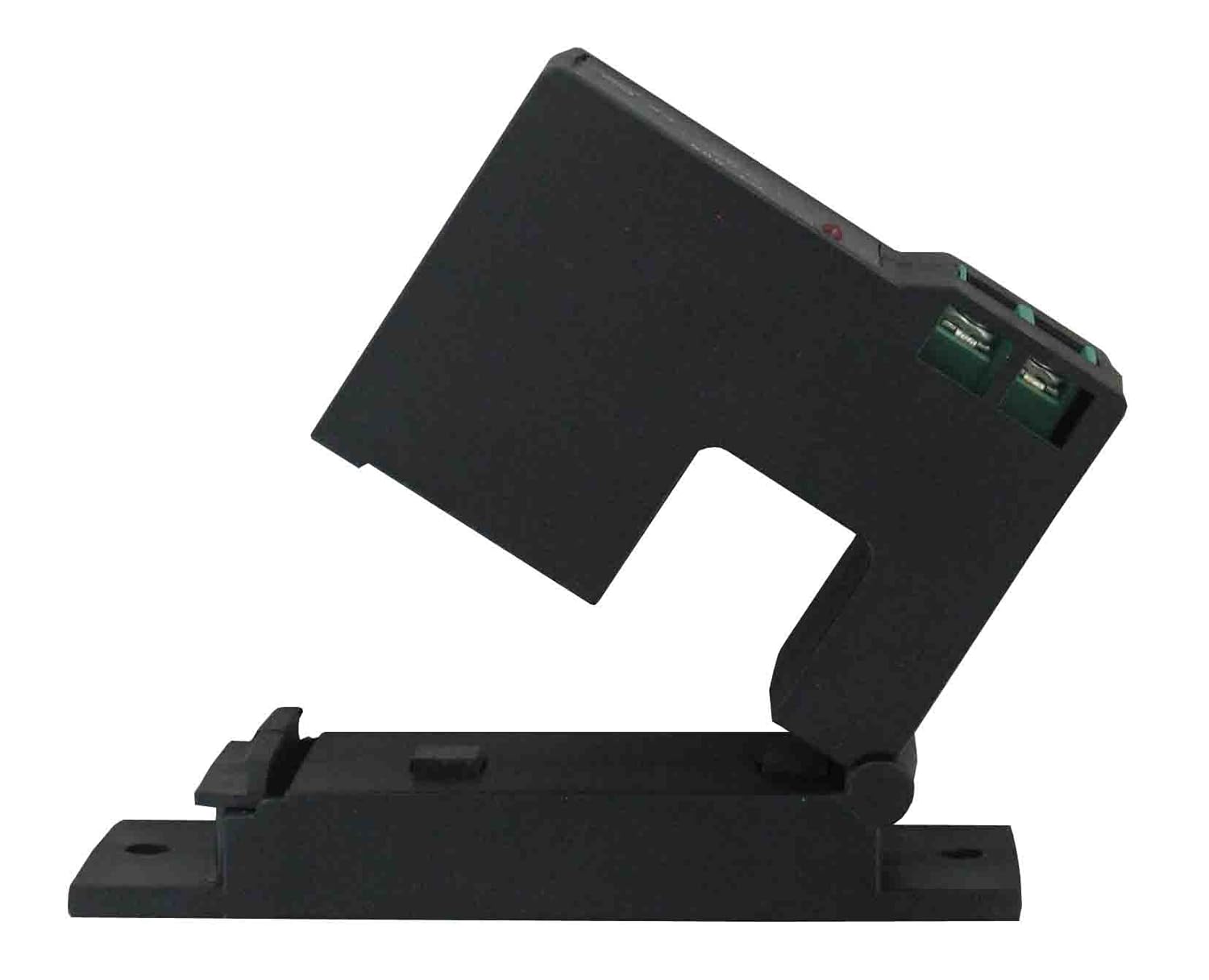
Figure 1: Dwyer CCS-231150 Split Core Current Switch with its hinged top section open, revealing the internal core and the green terminal blocks for wiring connections. This split-core design allows for installation without disconnecting existing cables.
2.2 Wiring Instructions
Connect the output terminals of the current switch to your monitoring or control system. The switch provides a normally open, NPN output. Refer to the specific wiring diagram provided with your unit for detailed connection points. Ensure all connections are secure and comply with local electrical codes.
3. Operation
3.1 Basic Operation
Once installed and wired, the CCS-231150 operates by sensing the current flowing through the cable passed through its core. When the sensed current exceeds the set point, the switch changes its output state, signaling the monitored condition.
3.2 LED Indicators
The device is equipped with LED indicators that provide visual confirmation of current flow through the core. A lit LED indicates that current is being detected, aiding in quick verification of operational status.
3.3 Adjustable Set Point
For models with an adjustable set point, a potentiometer is provided to easily set the desired current threshold. Rotate the potentiometer using a small screwdriver to increase or decrease the set point. It is recommended to adjust the set point while the monitored equipment is operating at its normal load to ensure accurate threshold detection.
4. Maintenance
4.1 Cleaning
The current switch generally requires minimal maintenance. If cleaning is necessary, gently wipe the exterior with a dry, soft cloth. Do not use abrasive cleaners or solvents, as these may damage the ABS plastic housing.
4.2 Inspection
Periodically inspect the device and its wiring for any signs of physical damage, loose connections, or wear. Ensure the split core mechanism closes securely. If any damage is observed, replace the unit immediately.
5. Troubleshooting
5.1 Common Issues and Solutions
| Problem | Possible Cause | Solution |
|---|---|---|
| No LED indication / No output change | No current flowing through the core; Current below set point; Faulty wiring; Device failure. | Verify equipment operation; Adjust set point lower; Check wiring connections; Replace device if confirmed faulty. |
| Inconsistent output | Loose connection; Intermittent current flow; Incorrect set point. | Secure all wiring; Verify stable current from source; Re-adjust set point. |
| Device appears 'dead on arrival' | Manufacturing defect; Damage during shipping. | Contact customer support or supplier for replacement. |
If the issue persists after attempting the above solutions, please contact Dwyer customer support for further assistance.
6. Specifications
| Specification | Value |
|---|---|
| Item Weight | 3.2 ounces |
| Date First Available | September 25, 2013 |
| Manufacturer | Dwyer Instruments, Inc. |
| ASIN | B00FEYHB72 |
| Output | Normally open, NPN |
| Humidity Limits | 0 to 95% (non-condensing) |
| Range | 0 to 200 Amps AC |
| Enclosure Rating | UL, 94 V-O flammability rated, ABS plastic housing |
| Approvals | CE, cUL, UL |
7. Warranty Information
Dwyer Instruments, Inc. warrants its products to be free from defects in material and workmanship for a period of one (1) year from the date of shipment. This warranty does not cover defects resulting from improper installation, misuse, abuse, accident, or unauthorized repair. For full warranty terms and conditions, please refer to the official Dwyer Instruments, Inc. website or contact customer support.
8. Customer Support
For technical assistance, product inquiries, or warranty claims, please contact Dwyer Instruments, Inc. customer support:
- Website: www.dwyer-inst.com
- Phone: Refer to the contact section on the official website for regional phone numbers.
- Email: Refer to the contact section on the official website.
When contacting support, please have your product model number (CCS-231150) and purchase details readily available.
