Introduction
The Oral-B Pro 7000 SmartSeries Electric Toothbrush is designed to provide a superior cleaning experience with advanced features. This manual provides essential information for the proper setup, operation, and maintenance of your device to ensure optimal performance and oral hygiene.
Safety Information
- Do not use on children under the age of 3.
- Replace the brush head every 3 months or sooner if the brush head becomes worn.
- Adult supervision is recommended when the brush is used by children (+3) and persons with special needs.
- Small parts may present a choking hazard.
Setup
1. Initial Charging
Before first use, fully charge your Oral-B Pro 7000 toothbrush. A full charge can take up to 24 hours. Place the toothbrush handle on the charging base. The battery indicator lights will illuminate to show charging progress.
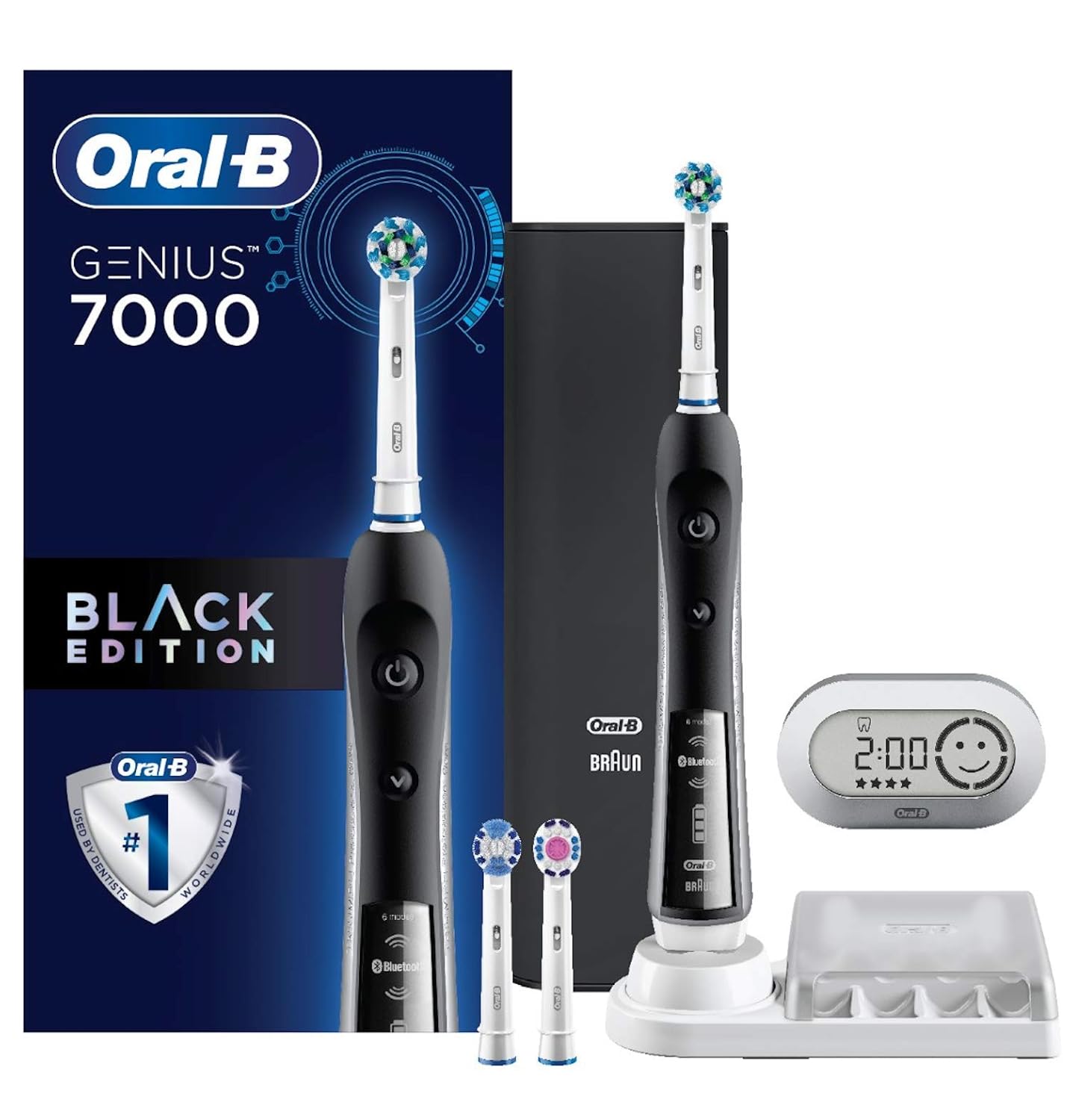
Image: The Oral-B Pro 7000 toothbrush handle placed on its white charging base, indicating charging status with blue lights.
2. Attaching a Brush Head
Align the brush head with the shaft of the toothbrush handle and push it down until it clicks into place. The Oral-B Pro 7000 is compatible with various Oral-B replacement brush heads, including CrossAction, 3D White, Sensitive Clean, Precision Clean, FlossAction, Deep Sweep, Ortho, and Dual Clean.

Image: An Oral-B Pro 7000 toothbrush handle shown with various compatible brush heads, highlighting their interchangeability.
3. Bluetooth Connectivity (Optional)
The toothbrush features Bluetooth connectivity, allowing it to pair with the Oral-B app on your smartphone. This provides real-time feedback on your brushing habits, tracks progress, and offers helpful oral care tips. Download the Oral-B app from your device's app store and follow the in-app instructions to pair your toothbrush.

Image: A smartphone screen displaying the Oral-B app interface, showing real-time feedback on brushing coverage and duration.
Operating Instructions
1. Brushing Modes
The Oral-B Pro 7000 offers 6 distinct brushing modes to cater to various oral care needs. Press the mode button to cycle through the options:
- Daily Clean: Standard mode for everyday cleaning.
- Gum Care: Gentle massage for gums.
- Sensitive: Lower speed for sensitive areas.
- Whitening: Alternating speeds for polishing tooth surfaces.
- Deep Clean: Extended brushing time for thorough cleaning.
- Tongue Cleaner: For cleaning the tongue.

Image: The Oral-B Pro 7000 toothbrush handle with icons representing its six different brushing modes, such as Daily Clean, Gum Care, and Whitening.
2. Pressure Sensor
The toothbrush features a visible pressure sensor. If you brush too hard, the sensor light will illuminate to alert you, helping to prevent harmful over-brushing and protect your gums.

Image: A close-up of the Oral-B Pro 7000 toothbrush handle showing the red light of the visible pressure sensor activated, indicating excessive brushing force.
3. Built-in Timer
The toothbrush includes a 2-minute timer to assist you in brushing for the dentist-recommended duration. It typically signals every 30 seconds to prompt you to move to a different quadrant of your mouth.
Maintenance
1. Cleaning the Toothbrush
After each use, rinse the brush head thoroughly under running water while the handle is still on. Remove the brush head and clean both the handle and the brush head separately. Wipe the handle with a damp cloth. Ensure the charging base is kept clean and dry.
Video: An animated demonstration of the Oral-B Precision Clean Replacement Head, showing how it effectively cleans teeth and gums.
2. Brush Head Replacement
For optimal performance and hygiene, replace your brush head every 3 months, or sooner if the bristles become frayed or worn. Oral-B offers a variety of replacement heads compatible with your Pro 7000 model.
3. Battery Maintenance
To maintain the battery's maximum capacity, fully deplete the battery by using the toothbrush without in-between charges until it is completely discharged. Perform this at least once every 6 months for best results.
Troubleshooting
If you encounter any issues with your Oral-B Pro 7000 SmartSeries Electric Toothbrush, please refer to the manufacturer's official website or contact customer support for detailed troubleshooting guides.
Specifications
| Feature | Detail |
|---|---|
| Product Dimensions | 4.69 x 6.61 x 9.96 inches |
| Item Weight | 2.15 Pounds |
| Power Source | Battery Powered |
| Battery Type | 1 AAA battery required (included) |
| Special Features | Bluetooth Connectivity, Built-in Tongue Scraper, Pressure Sensor, Rechargeable |
| Item Firmness | Soft |
Warranty
The Oral-B Pro 7000 SmartSeries Electric Toothbrush comes with a Limited 2-Year Warranty. Proof of date of purchase is required for warranty claims. The US consumer is responsible for product return costs. Full details are available in the product packaging.

Image: A shield graphic indicating a 2-Year Limited Warranty for the Oral-B electric toothbrush.
Support
For further assistance, product information, or customer service, please contact Oral-B directly:
- Customer Service Number: 1-800-56-OralB (1-800-566-7252)
- Website: www.oralb.com


