
Introduction
This manual provides essential information for the safe and efficient use of your STANLEY Indoor Surge Protector Power Strip, Model 31615. This device is designed to protect your electronic equipment from power surges and voltage spikes while providing multiple power outlets for convenience.
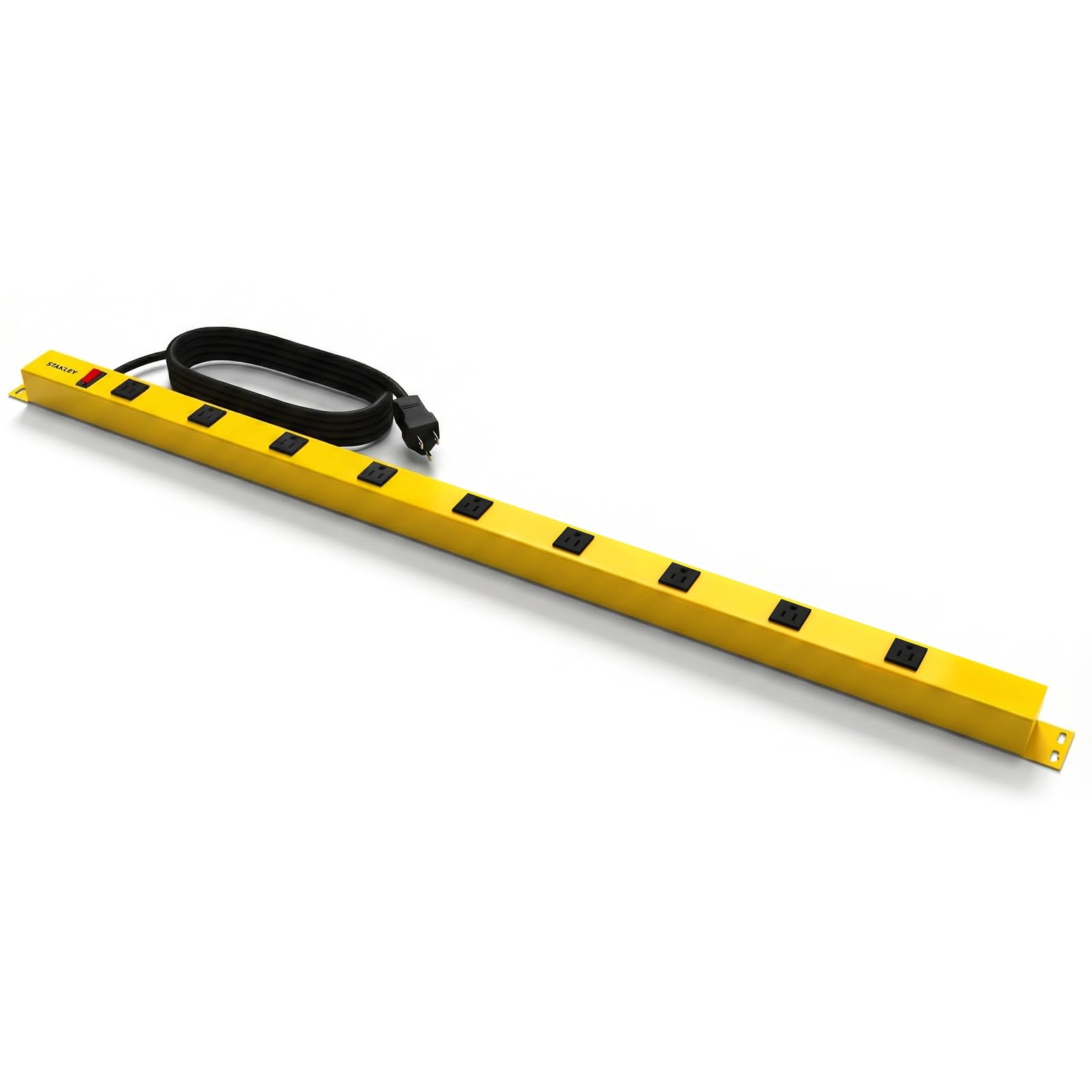
Figure 1: STANLEY Indoor Surge Protector Power Strip (Model 31615)
Safety Information
- Indoor Use Only: This surge protector is designed for indoor use in dry locations. Do not expose to moisture or wet conditions.
- Electrical Rating: Do not exceed the electrical rating of 125V, 15A, 1875W.
- Grounding: Ensure the power strip is plugged into a properly grounded 3-prong outlet.
- Overload Protection: The built-in circuit breaker will trip if the connected load exceeds the maximum rating. Disconnect devices and reset the breaker if this occurs.
- Children and Pets: Keep out of reach of children and pets.
- Extension Cords: Do not plug this surge protector into another relocatable power tap or extension cord.
Setup
Follow these steps to set up your STANLEY Surge Protector Power Strip:
- Unpack: Carefully remove the power strip from its packaging. Inspect for any damage.
- Placement: Choose a dry, indoor location for the power strip. The 6-foot cord provides flexibility for placement in home offices, workshops, or entertainment areas.
- Mounting (Optional): The power strip features mounting keyholes on the back. Use appropriate screws (not included) to securely mount the unit to a wall or under a desk. Ensure the mounting surface is stable and can support the weight of the power strip and connected devices.
- Connect to Power: Plug the power strip's Type B (3-pin North American) plug into a standard 125V grounded wall outlet.
- Power On: Press the illuminated ON/OFF switch to the 'ON' position. The indicator light will illuminate, confirming power is supplied and surge protection is active.
Operating Instructions
Using your STANLEY Surge Protector Power Strip is straightforward:
- Connecting Devices: Plug your electronic devices into any of the nine grounded outlets. The spaced outlet design accommodates larger power adapters.
- Power Control: Use the illuminated ON/OFF switch to easily turn power to all connected devices on or off.
- Surge Protection Indicator: The "Protected" indicator light confirms that the surge protection feature is active and your devices are safeguarded against power fluctuations.
- Circuit Breaker: In the event of an overload, the built-in 15A circuit breaker will automatically trip, cutting power to the outlets to prevent damage.
Maintenance
The STANLEY Surge Protector Power Strip requires minimal maintenance:
- Cleaning: Disconnect the power strip from the wall outlet before cleaning. Wipe the exterior with a soft, dry cloth. Do not use liquid cleaners or aerosols.
- Inspection: Periodically inspect the power cord and the unit for any signs of damage, such as frayed wires or cracks in the housing. If damage is found, discontinue use and replace the unit.
Troubleshooting
If you encounter issues with your power strip, refer to the following common solutions:
- No Power to Devices:
- Ensure the power strip's ON/OFF switch is in the 'ON' position and illuminated.
- Check if the power strip is securely plugged into a working wall outlet.
- Verify that the wall outlet itself has power by testing it with another device.
- Circuit Breaker Tripped:
- If the circuit breaker has tripped (the switch might be recessed or in an 'OFF' position), it indicates an overload.
- Unplug some devices from the power strip to reduce the total load.
- Press the circuit breaker button or flip the switch to reset it.
- "Protected" Indicator Light Off:
- If the "Protected" light is off, the surge protection components may have been compromised by a significant power surge. The power strip may still function as a multi-outlet strip, but it will no longer provide surge protection.
- For continued surge protection, the unit should be replaced.
Specifications
| Feature | Detail |
|---|---|
| Brand | STANLEY |
| Model Number | 31615 |
| Total Power Outlets | 9 |
| Voltage | 125 Volts |
| Maximum Current | 15 Amps |
| Surge Protection Rating | 600 Joules |
| Power Plug Type | Type B - 3 pin (North American) |
| Cord Length | 6 Feet |
| Special Feature | On And Off Switch, Circuit Breaker |
| Enclosure Material | Plastic |
| Item Weight | 2.82 Pounds |
| Recommended Uses | Indoor, Office, Home, Workshop |
Warranty and Support
This STANLEY Surge Protector Power Strip comes with a 3-Year Limited Warranty.
For warranty claims, technical support, or further assistance, please contact STANLEY customer service. Refer to the product packaging or the official STANLEY website for the most current contact information.