
Introduction
Thank you for choosing the Melchioni Suprema Meat Grinder Attachment. This accessory is designed to work with compatible Melchioni stand mixers, allowing you to effortlessly grind various types of meat. Please read this instruction manual carefully before first use to ensure safe operation, proper assembly, and effective maintenance. Keep this manual for future reference.
1. Setup and Assembly
Before assembling, ensure your stand mixer is unplugged and all parts of the meat grinder attachment are clean.
- Attach the Grinder Housing: Locate the attachment hub on your Melchioni stand mixer. Insert the grinder housing into the hub, ensuring it is securely locked in place according to your stand mixer's instructions.
- Insert the Auger: Place the auger (spiral shaft) into the grinder housing, flat end first, until it seats properly.
- Position the Blade: Place the cutting blade onto the square shaft of the auger, ensuring the sharp edges face outwards, towards the grinding plate. Incorrect placement will prevent grinding.
- Select and Attach the Grinding Plate: Choose the desired grinding plate (fine or coarse) and place it over the blade and auger shaft.
- Secure with the Ring Nut: Screw the ring nut onto the end of the grinder housing until it is hand-tight. Do not overtighten.
- Install the Food Tray: Place the food tray onto the top of the grinder housing.
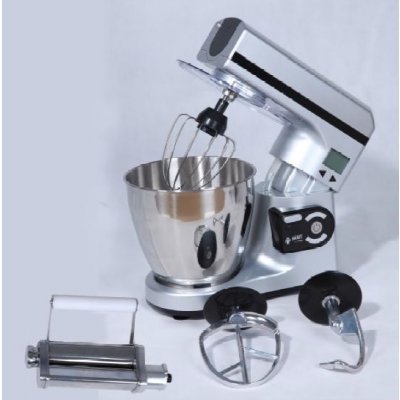
Image 1: The Melchioni Suprema Meat Grinder Attachment, fully assembled, with two different grinding plates shown separately at the bottom left.
2. Operating Instructions
Follow these steps for safe and efficient meat grinding:
- Prepare the Meat: Cut meat into small pieces (approximately 2-3 cm cubes) that will easily fit into the feed tube. Remove any bones, gristle, or tough connective tissue. For best results, chill the meat and the grinder attachment parts in the freezer for 15-30 minutes before grinding.
- Place a Bowl: Position a bowl or container under the grinding plate to collect the ground meat.
- Start the Mixer: Plug in your stand mixer and turn it on to a low to medium speed setting (refer to your stand mixer's manual for recommended speeds for attachments).
- Feed the Meat: Place the prepared meat pieces onto the food tray. Use the food pusher to gently guide the meat into the feed tube. Never use your fingers or any other utensil to push meat into the grinder.
- Continuous Grinding: Continue feeding meat until all desired quantity is ground. If the grinder slows down or clogs, turn off the mixer immediately and refer to the troubleshooting section.
- Finish: Once grinding is complete, turn off the stand mixer and unplug it from the power outlet.
3. Cleaning and Maintenance
Proper cleaning ensures the longevity and hygiene of your meat grinder attachment.
- Disassembly: After use, immediately disassemble the attachment in reverse order of assembly: remove the ring nut, grinding plate, blade, auger, and grinder housing from the stand mixer.
- Initial Rinse: Rinse all parts under warm running water to remove any large meat particles.
- Washing: All stainless steel components of the Melchioni Suprema Meat Grinder Attachment are dishwasher safe. Alternatively, wash all parts thoroughly with warm, soapy water using a brush to clean crevices.
- Drying: Dry all parts immediately and thoroughly after washing to prevent water spots and corrosion, especially for the blade and grinding plates.
- Storage: Store all cleaned and dried parts in a dry place.
4. Troubleshooting
- Grinder Clogs or Stops:
- Cause: Meat pieces are too large, contain bones/gristle, or are not chilled enough.
- Solution: Turn off and unplug the mixer. Disassemble the grinder and clear any blockages. Re-cut meat into smaller, boneless pieces and chill thoroughly before re-grinding.
- Meat is Smashed, Not Ground:
- Cause: Cutting blade is installed incorrectly (blunt side facing out) or is dull.
- Solution: Turn off and unplug the mixer. Check the blade orientation; ensure the sharp edges face the grinding plate. If the blade is dull, it may need replacement.
- Attachment is Loose:
- Cause: Grinder housing not properly secured to the stand mixer hub or ring nut is loose.
- Solution: Ensure the grinder housing is fully inserted and locked into the mixer's attachment hub. Tighten the ring nut hand-tight.
5. Specifications
| Brand | Melchioni |
| Model Name | Suprema |
| Material (Container/Blade) | Stainless Steel |
| Controls Type | Touch (Refers to compatible stand mixer controls) |
| Dishwasher Safe | Yes |
| GTIN (Global Trade Identification Number) | 08006012260052 |
| ASIN | B00F4Z4ZVG |
6. Warranty and Support
For warranty information, technical support, or to purchase replacement parts, please contact Melchioni customer service. Refer to the contact information provided with your original stand mixer or visit the official Melchioni website.