1. Introduction
This manual provides detailed instructions for the safe and effective use of your Olight H15 Wave S Headlamp. The H15 Wave S is a professional headlamp featuring an infrared sensor for hands-free operation, allowing for convenient mode changes by simply waving your hand in front of the sensor. This design is particularly useful when wearing gloves or holding tools.
2. Product Overview
The Olight H15 Wave S Headlamp is designed for various applications requiring hands-free illumination. Key features include:
- Power Output: Multiple brightness levels including 250 lumens, 200 lumens, and 100 lumens.
- LED Type: XML-2 LED for efficient lighting.
- Max Range: Illuminates up to 84 meters.
- Max Autonomy: Up to 36 hours of continuous operation.
- Water Resistance: IPX-6 rated, providing protection against strong jets of water.
- Hands-Free Operation: Infrared transmitter for touchless power on/off and mode changes.

Figure 2.1: Front view of the Olight H15 Wave S Headlamp, showing the main LED and the clear cover for the infrared sensor.
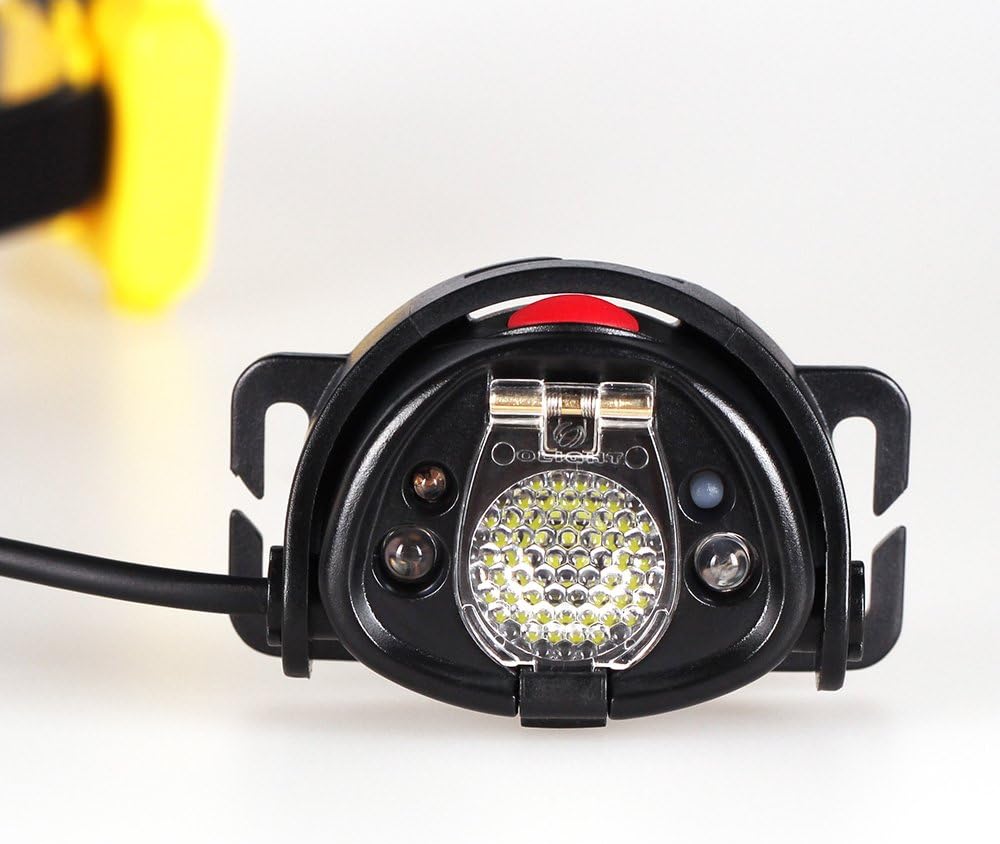
Figure 2.2: Side view of the Olight H15 Wave S Headlamp, highlighting its compact design.

Figure 2.3: The Olight H15 Wave S Headlamp shown in a hand, illustrating its compact size.

Figure 2.4: The Olight H15 Wave S Headlamp connected to its external battery pack, alongside the adjustable headband.
3. Setup
3.1 Battery Installation and Charging
The Olight H15 Wave S uses a rechargeable Lithium-Ion battery pack. Ensure the battery pack is fully charged before first use.
- Locate the battery compartment on the external battery pack.
- Open the battery compartment cover. Refer to the "ATTENTION" sticker on the battery pack for opening direction.
- Insert the provided Lithium-Ion battery into the compartment, ensuring correct polarity.
- Close the battery compartment cover securely to maintain water resistance.
- Connect the battery pack to a suitable USB power source using the provided charging cable. The charging indicator will show the charging status.
Alternatively, the headlamp can operate with 4 AAA batteries if the rechargeable battery pack is unavailable or depleted. Ensure to use fresh, high-quality AAA batteries for optimal performance.

Figure 3.1: Detail of the battery pack, showing the "ATTENTION" sticker indicating how to open the battery compartment.
3.2 Attaching the Headlamp to the Headband
The headlamp unit and battery pack are designed to attach to the adjustable elastic headband.
- Thread the elastic headband through the designated slots on the headlamp unit and the battery pack.
- Adjust the length of the headband to ensure a comfortable and secure fit on your head.
- Position the headlamp unit at the front and the battery pack at the back for balanced weight distribution.
4. Operating Instructions
4.1 Power On/Off and Mode Selection
The Olight H15 Wave S offers both manual button control and hands-free infrared sensor control.
- Manual Control: Press the power button located on the headlamp unit to turn the light on or off. Subsequent presses will cycle through available brightness modes (e.g., High, Medium, Low).
- Hands-Free (Wave) Control: With the headlamp on, wave your hand approximately 5-10 cm (2-4 inches) in front of the infrared sensor (the clear dome on the top of the headlamp). This gesture will toggle the light on/off or cycle through modes, depending on the current setting. This feature is ideal for situations where your hands are occupied or gloved.
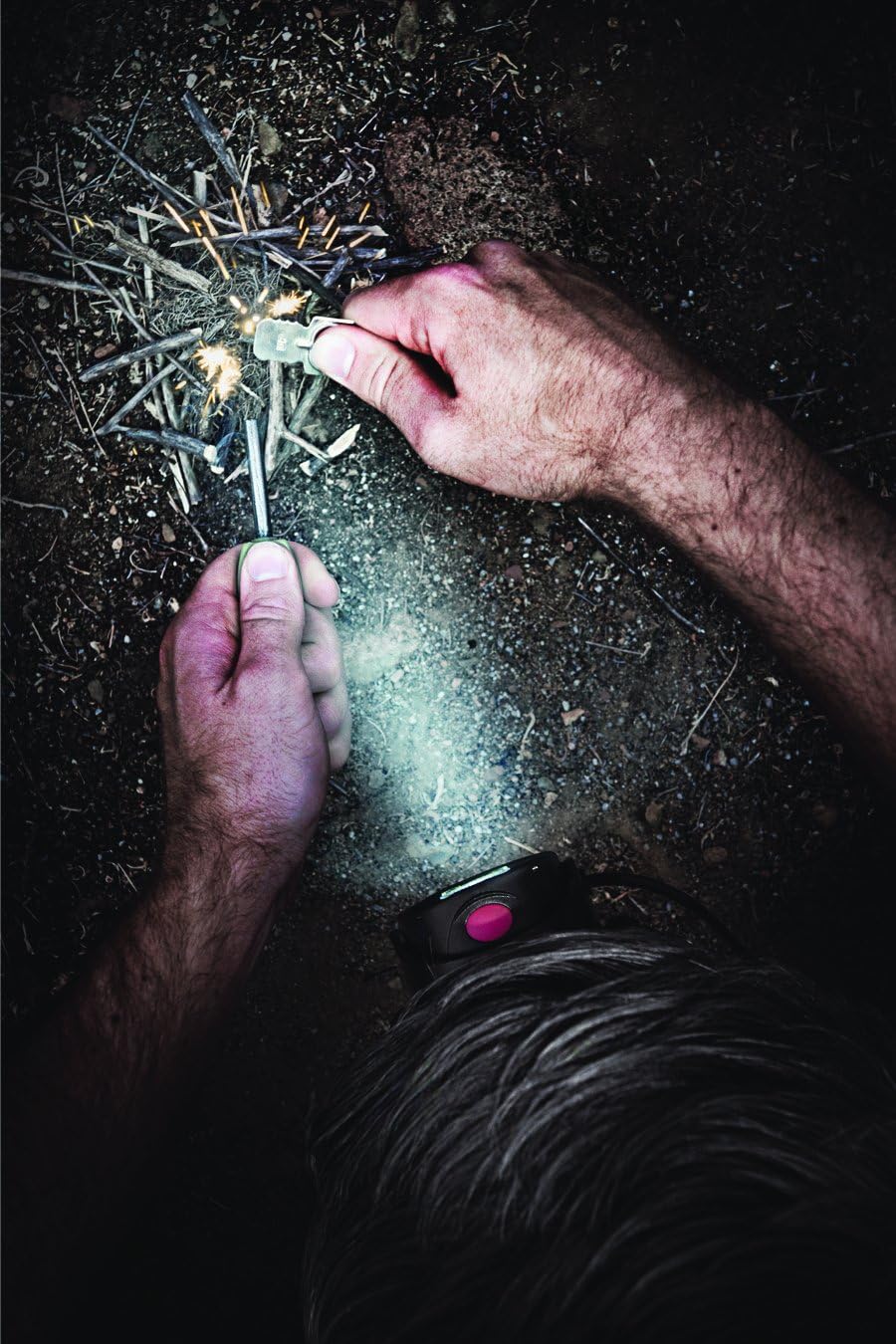
Figure 4.1: The Olight H15 Wave S Headlamp in use, demonstrating its illumination capabilities during an outdoor activity.
4.2 Brightness Levels
The headlamp features multiple brightness settings to suit various needs:
- High: 250 lumens (for maximum illumination)
- Medium: 200 lumens (for general use)
- Low: 100 lumens (for extended battery life or close-up tasks)
Refer to the product specifications for detailed runtimes at each brightness level.
5. Maintenance
5.1 Cleaning
To maintain optimal performance and appearance:
- Wipe the headlamp and battery pack with a soft, damp cloth.
- Do not use abrasive cleaners or solvents, as these may damage the surfaces.
- Ensure the lens is clean for clear light output.
5.2 Battery Care
Proper battery care extends the lifespan of your headlamp:
- Recharge the Lithium-Ion battery regularly, even if not fully depleted.
- Avoid fully discharging the battery frequently.
- Store the headlamp and battery in a cool, dry place when not in use for extended periods.
- If using AAA batteries, remove them if the headlamp will not be used for a long time to prevent leakage.
5.3 Water Resistance
The Olight H15 Wave S is rated IPX-6 for water resistance. This means it is protected against strong jets of water. While it can withstand rain and splashes, it is not designed for submersion. Ensure the battery compartment cover is securely closed to maintain water resistance.
6. Troubleshooting
| Problem | Possible Cause | Solution |
|---|---|---|
| Headlamp does not turn on. | Battery is depleted or not properly installed. | Charge the Lithium-Ion battery pack. Ensure the battery is correctly inserted with proper polarity. If using AAA batteries, replace them with fresh ones. |
| Battery pack not charging. | Charging cable or power source issue; potentially a faulty battery. | Try a different USB cable and power adapter. Ensure the charging port is clean. If the issue persists, the battery may be faulty and require replacement. |
| Hands-free control not working. | Sensor obstructed or out of range. | Ensure there is no obstruction in front of the infrared sensor. Wave your hand within the recommended range (5-10 cm). |
| Reduced battery life. | Battery degradation over time; frequent use on high brightness. | This is normal for rechargeable batteries over extended use. Consider replacing the battery pack if performance significantly degrades. Use lower brightness modes when possible to conserve power. |
| Battery compartment cover not sealing properly. | Damaged latch or O-ring. | Inspect the latches and the O-ring seal for any damage. If damaged, the water resistance may be compromised. Contact customer support for assistance. |
7. Specifications
| Feature | Detail |
|---|---|
| Brand | OLIGHT |
| Model | OLIGHT-H15s-BLACK |
| Part Number | OLH15R |
| Light Source Type | LED (XML-2) |
| Power Output (Max) | 250 Lumens |
| Max Range | 84 meters |
| Max Autonomy | 36 hours |
| Voltage | 3.7 Volts |
| Power Source | Battery Powered (Lithium-Ion rechargeable, or 4x AAA) |
| Batteries Included | Yes (1 Lithium Ion) |
| Special Features | Hands-free (Infrared Sensor) |
| Material Type | Synthetic |
| Mounting Type | Headband / Helmet Mount |
| Product Dimensions | 7.11 x 2.29 x 5.33 cm; 45.36 g (Headlamp unit) |
| Water Resistance Level | IPX-6 (Water Resistant) |
| Date First Available | 17 Sept. 2013 |
8. Warranty & Support
8.1 Warranty Information
The Olight H15 Wave S Headlamp comes with a 2-year warranty from the date of purchase, covering manufacturing defects and issues arising from normal use. This warranty does not cover damage caused by misuse, unauthorized modification, accident, neglect, or improper maintenance.
Please retain your proof of purchase for warranty claims.

Figure 8.1: Product packaging, indicating the 2-year warranty.
8.2 Customer Support
For technical assistance, warranty claims, or further inquiries, please contact Olight customer support through their official website or the retailer where the product was purchased. Provide your product model number (OLIGHT-H15s-BLACK) and a detailed description of the issue when contacting support.


