
Baseus W06
Baseus Encok True Wireless Earbuds W06 User Manual
Model: W06 | Brand: Baseus
Introduction
Thank you for choosing the Baseus Encok True Wireless Earbuds W06. This manual provides detailed instructions on how to set up, operate, and maintain your earbuds to ensure optimal performance and longevity. Please read this manual thoroughly before using the product.
Package Contents
Please check the package contents upon unboxing. If any items are missing or damaged, contact your retailer.
- Baseus Encok True Wireless Earbuds (L/R)
- Charging Case
- USB-C Charging Cable
- Silicone Eartips (various sizes)
- User Manual
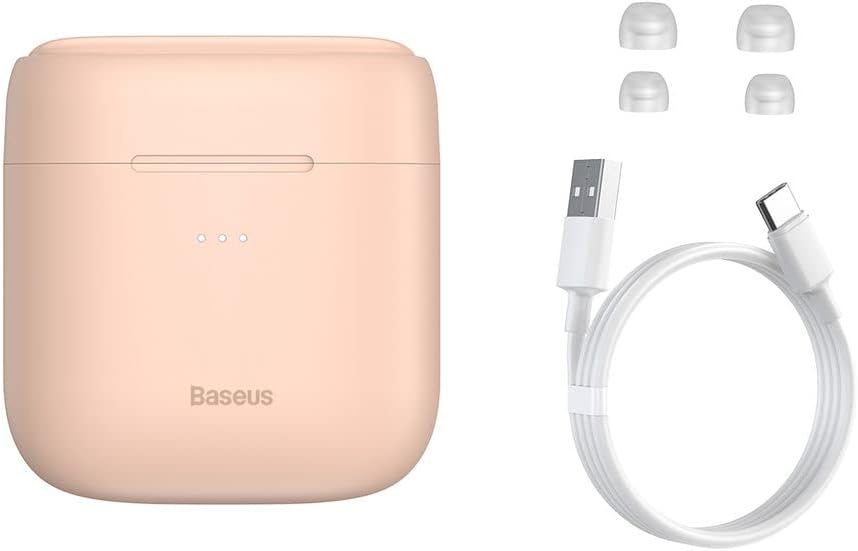
Image: The package contents, showing the charging case, two earbuds, a USB-C charging cable, and several pairs of silicone eartips.
Setup
1. Charging the Earbuds and Case
Before first use, fully charge the earbuds and the charging case. Place the earbuds into the charging case. Connect the USB-C cable to the charging case and a power source, or place the charging case on a compatible wireless charging pad.
- The indicator lights on the case will show the charging status.
- A full charge typically takes approximately 1.5 hours.
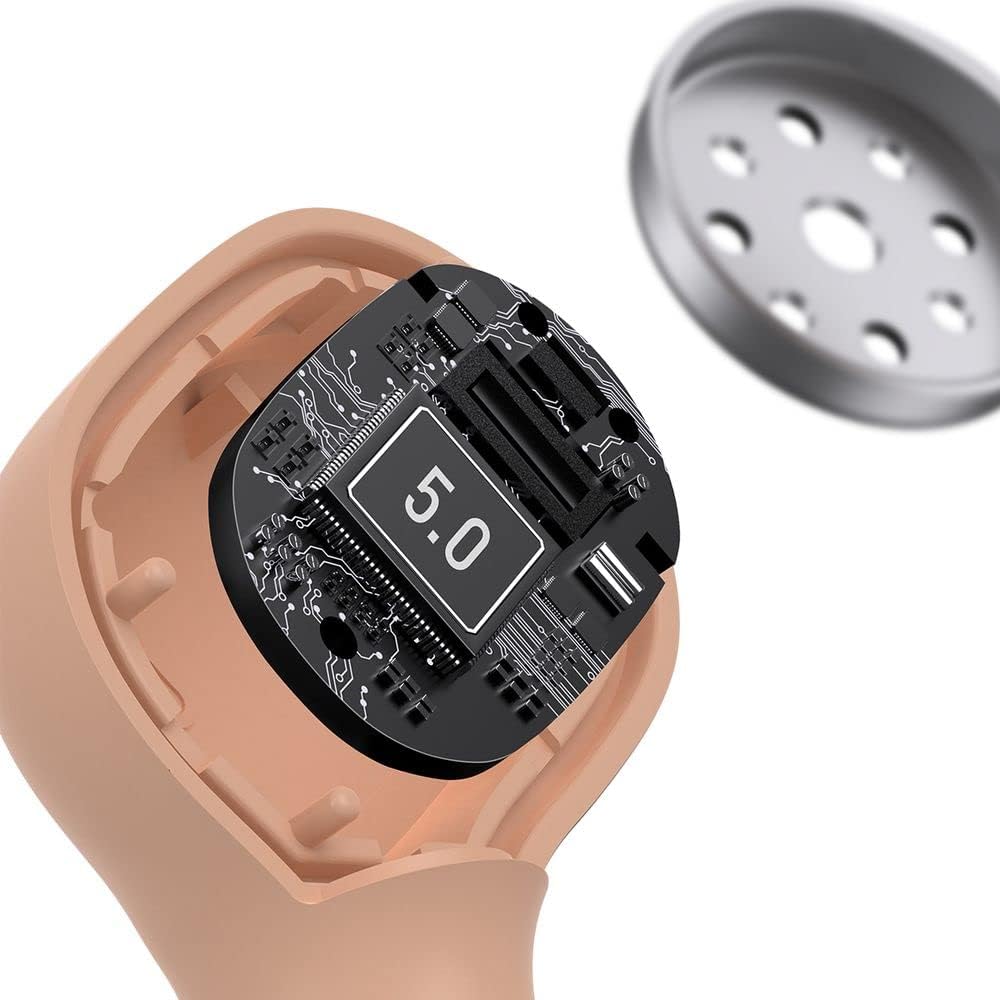
Image: The Baseus Encok W06 earbuds resting inside their open charging case, indicating they are ready for charging or use.

Image: Two Baseus Encok W06 charging cases, one connected via a USB-C cable and another placed on a wireless charging pad, demonstrating charging methods.
2. Bluetooth Pairing
- Ensure the earbuds are charged.
- Open the charging case. The earbuds will automatically enter pairing mode, indicated by a flashing light on the earbuds.
- On your device (smartphone, tablet, etc.), enable Bluetooth.
- Search for "Baseus Encok W06" in the list of available Bluetooth devices.
- Select it to connect. Once connected, the indicator light on the earbuds will stop flashing.
The earbuds will automatically reconnect to the last paired device when taken out of the case, if Bluetooth is enabled on the device.
3. Wearing the Earbuds
Choose the silicone eartips that provide the best fit and seal for your ears. Insert the earbuds gently into your ear canal and rotate them slightly until they feel secure and comfortable.

Image: A person wearing a Baseus Encok W06 earbud, illustrating how the earbud sits comfortably and securely in the ear.
Operating Instructions
The Baseus Encok W06 earbuds feature touch controls for various functions.
- Power On: Open the charging case, or press and hold the touch panel for 3 seconds if earbuds are out of case.
- Power Off: Place earbuds back into the charging case and close the lid, or press and hold the touch panel for 5 seconds.
- Play/Pause: Double-tap the touch panel on either earbud.
- Next Track: Triple-tap the right earbud.
- Previous Track: Triple-tap the left earbud.
- Answer/End Call: Double-tap the touch panel on either earbud during an incoming call.
- Reject Call: Press and hold the touch panel on either earbud for 2 seconds during an incoming call.
- Activate Voice Assistant: Press and hold the touch panel on either earbud for 3 seconds.
Key Features
- Double-sided Wireless Charging: The charging case supports wireless charging from both sides, allowing flexible placement on a wireless charging pad.
- APT-X Audio Decoding: Provides high-quality audio transmission for a superior listening experience.
- CVC Noise Canceling: Clear Voice Capture technology reduces background noise during calls for clearer communication.
- Extended Battery Life: Offers up to 300 hours of standby time.
- Bluetooth 5.0: Ensures stable and efficient wireless connectivity.

Image: A visual representation of the Baseus Encok W06 earbuds and charging case, accompanied by text detailing key features such as two-sided wireless charging, APT-X audio decoding, CVC noise canceling, and 300 hours of battery life.

Image: A detailed view of the internal circuitry of a Baseus Encok W06 earbud, prominently displaying '5.0', signifying its Bluetooth 5.0 connectivity.
Maintenance
Cleaning
- Regularly clean the earbuds and charging case with a soft, dry, lint-free cloth.
- Remove eartips and clean them with mild soap and water, then dry thoroughly before reattaching.
- Do not use abrasive cleaners, alcohol, or chemical solvents.
- Ensure charging contacts on both earbuds and case are clean and free of debris.
Storage
- Store the earbuds in their charging case when not in use to protect them and keep them charged.
- Avoid storing in extreme temperatures (hot or cold) or high humidity.
Battery Care
- To preserve battery life, charge the earbuds and case regularly, even if not used frequently.
- Avoid completely draining the battery for extended periods.
Troubleshooting
| Problem | Solution |
|---|---|
| Earbuds not pairing with device. |
|
| No sound from one or both earbuds. |
|
| Charging case not charging. |
|
Specifications
| Feature | Detail |
|---|---|
| Brand | Baseus |
| Model Name | NGJW06-04 (W06) |
| Item Model Number | B00F2ZIDTS |
| Connectivity Technology | Wireless (Bluetooth 5.0) |
| Headphone Form Factor | In-Ear |
| Cable Feature | Wireless |
| Item Weight | 50 grams |
| Product Dimensions | 10 x 3 x 2 cm |
| Manufacturer | Baseus |
| Wireless Charging | Supported (Double-sided) |
| Audio Decoding | APT-X |
| Noise Canceling | CVC (for calls) |
| Battery Life (Standby) | Up to 300 hours |
Safety Information
- Do not disassemble, repair, or modify the product.
- Keep the product away from water, moisture, and extreme temperatures.
- Avoid prolonged exposure to high volume levels to prevent hearing damage.
- Dispose of the product and its battery responsibly according to local regulations.
- Keep out of reach of children and pets.
Warranty and Support
Baseus products typically come with a limited warranty. For specific warranty terms and conditions, please refer to the warranty card included in your package or visit the official Baseus website. For technical support, product inquiries, or warranty claims, please contact Baseus customer service or your local retailer.
You can visit the official Baseus store for more information: Baseus Store
Related documentsW06


Ask a question about this manual
Ask about setup, troubleshooting, compatibility, parts, safety, or missing instructions. Manuals+ will review the question and use this page’s manual context to help answer it.