
PAC LP7-4
PAC LP7-4 L.O.C. PRO Series 4-Channel Line Output Converter User Manual
Engineered to optimize audio levels between radio and amplifier to achieve the best audio performance and avoid noise.
Product Overview
The PAC LP7-4 L.O.C. PRO Series 4-Channel Line Output Converter is designed to seamlessly integrate aftermarket amplifiers with factory car stereo systems. It converts high-level speaker outputs from your factory radio into low-level RCA signals, which are required by most aftermarket amplifiers. This process helps maintain optimal audio quality and prevents noise interference.
Key features include:
- PRO Series 4-Channel High Power Line Output Converter
- Optimizes audio levels between radio and amplifier for superior sound quality
- Ideal for adding an amplifier to an OEM system
- Configurable for speaker level or RCA level input/output
- Single dial, precision matched stereo, level gain adjustment

Figure 1: The PAC LP7-4 Line Output Converter unit shown with its included wiring harness and a small screwdriver for adjustments.
What's in the Box
- Pro Series Line Output Converter (4 Channels)
- Wiring Harness
- Small Adjustment Tool (screwdriver)
Installation and Setup
Proper installation is crucial for optimal performance and to avoid audio issues. It is recommended that installation be performed by a qualified professional.
Safety Precautions
- Disconnect the vehicle's battery before beginning any electrical installation.
- Ensure all wiring is properly insulated and secured to prevent short circuits.
- This product contains chemicals known to the State of California to cause cancer and birth defects or other reproductive harm. Handle with care and wash hands after handling.
Wiring Connections
The LP7-4 converts speaker-level signals from your factory radio to RCA line-level signals for your amplifier. Refer to the diagram printed on the device or the included wiring diagram for specific connections.
- Input Wiring (Speaker Level): Connect the speaker output wires from your factory radio to the corresponding input wires on the LP7-4 harness. Ensure correct polarity (positive to positive, negative to negative) for each channel (Front Left, Front Right, Rear Left, Rear Right).
- Output Wiring (RCA): Connect RCA cables from the LP7-4's RCA outputs to the RCA inputs on your aftermarket amplifier. The LP7-4 provides four channels of RCA output.
- Remote Turn-On: The LP7-4 features a remote turn-on output. Connect this wire to the remote turn-on input of your amplifier. This will turn on your amplifier when the factory radio is powered on.
- Power and Ground (Optional/Situational): While some installations may not require constant 12V+ or 12V- connections for the LP7-4 itself, refer to the detailed wiring instructions provided with the unit. Incorrect power connections can lead to issues such as the head unit not shutting off.
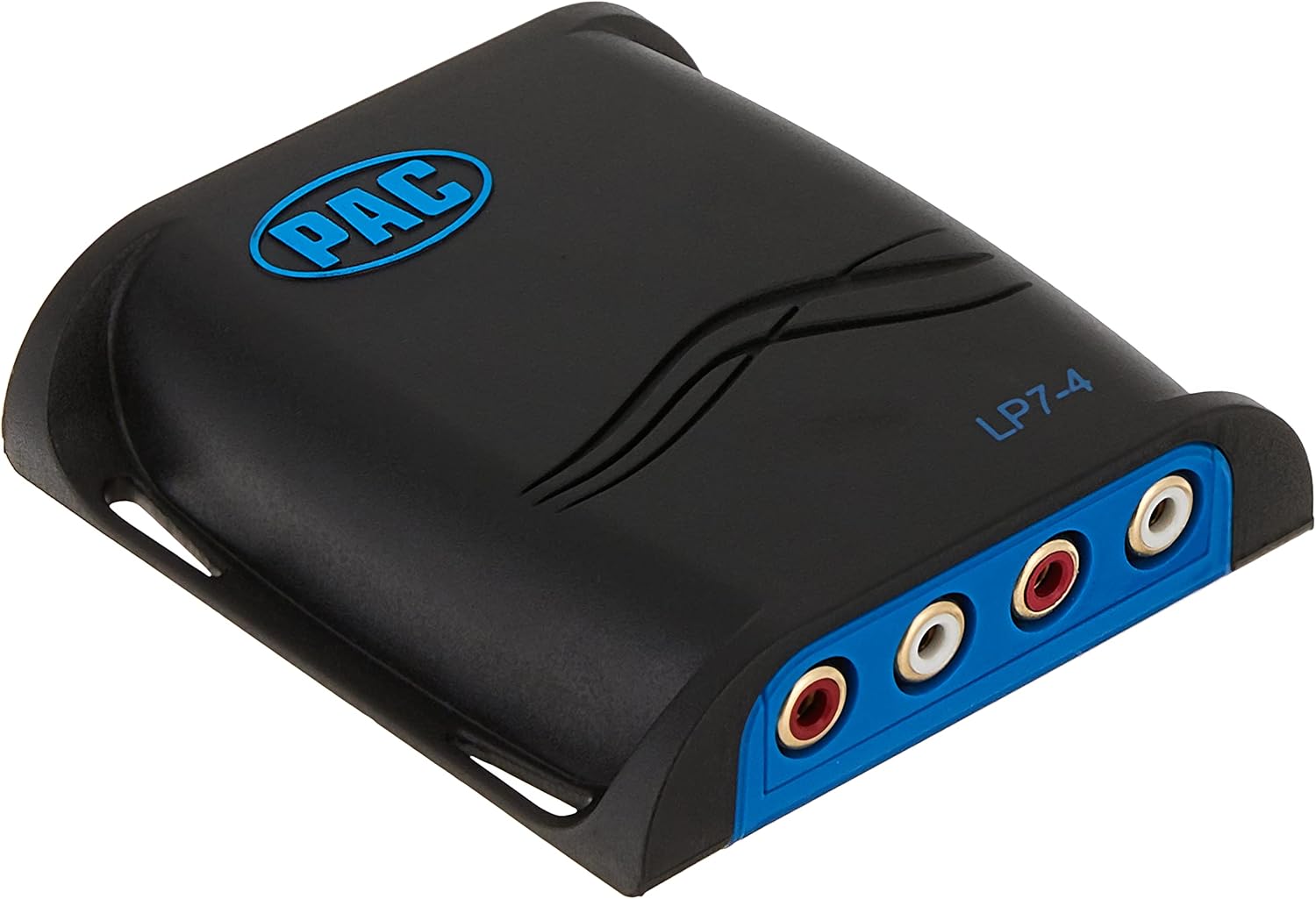

Figure 2: Front view of the LP7-4 showing the four RCA output jacks (left) and rear view showing the input wiring harness connection point (right).
Operating Instructions
Gain Adjustment
The LP7-4 features a single dial for precision-matched stereo level gain adjustment. This allows you to optimize the signal level sent to your amplifier, preventing clipping and ensuring clear audio.
- Initial Setting: Start with the gain dial on the LP7-4 set to its minimum position.
- Amplifier Gain: Set the gain controls on your amplifier to their minimum position.
- Audio Playback: Play a familiar piece of music through your car stereo at a moderate to high volume level (e.g., 75% of maximum).
- Adjust LP7-4 Gain: Slowly increase the gain dial on the LP7-4 until you hear distortion or clipping in the audio. Then, slightly reduce the gain until the audio is clear.
- Fine-tune Amplifier Gain: Once the LP7-4 gain is set, you can make minor adjustments to your amplifier's gain controls to achieve the desired overall volume and sound balance.
Note: Proper gain staging is essential. Setting the gain too high on either the LP7-4 or the amplifier can introduce noise and distortion.
Maintenance
The PAC LP7-4 is designed for long-term reliability and requires minimal maintenance.
- Ensure the unit is installed in a dry environment, away from excessive heat or moisture.
- Periodically check all wiring connections to ensure they remain secure. Loose connections can lead to intermittent audio or noise.
- Keep the unit free from dust and debris. A soft, dry cloth can be used for cleaning the exterior.
Troubleshooting
| Problem | Possible Cause | Solution |
|---|---|---|
| No Audio Output |
|
|
| Static, Hiss, or Engine Whine |
|
|
| Head Unit Not Shutting Off |
|
|
| Distorted Audio / Clipping |
|
|
Specifications
| Brand | PAC |
| Model Number | LP7-4 |
| Number of Channels | 4 |
| Interface Type | RCA |
| Minimum Supply Voltage | 12 Volts |
| Product Dimensions | 8"L x 4"W (approx. 4 x 8 x 1.25 inches) |
| Item Weight | 6.4 ounces (0.4 Pounds) |
| Material | Hard plastic or synthetic material |
| Manufacturer | AAMP of America |

Figure 3: Approximate dimensions of the PAC LP7-4 unit.
Warranty Information
The PAC LP7-4 Line Output Converter comes with a 1-Year Manufacturer Warranty. Please retain your proof of purchase for warranty claims. For detailed warranty terms and conditions, refer to the documentation included with your product or contact PAC customer support.
Customer Support
For further assistance, technical support, or inquiries regarding your PAC LP7-4, please visit the official PAC website or contact their customer service department. Contact information can typically be found on the manufacturer's website or on the product packaging.
Note: An official user manual in PDF format is available for download at https://manuals.plus/m/cf4410ac0776cdfa859bf7f014d9609653df910e56cc709b8615a8b0f7d0dbb6.
Related documentsLP7-4


Ask a question about this manual
Ask about setup, troubleshooting, compatibility, parts, safety, or missing instructions. Manuals+ will review the question and use this page’s manual context to help answer it.