
1. Introduction
Thank you for purchasing the Pentax HD DA 40mm f/2.8 Limited Lens. This lens is designed for Pentax KAF cameras, offering a standard 40mm focal length (60mm in 35mm film format) in an ultra-thin, pancake design. It features a new HD (High-Definition) coating for enhanced optical performance and a 10-blade diaphragm for smooth bokeh.
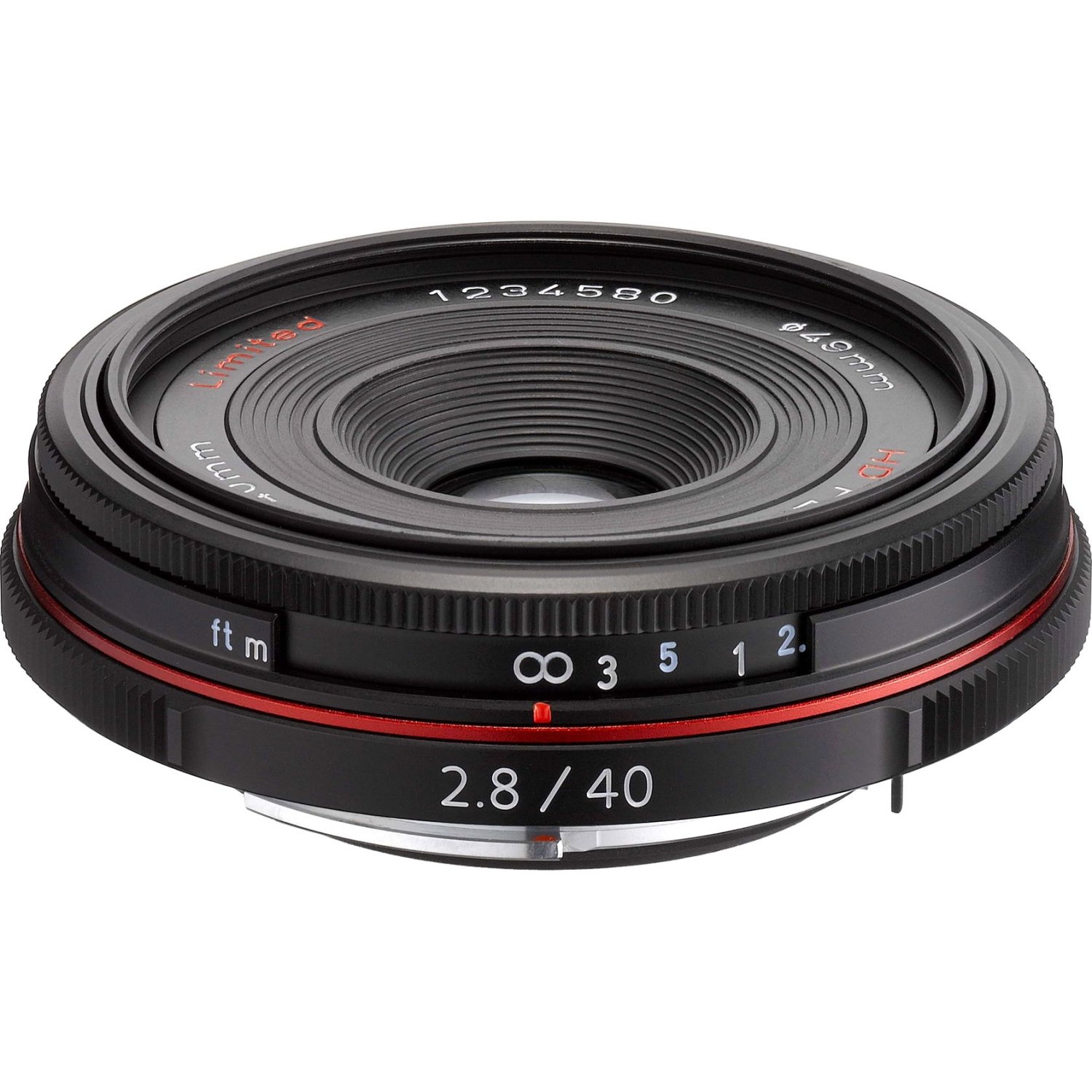
Figure 1: Pentax HD DA 40mm f/2.8 Limited Lens (Silver)
Key Features:
- Standard 40mm focal length (60mm in 35mm film format)
- Ultra-thin, pancake design
- 10-blade diaphragm for stunning bokeh
- Quick-Shift Focus System
- HD (High-Definition) Coating
2. Setup
Attaching the Lens:
- Ensure your camera is powered off.
- Remove the rear lens cap from the lens and the body cap from the camera.
- Align the red mounting index on the lens barrel with the red mounting index on the camera body.
- Insert the lens into the camera's lens mount and turn it clockwise until it clicks into place. Do not force the lens.
- Attach the front lens cap and lens hood (if included) when not in use.
Detaching the Lens:
- Ensure your camera is powered off.
- While pressing the lens release button on the camera body, turn the lens counter-clockwise until it stops.
- Remove the lens from the camera.
- Attach the rear lens cap to the lens and the body cap to the camera to protect them from dust and damage.
3. Operation
Focusing:
This lens features a manual focus ring. Rotate the focus ring to achieve sharp focus on your subject. The lens also incorporates the Quick-Shift Focus System, allowing you to switch instantly from autofocus to manual focus by simply turning the focus ring after the camera has achieved focus, without needing to change the camera's focus mode.
Aperture Control:
The lens has a maximum aperture of f/2.8, which allows for good low-light performance and shallow depth of field. The 10-blade diaphragm contributes to a smooth and pleasing background blur (bokeh). Aperture settings are controlled via the camera body.
Using the Lens Hood:
The included lens hood helps to prevent stray light from entering the lens, reducing flare and ghosting, and improving image contrast. Attach the lens hood by aligning it with the front of the lens and twisting until it locks into place. Ensure it is securely fastened.
Video 1: This video demonstrates the meticulous manufacturing and assembly process of Pentax Limited lenses, highlighting the precision and care involved in creating each optical component.
4. Maintenance
Cleaning the Lens:
- Use a lens blower to remove dust and loose particles from the lens surface.
- For smudges or fingerprints, use a clean, soft microfiber lens cloth and a small amount of lens cleaning solution. Apply the solution to the cloth, not directly to the lens.
- Wipe gently in a circular motion from the center outwards.
- Avoid touching the lens elements with your fingers.
Storage:
- Always attach the front and rear lens caps when the lens is not in use.
- Store the lens in a cool, dry place, away from direct sunlight and extreme temperatures.
- If storing for an extended period, consider using a dehumidifying agent to prevent mold growth.
5. Troubleshooting
Common Issues and Solutions:
| Problem | Possible Cause | Solution |
|---|---|---|
| Images are blurry or out of focus. | Incorrect focus, camera shake, dirty lens. | Ensure proper manual focus. Use a tripod for stability. Clean the lens elements. |
| Dark spots or dust visible in images. | Dust on the lens elements or camera sensor. | Clean the lens. If spots persist, clean the camera sensor (refer to your camera manual or consult a professional). |
| Lens not attaching securely to camera. | Incorrect alignment, obstruction. | Re-align the mounting indexes. Check for any debris in the lens mount or on the camera body. |
6. Specifications
| Feature | Detail |
|---|---|
| Brand | Pentax |
| Model Name | HD Pentax DA 40mm f/2.8 Limited Silver |
| Focal Length | 40 mm |
| Lens Type | Fixed lens (Prime) |
| Compatible Mountings | Pentax KAF |
| Maximum Aperture | f/2.8 |
| Minimum Aperture | 22 |
| Number of Diaphragm Blades | 10 |
| Focus Type | Manual Focus (with Quick-Shift) |
| Lens Coating | HD Coating |
| Real Angle Of View | 39 arcmin |
| Item Weight | 40.82 Grams |
| Color | Silver |
| GTIN / UPC | 027075273627 |
7. Warranty and Support
Warranty Information:
This Pentax lens comes with a 1 year parts and labor warranty from the date of purchase. Please retain your proof of purchase for warranty claims. The warranty covers manufacturing defects and workmanship under normal use. It does not cover damage caused by misuse, accidents, unauthorized repairs, or normal wear and tear.
Customer Support:
For technical assistance, service, or further inquiries, please visit the official Pentax website or contact their customer support. You can often find FAQs, driver downloads, and service center locations on the manufacturer's support pages.


