
1. Important Safety Instructions
Please read all instructions carefully before using this heater. Failure to follow these instructions may result in fire, electric shock, injury to persons, or property damage.
- Always plug heaters directly into a wall outlet/receptacle. Never use with an extension cord or relocatable power tap (outlet/power strip).
- This heater is hot when in use. To avoid burns, do not let bare skin touch hot surfaces. Use handles when moving this heater.
- Keep combustible materials, such as furniture, pillows, bedding, papers, clothes, and curtains at least 3 feet (0.9 m) from the front of the heater and keep them away from the sides and rear.
- Extreme caution is necessary when any heater is used by or near children or invalids and whenever the heater is left operating and unattended.
- Always unplug heater when not in use.
- Do not operate any heater with a damaged cord or plug or after the heater malfunctions, has been dropped or damaged in any manner. Return heater to authorized service facility for examination, electrical or mechanical adjustment, or repair.
- Do not use outdoors.
- This product contains chemicals known to the State of California to cause cancer and birth defects or other reproductive harm.
2. Product Overview
The Optimus H-5511 Infrared Quartz Radiant Heater is designed to provide instant, sun-like warmth for focused spot heating. This energy-efficient unit features two heat settings and multiple safety mechanisms for reliable operation.
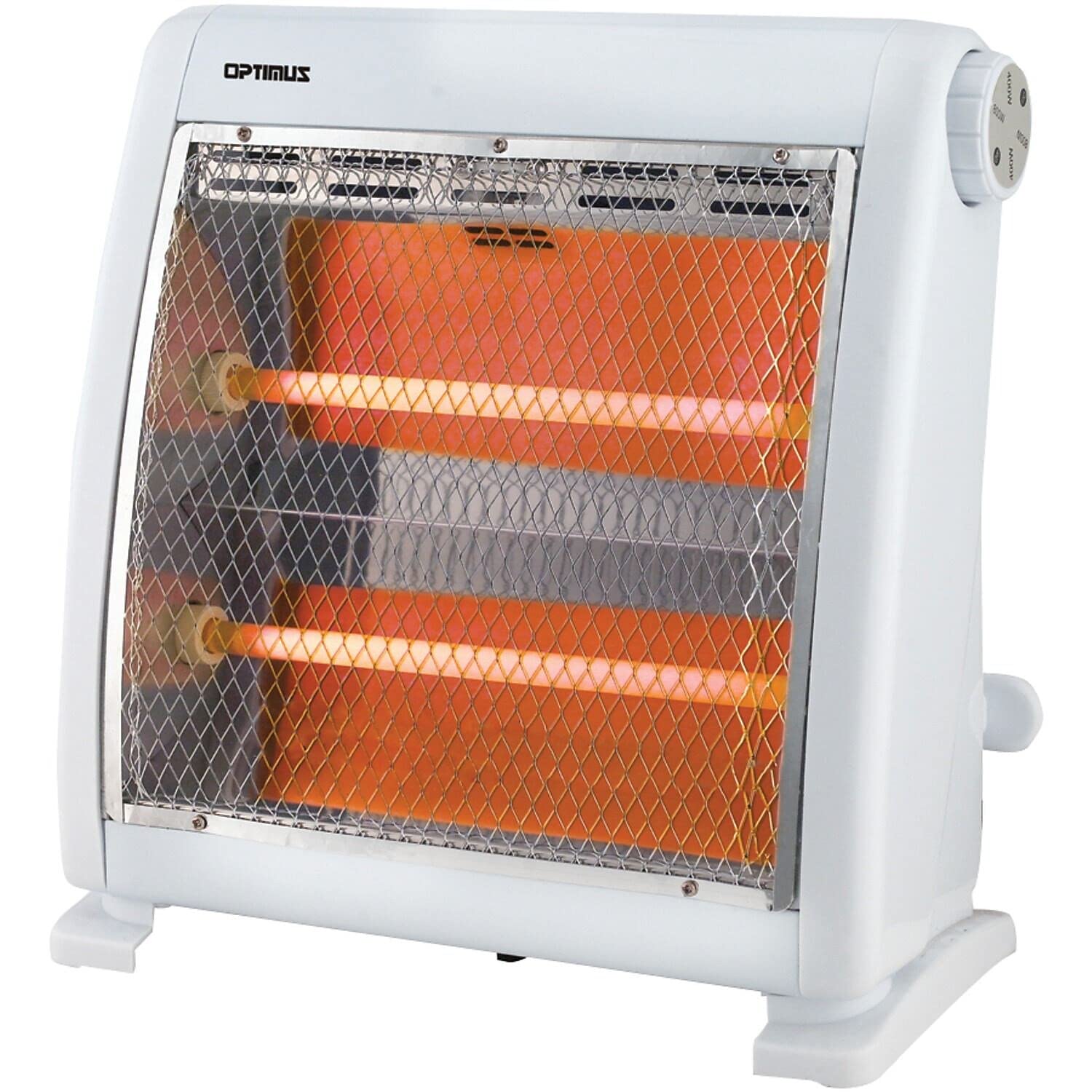
Figure 2.1: Optimus H-5511 Infrared Quartz Radiant Heater providing warmth in a living space.
Key Features:
- Instant Sun-Like Warmth Radiant Heating
- Energy Savings with 400 or 800 Watts heat settings
- Cool Touch Housing for enhanced safety
- Ultra Quiet Operation
- Tip-Over Safety Switch
- Overheat Thermal Cut-Off Safety Device
Product Overview Video:
Video 2.1: An official product overview video demonstrating the features and operation of the Optimus H-5511 heater.
3. Setup
Follow these steps to set up your Optimus H-5511 heater:
- Unpack: Carefully remove the heater from its packaging. Retain packaging for off-season storage.
- Placement: Place the heater on a firm, level surface. Ensure the heater is not placed on soft surfaces like thick carpets, which might prevent the tip-over safety switch from engaging properly. Maintain a safe distance from walls, furniture, and other objects as specified in the safety instructions.
- Power Connection: Ensure the heater is in the "OFF" position before plugging it into a standard 120V AC electrical outlet. Do not use extension cords or power strips.
4. Operating Instructions
Your Optimus H-5511 heater offers two heat settings for customized warmth.

Figure 4.1: Front view of the Optimus H-5511 heater showing the radiant elements and control knob.
- Power On: Plug the heater into a suitable 120V AC outlet.
- Select Heat Setting: Use the control knob located on the side of the unit to select your desired heat output:
- 400W: For lower heat and energy consumption.
- 800W: For higher heat output.
- Power Off: To turn off the heater, rotate the control knob to the "OFF" position. Unplug the heater from the wall outlet when not in use.
5. Safety Features
The Optimus H-5511 is equipped with several safety features to ensure safe operation:
- Tip-Over Safety Switch: This heater includes a safety switch located on the bottom of the unit. If the heater is accidentally tipped over or not placed on a firm, level surface, this switch will automatically shut off the power to prevent hazards. Ensure the heater is always on a hard, flat surface for proper operation.
- Overheat Thermal Cut-Off Safety Device: In the event of overheating, the heater will automatically shut off to prevent damage or fire. If this occurs, unplug the heater, allow it to cool down, and check for any obstructions before restarting.
- Cool Touch Housing: The exterior housing of the heater is designed to remain cool to the touch during operation, reducing the risk of accidental burns.
6. Maintenance
Regular maintenance helps ensure the longevity and efficient operation of your heater.
- Cleaning: Always unplug the heater before cleaning. Use a soft, damp cloth to wipe the exterior surfaces. Do not use abrasive cleaners or allow water to drip into the heater. Ensure the heater is completely dry before plugging it back in.
- Storage: When not in use, store the heater in a cool, dry place. It is recommended to store it in its original packaging to protect it from dust and damage.
7. Troubleshooting
If your Optimus H-5511 heater is not operating correctly, refer to the following common issues and solutions:
| Problem | Possible Cause | Solution |
|---|---|---|
| Heater does not turn on. |
|
|
| Heater produces insufficient heat. |
|
|
If the problem persists after attempting these solutions, please contact customer support.
8. Specifications

Figure 8.1: Dimensions of the Optimus H-5511 Infrared Quartz Radiant Heater.
| Feature | Detail |
|---|---|
| Brand | Optimus |
| Model Number | H-5511 |
| Special Feature | Manual Control |
| Color | White |
| Form Factor | Pedestal |
| Indoor/Outdoor Usage | Indoor |
| Product Dimensions (D x W x H) | 13.1" x 14.2" x 7.1" |
| Mounting Type | Floor Mount |
| Room Type | Bedroom, Home Office, Living Room |
| Heating Coverage | Up to 500 sq ft |
| Burner Type | Radiant |
| Fuel Type | Electric |
| Number of Speeds | 2 (400W, 800W) |
| Voltage | 120 Volts |
| Amperage | 6.67 Amps |
| Item Weight | 4 pounds |
| Manufacturer | Optimus Enterprise Inc |
| UPC | 630326155117 |
9. Warranty and Support
Warranty: This Optimus H-5511 Infrared Quartz Radiant Heater comes with a 1-year limited warranty from the date of purchase. Please retain your proof of purchase for warranty claims.
Customer Support: For technical assistance, troubleshooting beyond this manual, or warranty inquiries, please contact Optimus customer support. Refer to the product packaging or the official Optimus website for the most current contact information.