
1. Introduction
Thank you for purchasing the Timex T2N727 Quartz Rubber Watch. This manual provides detailed instructions for setting up, operating, and maintaining your watch. Please read this manual thoroughly to ensure proper use and to maximize the lifespan of your timepiece.
The Timex T2N727 features a durable stainless steel case, a comfortable rubber strap, a precise quartz movement, and an integrated altimeter function. It is designed for everyday wear and outdoor activities, offering water resistance up to 100 meters.
2. Safety Information
- Water Resistance: This watch is water-resistant to 100 meters (330 feet). It is suitable for showering, swimming, and snorkeling. Do not press any buttons or operate the crown while the watch is submerged or wet.
- Temperature: Avoid exposing the watch to extreme temperatures (hot or cold) for extended periods, as this may affect battery life and movement accuracy.
- Impact: Protect the watch from strong impacts or drops, which can damage the internal components or the crystal.
- Chemicals: Avoid contact with solvents, detergents, perfumes, and cosmetics, as they may damage the case, strap, or seals.
3. Setup and Initial Configuration
3.1. Setting Time and Date
- Pull the Crown: Gently pull the crown (the knob on the side of the watch) out to the first or second click position. Refer to the specific model instructions for your watch, as some models have multiple crown positions for different settings.
- Set Time: Rotate the crown to adjust the hour and minute hands to the correct time.
- Set Date: If your watch has a date function, rotate the crown in the opposite direction or to a different click position to set the date. Adjust the date to the day before the current date.
- Synchronize: Once the time and date are set, push the crown back in completely to start the watch and engage the water resistance seal.
Note: The date display is located at the 3 o'clock position.
3.2. Altimeter Calibration
The digital altimeter requires calibration for accurate readings. It measures altitude based on atmospheric pressure, which can change with weather conditions.
- Find Known Altitude: Locate your current altitude from a reliable source (e.g., a map, GPS device, or local landmark information).
- Enter Calibration Mode: Refer to your watch's specific button functions to enter altimeter calibration mode. This usually involves pressing and holding a specific button.
- Adjust Altitude: Use the designated buttons to adjust the altimeter reading to match the known altitude.
- Save Calibration: Confirm and save the calibration setting.
The altimeter sensor range is -400 feet to 25000 feet (120 meters to 7600 meters). It also features min/max altitude recall.
4. Operating Your Watch
4.1. Using the Altimeter
Once calibrated, your watch will display the current altitude. The watch may offer different display modes for altitude (e.g., feet or meters). Consult your watch's specific button layout to switch between these modes or to view min/max altitude records.
Important: For accurate altitude readings, recalibrate the altimeter frequently, especially when significant weather changes occur or when moving to a new location with a known altitude reference.
4.2. Indiglo Night-Light
Your Timex T2N727 watch is equipped with the Indiglo night-light feature for easy readability in low-light conditions. To activate the Indiglo night-light, press the crown (or the designated Indiglo button, if present). The entire dial will illuminate evenly.
4.3. Water Resistance
The watch is water-resistant to 100 meters (330 feet). This rating means it is suitable for recreational swimming, snorkeling, and showering. It is not suitable for scuba diving. Always ensure the crown is fully pushed in before exposing the watch to water. Do not operate the crown or push buttons while the watch is wet or submerged.
5. Maintenance and Care
5.1. Cleaning Your Watch
- Case and Crystal: Wipe the case and mineral crystal with a soft, damp cloth. For stubborn dirt, a mild soap solution can be used, followed by rinsing with clean water and drying thoroughly.
- Rubber Strap: Clean the rubber strap with mild soap and water. Rinse thoroughly and dry completely to prevent skin irritation and prolong the strap's life.
- Avoid: Do not use harsh chemicals, abrasive cleaners, or solvents, as these can damage the watch's finish or materials.
5.2. Battery Replacement
The watch is powered by a quartz movement, which requires a battery. When the battery runs low, the watch may stop or the Indiglo light may dim. It is recommended to have the battery replaced by a qualified watch technician to ensure the water resistance seal is properly re-seated.
Battery Type: Refer to the watch's case back or consult a Timex service center for the correct battery type.
6. Troubleshooting
| Problem | Possible Cause | Solution |
|---|---|---|
| Watch stops or runs intermittently. | Low battery. | Replace battery. |
| Indiglo light is dim or not working. | Low battery. | Replace battery. |
| Altimeter readings are inaccurate. | Needs calibration; atmospheric pressure change. | Recalibrate altimeter at a known altitude. |
| Moisture inside the watch. | Crown not fully pushed in; seals compromised. | Immediately take to a qualified watch technician for inspection and repair. |
7. Specifications
- Model: T2N727
- Movement: Quartz
- Case Material: Stainless Steel
- Case Diameter: 54 mm
- Crystal: Scratch-resistant Mineral
- Strap Material: Rubber
- Water Resistance: 100 meters (330 feet)
- Features: Date display, Indiglo night-light, Digital Altimeter (-400 to 25000 feet / 120 to 7600 meters), Min/Max Altitude Recall
8. Product Images
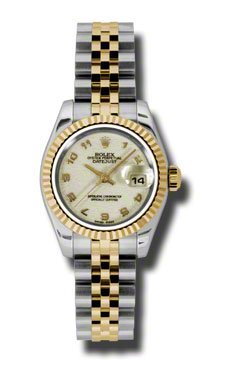
Figure 1: Front view of the Timex T2N727 Quartz Rubber Watch. This image displays the watch's black dial with skeleton hands, index hour markers, and the date window at the 3 o'clock position. The robust stainless steel case and textured crown are visible, along with the durable rubber strap.
9. Warranty and Support
Your Timex T2N727 watch is covered by a limited warranty. Please refer to the warranty card included with your purchase for specific terms and conditions. For technical support, service, or warranty claims, please visit the official Timex website or contact their customer service department.
Online Support: www.timex.com/support
Please retain your proof of purchase for warranty purposes.