
Vortex 736708
Vortex S Line S-600 Fan User Manual
Model: S-600 (736708)
Introduction
The Vortex S Line S-600 Fan is a revolutionary ventilation solution designed for energy efficiency and ultra-quiet operation. It incorporates advanced technologies to deliver unparalleled performance. Featuring an energy-efficient AC Brushless Motor and patented mixed-flow dual impellers, this fan is built with double insulated walls to significantly reduce noise. All S-Line models are constructed with high-impact resistant polycarbonate casings, an integrated back draft damper, and a mounting bracket for quick and easy installation.
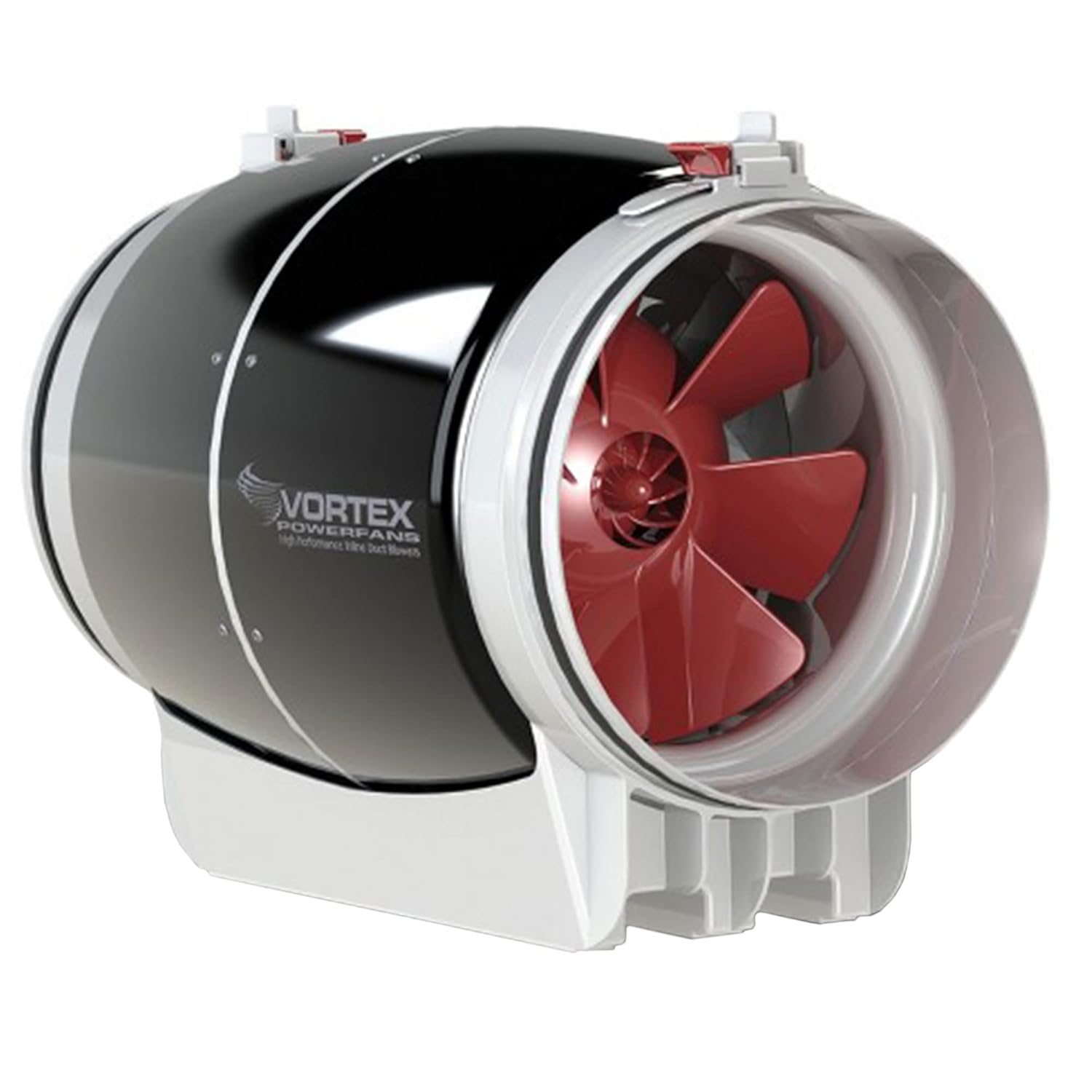
Figure 1: Front view of the Vortex S Line S-600 Fan, showcasing its compact design and red impellers.
Safety Information
Please read all safety instructions carefully before installation and operation. Failure to follow these instructions may result in electric shock, fire, or serious injury.
- Always disconnect power before servicing or cleaning the unit.
- Ensure proper grounding to prevent electrical hazards.
- Do not operate the fan with a damaged cord or plug.
- Keep hands and foreign objects away from moving parts during operation.
- Install the fan in a location that allows for adequate air circulation and prevents obstruction of airflow.
- This fan is designed for indoor use only. Do not expose to water or excessive humidity.
Package Contents
Verify that all components are present in the package:
- Vortex S Line S-600 Fan Unit
- Integrated Mounting Bracket
Setup and Installation
The Vortex S Line S-600 Fan is designed for quick and easy installation. Follow these steps for proper setup:
- Mounting: Utilize the integrated mounting bracket to secure the fan to a stable surface. The bracket allows for flexible positioning. Ensure the fan is securely fastened to prevent vibration and movement during operation.
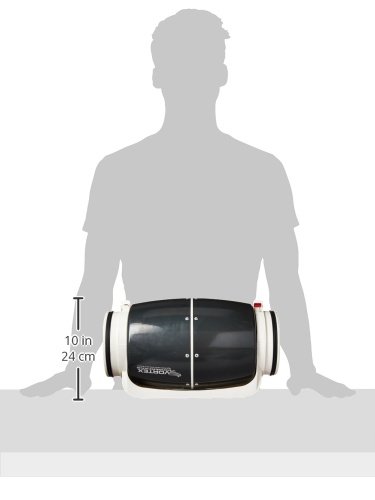
Figure 2: Dimensions of the Vortex S Line S-600 Fan, indicating a length of approximately 17.3 inches and a height of 10.6 inches.
- Ducting Connection: Connect appropriate 6-inch ducting to both ends of the fan. The fan features a patented mixed-flow dual impeller design, so ensure ducting is sealed properly to maximize airflow efficiency and minimize noise. Use duct clamps or tape for a secure, airtight connection.
- Electrical Connection: Connect the fan to a standard 120-volt AC power supply using its 3-Pin power connector. Ensure the power source is compatible with the fan's electrical requirements (70 Watts). It is recommended to use a dedicated circuit if possible.
Operating Instructions
Once installed, operating the Vortex S Line S-600 Fan is straightforward.
- Power On/Off: Plug the fan into a suitable power outlet to begin operation. Unplug to turn off. For continuous operation, consider using a compatible fan speed controller (sold separately) to adjust airflow as needed.
- Airflow: The fan provides an airflow capacity of 347 Cubic Feet Per Minute (CFM), suitable for various ventilation applications.
- Quiet Operation: Thanks to its double insulated walls and advanced motor, the fan operates at a low noise level of approximately 57 dB, ensuring minimal disturbance.

Figure 3: Close-up view of the fan's red impellers, designed for efficient air movement.
Maintenance
Regular maintenance ensures optimal performance and longevity of your Vortex S Line S-600 Fan.
- Cleaning: Periodically inspect the fan and impellers for dust and debris accumulation. Disconnect power before cleaning. Use a soft, dry cloth to wipe down the polycarbonate casings. For impellers, a soft brush or vacuum cleaner attachment can be used to gently remove buildup. Do not use harsh chemicals or abrasive cleaners.
- Back Draft Damper Inspection: Check the integrated back draft damper periodically to ensure it moves freely and is not obstructed, maintaining proper airflow direction.
- Ducting Inspection: Ensure ducting remains securely attached and free of kinks or damage that could impede airflow.
Troubleshooting
If you encounter issues with your Vortex S Line S-600 Fan, refer to the following common troubleshooting steps:
| Problem | Possible Cause | Solution |
|---|---|---|
| Fan does not turn on. | No power, loose connection, faulty outlet. | Check power cord connection. Test outlet with another device. Ensure power switch (if applicable) is on. |
| Reduced airflow. | Obstructed ducting, dirty impellers, blocked damper. | Inspect ducting for kinks or blockages. Clean impellers and fan housing. Check back draft damper for obstructions. |
| Unusual noise or vibration. | Loose mounting, foreign object in fan, damaged impellers. | Ensure fan is securely mounted. Disconnect power and inspect for foreign objects. If noise persists, contact manufacturer support. |
For issues not covered here or if troubleshooting steps do not resolve the problem, please contact Vortex customer support.
Specifications
| Feature | Detail |
|---|---|
| Brand | Vortex |
| Model Number | 736708 (S-600) |
| Product Dimensions | 17.3 x 11.2 x 10.6 inches |
| Weight | 6.8 Pounds |
| Voltage | 120 Volts |
| Wattage | 70 Watts |
| Air Flow Capacity | 347 Cubic Feet Per Minute (CFM) |
| Noise Level | 57 dB |
| Cooling Method | Air |
| Power Connector Type | 3-Pin |
| Material | High-impact resistant polycarbonate casings |
Warranty Information
The Vortex S Line S-600 Fan is backed by a comprehensive 10-year warranty. This warranty covers defects in materials and workmanship under normal use. Please retain your proof of purchase for warranty claims. For detailed warranty terms and conditions, refer to the official documentation provided with your product or contact Vortex customer support.
Support
For technical assistance, troubleshooting beyond this manual, or warranty inquiries, please contact Vortex customer support.
- Manufacturer: Vortex
For a downloadable PDF version of this user manual, please visit: Vortex S Line S-600 Fan User Manual (PDF)
Related documents736708


Ask a question about this manual
Ask about setup, troubleshooting, compatibility, parts, safety, or missing instructions. Manuals+ will review the question and use this page’s manual context to help answer it.