
1. Introduction
This manual provides essential information for the safe and effective installation, operation, and maintenance of the Schneider Electric QDL32125 Molded Case Circuit Breaker. This device is designed to protect electrical circuits from overcurrents and short circuits, ensuring the safety and reliability of your electrical system. Please read this manual thoroughly before any installation or operation.
2. Safety Information
WARNING: RISK OF ELECTRIC SHOCK, EXPLOSION, OR ARC FLASH.
- Installation and maintenance must be performed by qualified personnel only.
- Always de-energize the equipment before working on or around the circuit breaker.
- Use a properly rated voltage sensing device to confirm the power is off.
- Wear appropriate personal protective equipment (PPE).
- Follow all local and national electrical codes and standards.
- Never bypass or modify the circuit breaker.
Failure to follow these instructions can result in death, serious injury, or equipment damage.
3. Product Overview
The Schneider Electric QDL32125 is a 3-pole molded case circuit breaker designed for 240-Volt applications with a 125-Amp current rating. It features a robust construction suitable for various electrical distribution systems.

Figure 3.1: Front View of QDL32125 Circuit Breaker. This image displays the front of the Schneider Electric QDL32125 circuit breaker, showing the ON/OFF toggle switch, rating labels (125A, 240V), and terminal connections for three phases. The "PowerPact QD 125" and "Square D by Schneider Electric" branding are clearly visible.
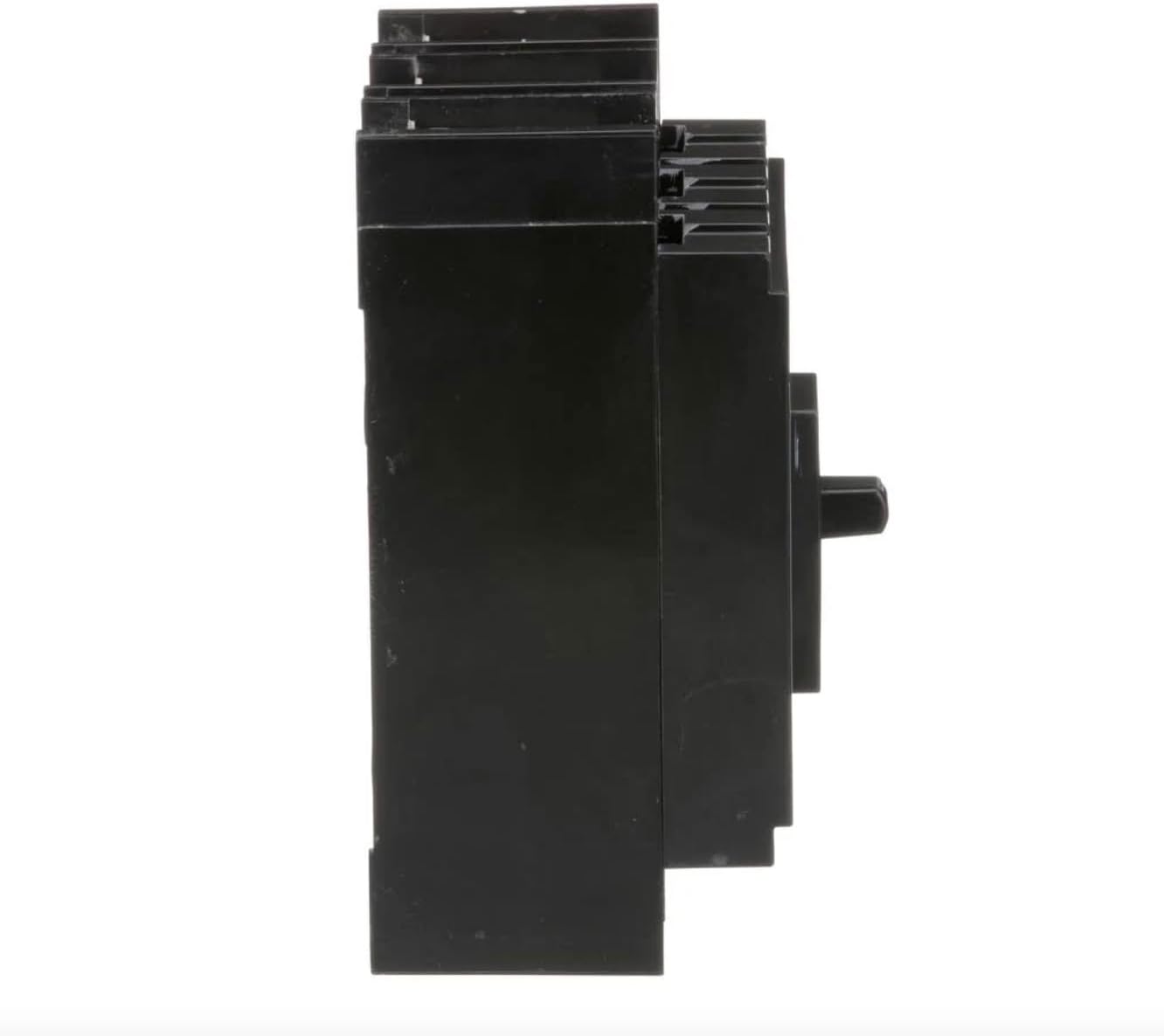
Figure 3.2: Side View of QDL32125 Circuit Breaker. This image shows the side profile of the QDL32125 circuit breaker, highlighting its compact design and the depth of the unit. This view is useful for understanding mounting requirements and space considerations within an electrical panel.

Figure 3.3: Back View of QDL32125 Circuit Breaker. This image presents the rear of the QDL32125 circuit breaker, revealing the mounting points and internal structure. This perspective is important for understanding how the breaker integrates into a panelboard or enclosure.
4. Setup and Installation
Installation of the QDL32125 circuit breaker should only be performed by a qualified electrician in accordance with all applicable electrical codes and standards.
4.1 Pre-Installation Checks
- Verify that the circuit breaker ratings (voltage, current, interrupting rating) match the requirements of the electrical system.
- Ensure the power to the installation area is completely disconnected and locked out.
- Inspect the circuit breaker for any physical damage. Do not install damaged units.
4.2 Mounting
- Mount the circuit breaker securely within the designated enclosure or panelboard.
- Ensure proper ventilation and clearance around the breaker as specified by local codes.
4.3 Wiring
- Connect the load and line conductors to the appropriate terminals. Refer to the wiring diagram provided with your panelboard or enclosure.
- Ensure all connections are tight and secure to prevent loose connections, which can cause overheating.
- Use appropriate wire gauges for the 125-Amp rating. The breaker is designed for #4 AWG - 300 kcmil Al/Cu conductors.
- Torque terminal screws to 28 N·m (250 lb-in).
4.4 Post-Installation Checks
- Double-check all wiring connections for correctness and tightness.
- Ensure no tools or debris are left inside the enclosure.
- Close and secure the panelboard cover.
- Restore power to the system.
5. Operating Instructions
5.1 Turning the Breaker ON/OFF
- To turn the circuit ON, firmly push the toggle handle to the "ON" position.
- To turn the circuit OFF, firmly push the toggle handle to the "OFF" position.
5.2 Tripped Breaker
If an overcurrent or short circuit occurs, the breaker will automatically trip to the center position (between ON and OFF). To reset a tripped breaker:
- First, move the handle completely to the "OFF" position.
- Then, firmly push the handle to the "ON" position.
- If the breaker immediately trips again, there is still an issue with the circuit. Do not attempt to reset it repeatedly. Investigate the cause of the trip (e.g., overloaded circuit, short circuit) before attempting to reset.
6. Maintenance
Regular inspection and maintenance can help ensure the longevity and reliable operation of your circuit breaker. All maintenance should be performed by qualified personnel with the power disconnected.
- Visual Inspection: Periodically inspect the circuit breaker for signs of physical damage, discoloration, or loose connections.
- Cleaning: Keep the circuit breaker and its surroundings clean and free of dust and debris. Use a dry, non-conductive cloth.
- Terminal Tightness: Periodically check the tightness of terminal connections. Retorque if necessary, ensuring power is off.
- Functional Test: If required by local codes or maintenance schedules, perform a functional trip test. Consult a qualified electrician for this procedure.
7. Troubleshooting
This section addresses common issues you might encounter with your circuit breaker.
7.1 Breaker Trips Immediately After Reset
- Cause: Persistent overload or short circuit in the connected circuit.
- Solution: Disconnect all loads from the circuit. If the breaker still trips, there may be a short circuit in the wiring itself. If it holds, reconnect loads one by one to identify the faulty device or overloaded branch. Consult a qualified electrician.
7.2 Breaker Does Not Trip on Overload
- Cause: Breaker malfunction or incorrect rating for the load.
- Solution: Immediately de-energize the circuit. Do not use the breaker. Have a qualified electrician inspect and replace the breaker if necessary. Ensure the breaker's rating is appropriate for the circuit's design load.
7.3 Breaker Feels Hot to the Touch
- Cause: Overload, loose connections, or internal fault.
- Solution: De-energize the circuit immediately. Check for overloaded conditions and inspect terminal connections for tightness. If the issue persists, the breaker may be faulty and requires replacement by a qualified electrician.
8. Specifications
| Brand | Schneider Electric |
| Model Number | QDL32125 |
| Current Rating | 125 Amps |
| Voltage Rating | 240 Volts |
| Number of Poles | 3 |
| Circuit Breaker Type | Standard, Thermal-Magnetic |
| Material | Copper (terminals) |
| Item Weight | 4.96 pounds |
| Product Dimensions | 15 x 8.5 x 4.4 inches |
| UPC | 785901522980 |
| Conductor Compatibility | #4 AWG - 300 kcmil Al/Cu |
| Terminal Torque | 28 N·m (250 lb-in) |
9. Warranty and Support
For information regarding product warranty, technical support, or service, please contact Schneider Electric directly or visit their official website. Warranty terms and conditions may vary by region and product type.
Schneider Electric Official Website: www.se.com
Please have your model number (QDL32125) and purchase information ready when contacting support.


