
Rocktile Scream-15
Rocktile Scream-15 Guitar Amplifier User Manual
Model: Scream-15 (00029625)
Introduction
Thank you for purchasing the Rocktile Scream-15 Guitar Amplifier. This 15-watt combo amplifier is designed for guitarists seeking a versatile and compact solution for practice and small rehearsals. It features two channels (Clean and Overdrive), a 3-band equalizer, a headphone output for silent practice, and an auxiliary input for connecting external audio devices.
Please read this manual thoroughly to ensure proper operation and to maximize the lifespan of your amplifier. Keep this manual for future reference.
Safety Instructions
To prevent electric shock, fire, or damage to the unit, please observe the following safety precautions:
- Power Source: Connect the amplifier only to an AC power outlet of the voltage specified on the unit.
- Grounding: Ensure the power cord is properly grounded. Do not defeat the grounding type plug.
- Water and Moisture: Do not expose the unit to rain or moisture. Do not place objects filled with liquids, such as vases, on the unit.
- Ventilation: Do not block ventilation openings. Ensure adequate airflow around the unit.
- Heat Sources: Do not place the unit near heat sources such as radiators, heat registers, stoves, or other apparatus (including amplifiers) that produce heat.
- Cleaning: Clean only with a dry cloth.
- Servicing: Do not attempt to service this product yourself. Refer all servicing to qualified service personnel. Servicing is required when the apparatus has been damaged in any way, such as power-supply cord or plug is damaged, liquid has been spilled or objects have fallen into the apparatus, the apparatus has been exposed to rain or moisture, does not operate normally, or has been dropped.
- Cables: Protect the power cord from being walked on or pinched, particularly at plugs, convenience receptacles, and the point where they exit from the apparatus.
Product Overview

Figure 1: Front view of the Rocktile Scream-15 Guitar Amplifier, showcasing its compact design and control panel.
Front Panel Controls
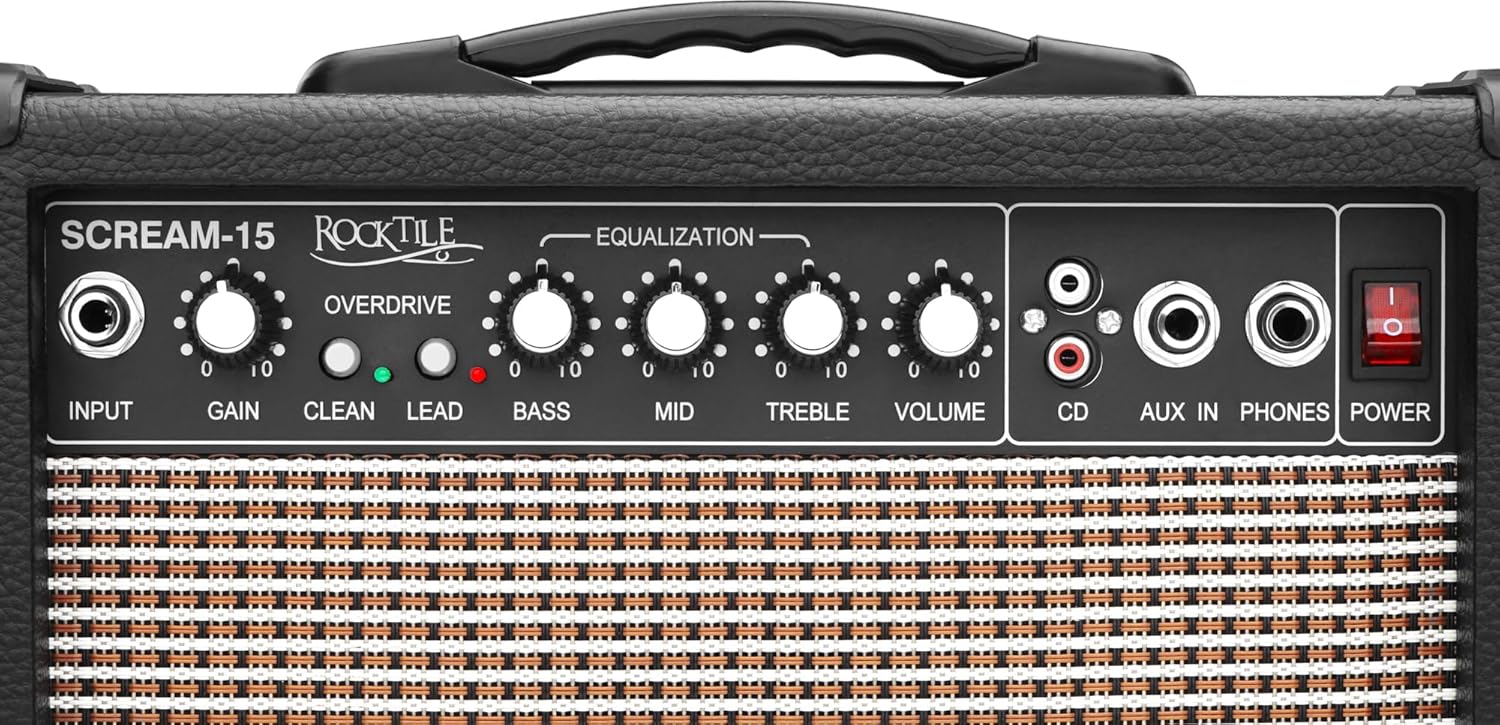
Figure 2: Detailed view of the amplifier's front panel, highlighting the input, gain, channel switches, equalization knobs, volume, and auxiliary inputs.
- INPUT: 1/4" jack for connecting your guitar.
- GAIN: Controls the amount of distortion in the Overdrive channel.
- CLEAN/OVERDRIVE Switch: Toggles between the clean and overdrive channels.
- LEAD Switch: Engages an additional gain stage for higher distortion within the Overdrive channel.
- BASS: Adjusts the low-frequency response.
- MID: Adjusts the mid-frequency response.
- TREBLE: Adjusts the high-frequency response.
- VOLUME: Controls the overall output volume of the amplifier.
- CD Input (RCA): Stereo RCA inputs for connecting external audio sources like CD players.
- AUX IN (1/4" Jack): 1/4" stereo input for connecting external audio sources like MP3 players or smartphones.
- PHONES (Headphone Output): 1/4" stereo jack for connecting headphones. Plugging in headphones mutes the main speaker.
- POWER Switch: Turns the amplifier on or off.
Rear Panel
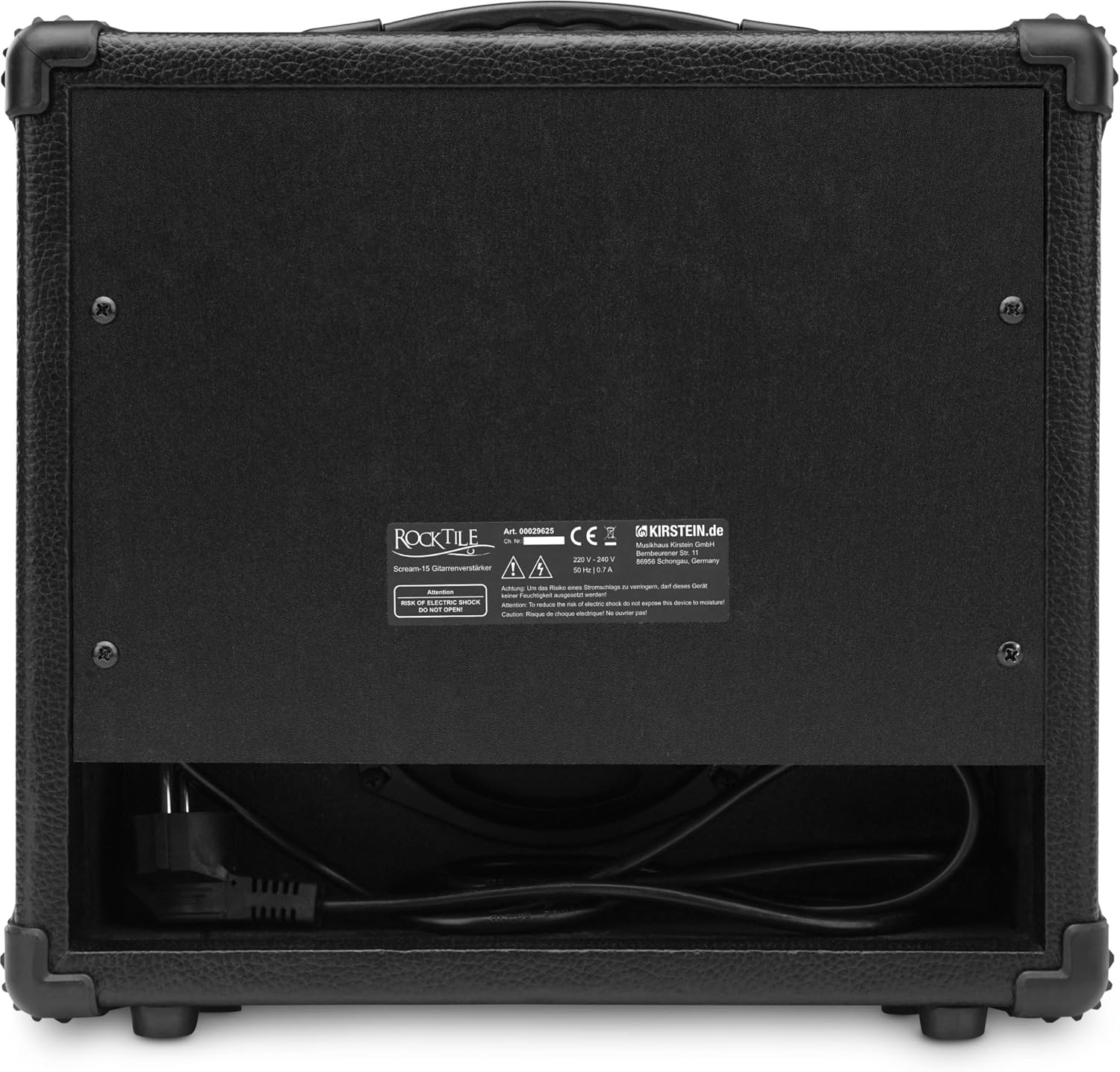
Figure 3: Rear view of the Rocktile Scream-15, showing the power input and product information label.
The rear panel primarily houses the AC power input and the product's serial number and manufacturing information.
Setup
Unpacking
Carefully remove the amplifier from its packaging. Retain the packaging materials for future transport or storage.
Power Connection
- Ensure the amplifier's POWER switch is in the OFF position.
- Connect the supplied AC power cord to the power input on the rear panel of the amplifier.
- Plug the other end of the power cord into a suitable grounded AC power outlet.
Connecting a Guitar
- Ensure the amplifier's VOLUME knob is set to its minimum position (fully counter-clockwise).
- Using a standard 1/4" instrument cable, connect your guitar to the INPUT jack on the front panel.
Connecting Headphones

Figure 4: Close-up view of the auxiliary, CD, and headphone input jacks on the front panel.
For silent practice, connect a pair of stereo headphones with a 1/4" plug to the PHONES jack. The main speaker will automatically mute when headphones are connected.
Connecting External Audio Devices (AUX/CD)
You can connect external audio sources to play along with your favorite tracks:
- AUX IN: Use a 1/4" stereo cable to connect devices like MP3 players, smartphones, or laptops to the AUX IN jack.
- CD Input: Use RCA cables to connect devices like CD players or other audio equipment to the CD input jacks.
The volume of the external audio device should be controlled directly from the device itself.
Operating
Powering On/Off
To turn on the amplifier, press the POWER switch to the ON position. The power indicator light will illuminate. To turn off, press the switch to the OFF position.
Adjusting Volume
After connecting your guitar and powering on the amplifier, slowly turn the VOLUME knob clockwise to increase the overall output level. Adjust to a comfortable listening level.
Using Clean Channel
To use the clean channel, ensure the CLEAN/OVERDRIVE switch is in the CLEAN position (usually indicated by an unlit LED or specific switch position). In this mode, the amplifier produces a clear, undistorted tone. The GAIN and LEAD controls will not affect the sound in this mode.
Using Overdrive Channel
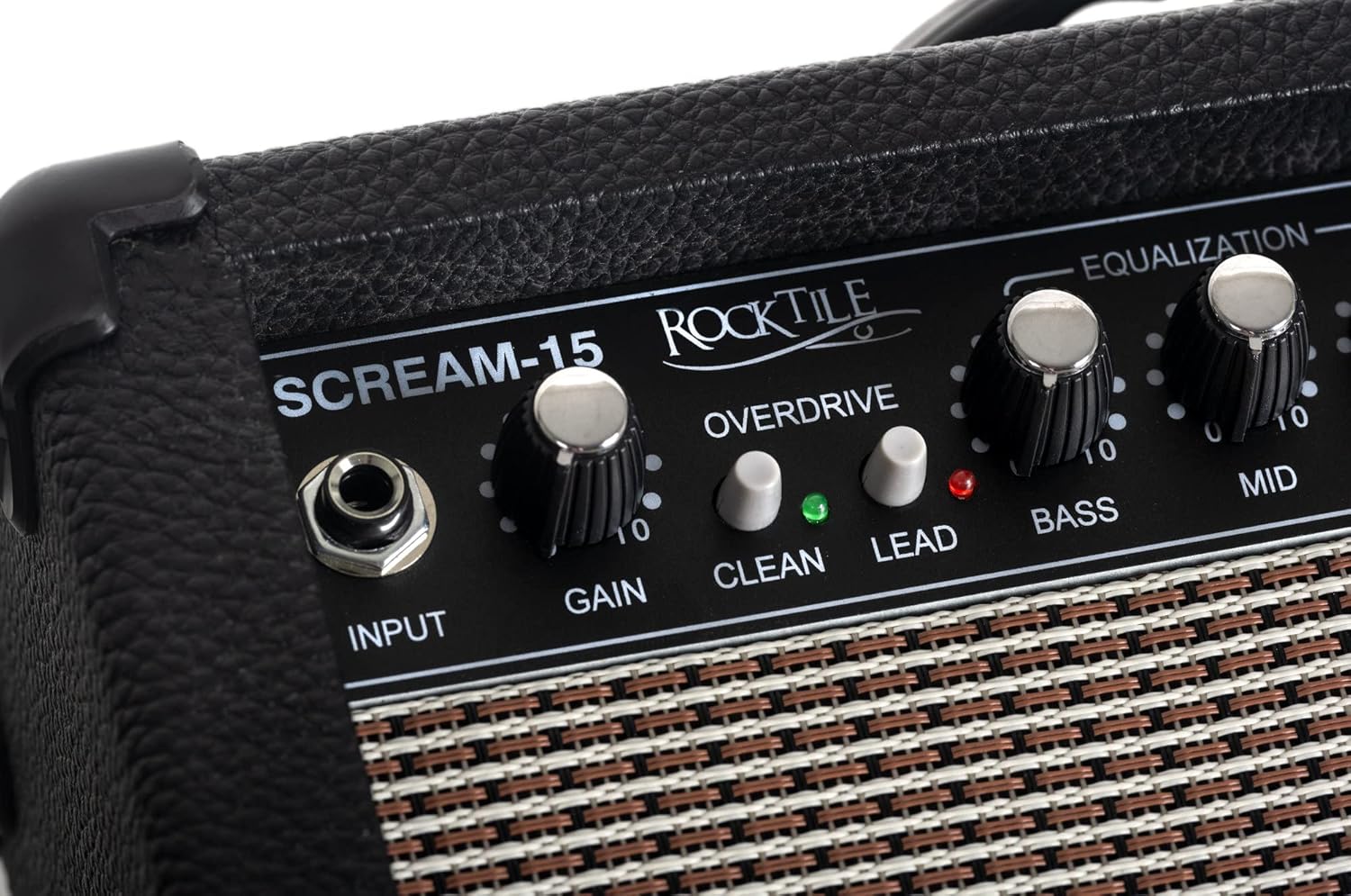
Figure 5: Detailed view of the Gain, Clean, and Lead controls, which are crucial for shaping the amplifier's distorted tones.
To engage the overdrive channel, press the CLEAN/OVERDRIVE switch to the OVERDRIVE position. The LED indicator for Overdrive will light up.
- GAIN: Turn the GAIN knob clockwise to increase the amount of distortion. Higher gain settings produce more saturated, distorted tones.
- LEAD Switch: For even more aggressive distortion, press the LEAD switch. This adds an extra boost to the gain stage, suitable for lead guitar tones or heavy riffs.
Equalization (Bass, Mid, Treble)
The 3-band equalizer allows you to shape the tonal characteristics of your sound:
- BASS: Adjusts the low frequencies. Turn clockwise for a fuller, warmer sound; counter-clockwise for a tighter, less boomy sound.
- MID: Adjusts the mid frequencies. Turn clockwise to make your guitar stand out more in a mix; counter-clockwise for a scooped, modern sound.
- TREBLE: Adjusts the high frequencies. Turn clockwise for a brighter, more cutting sound; counter-clockwise for a smoother, darker sound.
Using AUX Input
When an external audio device is connected to the AUX IN or CD inputs, its audio will play through the amplifier's speaker (or headphones if connected). The volume of the external audio is controlled by the external device itself, not the amplifier's VOLUME knob.
Using Headphone Output
Connecting headphones to the PHONES jack allows for silent practice, as the main speaker is automatically muted. Adjust the headphone volume using the amplifier's VOLUME knob.
Maintenance
Cleaning
Wipe the exterior of the amplifier with a soft, dry cloth. Do not use liquid cleaners, abrasive cleaners, or waxes, as they may damage the finish.
Storage
When not in use for extended periods, store the amplifier in a cool, dry place, away from direct sunlight and extreme temperatures. If possible, use the original packaging for protection.
Troubleshooting
| Problem | Possible Cause | Solution |
|---|---|---|
| No sound from speaker. |
|
|
| Distorted or poor sound quality. |
|
|
| No sound from AUX/CD input. |
|
|
Specifications
| Brand | Rocktile |
| Model Name | Scream-15 |
| Model Number | 00029625 |
| Output Power | 15 Watts |
| Channels | Clean, Overdrive |
| Equalization | 3-Band (Bass, Mid, Treble) |
| Speaker Size | 15 Centimeters (approx. 6 inches) |
| Inputs | 1/4" Guitar Input, 1/4" AUX IN, RCA CD Input |
| Outputs | 1/4" Headphone Output |
| Power Source | AC Adapter |
| Dimensions (L x W x H) | 32 x 33 x 15 cm (approx. 12.6 x 13 x 5.9 inches) |
| Weight | 4.07 Kilograms (approx. 8.97 lbs) |
| Color | Black |
Warranty and Support
For warranty information and technical support, please refer to the documentation provided with your purchase or contact your retailer. Keep your proof of purchase for any warranty claims.
For further assistance, you may also visit the official Rocktile website or contact their customer service department.
Related documentsScream-15


Ask a question about this manual
Ask about setup, troubleshooting, compatibility, parts, safety, or missing instructions. Manuals+ will review the question and use this page’s manual context to help answer it.