
WMF 0411010011
WMF Lono Coffee Pod Machine User Manual
Model: 0411010011
Brand: WMF
Introduction
Thank you for choosing the WMF Lono Coffee Pod Machine. This manual provides essential information for the safe and efficient operation, maintenance, and troubleshooting of your new appliance. Please read it thoroughly before first use and keep it for future reference.
Key Features:
- High-quality Cromargan® matt finish.
- Patented Perfect Crema System with pod holder for 1 or 2 coffee pads.
- Separate hot water spout for tea or other hot beverages.
- Comfortable and intuitive operation.
- Option to use a filter for ground coffee (accessory sold separately).
- Powerful 1600 Watt heating element.
- Removable water tank with 0.8 liter capacity.
Important Safety Instructions
Always follow basic safety precautions when using electrical appliances to reduce the risk of fire, electric shock, and/or injury to persons, including the following:
- Read all instructions.
- Do not touch hot surfaces. Use handles or knobs.
- To protect against electric shock, do not immerse cord, plugs, or coffee maker in water or other liquid.
- Close supervision is necessary when any appliance is used by or near children.
- Unplug from outlet when not in use and before cleaning. Allow to cool before putting on or taking off parts, and before cleaning the appliance.
- Do not operate any appliance with a damaged cord or plug or after the appliance malfunctions, or has been damaged in any manner.
- The use of accessory attachments not recommended by the appliance manufacturer may result in fire, electric shock, or injury to persons.
- Do not use outdoors.
- Do not let cord hang over edge of table or counter, or touch hot surfaces.
- Do not place on or near a hot gas or electric burner, or in a heated oven.
- Always attach plug to appliance first, then plug cord into the wall outlet. To disconnect, turn any control to "off", then remove plug from wall outlet.
- Do not use appliance for other than intended use.
Components Overview
Familiarize yourself with the parts of your WMF Lono Coffee Pod Machine:
- Water Tank (removable)
- Lid for Water Tank
- Pod Holder (for 1 or 2 pads)
- Brewing Head
- Coffee Spout
- Hot Water Spout
- Drip Tray with Grid
- Control Panel with Buttons (On/Off, 1-cup, 2-cup/Hot Water)
- Power Cord
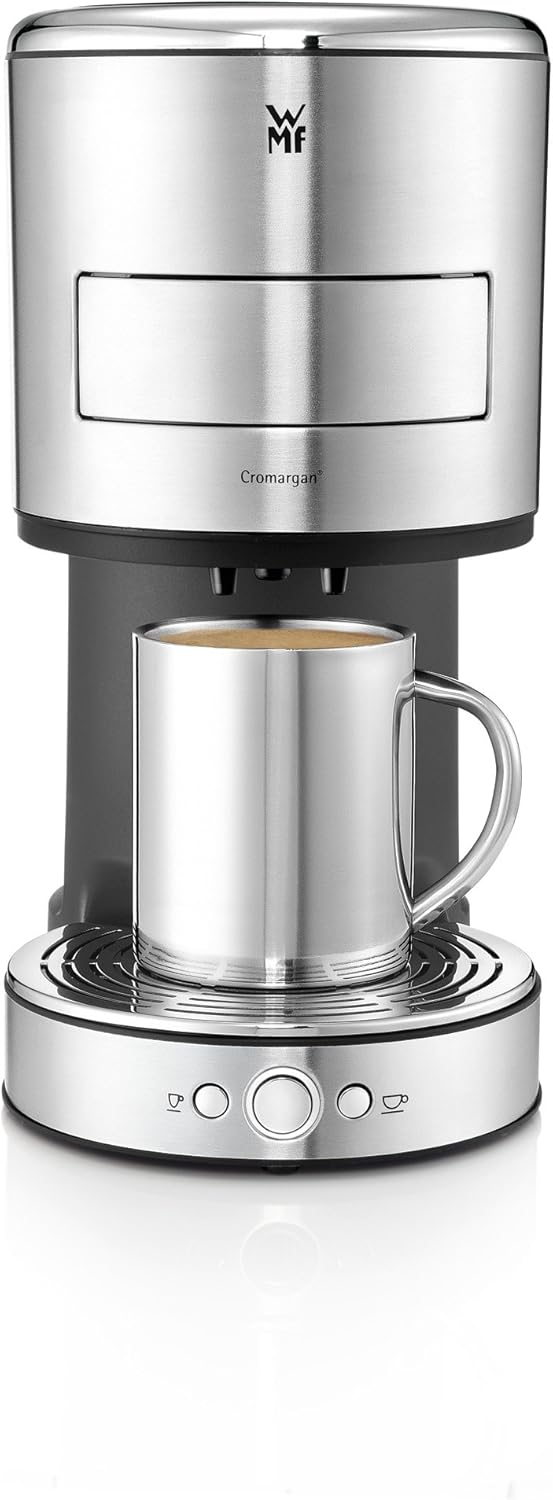
Figure 1: Front view of the WMF Lono Coffee Pod Machine with a metal mug in place, illustrating its sleek design and main dispensing area.
Setup and First Use
- Unpacking: Carefully remove all packaging materials. Keep packaging for future transport or storage.
- Initial Cleaning: Before first use, clean all removable parts (water tank, pod holder, drip tray) with warm soapy water. Rinse thoroughly and dry.
- Positioning: Place the machine on a stable, level, heat-resistant surface, away from water sources and heat.
- Fill Water Tank: Remove the water tank, fill it with fresh, cold water up to the MAX mark, and place it back securely.
- First Rinse Cycle:
- Place a large container under the coffee spout.
- Plug the power cord into a grounded electrical outlet.
- Press the On/Off button. The indicator light will illuminate.
- Press the 2-cup/Hot Water button to run a full water tank through the system without a coffee pad. Repeat this process 2-3 times to thoroughly clean the internal system and remove any manufacturing residues.
Operating Instructions
Making Coffee:
- Ensure the water tank is filled with fresh water.
- Open the pod holder by pulling it out.
- Insert one or two coffee pads into the designated slots in the pod holder. Ensure the pads lie flat and are centered.

Figure 2: Proper placement of a coffee pad into the machine's holder.
- Push the pod holder back into the machine until it clicks into place.

Figure 3: Closing the coffee pod holder after inserting the pad(s).
- Place one or two cups on the drip tray under the coffee spout.

Figure 4: The machine brewing coffee into two cups simultaneously.
- Press the 1-cup button for a single serving or the 2-cup button for a double serving. The machine will start brewing.
- Once brewing is complete, the machine will automatically stop. Remove your cup(s).
- After use, carefully remove the used coffee pad(s) and clean the pod holder.
Dispensing Hot Water:
- Ensure the water tank is filled.
- Do not insert any coffee pads. Ensure the pod holder is empty and closed.
- Place a cup or container under the hot water spout.
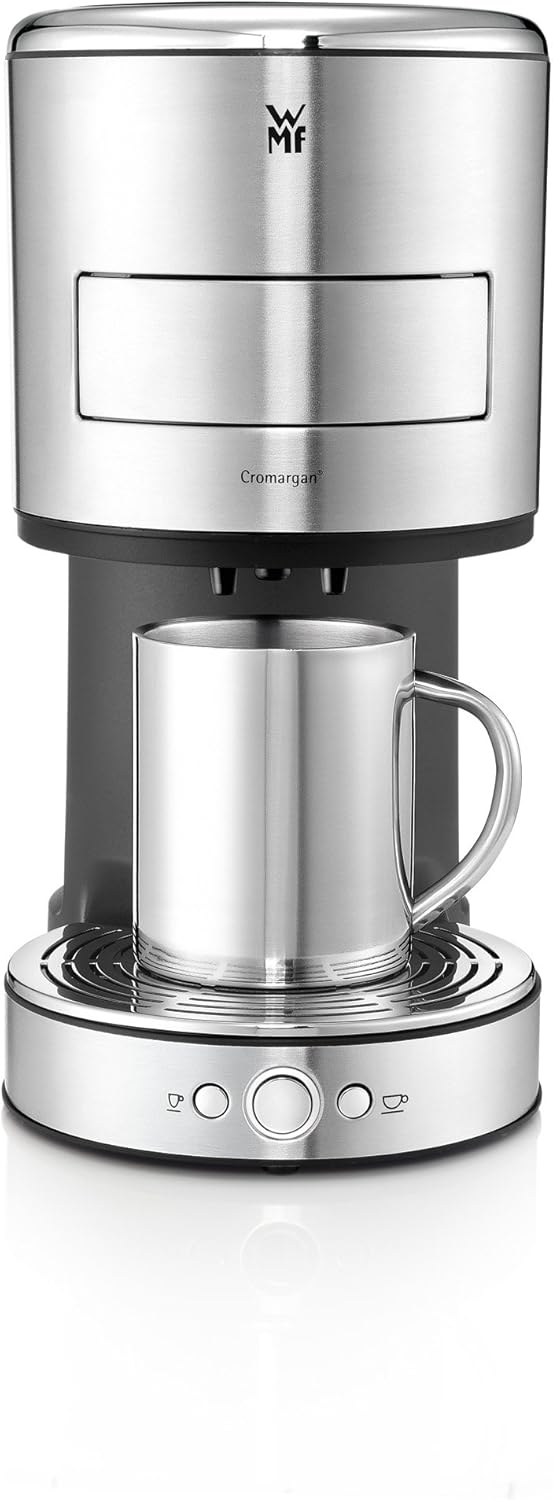
Figure 5: The machine dispensing hot water, suitable for tea or other hot beverages.
- Press the 2-cup/Hot Water button. Hot water will be dispensed.
- Press the button again to stop the water flow, or it will stop automatically when the programmed amount is reached.
Programming Water Volume:
The machine allows you to customize the water volume for your coffee or hot water dispensing.
- Place a cup under the spout.
- Press and hold the desired button (1-cup or 2-cup/Hot Water). The machine will start dispensing.
- Release the button when the desired volume is reached. The machine will save this setting for future use.
Maintenance and Cleaning
Regular cleaning ensures optimal performance and extends the lifespan of your coffee machine.
Daily Cleaning:
- Always unplug the machine before cleaning.
- Empty and clean the drip tray and grid after each use or when full.
- Remove and clean the pod holder. Rinse it under running water.
- Wipe the exterior of the machine with a damp cloth. Do not use abrasive cleaners or scouring pads.
- Clean the water tank regularly with warm soapy water and rinse thoroughly.
Descaling:
Depending on water hardness and frequency of use, descaling should be performed regularly (e.g., every 2-3 months). Use a descaling solution suitable for coffee machines and follow the manufacturer's instructions for the descaler.
- Prepare the descaling solution according to the descaler's instructions and fill it into the water tank.
- Place a large container under the coffee spout.
- Run the descaling solution through the machine by pressing the 2-cup/Hot Water button until the tank is empty.
- After descaling, rinse the water tank thoroughly and fill it with fresh water.
- Run at least two full tanks of fresh water through the machine to rinse out any descaler residue.
Troubleshooting
| Problem | Possible Cause | Solution |
|---|---|---|
| Machine does not turn on. | No power supply. | Check if the power cord is securely plugged into the outlet and the machine. Check the fuse/circuit breaker. |
| No coffee/hot water dispensed. | Water tank empty; machine needs descaling; pod holder not closed properly. | Fill water tank; perform descaling; ensure pod holder is fully inserted and clicked into place. |
| Coffee tastes weak or watery. | Incorrect pad placement; too much water programmed; old/stale coffee pads. | Ensure pads are flat and centered; reprogram water volume; use fresh coffee pads. |
| Machine leaks. | Drip tray full; pod holder not closed correctly; seal issues. | Empty drip tray; ensure pod holder is properly closed; contact customer support if leaking persists. |
Technical Specifications
- Brand: WMF
- Model Number: 0411010011
- Color: Silver
- Power: 1600 Watts
- Water Tank Capacity: 0.8 Liters
- Item Weight: 2.09 Kilograms
- Noise Level: 60 dB
- Special Feature: Programmable
- Coffee Machine Type: Pad Machine (listed as Espresso Machine type)
- Filter Type: Reusable
Warranty and Customer Support
For warranty information, technical support, or service inquiries, please refer to the warranty card included with your product or visit the official WMF website. Please have your model number (0411010011) and purchase date ready when contacting support.
WMF Official Website: www.wmf.com
Related documents0411010011


Ask a question about this manual
Ask about setup, troubleshooting, compatibility, parts, safety, or missing instructions. Manuals+ will review the question and use this page’s manual context to help answer it.