
Introduction
This manual provides detailed instructions for the safe installation, operation, and maintenance of your Canarm IWL228B01CH Logan 1-Light Wall Sconce. Please read this manual thoroughly before beginning installation and retain it for future reference. The Logan wall sconce features a sleek, contemporary design with a flat opal glass shade, ideal for enhancing hallways, bathrooms, or bedrooms.

Figure 1: Sconce in a bedroom setting.

Figure 2: Sconce in a hallway setting.
Important Safety Information
WARNING: Risk of electric shock. Disconnect power at the circuit breaker or fuse box before installation or servicing. Consult a qualified electrician if you are unsure about the installation process.
CAUTION:
- Ensure all electrical connections comply with local codes and ordinances, as well as the National Electric Code (NEC).
- Use only the specified bulb type and wattage. Refer to the specifications section for details.
- Do not install this fixture in wet or damp locations. This fixture is rated for indoor use only.
- Handle glass components with care to prevent breakage.
- Keep flammable materials away from the light fixture when in operation.
Package Contents
Verify that all components are present before beginning installation:
- Wall Sconce Fixture (Metal Base with Chrome Finish)
- Flat Opal Glass Shade with Clear Rim
- Mounting Hardware (Easy Connect System)
- Instruction Manual (This Document)
Note: A 100W Type A bulb (E26 Medium base) is required but not included.
Specifications
| Feature | Detail |
|---|---|
| Brand | Canarm |
| Model Name | Logan |
| Part Number | IWL228B01CH |
| Color | White (Opal Shade), Chrome (Finish) |
| Material | Metal, Glass |
| Product Dimensions | 12"L x 4"W x 7"H |
| Light Source Type | Incandescent (compatible with LED) |
| Bulb Base | E26 Medium |
| Max Wattage | 100W (Type A bulb) |
| Voltage | 120 Volts |
| Installation Type | Wall Mounted, Hardwired |
| Indoor/Outdoor Usage | Indoor Only |
Setup and Installation
Before you begin, ensure the power is turned off at the circuit breaker. Gather all necessary tools, including a screwdriver, wire strippers, and electrical tape.
- Prepare the Mounting Surface: Ensure the wall surface is clean, dry, and structurally sound to support the fixture.
- Attach Mounting Bracket: Secure the mounting bracket (part of the Easy Connect system) to the electrical junction box in the wall using the provided screws.
- Make Electrical Connections: Connect the fixture's wires to the house wiring. Connect the black wire (live) from the fixture to the black wire from the junction box. Connect the white wire (neutral) from the fixture to the white wire from the junction box. Connect the ground wire from the fixture to the ground wire from the junction box. Secure all connections with wire nuts and electrical tape.
- Mount the Fixture: Carefully align the fixture with the mounting bracket and secure it in place using the provided screws or fasteners.
- Install the Bulb: Screw a 100W Type A (E26 Medium base) bulb into the socket. Do not overtighten.
- Attach Glass Shade: Position the flat opal glass shade over the fixture and secure it using the decorative fasteners. Ensure the shade is seated properly and securely.

Figure 3: Internal view of the sconce with bulb socket.
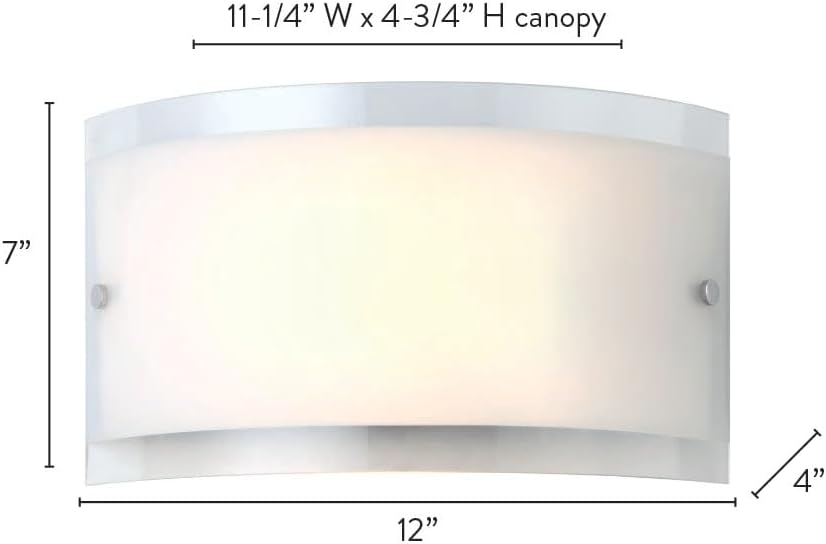
Figure 4: Product dimensions for installation planning.
Operating Instructions
Once the Canarm IWL228B01CH Logan 1-Light Wall Sconce is correctly installed and the bulb is in place, restore power at the circuit breaker. The sconce operates via your wall switch. Simply toggle the wall switch to turn the light on or off.
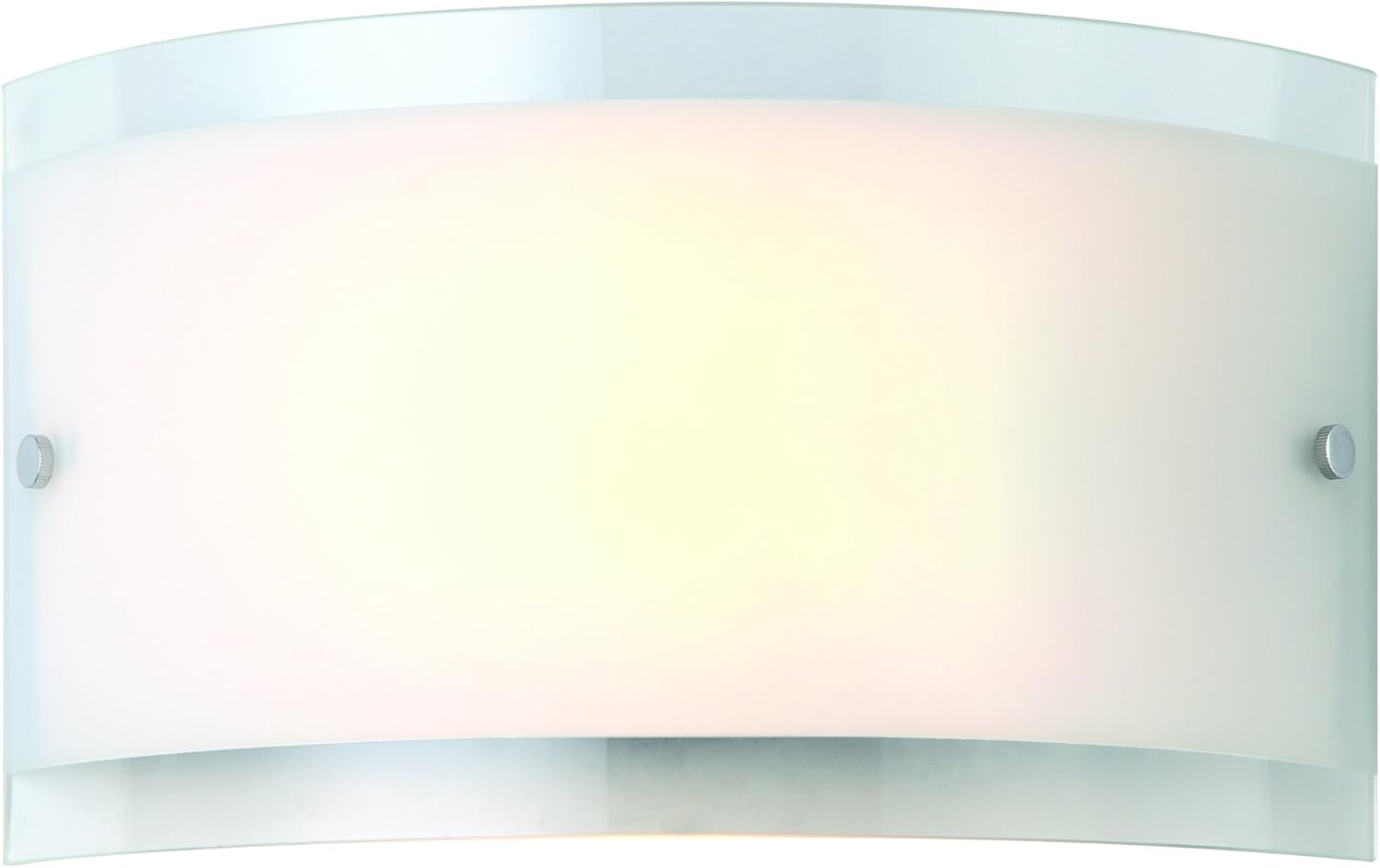
Figure 5: The Canarm Logan wall sconce in operation.
Maintenance
To ensure the longevity and appearance of your wall sconce, follow these maintenance guidelines:
- Cleaning: Disconnect power before cleaning. Wipe the metal parts with a soft, dry cloth. For the glass shade, use a soft cloth dampened with a mild glass cleaner. Avoid abrasive cleaners or solvents that may damage the finish.
- Bulb Replacement: Ensure power is off before replacing the bulb. Allow the old bulb to cool completely before removal. Replace with a new 100W Type A (E26 Medium base) bulb.
- Inspection: Periodically check all connections and mounting hardware to ensure they remain secure.
Troubleshooting
If your Canarm IWL228B01CH Logan 1-Light Wall Sconce is not functioning as expected, refer to the following table for common issues and solutions:
| Problem | Possible Cause | Solution |
|---|---|---|
| Light does not turn on. | No power to the fixture. | Check the circuit breaker or fuse. Ensure the wall switch is in the "ON" position. |
| Bulb is faulty or loose. | Replace the bulb with a new one. Ensure the bulb is screwed in tightly. | |
| Wiring connections are loose or incorrect. | Turn off power at the circuit breaker. Recheck all wiring connections. Consult a qualified electrician if necessary. | |
| Light flickers. | Loose bulb or wiring connection. | Ensure the bulb is tightly screwed in. Turn off power and check wiring connections. |
| Incorrect bulb type or wattage. | Ensure you are using a 100W Type A (E26 Medium base) bulb or an equivalent LED. |
Warranty and Support
The Canarm IWL228B01CH Logan 1-Light Wall Sconce comes with a Limited Warranty. Please refer to the warranty card included with your purchase or contact Canarm customer service for specific details regarding coverage and duration.
For technical assistance, replacement parts, or further inquiries, please contact Canarm customer support. Contact information can typically be found on the manufacturer's website or on the product packaging.
Online Resources: For additional information and support, visit the official Canarm store on Amazon: Canarm Store


