
Introduction
The Dunlop SW95 Cry Baby Slash Signature Wah Pedal is a guitar effects pedal designed to deliver a distinctive wah tone combined with a high-gain distortion circuit. This pedal features a classic Cry Baby circuit enhanced with a Fasel inductor, providing sustain and clarity without altering the fundamental wah sound. It is engineered for guitarists seeking a versatile and powerful wah effect.

Image: The DUNLOP SW95 Cry Baby Slash Signature Wah Pedal, shown in its metallic red finish, accompanied by guitar picks, guitar strings, and patch cables. This image displays the complete bundle.
Key Features
- High-Gain Distortion Circuit: Integrated distortion for enhanced lead tones.
- Fasel Inductor Circuitry: Tuned to specific specifications for classic wah sound with improved sustain and clarity.
- 18V Operation: Designed for optimal performance with an 18-volt power supply.
- LED Indicators: Separate LEDs for distortion on/off and wah on/off modes for clear status indication.
- Top-Accessible Batteries: Easy access to battery compartment for quick changes.
Setup
1. Power Connection
The SW95 pedal can be powered by two 9-volt batteries or a Dunlop ECB004 AC Adapter (18V). Ensure the power source matches the pedal's requirements for optimal performance and to prevent damage.
- Battery Installation: Access the battery compartment from the top of the rocker pedal. Insert two 9-volt batteries, observing correct polarity. To extend battery life, unplug the input cable when the pedal is not in use.
- AC Adapter: Connect an 18-volt DC power adapter (e.g., Dunlop ECB004) to the power input jack on the side of the pedal. The adapter plug polarity is center positive.

Image: The underside of the DUNLOP SW95 pedal, displaying the power input jack, battery compartment access, and instructions for 18V operation and plug polarity (center positive).
2. Instrument and Amplifier Connection
- Connect your guitar or other instrument to the pedal's input jack.
- Connect the pedal's output jack to your amplifier's input or to the next pedal in your effects chain.

Image: Side view of the DUNLOP SW95 pedal, highlighting the input and output jacks for connecting to an instrument and amplifier or other effects pedals.
Operating Instructions
Engaging the Wah Effect
To activate the wah effect, press down firmly on the toe of the pedal until you feel a click. The "Wah On/Off" LED will illuminate, indicating the effect is active. Rock the pedal back and forth to sweep through the wah frequency range.
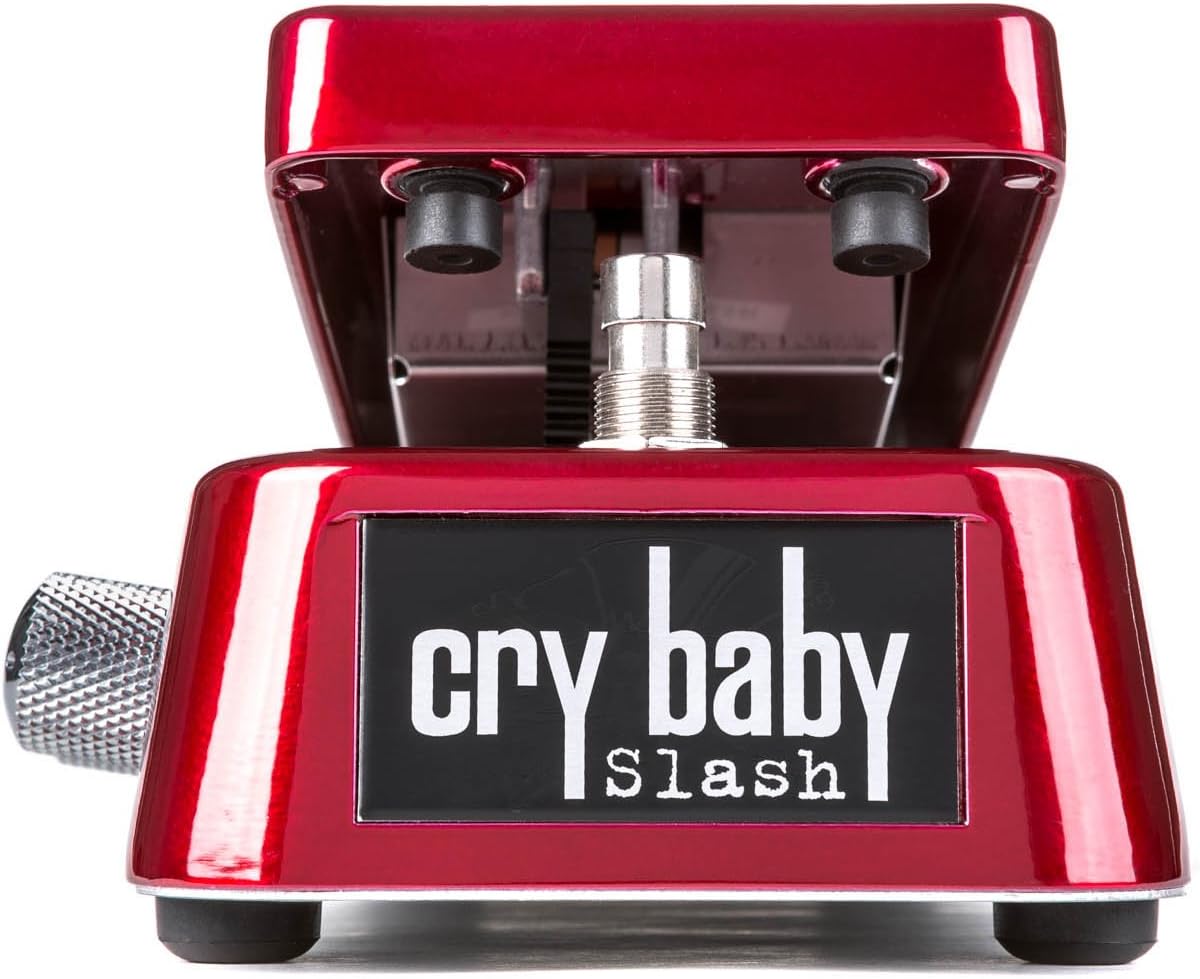
Image: Front view of the DUNLOP SW95 Cry Baby Slash Signature Wah Pedal, showcasing its metallic red finish and the "Cry Baby Slash" logo. This view highlights the rocker pedal mechanism.
Using the Distortion Circuit
The SW95 features an integrated high-gain distortion circuit. To engage the distortion, locate the "Distortion On/Off" switch (typically a small button or footswitch on the side or front of the pedal, depending on the specific model revision). An illuminated LED will confirm the distortion is active.
Two control knobs on the side of the pedal allow for adjustment of the distortion characteristics:
- Gain: Adjusts the amount of distortion. Turn clockwise for more saturation.
- Volume: Controls the overall output level of the distortion circuit.

Image: Side view of the DUNLOP SW95 pedal, showing the two control knobs for adjusting Gain and Volume of the integrated distortion circuit.
Disengaging Effects
To disengage the wah effect, press down on the toe of the pedal again until it clicks, and the "Wah On/Off" LED turns off. To disengage the distortion, press its dedicated "Distortion On/Off" switch, and its corresponding LED will turn off.
Maintenance
- Cleaning: Wipe the pedal with a soft, dry cloth. Avoid using abrasive cleaners or solvents.
- Battery Replacement: When the pedal's performance degrades or the LEDs dim, it's time to replace the 9-volt batteries. Unplug the input cable before opening the battery compartment.
- Storage: Store the pedal in a dry environment away from extreme temperatures.
- Cable Management: Ensure all cables are in good condition and properly connected to prevent signal loss or damage.
Troubleshooting
- No Sound:
- Check all cable connections (instrument to input, output to amplifier).
- Verify power supply: Ensure batteries are fresh or the AC adapter is correctly connected and functioning.
- Confirm the wah effect is engaged (Wah On/Off LED illuminated).
- Weak or Distorted Sound (unexpectedly):
- Replace batteries if using battery power.
- Check the AC adapter for proper voltage (18V) and current.
- Inspect cables for damage.
- Wah Effect Not Engaging:
- Ensure you are pressing down firmly on the toe of the pedal to activate the switch.
- Check power supply.
Specifications
| Feature | Detail |
|---|---|
| Model Number | SW95 (ASIN: B00E3CP8QM) |
| Brand | Jim Dunlop |
| Item Weight | 4.14 pounds |
| Package Dimensions | 12.1 x 6.2 x 4.1 inches |
| Signal Format | Analog |
| Power Source | Battery Powered (two 9V), Corded Electric (18V DC, center positive) |
| Voltage | 18 Volts |
| Amperage | 50 Milliamps |
| Color | Red (Metallic) |
Warranty and Support
For warranty information, technical support, or service inquiries regarding your DUNLOP SW95 Cry Baby Slash Signature Wah Pedal, please refer to the official Jim Dunlop website or contact their customer service directly. Specific warranty terms and conditions may vary by region and purchase date.
You can typically find contact information and support resources on the manufacturer's official website: www.jimdunlop.com


