
1. Introduction
This manual provides essential information for the Digital Watchdog DW Spectrum IPVMS License, model DW-SPECTRUMLSC004. This license enables the use of the DW Spectrum IP Video Management Software (IPVMS), a powerful platform for managing and recording video from IP cameras. It is designed for professional surveillance applications, offering robust features for live viewing, recording, playback, and system administration.
2. What's Included
Upon purchase of the DW-SPECTRUMLSC004 license, you will typically receive:
- One (1) Digital Watchdog DW Spectrum IPVMS License Key. This key is crucial for activating the software's full functionality.
- A physical case or packaging containing the license key and possibly a quick start guide.
The DW Spectrum IPVMS software itself is typically downloaded from the official Digital Watchdog website.
3. System Requirements
To ensure optimal performance of the DW Spectrum IPVMS with your DW-SPECTRUMLSC004 license, your system must meet certain specifications. These are general guidelines; always refer to the latest official Digital Watchdog documentation for precise and up-to-date requirements.
- Operating System: Compatible with various Windows (e.g., Windows 10, Windows Server), Linux, and macOS versions.
- Processor (CPU): Intel Core i5/i7 or equivalent AMD processor, with sufficient cores and clock speed for the number of cameras and desired recording quality.
- Memory (RAM): Minimum 8GB, 16GB or more recommended for larger systems or higher resolution streams.
- Storage: High-performance hard drives (HDD or SSD) for video storage. Capacity depends on the number of cameras, resolution, frame rate, and retention period.
- Network: Gigabit Ethernet (1000 Mbps) network interface card (NIC) for reliable video streaming.
- Graphics Card: Dedicated graphics card with hardware acceleration support is recommended for smooth live view and playback, especially with multiple high-resolution streams.
4. Setup and Activation
Follow these steps to set up and activate your DW Spectrum IPVMS license:
- Install DW Spectrum IPVMS: Download the latest version of the DW Spectrum IPVMS software from the official Digital Watchdog website (digitalwatchdog.com) and install it on your designated server or workstation.
- Launch the Software: After installation, launch the DW Spectrum Client application.
- Connect to a Server: If you are setting up a new system, you will be prompted to create a new system or connect to an existing one. Follow the on-screen instructions.
- Activate License: Navigate to the System Administration settings within the DW Spectrum Client. Locate the 'Licenses' section. Enter your DW-SPECTRUMLSC004 license key exactly as provided. An active internet connection is typically required for online activation.
- Add Devices: Once the license is activated, you can begin adding IP cameras and other compatible devices to your DW Spectrum system. Refer to the software's built-in help or online documentation for detailed instructions on device discovery and configuration.
- Configure Storage: Set up your video recording storage locations and policies within the system settings.
5. Operating the Software
The DW Spectrum IPVMS offers a user-friendly interface for managing your surveillance system. Below are key operational aspects:
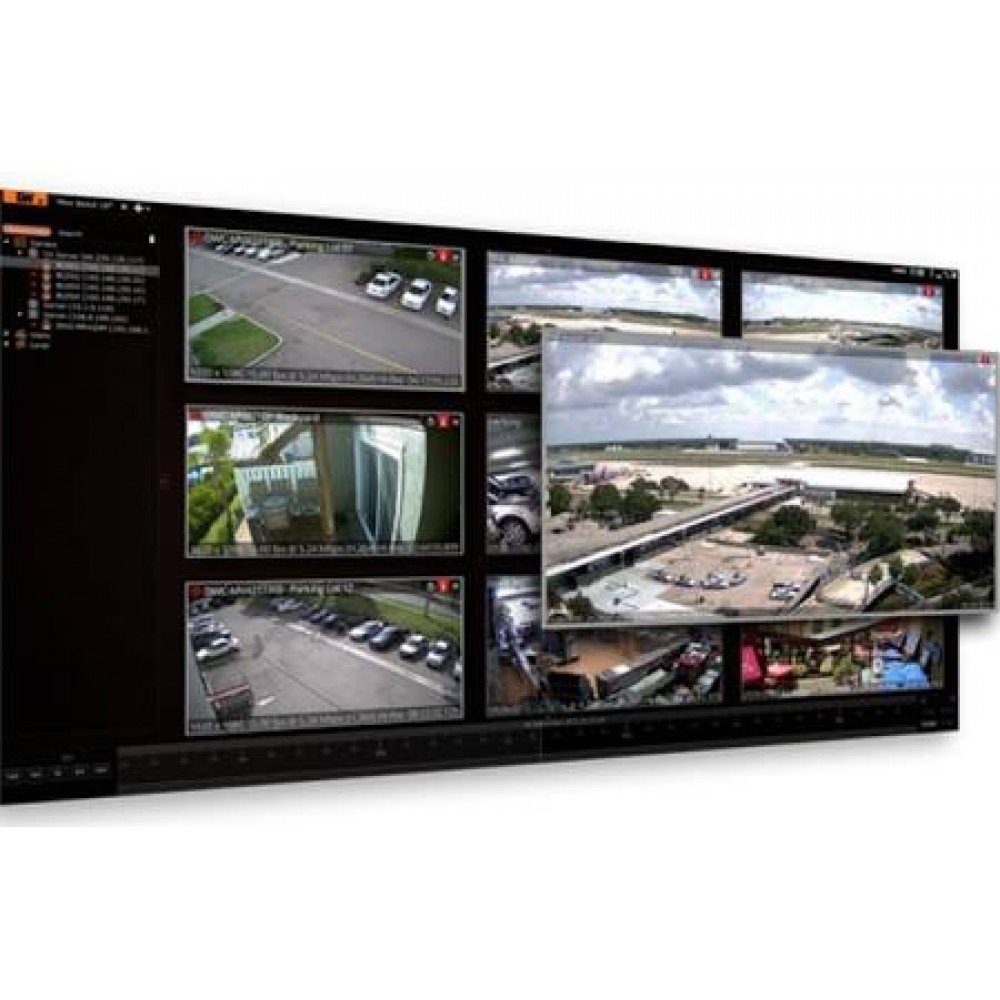
- Live View: Access real-time video streams from all connected cameras. Customize layouts to view multiple cameras simultaneously.
- Recording: Configure continuous, motion-activated, or scheduled recording for each camera. Manage recording archives and storage.
- Playback: Easily search and review recorded footage using intuitive timeline controls and event filters. Export video clips as needed.
- User Management: Create and manage user accounts with different access privileges to control who can view, record, or administer the system.
- Event Management: Set up rules and actions for various events, such as motion detection, camera tampering, or system health alerts.
- Mobile Access: Utilize the DW Spectrum Mobile app for remote viewing and management of your system from smartphones and tablets.
6. Maintenance
Regular maintenance ensures the longevity and reliability of your DW Spectrum IPVMS system:
- Software Updates: Periodically check for and install the latest software updates and patches from Digital Watchdog to benefit from new features, performance improvements, and security enhancements.
- System Health Monitoring: Monitor server resources (CPU, RAM, disk space) and network performance to prevent bottlenecks.
- Data Backup: Regularly back up critical system configurations and license information.
- Camera Maintenance: Ensure cameras are clean, properly focused, and free from obstructions. Check network connectivity to all devices.
7. Troubleshooting
Common issues and their potential solutions:
- License Activation Failure: Ensure your license key is entered correctly and your system has an active internet connection. Verify that the license has not been previously activated on another system without proper deactivation.
- Cameras Not Connecting: Check network connectivity to the cameras. Verify IP addresses, subnet masks, and gateway settings. Ensure camera credentials are correct in DW Spectrum. Confirm cameras are supported by DW Spectrum.
- No Video/Poor Video Quality: Check camera settings (resolution, frame rate). Verify network bandwidth. Ensure server resources are not overutilized.
- Recording Issues: Verify storage drive health and available space. Check recording schedules and policies. Ensure the license is active and supports the number of cameras being recorded.
- Software Crashing/Freezing: Ensure your system meets the minimum requirements. Update graphics drivers. Check for conflicting software.
For more detailed troubleshooting, consult the official Digital Watchdog support resources.
8. Specifications
| Feature | Description |
|---|---|
| Brand | Digital Watchdog |
| Model Number | DW-SPECTRUMLSC004 |
| Product Type | IPVMS Software License |
| License Type | Typically per-channel or per-server, refer to specific license details for channel count. |
| Compatibility | DW Spectrum IPVMS Software (various versions), ONVIF-compliant IP cameras, and other supported devices. |
| Date First Available | April 9, 2014 |
For detailed software feature specifications and supported device lists, please refer to the official Digital Watchdog DW Spectrum IPVMS documentation and product pages.
9. Warranty and Support
Digital Watchdog provides warranty and technical support for its products. The specific terms of the warranty for the DW-SPECTRUMLSC004 license are subject to Digital Watchdog's standard license agreement and policies at the time of purchase.
For technical assistance, warranty claims, or further information, please contact Digital Watchdog support directly:
- Official Website: digitalwatchdog.com
- Support Page: Refer to the support section on the official website for contact information, FAQs, and documentation.
Always provide your license key and system details when contacting support to expedite assistance.


