
1. Introduction
The NETGEAR 3G/4G/5G Omnidirectional MIMO Antenna (Model 6000450) is designed to enhance the performance of your mobile broadband devices, such as 3G/4G AirCard modems and mobile hotspots. This external antenna helps improve signal strength and extend coverage, particularly in areas with weak network signals, indoors, or in remote locations. It supports a wide frequency spectrum from 700MHz to 2600MHz.
2. Package Contents
- NETGEAR 3G/4G/5G Omnidirectional MIMO Antenna (Model 6000450)
- Two integrated TS-9 connectors
- Suction cups for window mounting
- Clips for laptop screen attachment

Image: The NETGEAR 3G/4G/5G Omnidirectional MIMO Antenna, showing its compact design with integrated cables and TS-9 connectors.
3. Features
- Enhanced Performance: Improves mobile broadband device performance in fringe zones or indoors.
- Wide Frequency Band: Covers 700MHz to 2600MHz.
- Versatile Use: Suitable for both indoor and outdoor environments.
- MIMO Technology: Utilizes Multiple-Input Multiple-Output technology for improved data speeds and signal reliability.
- Easy Installation: Simple plug-and-play setup with no software required.
- Portable Design: Compact and easy to position with included suction cups or clips.
4. Compatibility
This antenna is compatible with various NETGEAR mobile broadband devices that feature external antenna ports (TS-9 connectors), including but not limited to:
- NETGEAR MR1100 (Nighthawk M1)
- NETGEAR LB1120/LB1121
- NETGEAR LB2120
- NETGEAR AirCard 810S
- NETGEAR Nighthawk Pro MR5100 (for 4G LTE signal improvement)
Note: Compatibility with 5G signals on certain devices (e.g., MR5100) may vary, primarily improving 4G LTE performance.
5. Setup and Installation
- Identify Antenna Ports: Locate the external antenna ports (typically TS-9 connectors) on your compatible mobile broadband device. Most devices have two ports for MIMO functionality.
- Connect Antenna: Carefully plug both TS-9 connectors from the NETGEAR antenna into the corresponding ports on your device. Ensure a secure connection.
- Position the Antenna:
- For Indoor Use: Position the antenna near a window for optimal signal reception. Use the provided suction cups to attach it to a clean, smooth window surface.
- For Laptop Use: Utilize the included clips to attach the antenna to the back of your laptop screen.
- General Placement: Experiment with different orientations and locations to find the best signal strength. Often, pointing the flat side of the antenna towards the nearest cell tower can yield better results.
- Power On Device: Once the antenna is connected and positioned, power on your mobile broadband device. The device should automatically detect the external antenna.
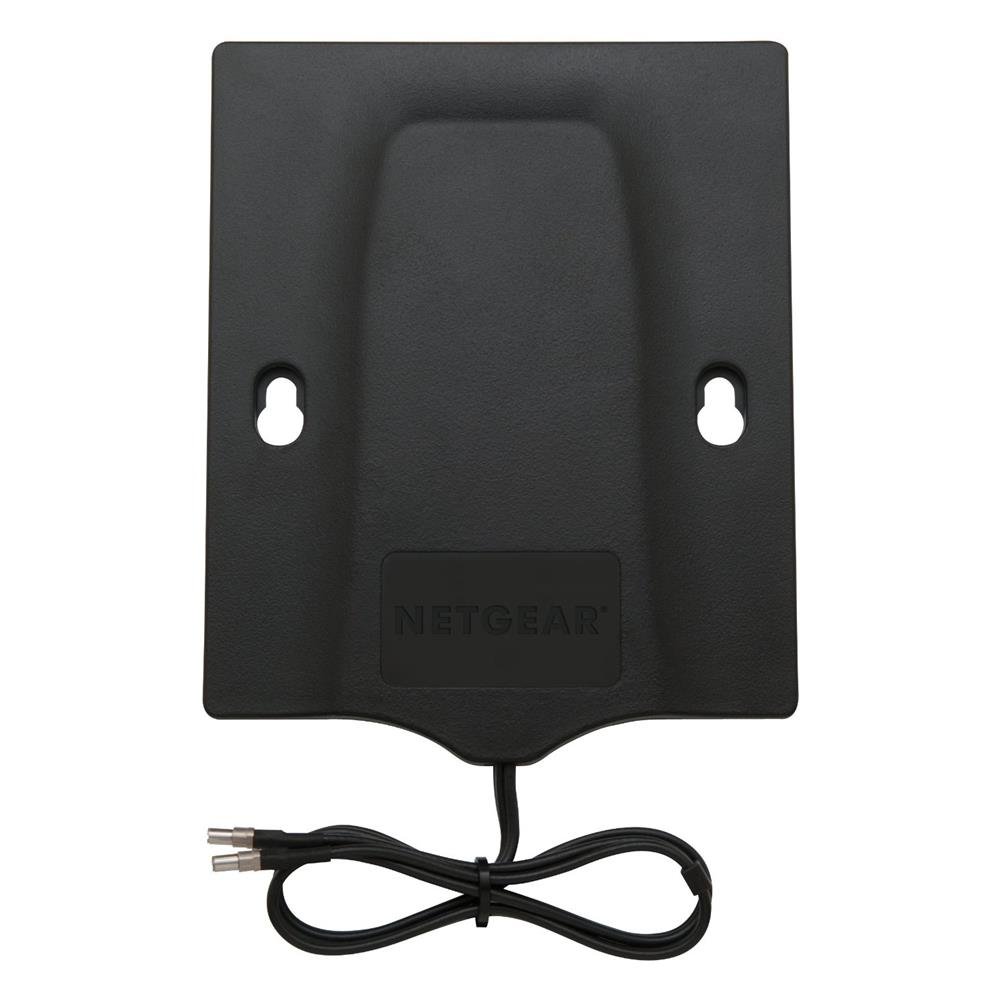
Image: The NETGEAR MIMO Antenna attached to the back of a laptop screen, with a NETGEAR mobile hotspot visible on the table, illustrating a typical setup.
Video: An overview of the Netgear 6000450 MIMO Antenna, demonstrating its features and connectors. This video provides a visual guide to the product.
6. Operation
Once connected, the NETGEAR MIMO Antenna works passively to improve the signal reception of your mobile broadband device. There is no additional software or configuration required for the antenna itself. Your device's internal antennas are typically disabled when an external antenna is connected, allowing the external antenna to handle signal reception.
- Monitor Signal Strength: Check your mobile broadband device's display or web interface for updated signal strength indicators (e.g., dBm values, signal bars) to confirm improvement.
- Optimize Placement: If signal improvement is not satisfactory, try adjusting the antenna's position and orientation. Even small changes can significantly impact performance.
7. Maintenance
- Cleaning: Wipe the antenna with a soft, dry cloth. Avoid using harsh chemicals or abrasive cleaners.
- Cable Care: Ensure the antenna cables are not kinked, pinched, or excessively bent, as this can damage the internal wiring and affect performance.
- Storage: When not in use, store the antenna in a cool, dry place away from direct sunlight and extreme temperatures.
- Suction Cups: If using suction cups, ensure the surface is clean and dry for a strong hold. Periodically re-apply if they lose suction.
8. Troubleshooting
- No Signal Improvement:
- Ensure both TS-9 connectors are securely plugged into the device's antenna ports.
- Try repositioning the antenna. Signal strength can vary significantly with location and orientation.
- Verify that your mobile broadband device is compatible with external antennas and has the correct TS-9 ports.
- Confirm there is at least a minimal detectable signal in your area; this antenna boosts existing signals but cannot create one from scratch.
- Loose Connection:
- The TS-9 connectors can sometimes fit loosely. Ensure they are pushed in firmly. Avoid excessive movement of the device or antenna once connected.
- Antenna Falling Off Window/Laptop:
- For suction cups, clean the window surface thoroughly before application. Moisten the suction cups slightly for better adhesion.
- For clips, ensure they are properly secured to the antenna unit and the laptop screen.
- 5G Signal Issues:
- While the antenna is rated for 5G, its primary benefit may be seen in 3G/4G LTE signal improvement, especially with older 5G devices or in areas with nascent 5G infrastructure. Performance on 5G bands can be highly variable.
9. Specifications
| Feature | Specification |
|---|---|
| Brand | NETGEAR |
| Model Number | 6000450 |
| Antenna Type | Omnidirectional MIMO Antenna |
| Frequency Bands | 700-906 MHz, 1710-1990 MHz, 2110-2170 MHz, 2500-2700 MHz |
| Connectors | 2 x TS-9 |
| Impedance | 50 Ohms |
| Color | Black |
| Product Dimensions (L x W x H) | 6.3" x 0.22" x 4.7" (16 cm x 0.56 cm x 11.9 cm) |
| Item Weight | 0.2 Pounds (approx. 90.7 grams) |
| Cable Length | Approximately 1 meter (3.3 feet) |
10. Warranty Information
The NETGEAR 3G/4G/5G Omnidirectional MIMO Antenna (Model 6000450) comes with a 1-year warranty from the date of purchase. Please retain your proof of purchase for warranty claims. For detailed warranty terms and conditions, refer to the official NETGEAR website or contact customer support.
11. Customer Support
For further assistance, technical support, or to access additional resources, please visit the official NETGEAR support website:
You can also find product information and FAQs on the NETGEAR store page on Amazon:


