
1. Introduction
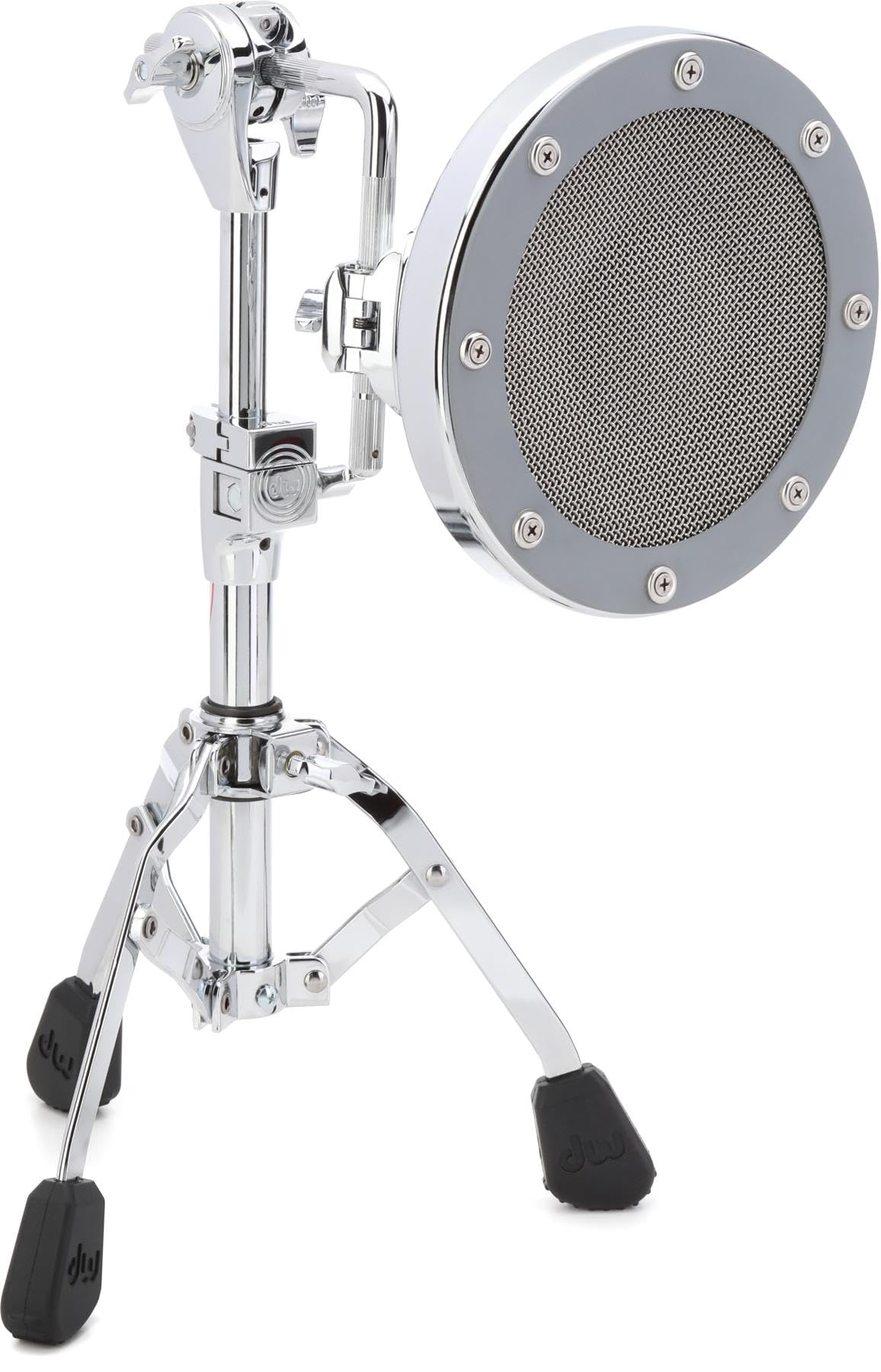
The DW The Moon Mic is a specialized low-frequency microphone designed to capture the rich, complex low end of instruments such as bass drums, floor toms, and bass cabs. Its unique design, featuring an 8-inch diaphragm and resonance-trapping concave housing, ensures a warm, lingering fullness in your sound. The sleek chrome cap helps reject off-axis sound, providing a controlled cardioid polar pattern suitable for both stage and studio environments.
Key features include:
- Dynamic Cardioid Microphone with Patented Radius Housing
- Mounting Bracket
- Tripod Stand
2. Setup
Follow these steps to set up your DW The Moon Mic:
- Unpack Components: Carefully remove the Moon Mic, mounting bracket, and tripod stand from their packaging.
- Assemble Tripod Stand: Extend the legs of the tripod stand to a stable position. Ensure all locking mechanisms are secure.
- Attach Mounting Bracket: Secure the mounting bracket to the top of the tripod stand. The bracket is designed to hold the microphone securely.
- Mount the Microphone: Gently slide the DW The Moon Mic into the mounting bracket. Ensure it is firmly seated and oriented correctly.
- Connect Cable: Connect a standard XLR microphone cable (not included) to the output of the Moon Mic and to your mixer or audio interface.
3. Operating Instructions
The DW The Moon Mic is designed for optimal performance when positioned correctly:
- Positioning for Bass Drum: Place the Moon Mic approximately 2-6 inches from the resonant head of the bass drum, or inside the drum if a port is available. Experiment with distance and angle to achieve the desired low-end response.
- Positioning for Floor Tom/Bass Cab: For floor toms or bass cabs, position the microphone near the speaker or drum head, focusing on capturing the fundamental low frequencies.
- Polar Pattern: The Moon Mic features a controlled cardioid polar pattern, meaning it is most sensitive to sound coming from the front and rejects sound from the sides and rear. Aim the front of the microphone directly at the sound source.
- Impedance: The microphone has a standard 250-ohm impedance, making it compatible with most professional audio equipment.
4. Maintenance
Proper care will ensure the longevity and performance of your DW The Moon Mic:
- Cleaning: Use a soft, dry cloth to wipe down the microphone's exterior. Avoid using harsh chemicals or abrasive materials, which can damage the finish.
- Storage: When not in use, store the microphone in a protective case or bag to prevent dust accumulation and physical damage. Keep it in a cool, dry environment.
- Handling: Always handle the microphone with care. Avoid dropping it or subjecting it to strong impacts.
5. Troubleshooting
If you encounter issues with your DW The Moon Mic, consider the following common troubleshooting steps:
- No Sound Output:
- Ensure the XLR cable is securely connected to both the microphone and your audio device.
- Verify that the input channel on your mixer or interface is selected and its gain is appropriately set.
- Test with a different XLR cable to rule out cable failure.
- Poor Sound Quality / Hum / Buzz:
- Check for proper grounding in your audio system.
- Ensure the microphone is not too close to sources of electromagnetic interference (e.g., power supplies, fluorescent lights).
- Adjust microphone positioning to minimize unwanted room reflections or bleed from other instruments.
- Microphone Not Stable:
- Ensure the tripod stand legs are fully extended and locked.
- Verify the mounting bracket is securely tightened to both the stand and the microphone.
6. Specifications
| Model Number | DSMM7000L |
| Brand | DW |
| Color | Chrome |
| Material | Stainless Steel |
| Item Weight | 12.1 Pounds |
| Item Dimensions (L x W x H) | 18.35 x 15.15 x 8.9 inches |
| Base Type | Tripod |
| Included Components | Microphone |
| UPC | 647139236148 |
7. Warranty Information
The DW The Moon Mic comes with a 2-year warranty. This warranty covers defects in materials and workmanship under normal use. Please retain your proof of purchase for any warranty claims. For detailed terms and conditions, refer to the official DW website or contact customer support.
8. Customer Support
For further assistance, technical support, or warranty inquiries, please contact DW customer service. Refer to the official DW website for the most current contact information, including phone numbers, email addresses, and support hours.