
instax INSTAX MINI KIKILALA WW 1
Fuji Instax Mini Little Twin Stars Instant Film User Manual
Model: INSTAX MINI KIKILALA WW 1
Introduction
This manual provides essential information for the proper use and care of your Fuji Instax Mini Little Twin Stars Instant Film. This film is designed for use with Instax Mini cameras and other compatible instant cameras such as the Polaroid Mio, Polaroid 300, and Lomo Diana Instant Back. Each pack contains 10 sheets of instant film featuring unique Little Twin Stars (Kiki & Lara) themed borders.
Safety Information
Warning:
Please ensure that infants and pets do not ingest the film or its components. Keep film out of reach of small children and animals.
Product Overview
The Fuji Instax Mini Little Twin Stars Instant Film offers a fun and decorative way to capture instant photos. Each film sheet features a unique border design with characters Kiki and Lara.
- Film Size: 86 mm x 54 mm (3.4 in x 2.1 in)
- Picture Size: 62 mm x 46 mm (2.4 in x 1.8 in)
- Exposures per Pack: 10 sheets
- Film Type: Color instant film
- Pattern: Little Twin Stars (Kiki & Lara) themed borders
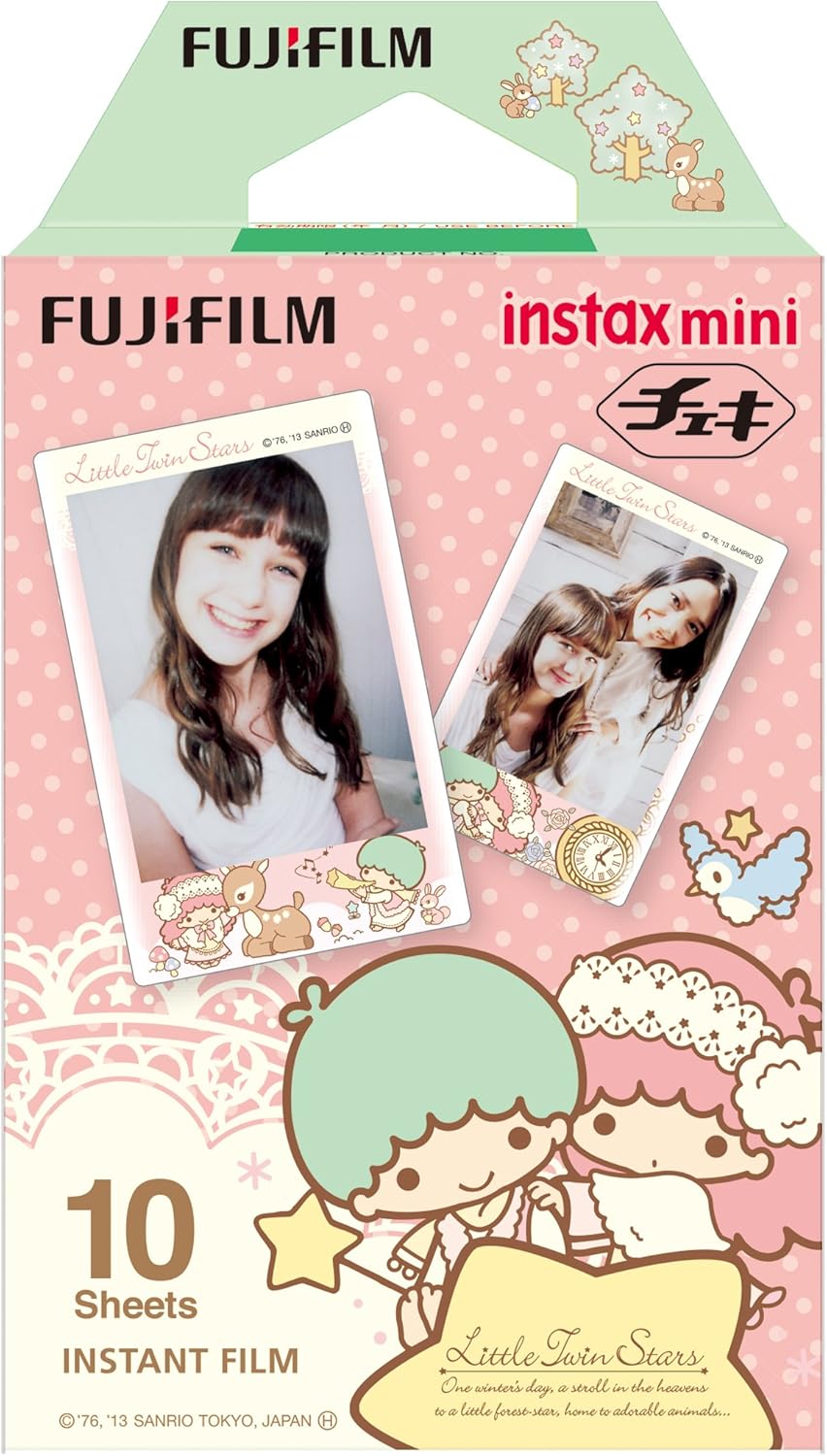
Image: Packaging for Fuji Instax Mini Little Twin Stars Instant Film, showing the film box and two example photos with the themed borders.

Image: A collage displaying various Little Twin Stars themed borders on developed Instax Mini photos, showcasing the different designs available in the film pack.
Setup: Loading the Film
Follow these general steps to load the Instax Mini film into your compatible instant camera. Always refer to your camera's specific instruction manual for detailed loading procedures.
- Open the Film Compartment: Locate and open the film compartment door on your instant camera. Ensure the camera is powered off before opening.
- Align the Yellow Marks: Take the new film pack out of its foil wrapper. Align the yellow mark on the film pack with the yellow mark inside the camera's film compartment.
- Insert the Film Pack: Gently slide the film pack into the compartment. Do not force it.
- Close the Compartment: Close the film compartment door firmly until it clicks. Do not open the door again until all 10 exposures have been used, as this will expose and ruin the remaining film.
- Eject the Dark Slide: Turn on your camera. The camera will automatically eject the dark slide (a black protective sheet). This indicates the film is loaded correctly and ready for use.


Image: Two distinct Little Twin Stars themed film frames, illustrating the decorative borders that will appear on your instant photos.
Operating Instructions
Once the film is loaded and the dark slide ejected, your camera is ready to take pictures. The process for taking a photo and developing the film is largely automatic.
- Take a Photo: Frame your shot and press the shutter button on your camera.
- Film Ejection: The camera will automatically eject the exposed film sheet from the top slot. Do not pull the film out manually during ejection.
- Development Process: Once ejected, the image will begin to develop. Avoid bending, shaking, or exposing the film to direct sunlight immediately after ejection. Place it face up on a flat surface or in a pocket to protect it from light and physical damage.
- Development Time: The image will typically develop fully within 5-10 minutes, depending on ambient temperature. Cooler temperatures may result in slower development.


Image: Two additional Little Twin Stars themed film frames, showcasing more of the unique border designs for your instant photos.
Maintenance and Storage
Proper handling and storage of your Instax Mini film are crucial for optimal performance and longevity of your photos.
- Unused Film: Store unused film packs in a cool, dry place, away from direct sunlight and high temperatures. Refrigeration is recommended for long-term storage (above 10°C / 50°F), but allow the film to return to room temperature before use.
- Developed Photos: Once developed, store your photos in an album or frame to protect them from light, moisture, and dust. Avoid prolonged exposure to direct sunlight or strong artificial light, which can cause fading.
- Temperature Range: The optimal temperature for film use is between 5°C and 40°C (41°F and 104°F). Extreme temperatures can affect film development and image quality.


Image: Two more unique Little Twin Stars themed film frames, showcasing the diverse decorative options for your instant photographs.
Troubleshooting
If you encounter issues with your Instax Mini film, consider the following common problems and solutions:
- Blank or Underexposed Photos:
- Ensure the camera's flash is working correctly, especially in low-light conditions.
- Check if the lens is clean and unobstructed.
- Verify that the film was loaded correctly and the dark slide ejected.
- Overexposed Photos:
- Avoid shooting in excessively bright conditions or direct sunlight without proper camera settings.
- Ensure the camera's light sensor is not obstructed.
- Undeveloped or Partially Developed Photos:
- This can occur if the film was exposed to light after the dark slide was ejected but before being shot, or if the film compartment was opened mid-pack.
- Ensure the film is not expired.
- Avoid bending or shaking the film immediately after ejection.
- Ensure the ambient temperature is within the recommended range (5°C to 40°C).
- Color Shifts or Streaks:
- Store film properly (cool, dry place).
- Avoid using expired film.
- Ensure the camera rollers are clean (refer to your camera manual for cleaning instructions).


Image: Four distinct Little Twin Stars themed film frames, providing additional examples of the charming border designs.
Specifications
| Feature | Detail |
|---|---|
| Brand | instax (FUJIFILM) |
| Model Number | INSTAX MINI KIKILALA WW 1 |
| Film Format Type | Instax Mini |
| Film Size | 86 mm x 54 mm (3.4 in x 2.1 in) |
| Picture Size | 62 mm x 46 mm (2.4 in x 1.8 in) |
| Exposures per Pack | 10 |
| Film Color | Color Instant Film |
| Pattern | Little Twin Stars (Kiki & Lara) |
| Product Dimensions | 3.9 x 2.6 x 0.91 inches (approx. 9.9 x 6.6 x 2.3 cm) |
| Item Weight | 1.44 ounces (approx. 40.8 grams) |
| First Available Date | June 30, 2013 |

Image: A hand holding the Fuji Instax Mini Little Twin Stars film pack, illustrating its compact size and dimensions for reference.
Warranty and Support
For specific warranty information regarding your Fuji Instax Mini Little Twin Stars Instant Film, please refer to the packaging or contact the retailer where the product was purchased. For technical support or inquiries, please visit the official Instax website or contact Fujifilm customer service.
Manufacturer: FUJIFILM
Related documentsINSTAX MINI KIKILALA WW 1


Ask a question about this manual
Ask about setup, troubleshooting, compatibility, parts, safety, or missing instructions. Manuals+ will review the question and use this page’s manual context to help answer it.