
1. Introduction
This manual provides essential information for the proper setup, operation, and maintenance of your Fastrack Chrono Upgrade Analog Watch, model ND3072SL04. Please read these instructions carefully to ensure optimal performance and longevity of your timepiece.
The Fastrack Chrono Upgrade ND3072SL04 is an analog quartz watch featuring a black dial, stainless steel case, and a leather strap. It includes chronograph functionality and is water-resistant up to 50 meters.
2. Watch Components
Familiarize yourself with the main components of your watch:
- Crown: Used for setting time and date.
- Pushers (A & B): Used for operating the chronograph functions.
- Hour Hand: Indicates the hour.
- Minute Hand: Indicates the minute.
- Seconds Hand: Indicates the seconds.
- Sub-dials: Display chronograph minutes, seconds, or 24-hour time.
- Leather Strap: Secures the watch to your wrist.
- Buckle Clasp: For fastening the strap.

Figure 2.1: Side view of the watch, highlighting the crown and pushers for function control.
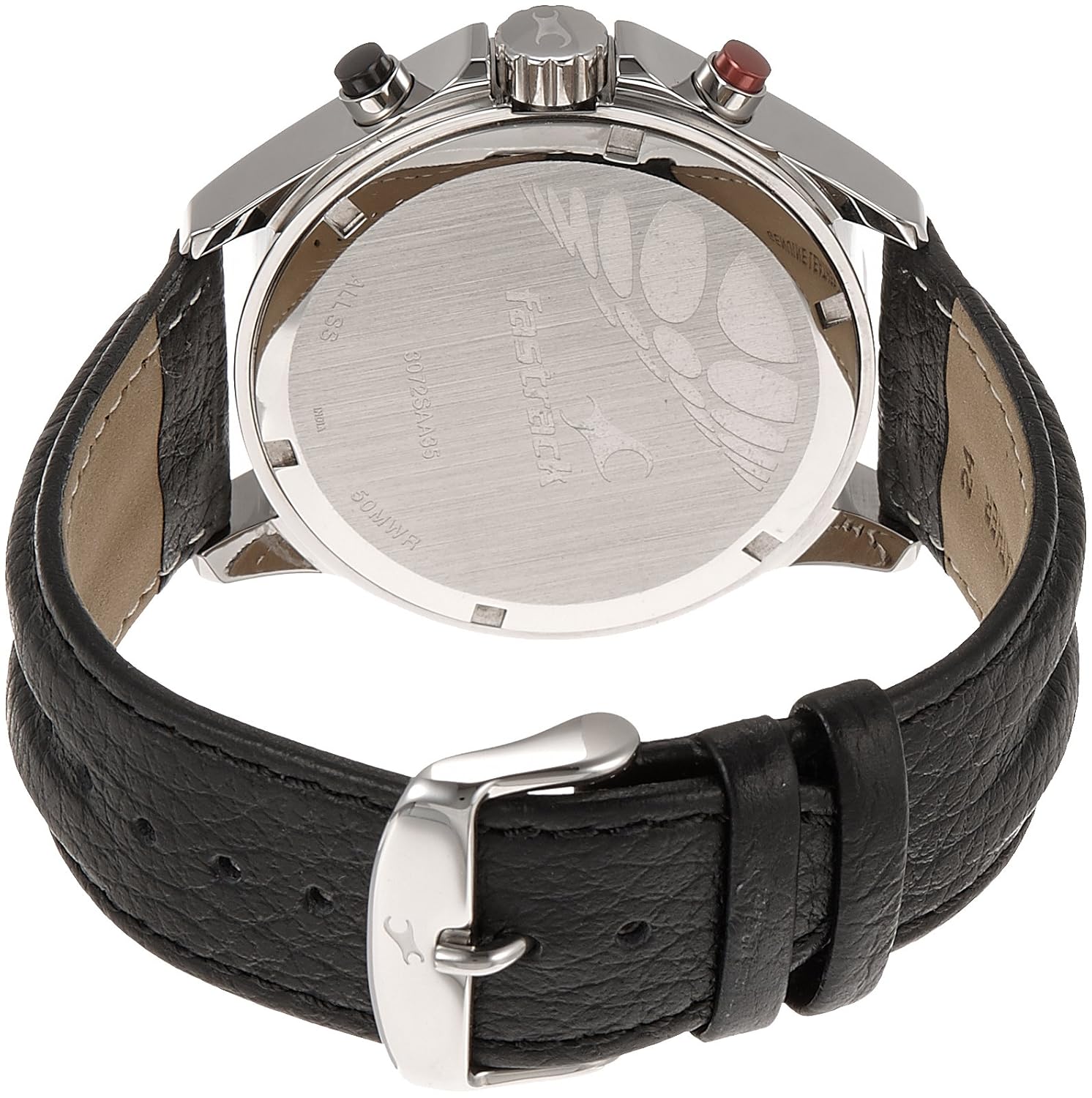
Figure 2.2: Front view of the watch, displaying the black dial, hands, and sub-dials.
3. Setup
3.1 Initial Time Setting
- Pull the crown out to position 2 (the outermost position). The seconds hand will stop.
- Turn the crown to set the hour and minute hands to the correct time. Ensure AM/PM is correctly set if your watch has a date function that changes at midnight.
- Push the crown back into position 0 (normal position). The seconds hand will resume movement.
3.2 Adjusting the Strap
The leather strap features a buckle clasp for adjustment. To adjust, simply thread the strap through the buckle and secure the pin into the desired hole for a comfortable fit on your wrist. Ensure the watch is snug but not too tight to allow for proper circulation.

Figure 3.1: The watch displayed on a wrist, illustrating proper fit.
4. Operating Instructions
4.1 Using the Chronograph
Your Fastrack Chrono Upgrade watch is equipped with a chronograph function for measuring elapsed time.
- Start: Press Pusher A (top button) to start the chronograph. The chronograph seconds hand will begin to move.
- Stop: Press Pusher A again to stop the chronograph. The elapsed time will be indicated by the chronograph hands.
- Reset: After stopping, press Pusher B (bottom button) to reset the chronograph hands to their zero positions.
- Split Time (if applicable): Some chronographs allow for split time measurement. Consult the specific movement instructions if this feature is desired.

Figure 4.1: Rear view of the watch case, showing the case back details.
5. Maintenance
5.1 Cleaning Your Watch
- Wipe the watch case and crystal with a soft, dry cloth.
- For stubborn dirt, a slightly damp cloth can be used, followed by immediate drying.
- Avoid using chemical cleaners, as they may damage the watch's finish or seals.
5.2 Water Resistance
This watch is water-resistant up to 50 meters (5 ATM). This means it is suitable for short periods of recreational swimming, but not for diving or snorkeling. Do not operate the crown or pushers when the watch is wet or submerged, as this can compromise the water resistance.
5.3 Battery Replacement
The watch is powered by a quartz movement and requires a battery. When the battery runs low, the watch may stop or the seconds hand may jump in irregular intervals. Battery replacement should be performed by a qualified watch technician to ensure proper sealing and maintain water resistance.
5.4 Strap Care
The leather strap can be affected by moisture, sweat, and direct sunlight. To prolong its life:
- Avoid prolonged exposure to water.
- Clean with a soft, dry cloth.
- Allow the strap to air dry if it gets wet.
6. Troubleshooting
6.1 Watch Not Running
- Check if the crown is pushed all the way in to position 0.
- The battery may be depleted. Contact a service center for battery replacement.
6.2 Incorrect Time Display
- Refer to section 3.1 "Initial Time Setting" to reset the time.
- If the time continues to be inaccurate, the watch may require servicing.
6.3 Chronograph Hands Not Resetting to Zero
- This may indicate a need for chronograph hand calibration. This procedure typically requires professional service.
7. Specifications
| Model Number | ND3072SL04 |
| Brand | Fastrack |
| Movement Type | Quartz |
| Display Type | Analog |
| Dial Color | Black |
| Case Material | Stainless Steel |
| Case Diameter | 52.5 x 48.3 millimeters (or 50.01 Millimetres) |
| Dial Glass Material | Mineral |
| Band Material | Leather |
| Band Color | Black |
| Clasp Type | Buckle |
| Water Resistance Depth | 50 meters (5 ATM) |
| Item Weight | 150 g |
8. Warranty and Support
8.1 Warranty Information
Your Fastrack Chrono Upgrade Analog Watch ND3072SL04 comes with a 24 Months Manufacturer Warranty from the date of purchase. Additionally, the battery is covered by a 6 Months Battery Warranty. This warranty covers manufacturing defects under normal use. It does not cover damage resulting from misuse, accidents, unauthorized repairs, or normal wear and tear.
8.2 Customer Support
For warranty claims, service, or any technical assistance, please contact Fastrack customer service or visit an authorized Fastrack service center. Please retain your proof of purchase for warranty validation.
For more information, you may visit the official Fastrack website or refer to the contact details provided with your purchase documentation.