1. Introduction
Welcome to the world of Nerf N-Strike Elite! This manual provides essential information for the safe and effective use of your Alpha Trooper CS-12 blaster. Please read all instructions carefully before assembly and use to ensure proper function and safety.
2. Safety Information
- WARNING: Do not aim at eyes or face.
- To avoid injury, use only darts designed for this product. Do not modify darts or dart blaster.
- Adult supervision is recommended for younger users.
- Keep fingers and other objects away from moving parts and dart loading areas.
3. Package Contents
Your Nerf N-Strike Elite Alpha Trooper CS-12 package should contain the following items:
- 1 x Alpha Trooper CS-12 Blaster
- 1 x 12-Dart Clip (Magazine)
- 12 x Nerf Elite Darts

Image: The Nerf N-Strike Elite Alpha Trooper CS-12 blaster, showing its main components including the blaster body and the attached 12-dart clip.
4. Setup
4.1 Loading Darts into the Clip
Take the 12-dart clip. Insert Nerf Elite darts one by one into the clip, ensuring they are fully seated. Do not force darts or use damaged darts, as this can cause jamming.
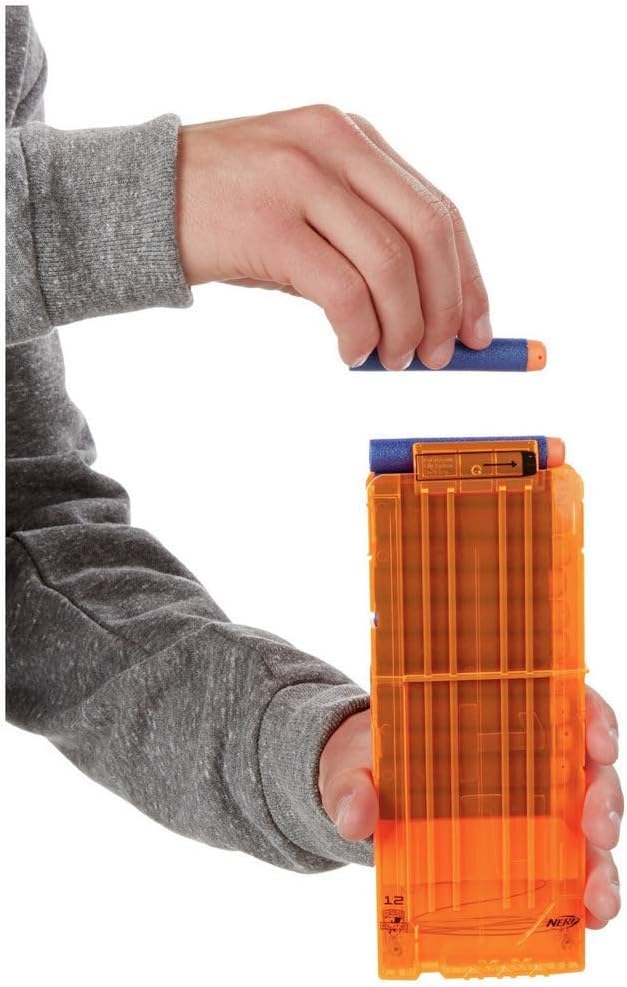
Image: A hand demonstrating how to load a single Nerf Elite dart into the top of the transparent orange 12-dart clip.
4.2 Inserting the Clip into the Blaster
Align the loaded 12-dart clip with the blaster's clip well, located on the underside of the blaster. Push the clip firmly upwards until it clicks securely into place.
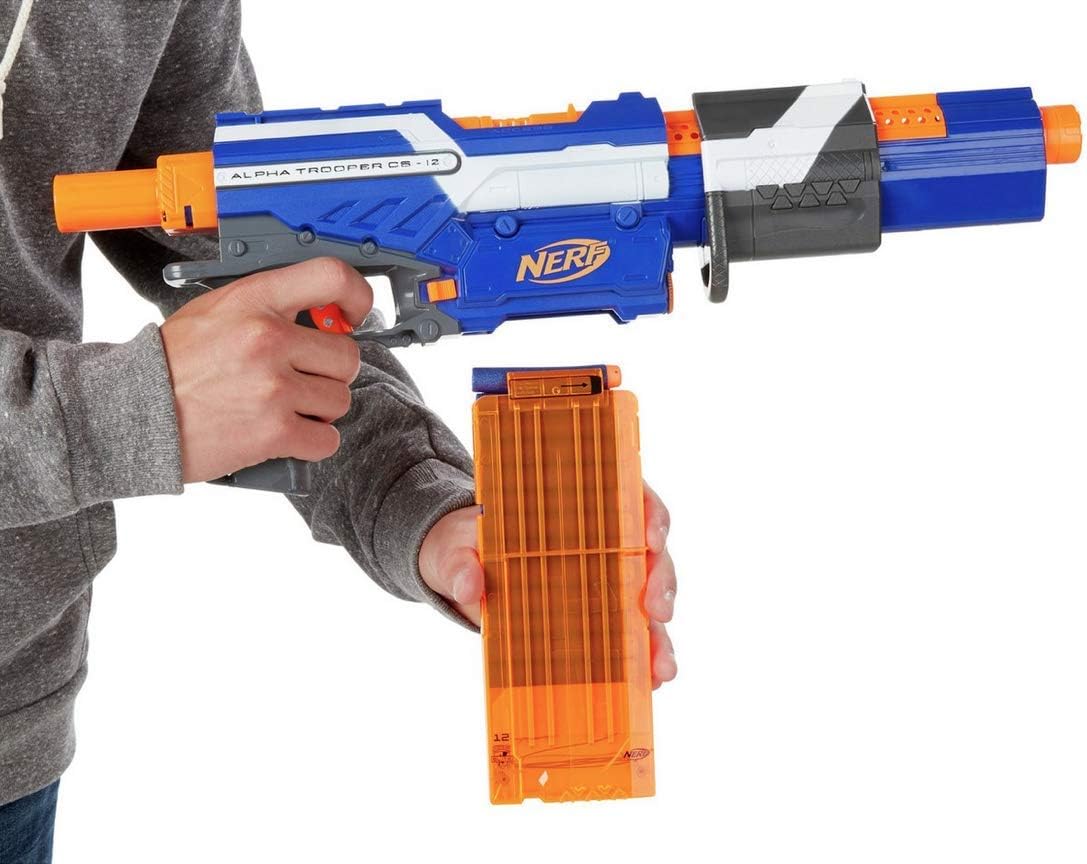
Image: A hand inserting the loaded 12-dart clip into the designated slot on the underside of the Nerf Alpha Trooper CS-12 blaster.
5. Operating Instructions
5.1 Priming the Blaster
To prime the blaster, grasp the priming handle located on top of the blaster. Pull the handle all the way back until it locks into position, then push it forward until it clicks. The blaster is now primed and ready to fire.
5.2 Firing a Single Dart
Once the blaster is primed, aim at a safe target. Pull the trigger to fire a single Nerf Elite dart. To fire another dart, repeat the priming process.

Image: A person holding the Nerf Alpha Trooper CS-12 blaster in a firing stance, demonstrating how to hold the blaster during operation.

Image: A person actively firing the Nerf Alpha Trooper CS-12 blaster, with a blue Nerf Elite dart visible in flight after being launched.
5.3 Rapid-Fire (Slam Fire)
For rapid-fire action, hold down the trigger continuously. While holding the trigger, quickly slide the priming handle back and forth repeatedly. This will unleash a stream of darts in quick succession.
5.4 Firing Range
The Alpha Trooper CS-12 blaster is capable of firing Nerf Elite darts up to 75 feet (approximately 22 meters), depending on conditions and dart quality.
6. Maintenance
6.1 Cleaning the Blaster
To clean your blaster, wipe the exterior surfaces with a damp cloth. Do not submerge the blaster in water or use harsh cleaning chemicals. Ensure no moisture enters internal mechanisms.
6.2 Dart Care
Keep your Nerf Elite darts clean and free of debris. Store darts in a clean, dry place. Avoid bending or damaging darts, as this can significantly affect firing performance and may cause jams.
6.3 Storage
Store the blaster in a cool, dry place away from direct sunlight and extreme temperatures. Remove darts from the clip and blaster before storing for extended periods.
7. Troubleshooting
7.1 Darts Not Firing or Blaster Jamming
- Check Dart Condition: Ensure darts are official Nerf Elite darts and are not damaged, bent, or worn. Replace any compromised darts.
- Verify Clip Insertion: Make sure the 12-dart clip is fully inserted into the blaster's clip well and has clicked into place.
- Confirm Priming: Ensure the priming handle is pulled all the way back until it locks, and then pushed fully forward until it clicks. Incomplete priming will prevent firing.
- Clear Jams: If a dart is visibly jammed, first remove the clip. Then, carefully clear the jam from the barrel or any accessible dart loading port. Never force a jammed dart. Re-insert the clip and re-prime the blaster.
8. Specifications
| Product Dimensions | 19.69 x 2.76 x 11.42 inches |
| Item Weight | 2.12 pounds |
| Model Number | 7025200 |
| Recommended Age | 8 years and up |
| Manufacturer | Nerf |
9. Warranty and Support
For detailed warranty information, product support, or to purchase additional accessories and darts, please visit the official Nerf Store or contact your local retailer. Please retain your purchase receipt as proof of purchase for any warranty claims.


