1. Introduction
This manual provides essential information for the safe and effective use of your Greenworks G40B2 40V 2.0 Ah Lithium-Ion Battery. Please read all instructions carefully before using the battery to ensure optimal performance and longevity. This battery is designed for use with Greenworks 40V cordless power tools.

Image 1.1: Front view of the Greenworks G40B2 40V 2.0 Ah Lithium-Ion Battery.
2. Safety Information
WARNING: Read and understand all safety warnings and instructions before using this battery. Failure to follow the warnings and instructions may result in electric shock, fire, and/or serious injury.
- Always use the battery with compatible Greenworks 40V chargers and tools only.
- Do not expose the battery to water, rain, or wet conditions. Water entering a battery pack will increase the risk of electric shock or fire.
- Do not store or use the battery in temperatures exceeding 45°C (113°F). Keep away from direct sunlight, heat sources, and open flames.
- Do not short-circuit the battery terminals. Avoid placing the battery on a surface where the terminals could be shorted by conductive materials.
- Do not attempt to open, disassemble, or service the battery pack. There are no user-serviceable parts inside.
- If the battery casing is cracked, damaged, or leaking, do not use it. Contact Greenworks customer support.
- Dispose of used batteries responsibly according to local regulations. Do not dispose of batteries in household waste or by incineration.
- Keep the battery out of reach of children.
- In case of contact with battery fluid, flush immediately with water. If irritation persists, seek medical attention.
3. Product Overview
The Greenworks G40B2 is a powerful 40V 2.0 Ah Lithium-Ion battery designed to provide reliable power for a wide range of Greenworks 40V cordless garden and power tools. It features an integrated LED charge indicator for quick status checks and a robust casing for durability.
Key Features:
- 40V Lithium-Ion Technology: Delivers consistent power and extended runtime.
- 2.0 Ah Capacity: Suitable for various tasks, offering a balance of power and weight.
- LED Charge Indicator: Provides immediate feedback on the battery's charge level.
- No Memory Effect: Can be charged at any time without affecting its lifespan.
- Deep Discharge Protection: Extends battery life by preventing over-discharge.
- Robust Casing: Protects the battery from physical damage.

Image 3.1: The Greenworks 40V battery is compatible with a wide range of Greenworks 40V tools, including lawnmowers, trimmers, and chainsaws.
4. Setup
4.1 Initial Charging
- Before first use, fully charge the battery.
- Connect the Greenworks 40V charger (not included) to a standard power outlet.
- Slide the G40B2 battery into the charger until it clicks into place. Ensure a firm connection.
- The charger's indicator light will show the charging status. Refer to your charger's manual for specific light patterns.
- Once fully charged, remove the battery from the charger.
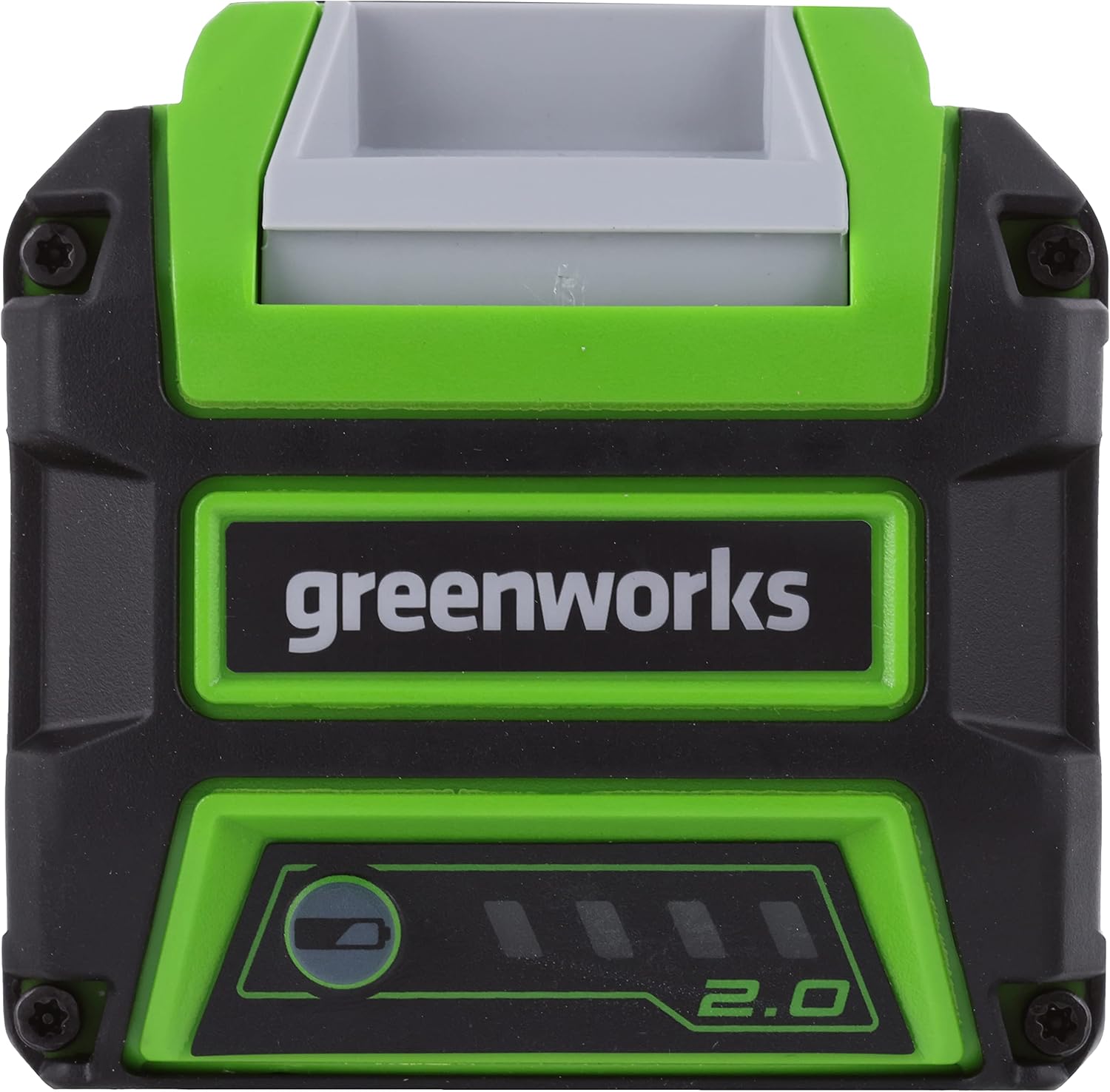
Image 4.1: Top view of the battery, showing the contact points for charging and tool insertion.
4.2 Inserting the Battery into a Tool
- Ensure the tool is switched off before inserting or removing the battery.
- Align the battery with the battery compartment on your Greenworks 40V tool.
- Slide the battery into the compartment until it locks securely into place with a click.
- To remove, press the battery release button (if present on the tool) and slide the battery out.

Image 4.2: The G40B2 battery being inserted into a compatible Greenworks 40V power tool.
5. Operating
5.1 Checking Charge Level
The G40B2 battery features an LED indicator to display the current charge level. Press the button on the battery to activate the indicator lights. The number of illuminated LEDs indicates the remaining charge:
- 3 LEDs: Full charge
- 2 LEDs: Medium charge
- 1 LED: Low charge, recharge soon
- No LEDs: Battery is discharged or faulty

Image 5.1: The G40B2 battery held in hand, displaying its LED charge indicator lights.
5.2 Using with Tools
Once the battery is fully charged and securely inserted into a compatible Greenworks 40V tool, the tool is ready for operation. Refer to your specific tool's instruction manual for detailed operating procedures.

Image 5.2: The G40B2 battery installed in a Greenworks 40V power tool, ready for use.
6. Maintenance
6.1 Charging Procedures
- Always charge the battery in a well-ventilated area, away from flammable materials.
- Do not charge the battery if it is wet or dirty. Clean it first.
- The battery can be charged at any time, regardless of its current charge level, thanks to its no-memory-effect design.
- Avoid leaving the battery on the charger for extended periods after it is fully charged.
6.2 Storage
- For optimal battery life, store the battery in a cool, dry place, away from direct sunlight and extreme temperatures.
- If storing for an extended period (more than 30 days), charge the battery to approximately 50-70% capacity.
- Recharge the battery every 3-6 months during long-term storage to prevent deep discharge, which can permanently damage the battery.
- The integrated deep discharge protection helps preserve battery longevity during storage.
6.3 Cleaning
- Keep the battery terminals clean and free of debris. Use a dry cloth to wipe them if necessary.
- Do not use water or cleaning solvents on the battery.
7. Troubleshooting
7.1 Battery Not Charging
- Check Power Connection: Ensure the charger is securely plugged into a working power outlet.
- Check Battery Connection: Make sure the battery is fully seated in the charger. If the charger light remains fixed and doesn't indicate charging, try inserting a small spacer (approx. 1mm, e.g., a piece of rigid plastic or cardboard) between the battery contacts and the charger contacts to ensure a firm connection.
- Inspect for Damage: Check the battery and charger for any visible damage. Do not use if damaged.
- Temperature: Ensure the battery and charger are within the recommended operating temperature range (typically 0°C to 45°C or 32°F to 113°F).
7.2 Battery Not Powering Tool
- Check Charge Level: Verify the battery has sufficient charge using the LED indicator. Recharge if necessary.
- Secure Insertion: Ensure the battery is fully and correctly inserted into the tool's battery compartment.
- Tool Compatibility: Confirm that the tool is a Greenworks 40V model compatible with this battery.
- Tool Malfunction: If the battery is charged and correctly inserted, the issue might be with the tool itself. Refer to the tool's manual.
7.3 LED Indicator Not Working
- The battery may be completely discharged. Attempt to charge it.
- If the indicator still does not light up after charging, the battery may be faulty. Contact customer support.
8. Specifications

Image 8.1: Approximate dimensions of the Greenworks G40B2 battery.
| Specification | Value |
|---|---|
| Model Name | G40B2 |
| Brand | Greenworks |
| Voltage | 40 Volts |
| Battery Capacity | 2.0 Ah |
| Battery Composition | Lithium-ion |
| Reusability | Rechargeable |
| Number of Batteries | 1 (included) |
| Battery Weight | 0.499 kg (approx. 800 Grams) |
| Item Model Number | 01-000000029717 |
| Compatible Devices | Greenworks 40V series tools (e.g., lawnmowers, trimmers, chainsaws, blowers) |
| Charging Time (100%) | Approx. 60 minutes (with 2.2A charger), 120 minutes (with 4A charger) |
| Color | Green |
9. Warranty and Support
9.1 Manufacturer's Warranty
The Greenworks G40B2 40V 2.0 Ah Lithium-Ion Battery comes with an extended 2-year manufacturer's warranty. This warranty covers defects in materials and workmanship under normal use. Please retain your proof of purchase for warranty claims.
9.2 Customer Support
For any questions, technical assistance, or warranty claims, please contact Greenworks customer support. Refer to the Greenworks official website or your product packaging for the most current contact information.


