
1. Introduction
This manual provides detailed instructions for the installation, operation, and maintenance of your BOYO VTL300CL Full-Frame License Plate Backup Camera. This device is designed to enhance vehicle safety by providing a clear rear view when reversing.
The BOYO VTL300CL features a .25" DS Color CMOS sensor, 420TVL horizontal resolution for clear imaging, integrated parking lines, and LED lights for improved visibility in low-light conditions.
2. Safety Information
- Read all instructions thoroughly before installation and operation.
- Professional installation is recommended to ensure correct wiring and functionality.
- Ensure all wiring connections are secure and properly insulated to prevent electrical shorts or hazards.
- Do not install the camera in a location that obstructs the driver's view or interferes with vehicle operation.
- The backup camera is an aid for reversing and parking. Always check your surroundings visually and use mirrors in conjunction with the camera.
- Disconnect the vehicle's battery before beginning any electrical work.
3. Package Contents
Verify that all components are present before beginning installation:
- BOYO VTL300CL License Plate Backup Camera
- Power Cable
- Video Cable (RCA)
- Mounting Hardware (screws, washers, nuts, Allen wrench)
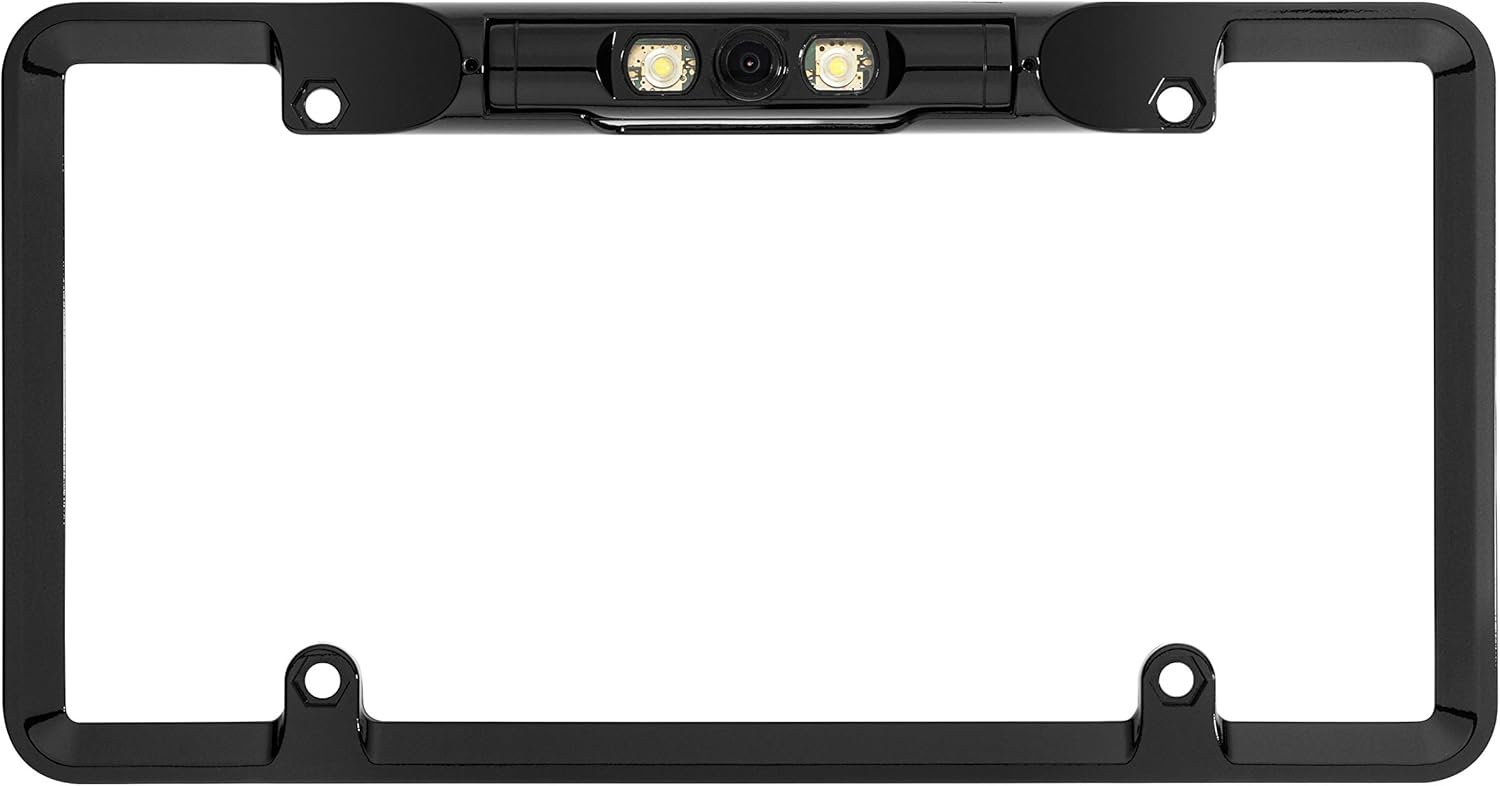
Image: BOYO VTL300CL backup camera, power cable, video cable, and mounting hardware.
4. Setup and Installation
The BOYO VTL300CL is designed for installation as a full-frame license plate mount.
4.1 Mounting the Camera
- Remove your vehicle's existing license plate.
- Position the BOYO VTL300CL camera frame behind your license plate, aligning the mounting holes.
- Secure the license plate and camera frame to your vehicle using the provided mounting screws. Ensure the camera is centered and securely fastened.
- Adjust the camera angle vertically as needed for optimal viewing. Use the provided Allen wrench to loosen/tighten the adjustment screws.

Image: Close-up of the BOYO VTL300CL camera integrated into the license plate frame.
4.2 Wiring Connections
- Power Connection: Connect the red wire of the camera's power cable to the vehicle's reverse light positive (+) wire. Connect the black wire to a chassis ground (-). This ensures the camera powers on automatically when the vehicle is shifted into reverse.
- Video Connection: Connect the yellow RCA connector from the camera's video cable to the video input (typically labeled "Reverse Camera Input" or "Video In") on your vehicle's monitor or head unit.
- Cable Routing: Carefully route all cables to avoid pinching, abrasion, or interference with moving parts. Use cable ties to secure loose wiring.
4.3 Parking Line Configuration
The BOYO VTL300CL camera includes integrated parking lines.
- To Enable Parking Lines: Ensure the small loop wire (often green or white) near the camera or video cable connector is intact.
- To Disable Parking Lines: Carefully cut this loop wire. This action is irreversible. Consult a professional if unsure.
The LED lights on the camera will automatically activate when the camera receives power (i.e., when the vehicle is in reverse).
5. Operating Instructions
- Activation: When your vehicle is shifted into reverse, the BOYO VTL300CL camera will automatically power on and transmit video to your connected monitor or head unit.
- Viewing: The image from the camera will appear on your display, showing the area directly behind your vehicle.
- Parking Lines: If enabled, the parking lines will overlay the video feed, providing visual guides for distance and trajectory. These lines are for reference only and may not perfectly align with actual distances.
- LED Illumination: The integrated LED lights will illuminate automatically in low-light conditions when the camera is active, enhancing visibility.
Always use caution and verify your surroundings visually before and during reversing maneuvers.
6. Maintenance
- Cleaning the Lens: Regularly clean the camera lens with a soft, damp cloth to remove dirt, dust, or water spots. Avoid abrasive cleaners that could scratch the lens.
- Checking Connections: Periodically inspect all wiring connections for corrosion, looseness, or damage. Ensure all connections are secure and waterproofed where necessary.
- Environmental Protection: While designed for outdoor use, prolonged exposure to extreme weather conditions (e.g., direct high-pressure car washes, severe cold/heat) can affect durability. Ensure the camera's LED light covers are secure to prevent moisture ingress.
7. Troubleshooting
| Problem | Possible Cause | Solution |
|---|---|---|
| No image on monitor | No power to camera; loose video connection; incorrect monitor input selected. | Check power wiring to reverse light; ensure RCA video cable is securely connected; select correct video input on monitor. |
| Poor image quality (blurry, dark) | Dirty lens; poor video connection; insufficient lighting; camera angle incorrect. | Clean camera lens; check video cable for damage; ensure LED lights are functioning; adjust camera angle. |
| Parking lines not visible | Parking line loop wire cut (disabled); monitor settings. | Verify the parking line loop wire is intact (if applicable); check monitor settings for parking line overlay options. |
| LED lights not working | No power to camera; faulty LEDs. | Check power connection to reverse light; if power is present and LEDs still fail, contact support. |
| Moisture inside camera lens | Seal integrity compromised; high-pressure water exposure. | Avoid direct high-pressure water spray on the camera. Inspect seals around the lens and LED covers. If moisture persists, the unit may need replacement. |
8. Specifications
| Feature | Detail |
|---|---|
| Brand | BOYO VISION |
| Model Number | VTL300CL |
| Optical Sensor Technology | CMOS |
| Effective Still Resolution | 420 lines_per_inch (TVL Horizontal Resolution) |
| Real Angle of View / Field Of View | 170 degrees |
| Minimum Illumination (Lux rating) | 0.5 Lux |
| Voltage | 12 volts |
| Connector Type | RCA |
| Product Dimensions (L x W x H) | 10.4" x 2.2" x 4" |
| Item Weight | 12 ounces |
| Features | Parking Lines, LED Lights |
9. Warranty Information
The BOYO VTL300CL License Plate Backup Camera comes with a 1 Year Limited Warranty. Please retain your proof of purchase for warranty claims. For specific terms and conditions, refer to the warranty card included with your product or contact BOYO VISION customer support.
10. Customer Support
If you encounter any issues or have questions regarding your BOYO VTL300CL camera that are not covered in this manual, please contact BOYO VISION customer support.
You can find contact information and additional resources by visiting the official BOYO VISION website or the BOYO VISION Store on Amazon.


