Introduction
This manual provides comprehensive instructions for the operation and maintenance of your TIMEX Expedition Digital Watch, model T49948. Designed for durability and functionality, this watch features a digital display, chronograph, countdown timer, multiple alarms, and Indiglo night-light technology. Please read this manual thoroughly to ensure proper use and to maximize the lifespan of your timepiece.
Product Features
- Casual Outdoor Design
- Mixed Nylon & Leather Strap
- Stopwatch, Countdown Timer & Alarm functions
- Durable and Lightweight Resin Case
- Indiglo Light-Up Watch Dial for low-light visibility
Watch Overview

Figure 1: Front View. This image displays the front of the TIMEX Expedition Digital Watch T49948, showing the digital display, watch face, and the mixed material strap. The display indicates the day, date, and time, with buttons labeled 'SET', 'MODE', 'START/SPLIT', and 'STOP/RESET' visible on the sides.

Figure 2: Side View (Left). This image provides a side perspective of the TIMEX Expedition Digital Watch T49948, highlighting its profile and the texture of the mixed material strap. The digital display is visible from an angle, showing the watch's robust construction.

Figure 3: Side View (Right). This image presents another side view of the TIMEX Expedition Digital Watch T49948, showcasing the watch's thickness and how the strap integrates with the resin case. The buttons on this side are clearly visible.
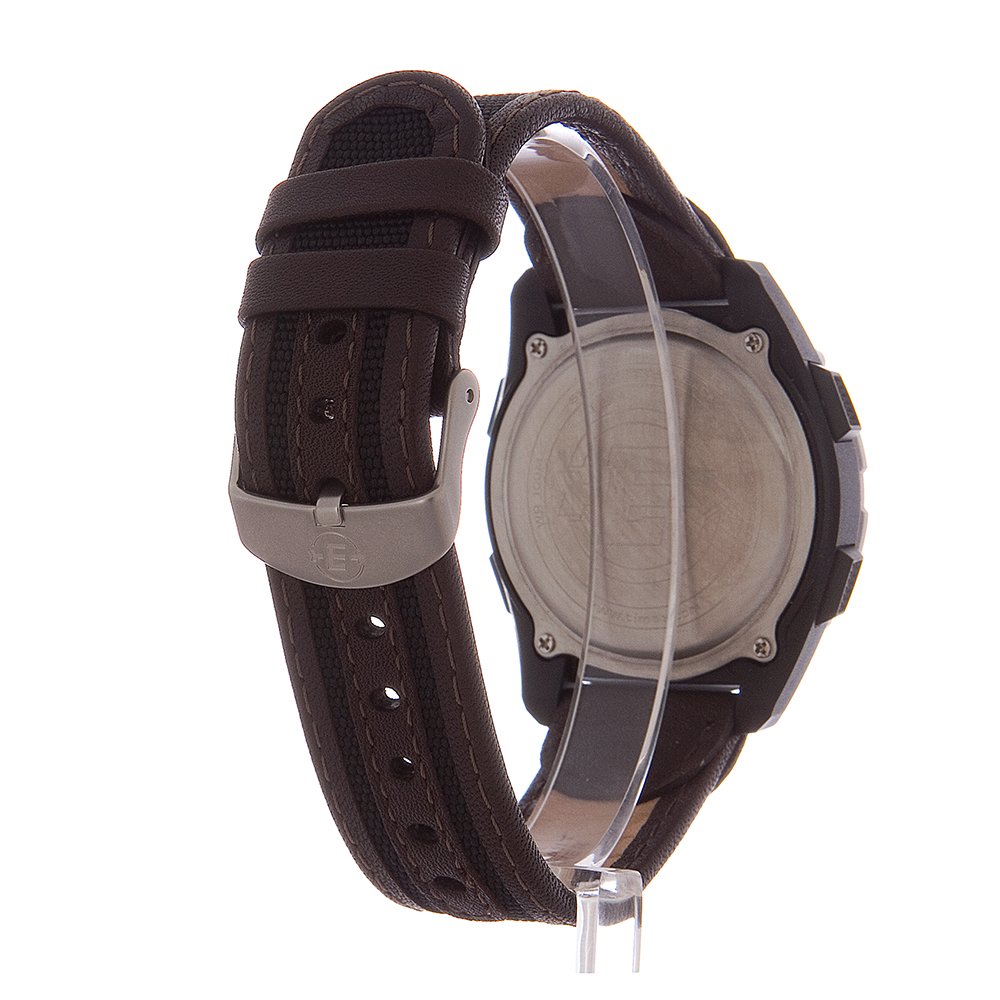
Figure 4: Rear View. This image shows the back of the TIMEX Expedition Digital Watch T49948, detailing the stainless steel case back and the buckle closure mechanism of the strap. Engravings on the case back are also visible.
Button Functions:
- SET: Used to enter and confirm settings modes.
- MODE: Cycles through different watch functions (Time, Chronograph, Timer, Alarm).
- START/SPLIT: Initiates or splits timing functions.
- STOP/RESET: Stops timing functions or resets values.
Setup
Initial Time and Date Setting:
- In Time mode, press and hold the SET button until the display flashes.
- Press the MODE button to cycle through the settings (seconds, hour, minute, year, month, day).
- Use the START/SPLIT and STOP/RESET buttons to adjust the flashing value.
- Once all settings are correct, press the SET button again to exit the setting mode.
Operating Instructions
Using the Chronograph (Stopwatch):
- Press the MODE button repeatedly until 'CHRONO' or a similar indicator appears on the display.
- Press START/SPLIT to begin timing.
- To record a split time without stopping the timer, press START/SPLIT again. The split time will display briefly.
- Press STOP/RESET to pause the chronograph. Press START/SPLIT to resume.
- To reset the chronograph to zero, press STOP/RESET while the chronograph is paused.
Using the Countdown Timer:
- Press the MODE button repeatedly until 'TIMER' or a similar indicator appears.
- Press and hold the SET button to enter timer setting mode.
- Use MODE to select hours, minutes, or seconds. Use START/SPLIT and STOP/RESET to adjust the values.
- Press SET to confirm the timer setting.
- Press START/SPLIT to start the countdown.
- The watch will emit an audible alert when the timer reaches zero.
Setting the Alarm:
- Press the MODE button repeatedly until 'ALARM' or a bell icon appears.
- Press and hold the SET button to enter alarm setting mode.
- Use MODE to select hours or minutes. Use START/SPLIT and STOP/RESET to adjust the values.
- Press SET to confirm the alarm time.
- To activate or deactivate the alarm, press START/SPLIT in Alarm mode (without holding SET). An alarm icon will appear/disappear.
Using Indiglo Night-Light:
To illuminate the watch display in low-light conditions, press the INDIGLO button (typically located on the watch face or a dedicated button). The light will remain on for a few seconds.
Maintenance
Cleaning:
Wipe the watch case and strap with a soft, damp cloth. Avoid using harsh chemicals or abrasive materials, as these can damage the watch's finish or strap material. For leather straps, use a specialized leather cleaner if necessary.
Battery Replacement:
The watch is powered by 1 Lithium Metal battery. When the display dims or functions become erratic, it may be time to replace the battery. It is recommended to have the battery replaced by a qualified watch technician to ensure proper sealing and water resistance.
Water Resistance:
This watch is water-resistant. However, avoid operating buttons while the watch is submerged in water to prevent water ingress. Water resistance ratings are not permanent and may diminish over time due to wear and tear or impact.
Troubleshooting
- Display is blank or dim: The battery may be low or depleted. Replace the battery.
- Buttons are unresponsive: Ensure the watch is not in a locked mode (if applicable). If the issue persists, a battery replacement or professional inspection may be required.
- Time is inaccurate: Reset the time and date as per the 'Setup' section. If the problem continues, the watch may require servicing.
- Water inside the watch: Immediately take the watch to a qualified service center. Do not attempt to open the watch yourself.
Specifications
| Model Number | T499489J |
| Case Material | Resin |
| Case Diameter | 41 Millimetres |
| Case Thickness | 12 Millimetres |
| Band Width | 20 Millimetres |
| Movement Type | Digital |
| Item Weight | 28.35 g (1 Ounces) |
| Product Dimensions | 7.75 x 8.89 x 6.35 cm |
| Battery | 1 Lithium Metal battery (included) |
Warranty and Support
TIMEX products are manufactured to high-quality standards and are backed by a warranty. For specific warranty details, please refer to the warranty card included with your purchase or visit the official TIMEX website. For technical support or service inquiries, please contact TIMEX customer service through their official channels.
For more information, you may visit the TIMEX Store on Amazon.


