
1. Introduction
Thank you for choosing the Dayton Audio IO655BT 6-1/2" 2-Way 70V Indoor/Outdoor Speaker Pair. These speakers are designed to deliver high-quality audio performance in both residential and commercial environments, offering flexibility with 70V/100V transformer taps and an 8-ohm bypass option. Their weather-resistant construction ensures durability for outdoor use.
Key Features:
- 6-1/2" mineral-filled polypropylene cone woofer for balanced bass and mid-range.
- 1" metalized Mylar dome tweeter for clear high-frequency output.
- Integrated 70V/100V multi-tap transformer with 8-ohm bypass.
- Weather-resistant ABS plastic enclosure and aluminum grills.
- Includes yoke-style mounting brackets and stainless steel hardware.
Package Contents:
- Dayton Audio IO655BT Speakers (Pair)
- Yoke-style Mounting Brackets
- Stainless Steel Mounting Hardware
- Instruction Manual
2. Safety Information
Please read and understand all safety instructions before installing or operating your speakers. Retain this manual for future reference.
- Electrical Safety: Ensure all wiring is performed by a qualified individual and complies with local electrical codes. Disconnect power to the amplifier or audio system before making any connections.
- Mounting Safety: Always use appropriate mounting hardware and techniques for the chosen installation surface. Ensure the mounting location can safely support the weight of the speakers. Improper installation can lead to injury or damage.
- Environmental Considerations: While these speakers are weather-resistant, they are not fully waterproof. Avoid direct exposure to heavy rain, snow, or prolonged submersion. Ensure proper drainage if installed in an area prone to moisture accumulation.
- Hearing Protection: Prolonged exposure to high volume levels can cause permanent hearing damage. Operate speakers at safe listening levels.
3. Setup and Installation
3.1 Unpacking and Inspection
Carefully remove the speakers and all components from the packaging. Inspect for any signs of damage during transit. If any damage is found, contact your retailer immediately.
3.2 Mounting the Speakers
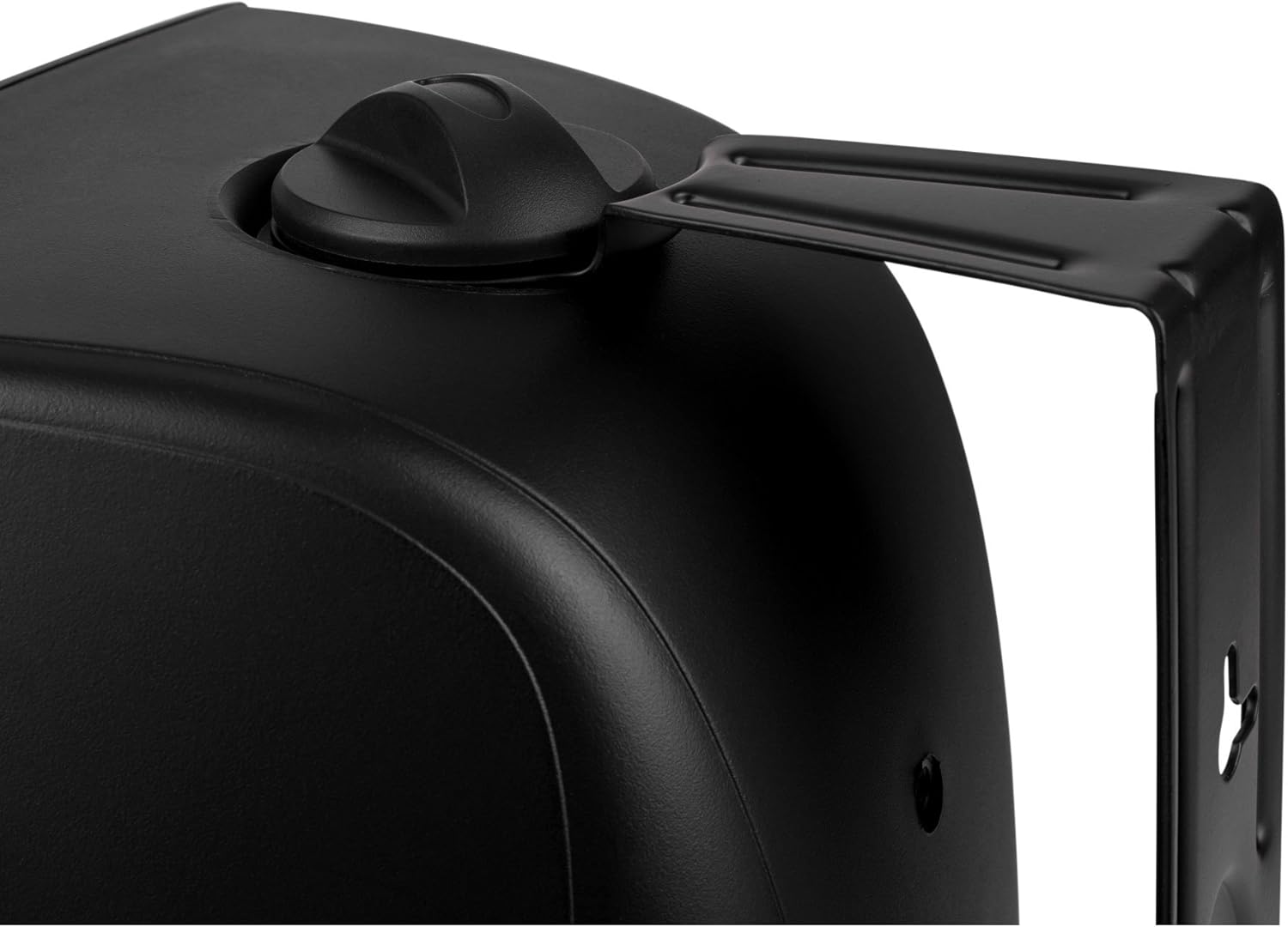
The Dayton Audio IO655BT speakers come with adjustable yoke-style mounting brackets for flexible placement. These brackets allow for both vertical and horizontal orientation and angle adjustment.
- Choose Location: Select a suitable mounting location that can support the speaker's weight and provides optimal sound dispersion. For outdoor use, consider locations under eaves or overhangs to provide additional protection from direct weather exposure.
- Attach Bracket: Secure the yoke-style mounting bracket to the wall or ceiling using appropriate stainless steel hardware (included). Ensure the bracket is firmly attached to a stud or other structural support.
- Attach Speaker: Align the speaker with the bracket and secure it using the provided screws. Adjust the angle of the speaker for desired sound direction.

3.3 Wiring Connections
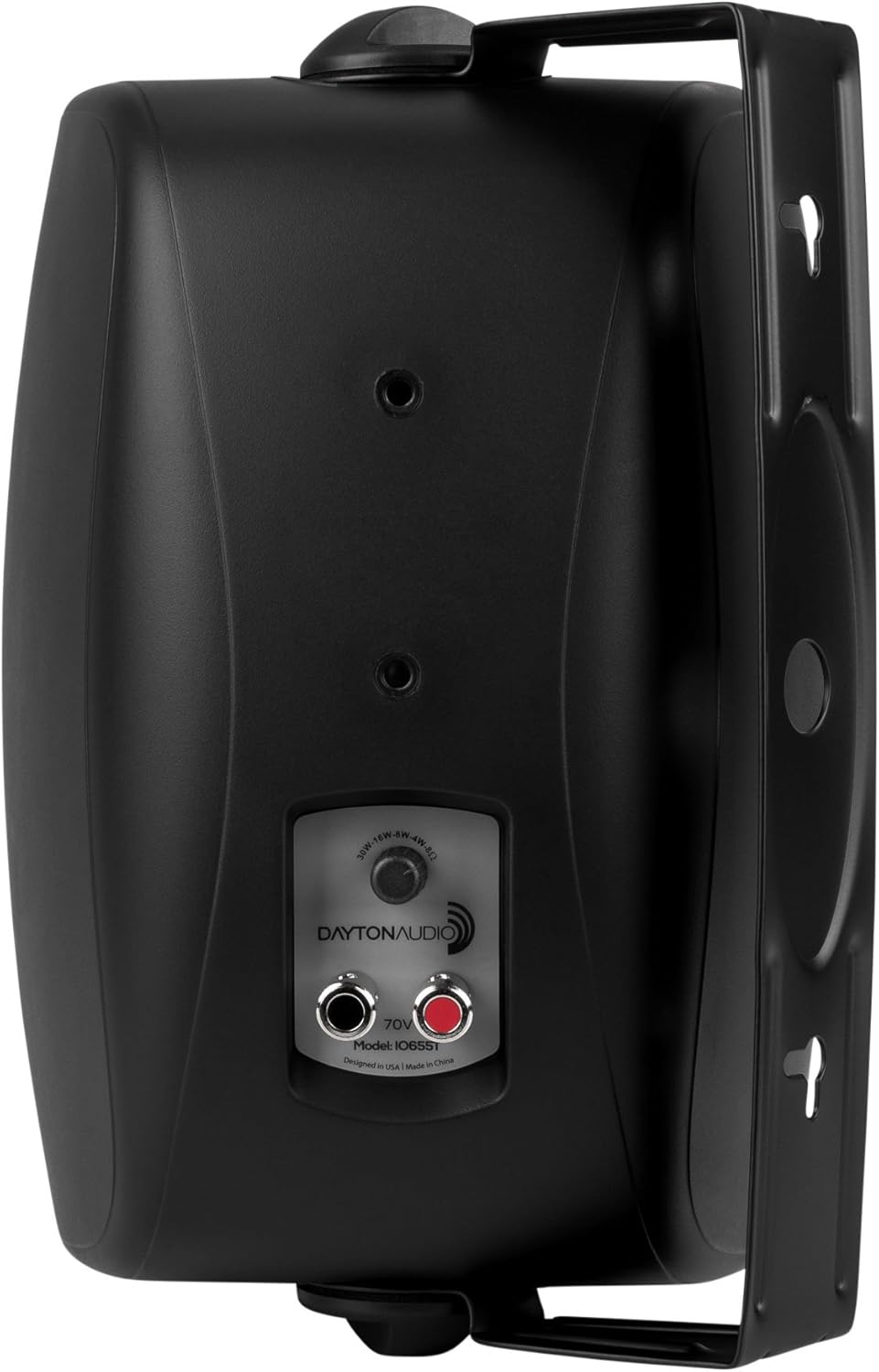
The IO655BT speakers feature corrosion-resistant nickel-plated push terminals for easy and secure wire connections. They are equipped with a built-in transformer for 70V/100V constant voltage systems and an 8-ohm bypass for standard low-impedance amplifiers.
- Select Power Tap: On the rear of the speaker, locate the rotary switch. This switch allows you to select the desired wattage tap for 70V/100V systems (30W, 16W, 8W, 4W) or the 8-ohm bypass setting. Ensure the correct setting is chosen based on your amplifier and system design.
- Connect Speaker Wires: Press down on the red and black push terminals to insert the stripped ends of your speaker wire. The red terminal is for the positive (+) wire, and the black terminal is for the negative (-) wire. Ensure a secure connection.
- Connect to Amplifier: Connect the other end of the speaker wire to the corresponding output terminals on your amplifier or audio system. Maintain correct polarity (+ to + and - to -) for optimal sound performance.

4. Operating Instructions
Once the speakers are securely mounted and correctly wired to your audio system, operation is straightforward.
- Power On: Turn on your amplifier or audio source.
- Select Source: Choose the desired audio source (e.g., smartphone, tablet, MP3 player, desktop, laptop) connected to your amplifier.
- Adjust Volume: Start with the volume low and gradually increase it to a comfortable listening level.
- Control: Volume and playback controls are typically managed through your connected audio source device or amplifier. If your source device uses an app for control, utilize that for managing audio playback.
5. Maintenance
Proper maintenance will ensure the longevity and performance of your Dayton Audio IO655BT speakers.
- Cleaning: Use a soft, dry cloth to wipe down the speaker enclosures and grills. For stubborn dirt, a slightly damp cloth can be used, followed by a dry cloth. Avoid harsh chemicals or abrasive cleaners.
- Weather Resistance: The ABS plastic enclosure and aluminum grills are designed to withstand outdoor elements. However, periodic inspection for any signs of wear, corrosion, or damage is recommended, especially after severe weather conditions.
- Mounting Hardware: Regularly check the mounting brackets and hardware for tightness and signs of rust or degradation. While stainless steel hardware is used, environmental factors can still cause issues over time. Replace any compromised hardware immediately to prevent speakers from falling.
- Grill Care: The aluminum grills protect the speaker components. If they become dented or damaged, they may affect sound quality or speaker protection.
6. Troubleshooting
If you encounter issues with your speakers, refer to the following troubleshooting guide:
- No Sound:
- Ensure the amplifier is powered on and the correct input source is selected.
- Check all speaker wire connections at both the speaker and amplifier ends for secure contact and correct polarity.
- Verify the wattage tap selector on the speaker is set correctly for your system (70V/100V or 8-ohm bypass).
- Test with another audio source or speaker if possible to isolate the problem.
- Distorted Sound:
- Reduce the volume level on your amplifier and audio source. Overdriving the speakers can cause distortion.
- Check speaker wire connections for any frayed strands that might be shorting.
- Ensure the wattage tap setting is appropriate for the amplifier's output in 70V/100V systems.
- Intermittent Sound:
- Inspect all wiring for loose connections or damage.
- Check for any physical obstructions or damage to the speaker cones or tweeters.
If the problem persists after following these steps, please contact Dayton Audio customer support for further assistance.
7. Specifications
| Feature | Specification |
|---|---|
| Model Name | IO655BT |
| Speaker Type | 2-Way Indoor/Outdoor |
| Woofer Diameter | 6.5 inches (Mineral-Filled Polypropylene Cone) |
| Tweeter | 1 inch (Metalized Mylar Dome) |
| Power Handling (RMS) | 50 Watts @ 8 Ohms |
| Power Handling (MAX) | 85 Watts @ 8 Ohms |
| Frequency Response | 45-20,000 Hz |
| Impedance | 8 Ohm (Bypass) |
| Input Voltage | 70 Volts (Multi-tap: 30W, 16W, 8W, 4W) |
| Material | ABS Plastic Enclosure, Aluminum Grills |
| Mounting Type | Yoke-style Bracket (Inside Mount, Outside Mount) |
| Water Resistance Level | Water Resistant |
| Product Dimensions (H x W x D) | 11" x 8.25" x 8.75" |
| Item Weight | 17.5 Pounds (per pair) |
| Color | Black |
| UPC | 848791000263 |
8. Warranty and Support
8.1 Limited Warranty
Dayton Audio products are covered by a limited warranty against defects in materials and workmanship. The specific terms and duration of the warranty may vary. Please refer to the warranty information provided with your purchase or visit the official Dayton Audio website for details.
8.2 Customer Support
For technical assistance, troubleshooting not covered in this manual, or warranty inquiries, please contact Dayton Audio customer support. Have your product model number (IO655BT) and purchase information ready when contacting support.
You can typically find contact information for Dayton Audio support on their official website or through your product retailer.


