
Panasonic KX-TG6812
Panasonic KX-TG6812 DECT Cordless Phone Twin Pack User Manual
Introduction
Welcome to the user manual for your Panasonic KX-TG6812 DECT Cordless Phone Twin Pack. This document provides essential information for the proper setup, operation, and maintenance of your new phone system. Please read these instructions carefully before using the product and retain them for future reference.
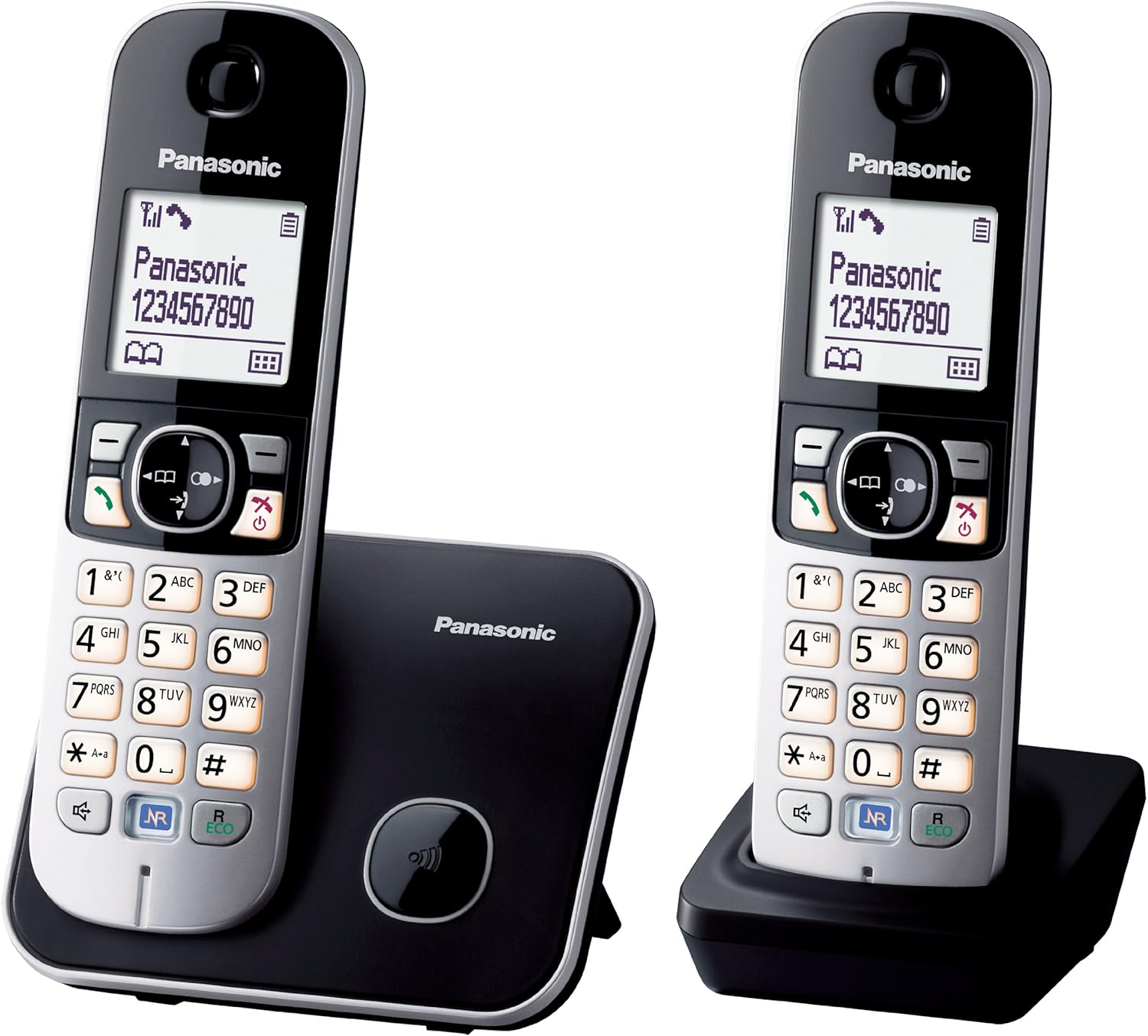
Image of the Panasonic KX-TG6812 DECT Cordless Phone Twin Pack, showing two handsets and their respective charging bases.
Setup
1. Unpacking
Before you begin, ensure all components are present:
- Main Base Unit
- Additional Charger Unit
- Two Cordless Handsets
- Two AC Adapters (for base unit and charger)
- Telephone Line Cord
- Four AAA Rechargeable Batteries
2. Battery Installation
Insert the two supplied AAA rechargeable batteries into each handset. Observe the correct polarity (+ and -) as indicated inside the battery compartment. Close the battery cover securely.
3. Base Unit Connection
- Connect one AC adapter to the main base unit and plug it into a standard electrical outlet.
- Connect the telephone line cord to the main base unit and then to your telephone wall jack.
- Connect the second AC adapter to the additional charger unit and plug it into a standard electrical outlet.
4. Handset Registration
Place each handset on its respective base unit (main base or additional charger). The handsets will automatically begin charging and should register with the main base unit. If a handset does not register automatically, refer to the troubleshooting section for manual registration steps.
Operating Instructions
Making Calls
To make a call, press the green call button (receiver icon), then dial the desired phone number. Press the red end call button to finish the call.
Answering Calls
When the phone rings, press the green call button to answer. The 'Any Key Answer' feature allows you to answer a call by pressing any key on the keypad (except the red end call button).
Using the Speakerphone
During a call, press the speakerphone button (speaker icon) to activate hands-free mode. Press it again to switch back to the handset receiver.
Phonebook
Your phone can store up to 120 entries in the phonebook. To add a new entry, navigate to the 'Phonebook' menu on the handset, select 'Add New Entry', and follow the on-screen prompts to enter the name and number.
Caller ID
If you subscribe to a Caller ID service from your telephone provider, the caller's name and number will be displayed on the handset screen before you answer the call.
Redial
Press the redial button to view a list of the last 10 dialed numbers. Select a number from the list and press the green call button to redial.
Conference Calls
The KX-TG6812 supports basic conference call functionality. For specific instructions on initiating a conference call, please consult your telephone service provider, as this feature often depends on network services.
Alarm Clock
You can set an alarm on your handset. Access the 'Alarm' option through the handset menu, set the desired time, and activate the alarm.
Handset Locator
If you misplace a handset, press the locator button on the main base unit. All registered handsets will ring, allowing you to locate them.
One Touch Eco Mode
Press the R ECO button on the handset to activate Eco Mode. This feature reduces power consumption and signal output, extending battery life and reducing radiation. An 'ECO' indicator will appear on the display.
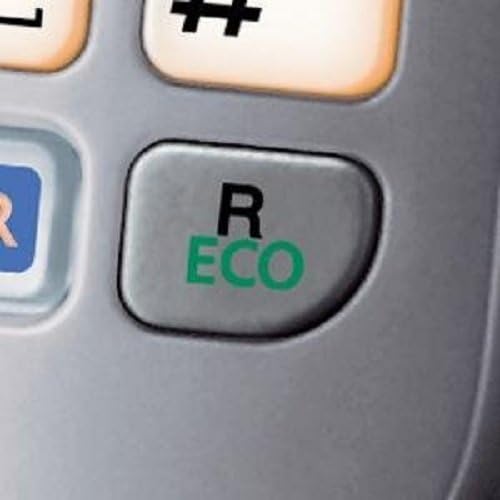
Close-up image of the 'R ECO' button on the Panasonic KX-TG6812 handset keypad, highlighting the Eco mode feature.
Noise Reduction Button
During a call, press the NR button to activate the Noise Reduction feature. This helps to reduce background noise from the other party's side, improving call clarity.

Close-up image of the 'NR' (Noise Reduction) button on the Panasonic KX-TG6812 handset keypad.
Maintenance
Cleaning
Wipe the phone's exterior surfaces with a soft, dry cloth. Do not use liquid cleaners, aerosol sprays, or abrasive cleaning agents, as these can damage the device.
Battery Care
Use only the specified AAA rechargeable batteries. Fully charge the batteries for approximately 7 hours before initial use. For optimal battery life, avoid frequently placing the handset on the charger for short periods if the battery is already full. The phone offers up to 15 hours of talk time and up to 170 hours of standby time on a full charge.
Troubleshooting
| Problem | Solution |
|---|---|
| No dial tone | Ensure the AC adapter and telephone line cord are securely connected to the main base unit and wall outlets. |
| Handset not registering | Place the handset on the main base unit. If it still doesn't register, press and hold the LOCATOR/INTERCOM button on the main base unit for about 5 seconds until the registration tone sounds. Within 90 seconds, press the OK button on the handset, then press the green call button. |
| Poor call quality or static | Move closer to the main base unit. Ensure the base unit is not near other electronic devices that may cause interference. Check the telephone line cord for damage. |
| Handset display is blank | Place the handset on its charger to ensure the batteries are charged. If the issue persists, try replacing the rechargeable batteries. |
Specifications
- Model Number: KX-TG6812
- Color: Black, Grey
- Material: Acrylonitrile Butadiene Styrene (ABS)
- Batteries: 2 x AAA rechargeable batteries per handset
- Talk Time: Up to 15 hours
- Standby Time: Up to 170 hours
- Charge Time: Approximately 7 hours
- Phonebook Capacity: 120 entries
- Redial Memory: 10 numbers
- Answering System Recording Capacity: 22 minutes (if applicable)
- Display: 1.8-inch backlit LCD
- Approximate Product Dimensions (L x W x H): 12.8 x 12.4 x 19.2 cm
Warranty Information
Your Panasonic KX-TG6812 DECT Cordless Phone Twin Pack is covered by a manufacturer's warranty. Please refer to the warranty card included in your product packaging for detailed terms, conditions, and duration of the warranty. This warranty typically covers defects in materials and workmanship under normal use.
Customer Support
For further assistance, technical support, or to inquire about replacement parts, please visit the official Panasonic support website or contact their customer service department. When contacting support, please have your product model number (KX-TG6812) and proof of purchase readily available.
You can find more information and support resources at: www.panasonic.com
Ask a question about this manual
Ask about setup, troubleshooting, compatibility, parts, safety, or missing instructions. Manuals+ will review the question and use this page’s manual context to help answer it.