1. Introduction
Thank you for choosing the Pro'sKit PT-1361F Cordless Screwdriver. This manual provides essential information for the safe and efficient operation, maintenance, and troubleshooting of your new tool. Please read this manual thoroughly before first use and keep it for future reference.
The Pro'sKit PT-1361F is a versatile 3.6V cordless screwdriver designed for various fastening tasks. It features 6+1 adjustable torque settings, a quick-release chuck, forward/reverse rotation, battery power indication, and an LED light for improved visibility in dark areas. It also includes overcharging and discharging protection for battery longevity.
2. Safety Instructions
Always follow basic safety precautions to reduce the risk of fire, electric shock, and personal injury.
- Work Area Safety: Keep your work area clean and well-lit. Cluttered or dark areas invite accidents. Do not operate power tools in explosive atmospheres, such as in the presence of flammable liquids, gases, or dust.
- Electrical Safety: Avoid body contact with earthed or grounded surfaces such as pipes, radiators, ranges, and refrigerators. Do not expose power tools to rain or wet conditions.
- Personal Safety: Always wear eye protection. Use safety equipment such as dust masks, non-skid safety shoes, hard hats, or hearing protection when appropriate. Dress properly; avoid loose clothing or jewelry.
- Tool Use and Care: Do not force the power tool. Use the correct power tool for your application. Disconnect the plug from the power source and/or the battery pack from the power tool before making any adjustments, changing accessories, or storing power tools.
- Battery Pack Use and Care: Recharge only with the charger specified by the manufacturer. Do not use battery packs with any other power tools. When battery pack is not in use, keep it away from other metal objects.
- Service: Have your power tool serviced by a qualified repair person using only identical replacement parts.
3. Product Overview
The Pro'sKit PT-1361F Cordless Screwdriver is designed for efficient and precise fastening. Below are the key components and their functions.
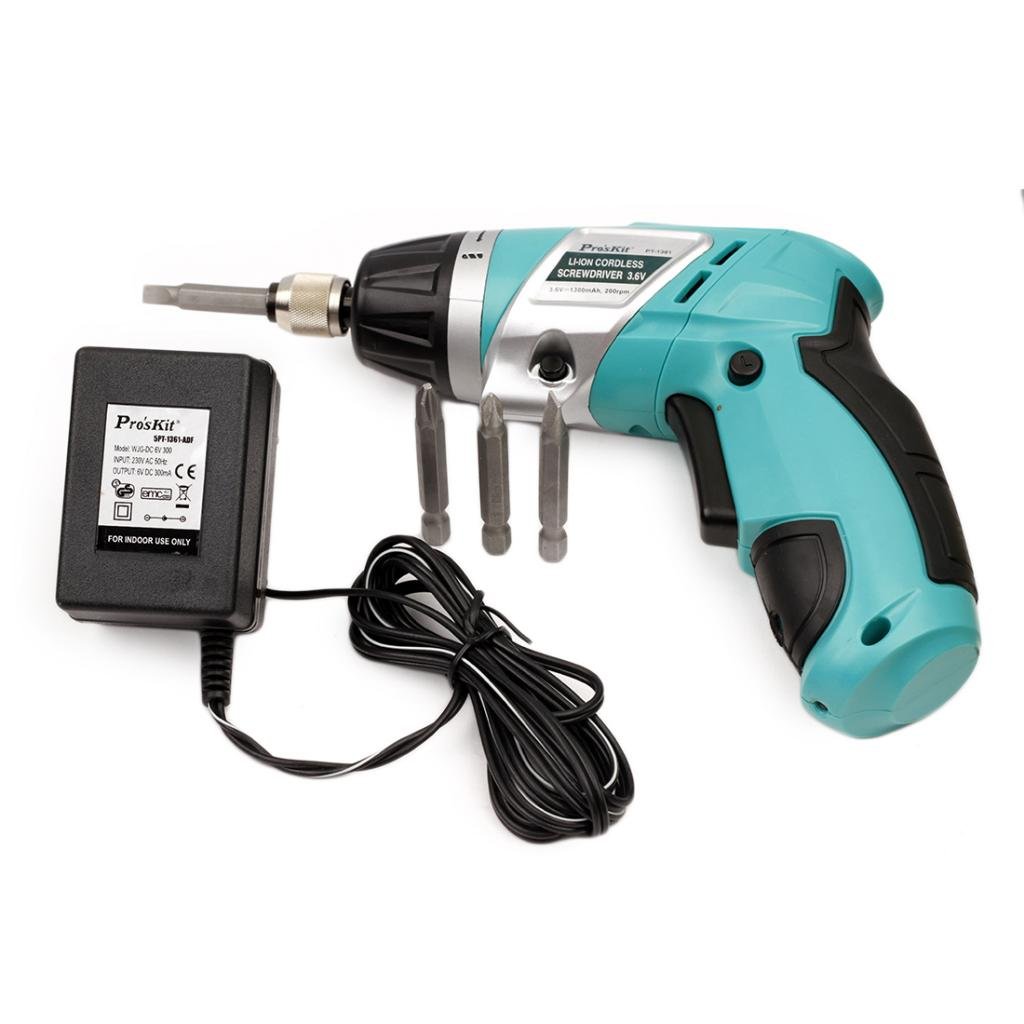
Figure 1: Pro'sKit PT-1361F Cordless Screwdriver, showing the main unit, charger, and included screwdriver bits. The screwdriver features an ergonomic handle and a quick-release chuck.
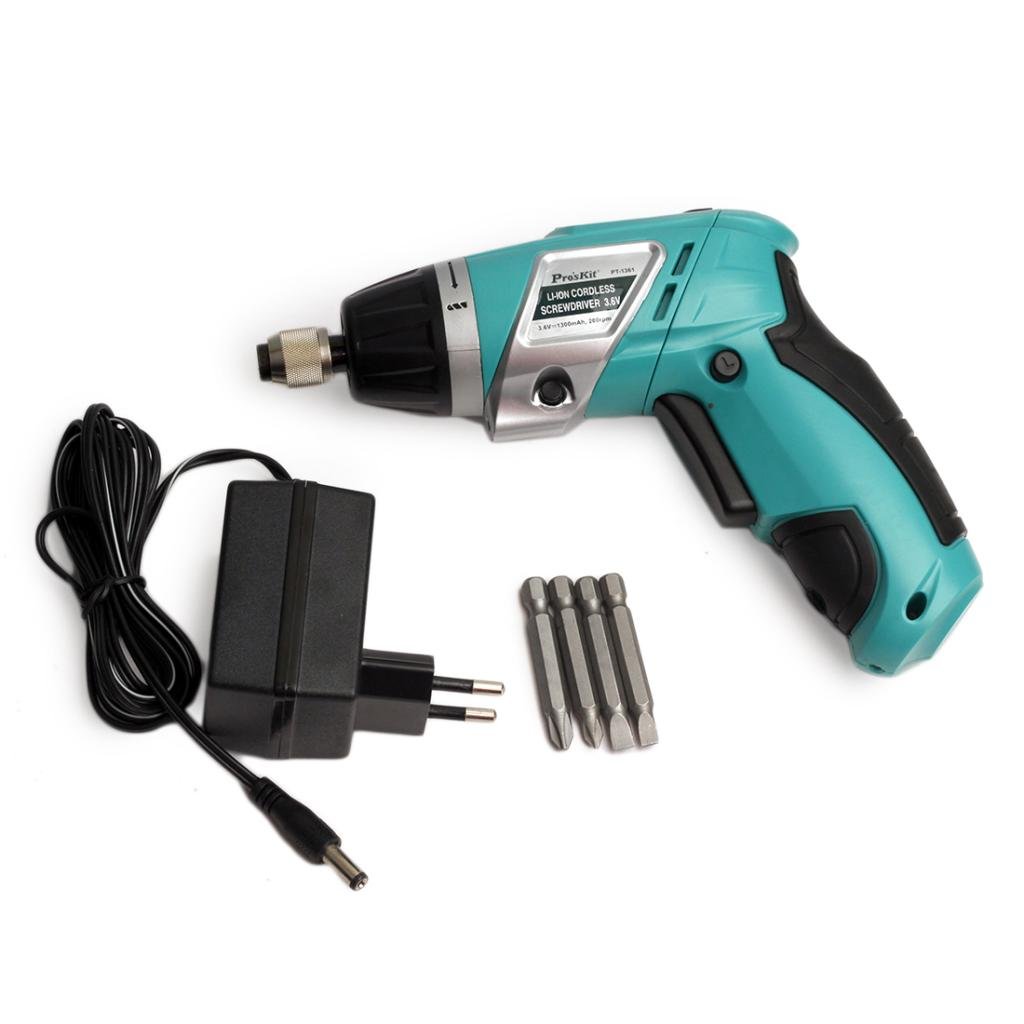
Figure 2: Side view of the Pro'sKit PT-1361F Cordless Screwdriver, illustrating the compact design and the charger connected. The included bits are visible next to the tool.
Key Features:
- 6+1 adjustable torque settings, maximum output torque up to 3 Nm.
- Quick release chuck for easy bit changes.
- Switch for forward or reverse rotation.
- Battery power indication.
- LED light for convenient work in dark areas.
- Over charging and discharging protection.
4. Setup
4.1 Charging the Battery
- Ensure the screwdriver is turned off.
- Connect the charger to a standard 230V AC 50Hz power outlet.
- Plug the charger's output connector into the charging port on the screwdriver.
- Allow the battery to charge fully. The battery power indicator will show the charging status. The tool is equipped with overcharging protection.
- Once fully charged, disconnect the charger from the screwdriver and the power outlet.
4.2 Installing Screwdriver Bits
- Ensure the screwdriver is off and the forward/reverse switch is in the neutral (locked) position.
- Pull the quick-release chuck forward.
- Insert the desired screwdriver bit into the chuck.
- Release the quick-release chuck to secure the bit. Gently pull on the bit to ensure it is firmly seated.
5. Operating Instructions
5.1 Selecting Torque Setting
The PT-1361F features 6+1 adjustable torque settings. Rotate the torque adjustment collar located near the chuck to select the desired torque level. Lower settings are for smaller screws and softer materials, while higher settings are for larger screws and harder materials. The 'drill' setting (indicated by a drill bit icon) provides maximum torque for drilling applications or when no torque limit is desired.
5.2 Forward/Reverse Rotation
Use the forward/reverse switch, typically located above the trigger, to select the direction of rotation:
- Push the switch to the left for forward (clockwise) rotation to drive screws.
- Push the switch to the right for reverse (counter-clockwise) rotation to remove screws.
- Position the switch in the center to lock the trigger and prevent accidental operation.
5.3 Operating the Screwdriver
- Select the appropriate bit and torque setting.
- Set the forward/reverse switch to the desired direction.
- Position the bit onto the screw head.
- Press the trigger to start the screwdriver. The integrated LED light will illuminate the work area.
- Apply steady, even pressure. Release the trigger to stop the screwdriver.
5.4 Battery Power Indication
The screwdriver is equipped with a battery power indicator to show the remaining charge. Refer to the indicator lights on the tool to determine when recharging is necessary.
6. Maintenance
6.1 Cleaning
- Always disconnect the tool from the charger before cleaning.
- Wipe the tool's exterior with a soft, damp cloth. Do not use harsh chemicals or abrasive cleaners.
- Keep ventilation openings clear of dust and debris to prevent overheating.
6.2 Storage
- Store the screwdriver in a clean, dry place, out of reach of children.
- Avoid storing in direct sunlight or areas with extreme temperatures.
- For long-term storage, ensure the battery is partially charged (around 50%) to prolong its lifespan.
7. Troubleshooting
| Problem | Possible Cause | Solution |
|---|---|---|
| Screwdriver does not start. | Battery is discharged. Forward/reverse switch is in the center (locked) position. | Charge the battery. Move the switch to forward or reverse position. |
| Reduced power or slow operation. | Battery is low. Incorrect torque setting. | Recharge the battery. Increase the torque setting. |
| Bit slips or cam-out. | Incorrect bit size. Insufficient pressure. Torque setting too low. | Use the correct bit for the screw head. Apply firm, steady pressure. Increase the torque setting. |
| LED light not working. | Faulty LED. | Contact customer support for service. |
8. Specifications
- Model: PT-1361F
- Brand: Pro'sKit
- Voltage: 3.6V
- Power Source: Battery Powered
- Charger Input: 230V AC 50Hz
- Max Torque: 3 Nm
- Torque Settings: 6+1 adjustable
- Chuck Type: Quick Release
- Material: Metal
- Item Weight: 160 g
- Product Dimensions: 1.1 x 7.5 x 20.8 cm
- Included Components: 1 Cordless Screwdriver
- UPC: 849724004730
9. Warranty and Support
For warranty information or technical support, please contact your local Pro'sKit distributor or the manufacturer directly. Keep your purchase receipt as proof of purchase for any warranty claims.
Manufacturer: NABROCO TOOLS & TECHNOLOGIES PVT LTD
Contact: +91 7042836466
10. Disposal
Do not dispose of electrical appliances as unsorted municipal waste. Use separate collection facilities. Contact your local government for information regarding the collection systems available. If electrical appliances are disposed of in landfills or dumps, hazardous substances can leak into the groundwater and get into the food chain, damaging your health and well-being.


