
Introduction
This manual provides essential information for the safe and effective use of your UpBright 12V AC/DC Adapter. Please read these instructions carefully before use and retain them for future reference.
What's in the Box
- 1 x UpBright 12V AC/DC Adapter
Setup
Follow these steps to properly set up your AC/DC adapter:
- Verify Compatibility: Before connecting, ensure your device requires a 12V DC input and has a compatible barrel round plug tip. This adapter is designed for 12V devices only. It is not compatible with 5V, 6V, or 18V devices.
- Connect to Device: Insert the barrel connector of the adapter firmly into the power input port of your JBL Flip or compatible speaker.
- Connect to Power Outlet: Plug the AC adapter into a standard 100-240VAC 50/60Hz wall outlet.
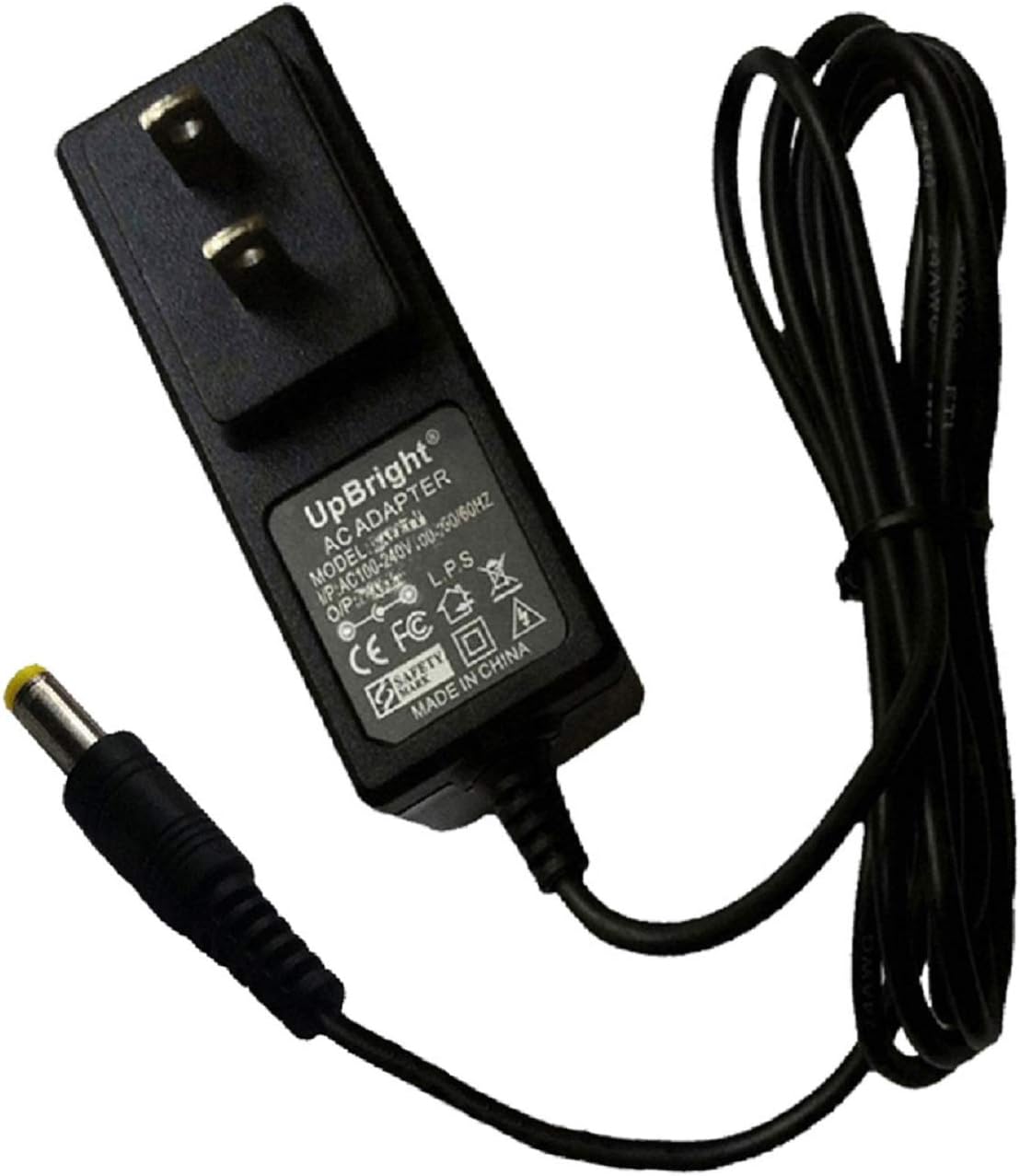
Image: The UpBright 12V AC/DC Adapter with its barrel connector, ready for connection.

Image: A close-up view of the barrel connector tip, showing its design.
Polarity Check
Ensure the polarity of the adapter matches your device's requirements. This adapter features a Center Positive polarity. Incorrect polarity can damage your device.

Image: A diagram illustrating the correct center positive polarity (indicated by a green checkmark) and an incorrect center negative polarity (indicated by a red 'X').
Operating Instructions
Once connected, the adapter will supply power to your device or begin charging its internal battery, if applicable. The adapter is designed for continuous use within its specified voltage and amperage limits.
- Ensure the adapter is securely plugged into both the wall outlet and your device.
- Monitor your device's charging indicator (if available) to confirm it is receiving power.
- Disconnect the adapter from the wall outlet when not in use for extended periods.
Compatibility
This UpBright 12V AC/DC Adapter is compatible with various devices requiring a 12V DC input and a barrel round plug tip. Please verify your device's power requirements before use.
Known Compatible Models:
- JBL Flip CE1588, CE 1588 WHITE, JBLFLIP, JBL FLIP 6132A-JBLFLIP, JBLFLIPWHTAM, JBLFLIPBLKEU Wireless Bluetooth Flip Portable Stereo Speaker
- JBL On Tour XTB Loudspeaker
- JBL On Stage IV, III, Micro 4, Micro II, Micro III, Micro 2, Micro 3, OS4BLKAM, OS3P2BLKV Speaker Dock
- JBL P/N: 700-0075-002, 700-0075-004
- DVE DSA-20R-12 FEU 120180, DSA-20R-12FEU120180, DSA-20R-12 FUK 120180, DSA-20R-12 FUK120180
- JBL OnBeat aWake Bluetooth Wireless Loudspeaker (for iPad, iPhone, and iPod)
- Kuantech (Beihai) Co., Ltd. KSAS0241200200D5
- JBL Model: YJS020F-1201500D, YJS020F1201500D
Important Note: Always confirm the voltage (12V), amperage (1.5A - 2A), and connector type of your device to ensure proper compatibility. The "JBL Flip Speaker" is available in various models and connectors; ensure your specific model or part number matches this listing.
Safety and Protection Features
The UpBright AC/DC Adapter is equipped with multiple protection features to ensure safe and reliable operation:
- OVP (Over Voltage Output Protection): Prevents damage from excessive output voltage.
- OCP (Over Current Output Protection): Safeguards against damage from excessive output current.
- SCP (Short Circuit Output Protection): Protects against short circuits.
- Overcharge Protection: Prevents battery overcharging in compatible devices.
- Overheat Protection: Monitors and regulates internal temperature.
- Good Heat Resistance: Designed for efficient heat dissipation.
- VO-Grade Fire-Retardant Materials: Enhances safety.

Image: An illustration highlighting the adapter's security protection features, including good heat resistance, VO-grade fire-retardant materials, overcharge protection, overvoltage protection, overheat protection, and overcurrent protection.
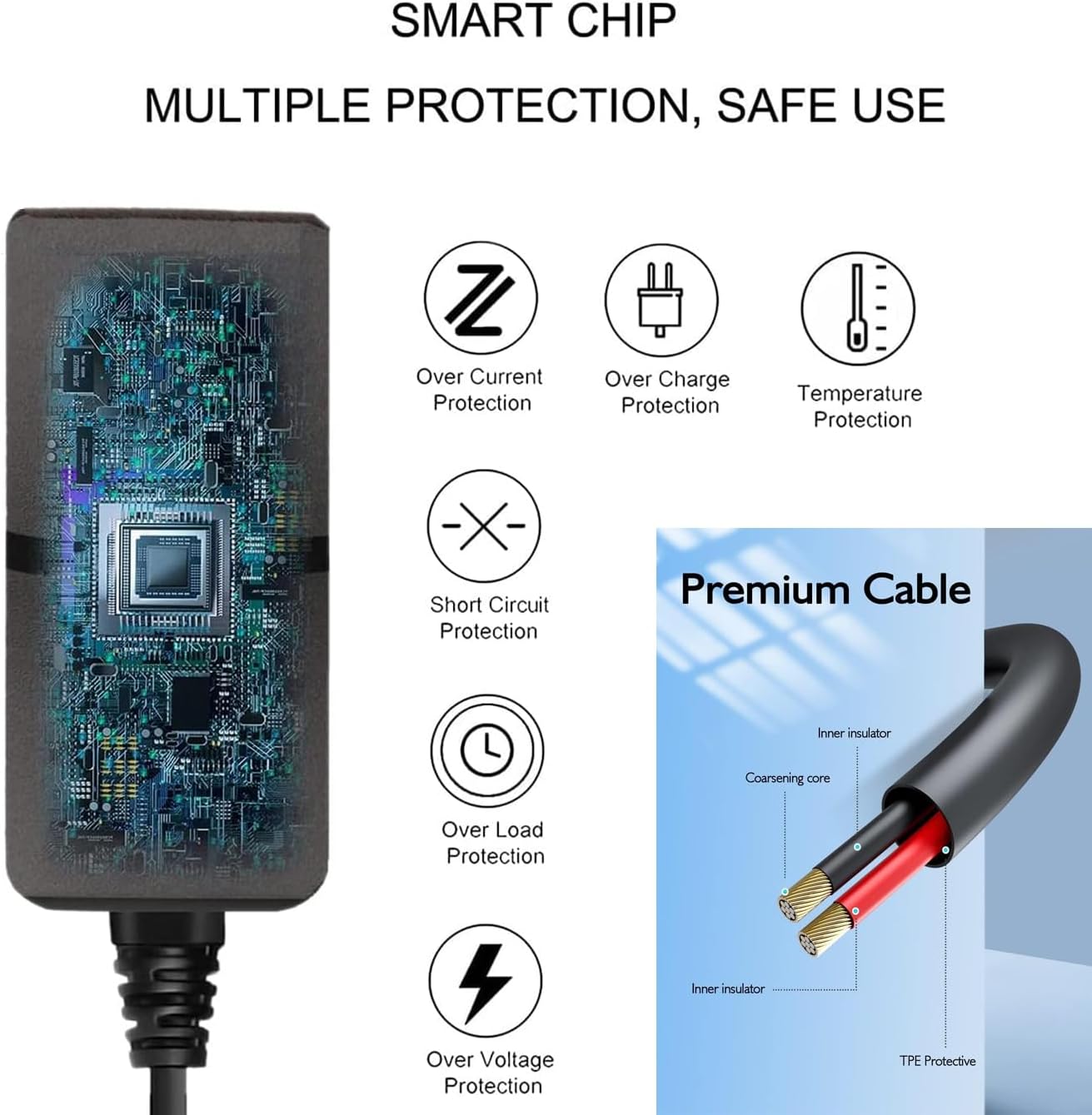
Image: A diagram detailing the internal smart chip with multiple protection features (over current, over charge, temperature, short circuit, over load, over voltage protection) and the construction of the premium cable with inner insulator and coarsening core.
Specifications
| Input Voltage | 100-240VAC, 50/60Hz |
| Output Voltage | 12V DC |
| Output Amperage | 1.5A - 2.0A (1500mA - 2000mA) |
| Wattage | 24 Watts |
| Connector Type | Barrel Connector (Round Plug Tip) |
| Product Dimensions | 3 x 3 x 1 inches |
| Item Weight | 5.6 ounces |
Troubleshooting
- Device Not Powering On or Charging:
- Ensure the adapter is fully plugged into both the wall outlet and your device.
- Verify that the wall outlet is functional by testing it with another device.
- Confirm that your device requires a 12V DC input and that the barrel connector is compatible. Incorrect voltage or connector type will prevent operation.
- Check the adapter cable for any visible damage.
- Adapter Feels Warm During Use:
- It is normal for the adapter to feel warm during operation. If it becomes excessively hot to the touch, disconnect it immediately and contact support.
Warranty and Support
UpBright products are designed for reliability and performance. This adapter comes with the following warranty and support:
- 30 Days Refund: If you are not satisfied with your purchase, you may be eligible for a refund within 30 days.
- 24 Months Exchange: The product is covered by a 24-month exchange policy for manufacturing defects.
For warranty claims or technical assistance, please refer to the contact information provided with your purchase or visit the UpBright official support channels.

Image: A visual representation of the UpBright Limited Warranty Certificate, alongside examples of international outlet adapters (AU, EU, UK) that may be included with international orders.
