Introduction
The Shark Sonic Duo Carpet and Hard Floor Cleaner (ZZ550) is a versatile floor care system designed to effectively clean and rejuvenate various floor surfaces. It utilizes sonic scrubbing technology to break apart and remove stuck-on dirt and grime from carpets, area rugs, hardwood, tile, vinyl, and stone surfaces. The system offers two distinct scrub modes and comes with specialized cleaning solutions and washable pads for comprehensive floor maintenance.

Image: The Shark Sonic Duo cleaner being used by a woman on a hard floor, demonstrating its upright design and cleaning action.
What's in the Box
Upon unboxing your Shark Sonic Duo ZZ550, please ensure all the following components are present:
- 1 x Shark Sonic Duo Carpet and Hard Floor Cleaner (ZZ550) Unit
- 1 x Carpet/Rug Cleaning Pad
- 1 x Carpet Scrub 'n Stain Pad
- 2 x Hard Floor Cleaning Pads
- 1 x Polishing Pad
- 1 x 12oz Carpet Cleaner Solution
- 1 x 10oz Activating Pretreater
- 1 x 12oz Wood and Hard Floor Cleaner Solution
- 1 x 16oz Wood and Hard Floor Polish

Image: Bottle of Shark Sonic Duo Hard Floor Cleaning Solution.

Image: Bottle of Shark Sonic Duo Carpet Cleaning Solution.
Assembly
- Attaching the Handle: Insert the handle into the main body of the cleaner until it clicks securely into place. Ensure it is firmly attached to prevent detachment during use.
- Inserting Solution Bottles: The Shark Sonic Duo uses specialized solution bottles. Align the bottle with the designated slot on the cleaner's body and push down firmly until it locks into position.
- Attaching Cleaning Pads: Select the appropriate cleaning pad for your surface (Carpet, Hard Floor, or Polishing). The pads attach to the bottom of the cleaner head using a hook-and-loop (Velcro) system. Simply align the pad with the cleaner head and press firmly to secure. Ensure the elastic bands on the pads are not overly stretched.
- Cord Management: Wrap the power cord around the cord keepers on the handle for neat storage. For quick release, rotate the top cord keeper downwards to allow the cord to fall freely. Utilize the small clip near the base of the handle to secure the cord during operation, preventing it from interfering with cleaning.

Image: A close-up of the Shark Sonic Duo's dual scrubbing pads, highlighting their attachment mechanism and textured surface.
Operation
- Powering On/Off: Plug the cleaner into a standard electrical outlet. Press the red power button located on the handle to turn the unit on. Press it again to turn off.
- Selecting Scrub Modes: The Shark Sonic Duo features two scrub modes: one for hard floors and one for carpets. Select the appropriate mode based on the surface you are cleaning. The unit delivers 1,000 scrubs per minute for effective cleaning.
- Using the Spray Function: Press the spray button on the handle to dispense cleaning solution onto the floor. For optimal results, allow a few seconds for the solution to saturate the pads before continuous spraying.
- Applying Additional Pressure: For stubborn spots or heavily soiled areas, you can gently place your foot on the cleaner head (indicated by a foot stamp) to apply additional downward pressure. This enhances the scrubbing action to tackle tough grime.
- Maneuverability: The cleaner is designed with Swivel Steering and Airglide Maneuverability, allowing for easy navigation around furniture and into tight spaces. The head can pivot to reach under cabinets and other obstacles.
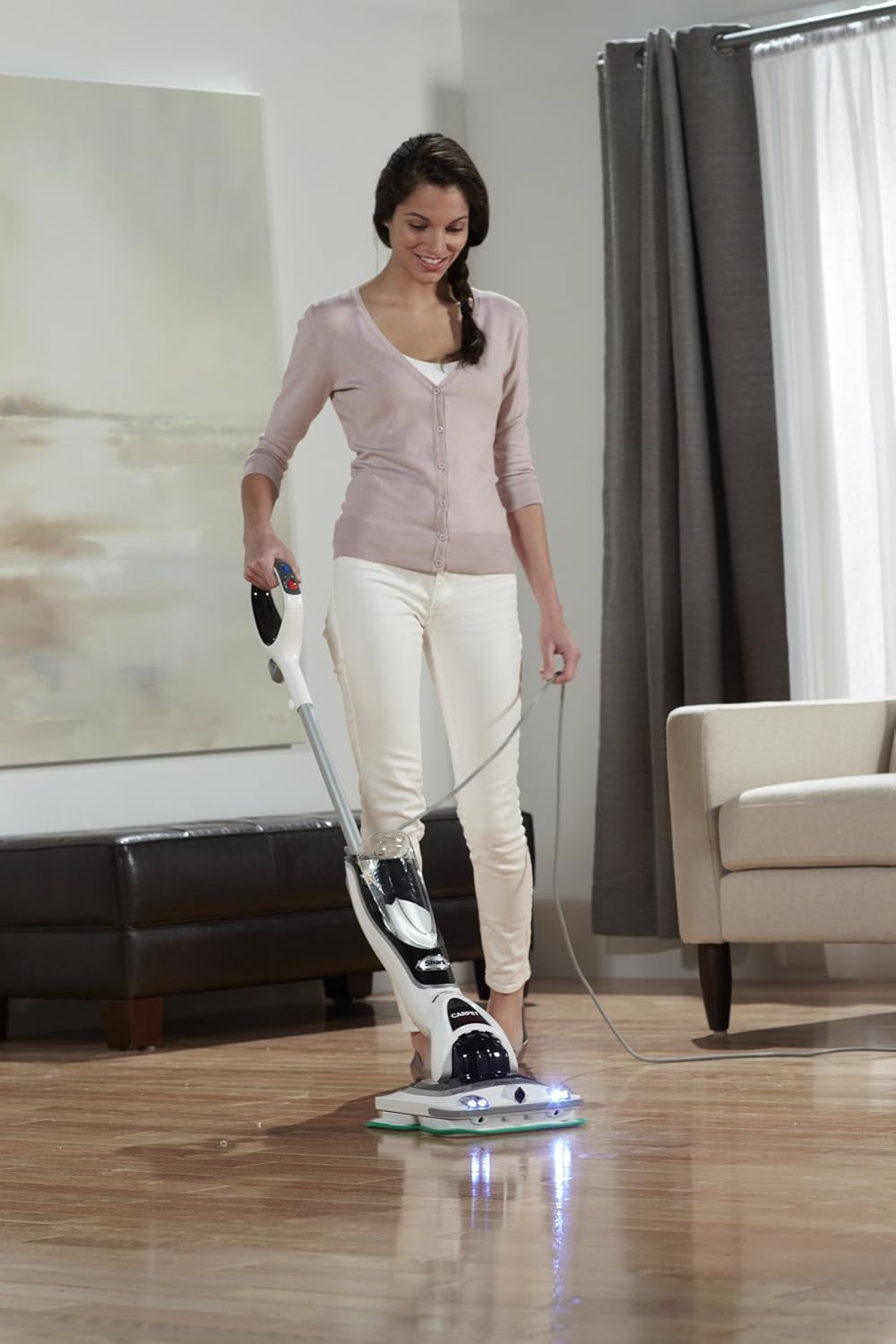
Image: A woman operating the Shark Sonic Duo on a hard floor, showcasing its ease of use.

Image: A woman cleaning a carpeted area with the Shark Sonic Duo, demonstrating its carpet cleaning capability.
Maintenance
- Cleaning Pads: All microfiber cleaning pads are washable and reusable. After each use, remove the pads from the cleaner head and machine wash them with similar colors. Do not use bleach or fabric softeners, as these can damage the microfiber. Air dry or tumble dry on low heat.
- Refilling Solution Bottles: When a solution bottle is empty, remove it from the unit. You can refill it with Shark-branded cleaning solutions or other compatible concentrated floor cleaning solutions. Ensure the bottle is securely reinserted before use.
- General Cleaning: Wipe down the exterior of the cleaner with a damp cloth as needed. Do not immerse the unit in water.
Troubleshooting
- Unit Beeps Continuously: If the unit starts beeping during operation, it may indicate excessive pressure is being applied or potential overheating. Reduce the pressure on the cleaner head and allow the unit to cool down if necessary. If the issue persists, unplug the unit and consult customer support.
- Handle Detaches During Use: Ensure the handle is fully inserted and securely clicked into the main body during assembly. If the handle frequently detaches, inspect the connection points for any damage or wear.
- No Spray from Nozzle: Check if the solution bottle is correctly inserted and contains sufficient cleaning solution. Ensure the spray button on the handle is being pressed firmly. It may take a moment for the solution to prime and begin spraying.
Specifications
| Feature | Detail |
|---|---|
| Brand | Shark |
| Model Number | ZZ550 |
| Product Dimensions | 9.5"D x 11.5"W x 46.5"H |
| Item Weight | 12.97 pounds |
| Power Source | Corded Electric |
| Surface Cleaning Types | Carpets, Area Rugs, Hardwood, Tile, Vinyl, Stone |
| Scrub Modes | 2 (Hard Floor, Carpet) |
| Scrubs per Minute | 1,000 |
| Cord Length | 22 ft |
| Swivel Steering | Yes |
| Airglide Maneuverability | Yes |
Warranty and Support
This Shark Sonic Duo Carpet and Hard Floor Cleaner (ZZ550) comes with a 90-day Woot limited warranty. For any warranty claims, technical assistance, or customer support inquiries, please refer to the contact information provided in your product packaging or visit the official Shark website.


