
1. Product Overview
The POOL BLASTER Centennial is a cordless, rechargeable pool vacuum designed for efficient cleaning of inground and above-ground pools, hot tubs, and spas. It features a powerful motor, advanced filtration, and a large debris capacity for sand, silt, and leaves.

Image: The POOL BLASTER Centennial Cordless Pool Vacuum with its pole set, ready for use.
2. Package Contents
Verify that all components are present in the package:
- POOL BLASTER Centennial Main Unit (Motor Box with On/Off Button)
- 10.5" Vacuum Head with Soft-Bristle Brush
- Four-piece Sectional Pole Set (45" length)
- Reusable Xtreme Multilayer Filter Bag
- Wall Charger
- Crevice Corner Nozzle (Angled Head)
- Vac Head Adapter
- Pole Adapter

Image: Exploded view of the POOL BLASTER Centennial components, including the vacuum head, adapters, debris chamber, filter, motor box, and pole pieces.
3. Setup and Assembly
- Charge the Battery: Before first use, fully charge the lithium-ion battery using the provided wall charger. The charging time is approximately 4 hours. Ensure the unit is dry before charging.

Image: The POOL BLASTER Centennial unit connected to its wall charger, indicating the charging process.
- Assemble the Vacuum Head: Attach the 10.5" vacuum head to the main unit. For hard-to-reach areas, you can remove the standard head and attach the angled crevice corner nozzle.
- Install the Filter Bag: Ensure the reusable Xtreme Multilayer Filter Bag is correctly inserted into the debris chamber.
- Connect the Pole (Optional): If desired, connect the four-piece sectional pole set to the main unit for extended reach. The pole provides a total length of 45 inches. A standard telescopic pool pole (not included) can also be attached.
- Secure Debris Chamber: Ensure the debris chamber is securely attached to the main unit using the dual-cam lever connection.
4. Operating Instructions
- Power On: Press the on/off button located on the main unit to activate the vacuum.
- Submerge the Vacuum: Carefully submerge the vacuum into the water. Ensure the vacuum head is fully immersed before beginning to clean.
- Clean the Pool: Maneuver the vacuum across the pool floor, steps, and walls to collect debris. The 10.5" vacuum head is suitable for general cleaning, while the angled nozzle can be used for corners and tight spaces.
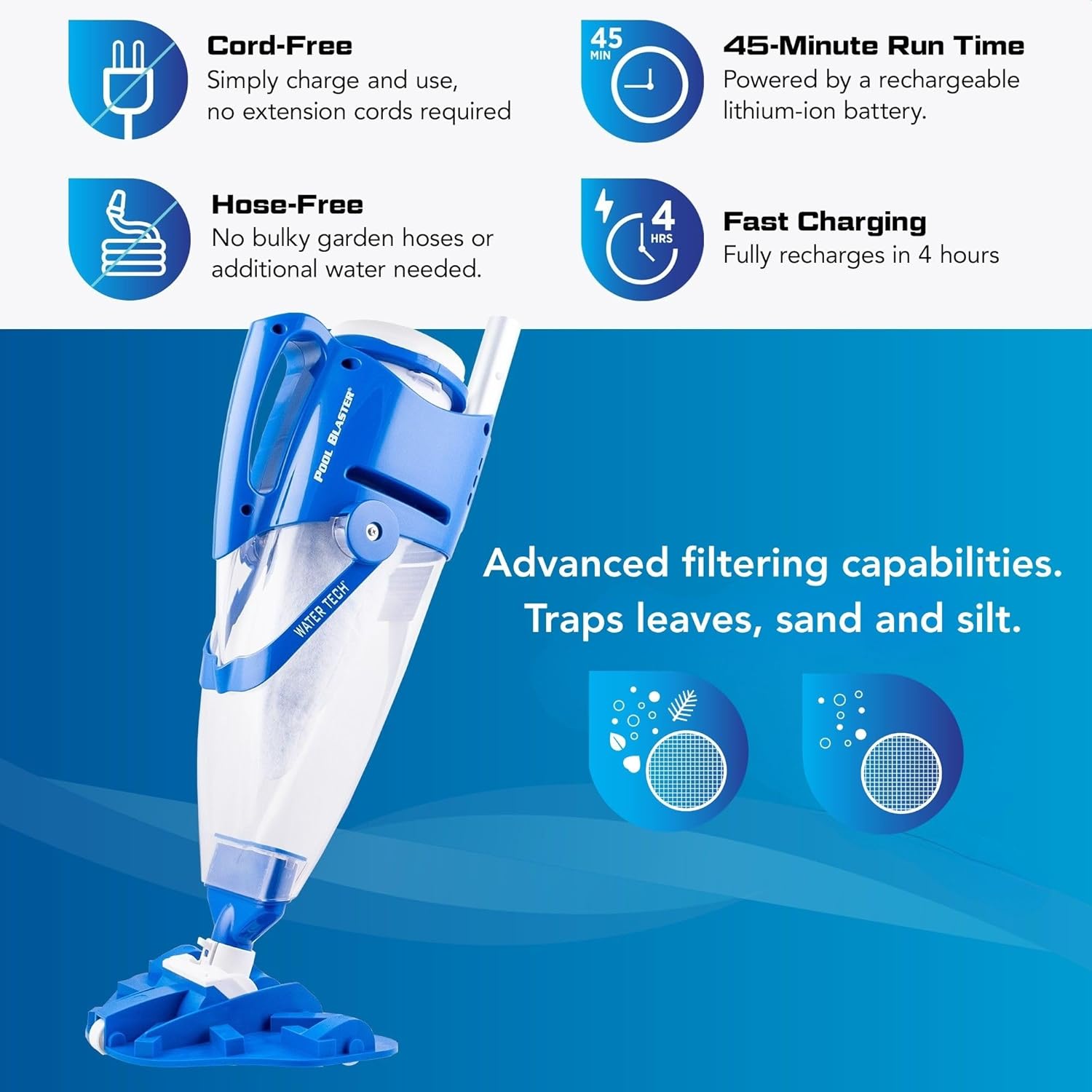
Image: The POOL BLASTER Centennial vacuum being used to clean debris from pool steps.
- Run Time: The fully charged battery provides up to 45 minutes of continuous operation.
- Power Off: After cleaning, press the on/off button to turn off the vacuum before removing it from the water.
Demonstration Video
Video: Official demonstration of the POOL BLASTER Centennial Cordless Hoseless Pool Vacuum in action, showing its cleaning capabilities.
5. Maintenance
- Emptying the Debris Chamber: After each use, or when suction decreases, empty the debris chamber. The unique dual-cam lever connection allows for quick release.

Image: Hands demonstrating how to open the debris chamber of the POOL BLASTER Centennial for emptying.
- Cleaning the Filter Bag: Remove the reusable Xtreme Multilayer Filter Bag from the debris chamber. Rinse it thoroughly with a garden hose to remove all trapped debris. Ensure the filter is clean before reinserting for optimal performance.

Image: Close-up of the multilayered filter cone, highlighting its design for trapping fine debris.
- Storage: Store the vacuum in a cool, dry place when not in use. Ensure the battery is charged periodically during off-season storage to maintain battery health.
6. Troubleshooting
| Problem | Possible Cause | Solution |
|---|---|---|
| Reduced Suction Power | Clogged filter bag or full debris chamber. Obstruction in the vacuum head or intake. | Empty the debris chamber and thoroughly clean the filter bag. Check for and remove any blockages in the vacuum head or intake nozzle. |
| Vacuum Does Not Turn On | Battery is not charged. Power button malfunction. | Ensure the battery is fully charged. If the issue persists after charging, contact customer support. |
| Short Battery Run Time | Battery not fully charged. Aging battery. | Ensure the unit is charged for the full 4 hours. Over time, battery capacity may decrease; consider a replacement battery if available. |
| Debris Escapes from Canister | Debris chamber not securely seated. | Ensure the dual-cam lever connection is fully engaged and the debris chamber is firmly attached to the main unit. |
| Vacuum is Difficult to Keep Submerged | Natural buoyancy of the unit. | Apply steady downward pressure on the pole to keep the vacuum head in contact with the pool surface. |
7. Specifications
| Feature | Detail |
|---|---|
| Brand | POOL BLASTER |
| Model Name | Centennial |
| Model Number | 22051EL |
| Material | Plastic |
| Color | Silver |
| Product Dimensions (L x W x H) | 10.5" x 9" x 24" |
| Item Weight | 5 pounds |
| Power Source | Battery Powered (Lithium-ion) |
| Lithium Battery Voltage | 7.4 volts |
| Lithium Battery Energy Content | 16.28 watt-hours |
| Charging Time | 4 hours |
| Run Time | Up to 45 minutes |
| Debris Capacity | XL (0.675 gallons) |
| Control Method | Touch (Push-Button) |
| Included Components | Vacuum Head, 4-piece Pole Set, Filter Bag, Wall Charger |
| Minimum Operating Depth | 14.25" at 45-degree angle |
8. Warranty Information
The POOL BLASTER Centennial Cordless Pool Vacuum comes with a manufacturer's warranty. For specific details regarding warranty coverage, duration, and claims process, please refer to the warranty documentation included with your product packaging or visit the official POOL BLASTER website.
9. Support
If you encounter any issues or have questions regarding your POOL BLASTER Centennial Cordless Pool Vacuum, please contact the manufacturer, Water Tech Corp, directly through their official website or the contact information provided in your product documentation. For replacement parts or accessories, refer to authorized retailers or the manufacturer's website.


