
Introduction
The Connex COM500200 Hammer Tacker is a robust tool designed for professional stapling applications. It is compatible with 6-10 mm Type 57 staples, making it suitable for various tasks requiring quick and secure fastening. The tacker features a solid metal construction and a soft-touch handle for comfortable and efficient operation. High-quality materials, careful workmanship, and a precise mechanism guarantee professional performance and a long service life.
Recommended Staples:
- Connex Steel Staples 6 mm, Type 57, Item No. COM501206
- Connex Steel Staples 8 mm, Type 57, Item No. COM501208
- Connex Steel Staples 10 mm, Type 57, Item No. COM501210
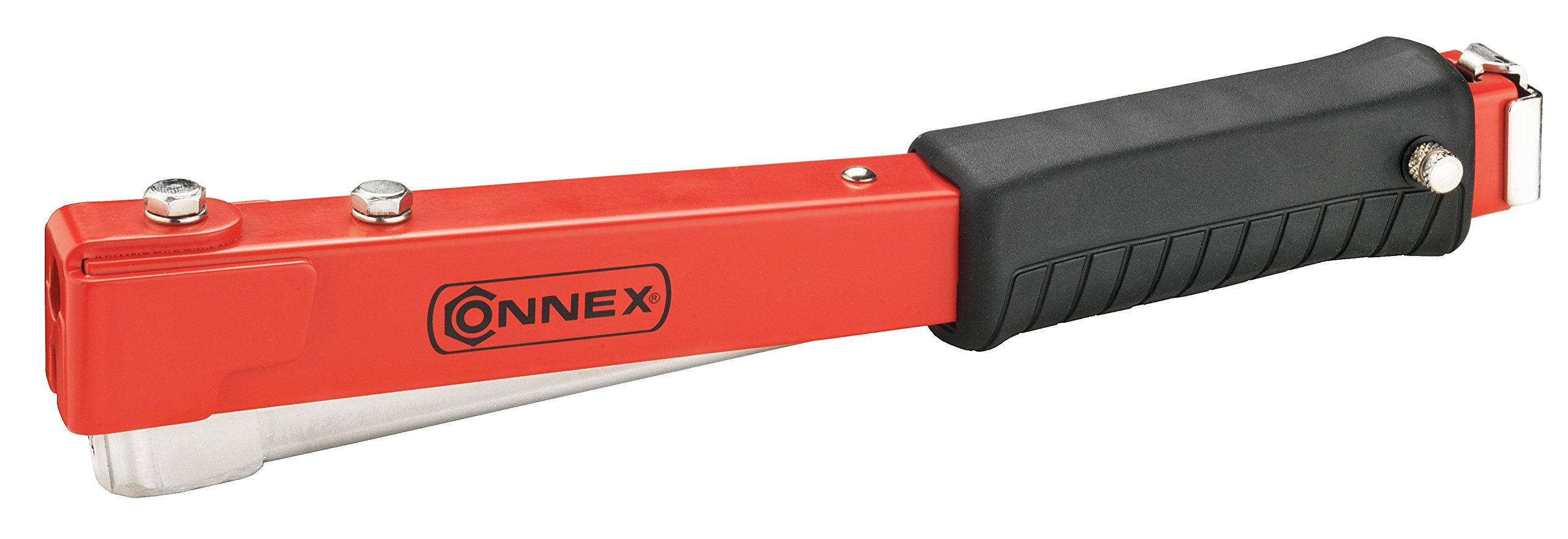
Image: The Connex COM500200 Hammer Tacker, a robust tool with a red and black finish, designed for professional stapling.
Safety Instructions
Always observe the following safety precautions when using the hammer tacker:
- Wear Eye Protection: Always wear safety glasses to protect against flying debris or staples.
- Keep Hands Clear: Ensure hands and other body parts are clear of the stapling area.
- Check Workpiece: Verify that the workpiece is free of hidden electrical wires, water pipes, or other obstructions before stapling.
- Use Correct Staples: Only use staples of the specified type and size (6-10 mm, Type 57) to prevent jams and damage to the tool.
- Store Safely: Store the tool in a dry, secure place, out of reach of children.
- Inspect Before Use: Before each use, inspect the tool for any damage or loose parts. Do not use if damaged.
Setup: Loading Staples
To load staples into your Connex COM500200 Hammer Tacker, follow these steps:
- Open the Magazine: Locate the staple magazine release mechanism, typically at the rear or bottom of the tacker. Slide or press the release to open the magazine.
- Insert Staples: Place a strip of compatible 6-10 mm Type 57 staples into the magazine with the staple points facing forward.
- Close the Magazine: Push the magazine closed until it locks securely into place. Ensure it is fully seated to prevent misfires.

Image: A blue circular icon indicating compatibility with 6-10 mm staples, featuring a graphic representation of a staple.
Operating Instructions
Using the Connex COM500200 Hammer Tacker is straightforward:
- Grip the Tacker: Hold the tacker firmly by its soft-touch handle.
- Position the Tacker: Place the stapling head firmly against the material you wish to fasten. Ensure the tacker is perpendicular to the surface for optimal staple penetration.
- Strike the Surface: Swing the tacker downwards, striking the surface with the stapling head. The impact will drive a staple into the material.
- Repeat as Needed: Continue striking the surface at desired intervals to fasten materials.
- Check Staple Penetration: After stapling, check that the staples are fully seated and secure. Adjust your technique if staples are not fully driven.
Maintenance
Proper maintenance ensures the longevity and reliable performance of your hammer tacker:
- Cleaning: Regularly wipe down the tool with a clean, dry cloth to remove dust, dirt, and debris. Do not use harsh chemicals or solvents.
- Lubrication: Periodically apply a small amount of light machine oil to moving parts, such as the magazine slide and striking mechanism, to ensure smooth operation.
- Staple Removal: If staples become jammed, refer to the troubleshooting section for safe removal procedures.
- Storage: Store the hammer tacker in a dry environment to prevent rust. Keep it in its original packaging or a tool bag to protect it from damage.
Troubleshooting
Here are solutions to common issues you might encounter:
| Problem | Possible Cause | Solution |
|---|---|---|
| Staples not firing | Empty magazine; jammed staples; incorrect staple size. | Reload staples; clear jam (see below); ensure correct 6-10 mm Type 57 staples are used. |
| Staples jamming | Incorrect staple size; bent staples; debris in magazine; worn parts. | To clear a jam:
|
| Staples not fully penetrating | Insufficient force; hard material; dull striking mechanism. | Apply more force when striking; ensure the tacker is held firmly against the surface; consider if the material is too hard for manual stapling. |
Specifications
| Brand | Connex |
| Model | COM500200 |
| Color | Red |
| Material | Metal |
| Product Dimensions (L x W) | 31.4L x 31.4W centimeters |
| Operating Mode | Manual |
| Compatible Staple Sizes | 6-10 mm, Type 57 |
| Manufacturer | Conmetall |
| Country of Origin | Taiwan |
| GTIN | 04035300720064 |
| ASIN | B00CFY0YOQ |
Warranty and Support
Specific warranty information for the Connex COM500200 Hammer Tacker is not available in the provided product data. For warranty details, technical support, or service inquiries, please refer to the product packaging or contact Connex customer service directly through their official website or authorized retailers.