
Introduction
This manual provides essential instructions for the safe and efficient operation of your Soundvision SV-T04W BT Speaker with Docking Station. Please read this manual thoroughly before using the device and retain it for future reference.
Safety Information
- Do not expose the device to rain, moisture, or extreme temperatures.
- Do not disassemble the unit. Refer all servicing to qualified personnel.
- Use only the specified power adapter.
- Keep the unit away from heat sources and direct sunlight.
- Ensure proper ventilation around the speaker.
Package Contents
Verify that all items are present upon unpacking:
- Soundvision SV-T04W BT Speaker Unit
- Power Adapter
- Remote Control (assumed)
- User Manual
Product Overview
Familiarize yourself with the components of your Soundvision SV-T04W BT speaker.
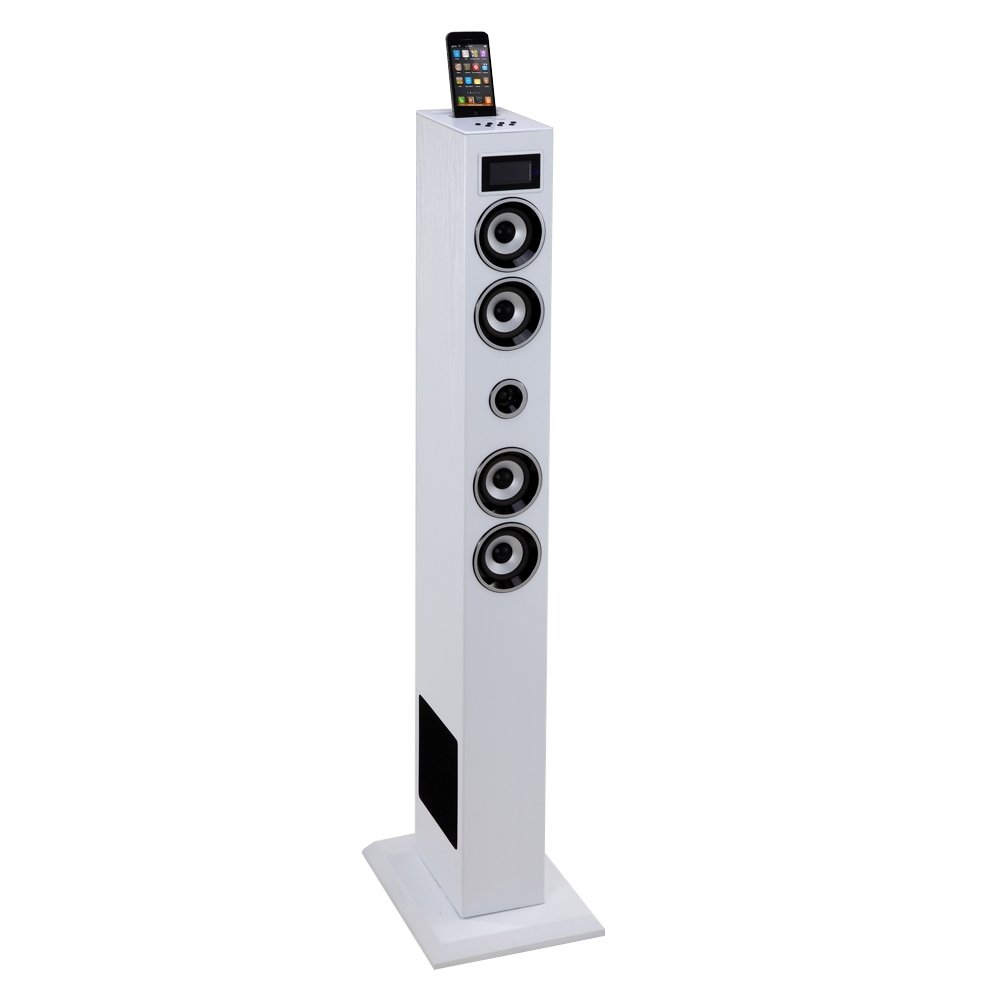
Image: Front view of the Soundvision SV-T04W BT Speaker. This image displays the main unit, typically featuring a central display, control buttons, and the docking port on top.
Controls and Ports (Typical Layout)
- Front Panel: Display screen, Power button, Mode button, Play/Pause, Skip Forward/Backward, Volume Up/Down.
- Top Panel: Docking connector for compatible Apple and Android devices.
- Rear Panel: Power input, AUX input (3.5mm), USB port, SD card slot, FM antenna connector.
Setup
- Unpack: Carefully remove the speaker and all accessories from the packaging.
- Positioning: Place the speaker on a stable, flat surface.
- Power Connection: Connect the power adapter to the DC IN port on the rear of the speaker, then plug the adapter into a wall outlet.
- Antenna Connection: For FM radio reception, connect the provided FM antenna to the antenna jack on the rear panel. Extend the antenna for better reception.
- Initial Power On: Press the Power button on the unit or remote control to turn on the speaker.
Operating Instructions
Power On/Off
Press the Power button on the unit or remote control to turn the speaker on or off.
Mode Selection
Press the Mode button repeatedly to cycle through available input sources: Bluetooth, Dock, FM Radio, USB, SD, and AUX.
Bluetooth Pairing
- Switch the speaker to Bluetooth mode. The display will show "BT" and an indicator light may flash.
- Enable Bluetooth on your mobile device (smartphone, tablet, etc.).
- Search for available devices. Select "SV-T04W BT" from the list.
- Once paired, the speaker will emit a confirmation sound, and the Bluetooth indicator will become solid.
Using the Docking Station
The docking station supports compatible Apple and Android devices. Carefully align your device with the connector on top of the speaker and gently push down until it is securely seated. The speaker will automatically switch to Dock mode. Note: Compatibility may vary for newer devices; Bluetooth is recommended for optimal connectivity with modern smartphones.
FM Radio Tuner
- Switch the speaker to FM Radio mode.
- Press and hold the Play/Pause button (or a dedicated Scan button if available) to automatically scan and save available stations.
- Use the Skip Forward/Backward buttons to navigate between saved stations.
USB and SD Card Playback
- Insert a USB flash drive or SD card into the corresponding slot on the rear panel.
- Switch the speaker to USB or SD mode.
- The speaker will automatically begin playing MP3 files from the inserted media.
- Use the Play/Pause and Skip Forward/Backward buttons to control playback.
AUX Input
Connect an external audio device (e.g., MP3 player, CD player) to the AUX IN port using a 3.5mm audio cable. Switch the speaker to AUX mode to play audio from the connected device.
Volume Control
Adjust the volume using the Volume Up (+) and Volume Down (-) buttons on the unit or remote control.
Maintenance
- Cleaning: Wipe the speaker's exterior with a soft, dry cloth. Do not use abrasive cleaners or solvents.
- Storage: When not in use for extended periods, unplug the power adapter and store the speaker in a cool, dry place.
Troubleshooting
| Problem | Possible Cause | Solution |
|---|---|---|
| No power | Power adapter not connected; Power outlet not working. | Ensure power adapter is securely connected and the outlet is functional. |
| No sound | Volume too low; Incorrect mode selected; Device not connected properly. | Increase volume; Select correct input mode; Reconnect audio source. |
| Bluetooth not connecting | Speaker not in Bluetooth mode; Device too far; Already paired with another device. | Ensure speaker is in Bluetooth mode; Move device closer; Disconnect from other devices and try pairing again. |
| Poor FM radio reception | Antenna not extended; Weak signal. | Fully extend the FM antenna and adjust its position for better reception. |
Specifications
- Model: SV-T04W BT
- Brand: Soundvision
- Power Output: 60W
- Connectivity: Bluetooth
- Inputs: Docking Station (Apple/Android compatible), USB, SD Card, AUX (3.5mm)
- Tuner: Standard FM Radio
- Supported Audio Formats: MP3 (via USB/SD)
- Color: White
Warranty Information
This Soundvision SV-T04W BT Speaker is covered by a 1-year manufacturer's warranty from the date of purchase. This warranty covers manufacturing defects. Please retain your proof of purchase for warranty claims. The warranty does not cover damage caused by misuse, accidents, unauthorized modifications, or normal wear and tear.
Customer Support
For further assistance, technical support, or warranty inquiries, please contact your retailer or the Soundvision customer service department. Refer to your purchase documentation for specific contact details.