
Introduction
The Sewell WallBlade Lite Dual Gang Recessed Wall Plate is designed to provide a clean, flush-mounted solution for routing cables through walls. This recessed design allows for televisions, furniture, and other objects to sit closer to the wall, eliminating unsightly cable clutter. It is suitable for various low-voltage cables such as HDMI, coaxial, network, and speaker wires.
Package Contents
Please verify that all components are present before beginning installation:
- 1x WallBlade Lite Dual Gang Recessed Wall Plate (White)
- 1x Metal Mounting Bracket
- Mounting Screws (various sizes for different applications)
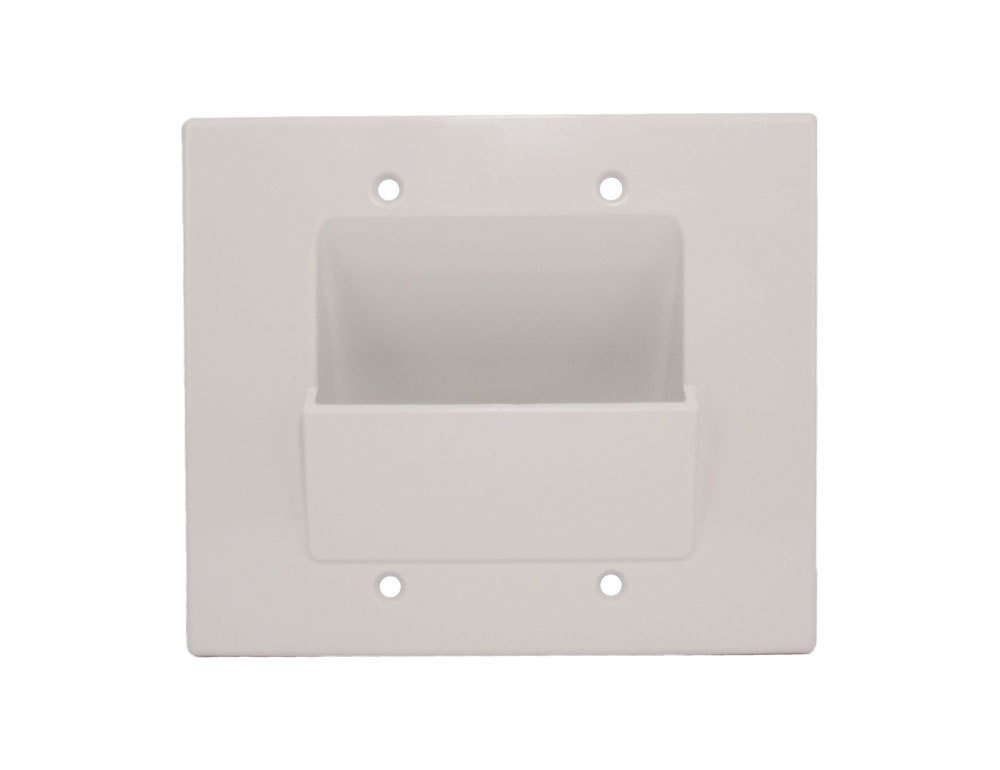
Image: All components included with the WallBlade Lite Dual Gang Recessed Wall Plate, showing the white plastic plate, the metal mounting frame, and two bags containing different types of mounting screws.
Setup and Installation
Safety Precaution: Before starting any electrical work, ensure power to the circuit is turned off at the breaker. If you are unsure, consult a qualified electrician.
- Locate Installation Area: Choose a suitable location on your wall for the recessed wall plate. Ensure there are no studs, pipes, or electrical wires behind the chosen area.
- Trace Opening: Use the metal mounting bracket as a template to trace the opening on the wall. A pencil or marker can be used for this purpose.
- Cut Opening: Carefully cut out the traced opening using a drywall saw or utility knife. Ensure the cut is clean and precise to allow the bracket to fit snugly.
- Insert Mounting Bracket: Insert the metal mounting bracket into the cut opening. The tabs on the bracket should be positioned to grip the inside of the drywall.
- Secure Bracket: Tighten the screws on the mounting bracket. As you tighten, the tabs will pivot and secure the bracket firmly against the drywall. Do not overtighten.
- Route Cables: Feed your low-voltage cables through the wall and out through the opening in the mounting bracket.
- Attach Wall Plate: Align the WallBlade Lite recessed wall plate over the mounting bracket, ensuring the cables pass through the recessed opening. Secure the wall plate to the mounting bracket using the provided screws.
- Final Check: Ensure the wall plate is flush with the wall and all cables are routed neatly.
Operating Instructions
The WallBlade Lite recessed wall plate is a passive cable management solution. Once installed, its primary function is to provide a neat and protected pathway for your low-voltage cables. Simply feed your desired cables through the recessed opening. The design allows cables to enter and exit the wall cavity without being pinched or damaged, maintaining a clean aesthetic.
Maintenance
The WallBlade Lite requires minimal maintenance. To clean the surface of the wall plate, use a soft, damp cloth. Avoid abrasive cleaners or solvents, as these may damage the finish. Periodically check the mounting screws to ensure they remain tight and the plate is securely fastened to the wall.
Troubleshooting
- Wall Plate Not Sitting Flush:
Ensure the wall opening was cut precisely and the mounting bracket is installed correctly and tightened evenly. Check for any obstructions behind the wall plate. - Cables Not Fitting Through Opening:
The recessed opening is designed for low-voltage cables. If cables are too thick or numerous, consider reducing the number of cables or ensuring they are routed without excessive bundling. - Loose Wall Plate:
Tighten the screws that secure the wall plate to the mounting bracket. If the bracket itself is loose, gently tighten its internal screws. Do not overtighten to avoid damaging the drywall.
Specifications
| Brand | Sewell |
| Model Number | SW-30206-2 |
| Material | Plastic |
| Color | White |
| Configuration | Dual Gang |
| Installation Type | Screw-In |
| Item Weight | 2.4 ounces |
| UPC | 685289003203 |
Warranty Information
Sewell products are designed for reliability and performance. For specific warranty details regarding your WallBlade Lite Dual Gang Recessed Wall Plate, please refer to the warranty information provided at the time of purchase or visit the official Sewell website. Keep your proof of purchase for any warranty claims.
Customer Support
If you encounter any issues or have questions regarding the installation or operation of your Sewell WallBlade Lite, please contact Sewell customer support. You can typically find contact information on the Sewell website or through your retailer. Please have your model number (SW-30206-2) ready when contacting support.