
Introduction
The Crock-Pot Hook Up Connectable Entertaining System offers a flexible solution for serving food at gatherings. This unit, model SCCPMD1-CH, features two 1-quart oval crocks designed for appetizers, dips, and small finger foods. It can be used independently or connected with other Crock-Pot Hook Up units to create a customized serving arrangement for various party sizes. The system includes High, Low, and Warm settings to maintain optimal food temperatures.
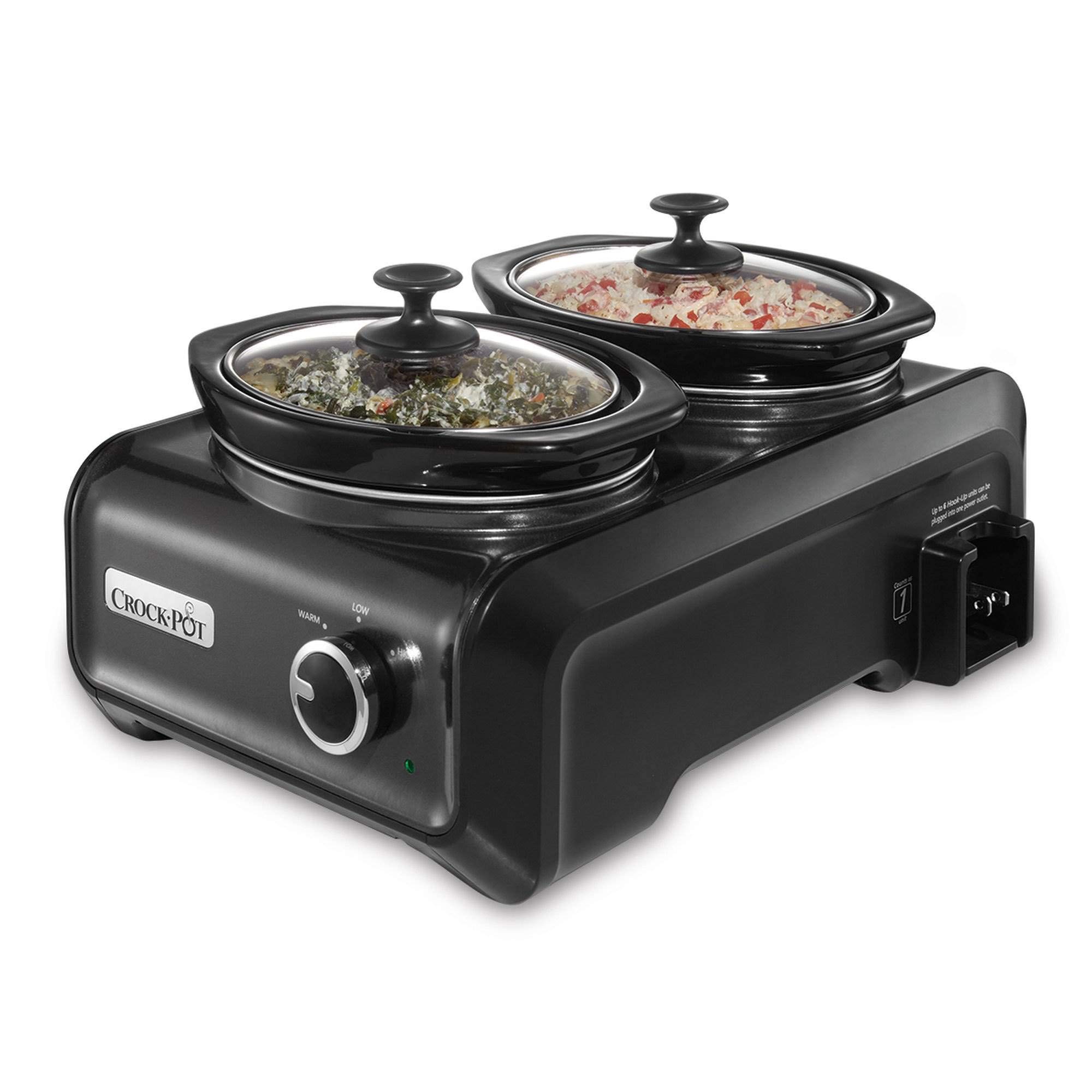
Image: The Crock-Pot SCCPMD1-CH unit with its two 1-quart oval crocks, ready for use on a kitchen counter.
Setup
1. Unpacking and Initial Cleaning
- Carefully remove all components from the packaging.
- Wash the removable stoneware crocks and glass lids in warm, soapy water. Rinse thoroughly and dry.
- Wipe the exterior of the heating base with a damp cloth. Do not immerse the heating base in water or any other liquid.
- Ensure all parts are completely dry before use.
2. Connecting Multiple Units (Optional)
The Hook Up system allows multiple units to be connected and powered from a single wall outlet (up to 6 units). Each unit includes a special cord that can be pulled out for standard outlet use or stored inside the base for connecting to other units.
- Place the units on a stable, heat-resistant surface.
- Locate the connecting outlet on the side of the unit.
- To connect, ensure the power cord of the first unit is plugged into a wall outlet.
- For subsequent units, pull out the connecting cord from its storage compartment and plug it into the connecting outlet of the previous unit.
- Ensure all connections are secure.

Image: Multiple Crock-Pot Hook Up units connected together, demonstrating the system's expandability.

Image: Detailed view of the connection mechanism between two Crock-Pot Hook Up units.
Operating Instructions
1. Filling the Crocks
- Place food into the removable stoneware crocks. Do not overfill; leave at least 1 inch of space from the rim.
- Place the crocks into the heating base.
- Cover with the glass lids.
2. Powering On and Setting Temperature
- Ensure the unit is properly plugged into a standard electrical outlet (or connected to another Hook Up unit).
- Turn the control dial to your desired setting:
- LOW: For slow cooking or extended warming.
- HIGH: For faster cooking or rapid heating.
- WARM: To keep cooked food at a serving temperature. Do not use the WARM setting for cooking raw food.
- OFF: To turn the unit off.
- An indicator light will illuminate when the unit is on.
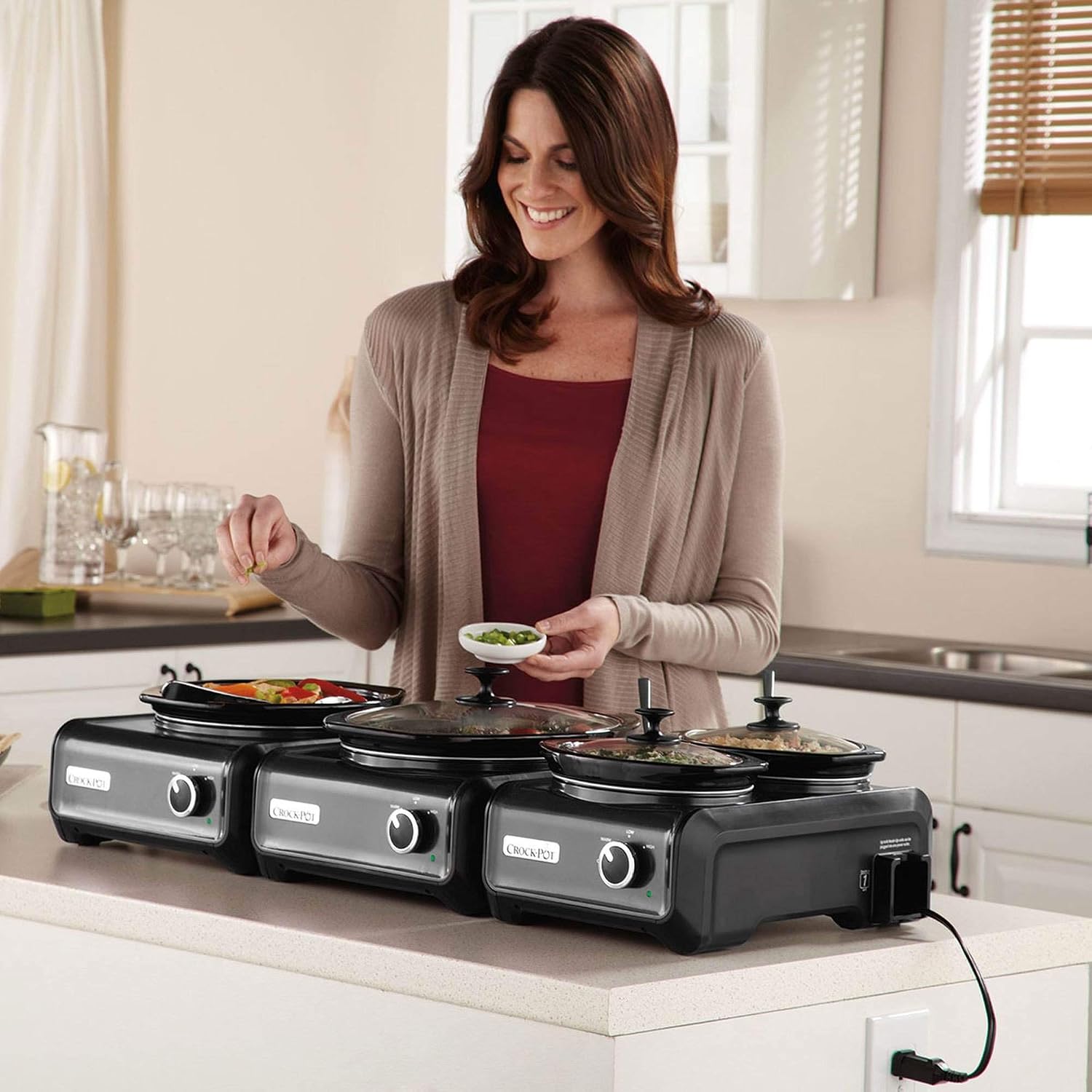
Image: A user preparing to serve from the Crock-Pot Hook Up system.

Image: A larger setup of connected Crock-Pot Hook Up units, showcasing their use for a buffet.
3. Safety Precautions
- Always use oven mitts when handling hot crocks or lids.
- Do not place the hot stoneware crock on cold surfaces to prevent thermal shock.
- Ensure the unit is placed on a heat-resistant surface.
- Unplug the unit from the wall outlet when not in use and before cleaning.
- Keep out of reach of children.
Maintenance and Cleaning
1. Cleaning
- Always unplug the unit and allow it to cool completely before cleaning.
- The removable stoneware crocks and glass lids are dishwasher safe. Alternatively, they can be washed by hand with warm, soapy water.
- To clean the heating base, wipe with a soft, damp cloth. Do not use abrasive cleaners or scouring pads.
- Do not immerse the heating base in water or any other liquid.
2. Storage
- Ensure all parts are clean and dry before storing.
- The units are designed to be stackable for convenient storage.
- Store the power cord neatly within its designated compartment in the base.

Image: The Crock-Pot Hook Up unit shown with a storage bag, highlighting its compact storage and portability.
Troubleshooting
| Problem | Possible Cause | Solution |
|---|---|---|
| Unit does not turn on. | Not plugged in; power outlet issue; unit not properly connected (if using multiple units). | Check power cord connection to wall outlet. Test outlet with another appliance. Ensure connecting cords between units are secure. |
| Food not heating properly. | Incorrect temperature setting; lid not sealed properly; unit overloaded. | Verify the control dial is set to HIGH or LOW (not WARM for cooking). Ensure lid is seated correctly. Do not overfill crocks. |
| Exterior of unit is hot. | Normal operation for slow cookers. | This is normal. Always use caution and avoid touching hot surfaces. Place on a heat-resistant surface. |
Specifications
| Feature | Detail |
|---|---|
| Model Number | SCCPMD1-CH |
| Brand | Crock-Pot |
| Capacity | Two 1-Quart Crocks |
| Color | Metallic Charcoal |
| Material | Stoneware (Crocks), Glass (Lids) |
| Wattage | 1500 watts (System total, individual unit wattage not specified but contributes to total when connected) |
| Voltage | 220 Volts |
| Item Weight | 1 Ounces |
| Product Dimensions | 10.2 x 13.9 x 16.9 inches |
| Control Method | Dial (Touch) |
| Settings | High, Low, Warm, Off |
| Dishwasher Safe Parts | Stoneware Crocks, Glass Lids |
Note: Some specifications like Wattage and Item Weight may represent system totals or be approximate. Always refer to the product packaging for the most accurate information. The listed Voltage of 220V may be a data entry error for a product typically sold in regions with 120V outlets; please verify compatibility with your local power supply.
Product Videos
Video: An overview of the Crock-Pot Hook Up Connectable Entertaining System, demonstrating its features and versatility. (Duration: 2:39)
Video: A demonstration of how to connect multiple Crock-Pot Hook Up units for larger gatherings. (Duration: 2:31)
Video: Tips and ideas for using the Crock-Pot Hook Up system for various types of food and events. (Duration: 1:46)
Video: A quick guide to the temperature settings and controls of the Crock-Pot Hook Up unit. (Duration: 1:11)
Video: Detailed cleaning and care instructions for the Crock-Pot Hook Up system. (Duration: 2:45)
Video: A short clip showcasing the stackable design for convenient storage. (Duration: 1:01)
Video: Creative serving suggestions and buffet ideas using the Hook Up system. (Duration: 1:08)
Video: A quick demonstration of the cord storage feature within the unit's base. (Duration: 1:09)
Video: An extended guide to maximizing the use of your Crock-Pot Hook Up system for various occasions. (Duration: 4:30)
Warranty Information
This Crock-Pot product is covered by a limited warranty. For specific details regarding warranty coverage, duration, and terms, please refer to the warranty card included with your product packaging or visit the official Crock-Pot website. Keep your proof of purchase for warranty claims.
Customer Support
For further assistance, product inquiries, or to purchase replacement parts, please contact Crock-Pot customer service. You can typically find contact information, including phone numbers and online support portals, on the official Crock-Pot website or within your product documentation.

