1. Introduction
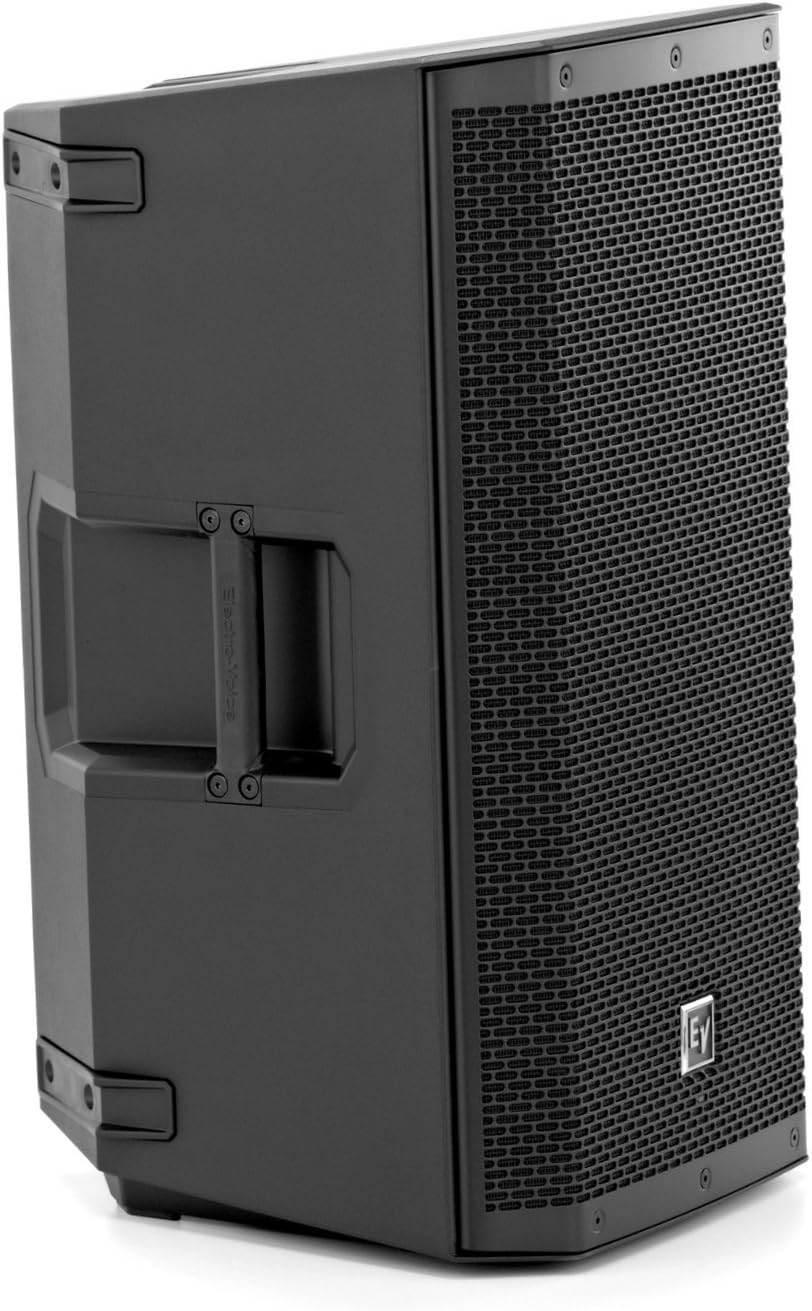
This manual provides essential information for the safe and effective operation of your Electro-Voice ZLX-15P 15-inch 2-Way 1000W Powered Loudspeaker. Please read this manual thoroughly before using the product to ensure proper setup, optimal performance, and longevity.
Key Features:
- Integrated 1000W Class-D amplifier for powerful sound.
- 15-inch woofer and 1.5-inch high-frequency titanium compression driver.
- LCD display and single-knob DSP control with presets for quick setup.
- Input level meters and independent amplifier control for optimal gain structure.
- Lightweight, durable polypropylene composite construction with ergonomic hi/lo grip design.
- Patented split-baffle design for superior driver time alignment.
2. Safety Information
Always observe the following safety precautions to prevent electric shock, injury, or damage to the equipment.
- Power Source: Connect the loudspeaker only to a power supply of the type described in this manual and marked on the unit.
- Grounding: Ensure the power cord is properly grounded to prevent electrical shock. Do not defeat the safety purpose of the polarized or grounding-type plug.
- Ventilation: Do not block any ventilation openings. Install in accordance with the manufacturer's instructions.
- Water and Moisture: Do not expose this apparatus to rain or moisture. Do not use near water.
- Heat: Do not install near any heat sources such as radiators, heat registers, stoves, or other apparatus (including amplifiers) that produce heat.
- Cables: Protect the power cord from being walked on or pinched, particularly at plugs, convenience receptacles, and the point where they exit from the apparatus.
- Servicing: Refer all servicing to qualified service personnel. Servicing is required when the apparatus has been damaged in any way, such as power-supply cord or plug is damaged, liquid has been spilled or objects have fallen into the apparatus, the apparatus has been exposed to rain or moisture, does not operate normally, or has been dropped.
- Proposition 65 Warning: This product may contain chemicals known to the State of California to cause cancer and birth defects or other reproductive harm.
3. Setup
3.1 Unpacking
Carefully remove the loudspeaker from its packaging. Inspect the unit for any signs of damage that may have occurred during transit. Retain the original packaging for future transport or storage.
3.2 Placement Options
The ZLX-15P is designed for versatile placement:
- Pole Mounting: The loudspeaker features a standard pole mount socket for use with speaker stands. Ensure the stand is stable and rated for the weight of the ZLX-15P.
- Floor Monitor: The cabinet design allows for use as a floor monitor, angled towards the performer.
- Stacking: For larger setups, multiple units can be safely stacked on a stable surface.

3.3 Connections
The rear panel of the ZLX-15P provides various input and output options:
- Input 1 & 2 (XLR/TRS Combo Jacks): Connect your audio sources (mixers, microphones, instruments) to these inputs. Each input has independent gain control.
- Mix Out (XLR): Provides a mixed output of Input 1 and Input 2, useful for linking to additional loudspeakers or sending a signal to a recording device.
- Power Inlet: Connect the supplied AC power cable here.
- Power Switch: Turns the unit on or off.

4. Operation
4.1 Powering On/Off
Ensure all connections are secure before powering on. Turn on your mixer or audio source first, then the ZLX-15P. When powering off, turn off the ZLX-15P first, then your audio source.
4.2 DSP Control and Presets
The ZLX-15P features an intuitive LCD display and a single-knob DSP (Digital Signal Processing) control. Rotate the knob to navigate menus and press to select. Available presets optimize the loudspeaker's performance for various applications:
- Music: Optimized for general music playback.
- Club: Enhanced bass response for dance music.
- Live: Balanced sound for live performances with instruments and vocals.
- Speech: Clear vocal reproduction, often with reduced bass.
You can also adjust parameters like EQ, crossover, and input sensitivity through the DSP menu.
4.3 Input Level and Gain Control
Each input has an independent gain control knob. Use the input level meters on the LCD display to set appropriate levels. Avoid clipping (indicated by a red 'LIMIT' LED on the front panel) to prevent distortion and potential damage to the speaker.
4.4 Bluetooth Connectivity
The ZLX-15P supports Bluetooth wireless communication. Refer to the DSP menu for pairing instructions to stream audio wirelessly from compatible devices.
5. Maintenance
Proper maintenance ensures the longevity and optimal performance of your ZLX-15P loudspeaker.
- Cleaning: Use a soft, dry cloth to clean the exterior of the loudspeaker. For stubborn dirt, a slightly damp cloth with mild soap can be used, followed by a dry cloth. Do not use abrasive cleaners or solvents.
- Grille: The metal grille can be gently cleaned with a soft brush to remove dust or debris.
- Storage: When not in use, store the loudspeaker in a cool, dry environment, away from direct sunlight and extreme temperatures. Using a protective cover or the original packaging is recommended.
- Handling: While the composite construction is durable, avoid impacts and rough handling to prevent cosmetic damage such as scratches or chips. Always use the integrated handles for lifting and carrying.
6. Troubleshooting
If you encounter issues with your ZLX-15P, refer to the following common troubleshooting steps:
- No Sound:
- Check if the loudspeaker is powered on and the power LED is illuminated.
- Verify that the audio source is active and sending a signal.
- Ensure input cables are securely connected and not damaged.
- Check the input gain levels on the ZLX-15P and your audio source.
- Confirm the correct DSP preset is selected.
- Distorted Sound:
- Reduce the input gain on the ZLX-15P or the output level from your audio source to prevent the 'LIMIT' LED from illuminating.
- Check for damaged cables.
- Ensure the DSP settings are appropriate for your application.
- Hum or Noise:
- Ensure all equipment is properly grounded.
- Try using balanced XLR cables instead of unbalanced TRS cables if possible.
- Isolate the loudspeaker from other electrical devices that may cause interference.
If the issue persists after attempting these steps, contact qualified service personnel.
7. Specifications
| Feature | Specification |
|---|---|
| Model | ZLX-15P |
| Speaker Type | Powered Loudspeaker, 2-Way |
| Woofer Diameter | 15 Inches |
| Tweeter Diameter | 1.5 Inches |
| Amplifier Power | 1000 Watts (Class D) |
| Material | Polypropylene |
| Connectivity Technology | Wired, Bluetooth |
| Control Method | Touch (DSP Knob) |
| Product Dimensions (D x W x H) | 19.2" x 19" x 29" |
| Item Weight | 36.6 pounds (16.6 kg) |
| Power Source | Corded Electric |

8. Warranty and Support
8.1 Warranty Information
The Electro-Voice ZLX-15P is covered by a limited warranty. For specific terms and conditions, please refer to the warranty card included with your product or visit the official Electro-Voice website. Keep your proof of purchase for warranty claims.
8.2 Customer Support
For technical assistance, service, or further information, please contact Electro-Voice customer support. You can find contact details on the official Electro-Voice website or in the documentation provided with your product.
Additional resources, including a detailed user manual in PDF format, may be available online: