
1. Product Overview
The BFT MITTO B RCB02 is a genuine 2-channel remote control designed for operating BFT gate and garage door automation systems. This compact and ergonomic device provides reliable control over your automated entry points. It features two distinct buttons for controlling different functions or multiple gates/doors.
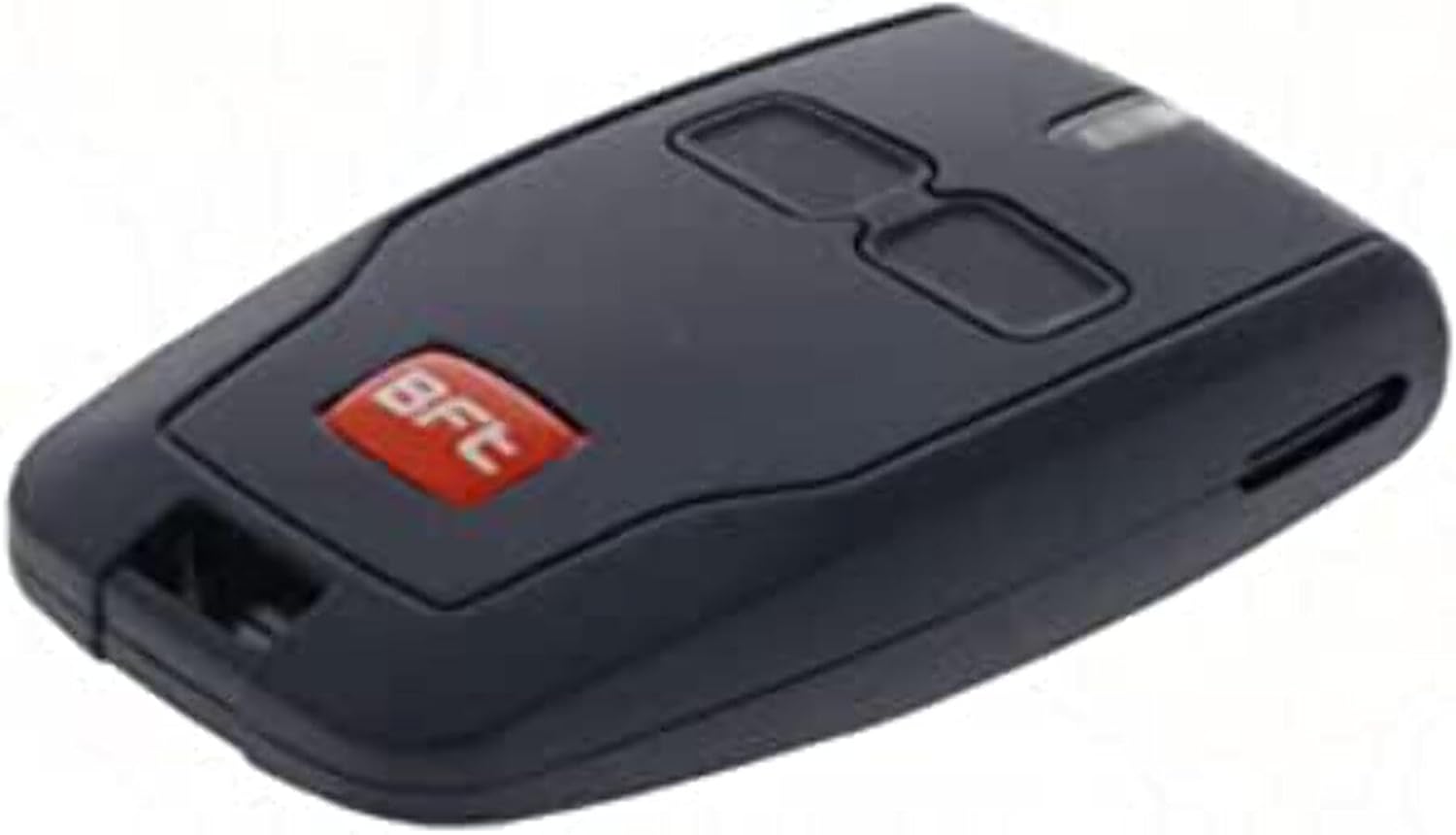
Image 1.1: Front view of the BFT MITTO B RCB02 remote control, showing its two control buttons and the BFT logo.
- Model: D111904
- Channels: 2-channel operation
- Connectivity: Radio Frequency
- Ergonomic Design: Designed for comfortable handling.
2. Setup and Battery Installation
2.1. Battery Requirements
The BFT MITTO B RCB02 remote control requires one LR44 battery for operation.
2.2. Battery Installation/Replacement
- Locate the battery compartment on the remote control. This is typically on the back or side, secured by a small screw or a clip.
- Using a small screwdriver or a coin, carefully open the battery compartment cover.
- Remove the old battery (if replacing).
- Insert the new LR44 battery, ensuring the positive (+) and negative (-) terminals are correctly aligned according to the markings inside the compartment.
- Replace the battery compartment cover and secure it.
2.3. Programming the Remote Control
Programming the BFT MITTO B RCB02 remote control to your gate or garage door opener system typically involves a specific procedure that varies depending on the model of your BFT receiver unit. Please refer to the instruction manual provided with your BFT gate or garage door opener system for detailed programming steps. General programming methods often include:
- Self-learning mode: Activating a programming button on the receiver unit and then pressing a button on the new remote.
- Cloning from an existing remote: Using a working remote to transmit its code to the new remote.
- Using a programming device: For advanced installations, a dedicated programmer might be used.
Ensure the remote control is within range of the receiver during the programming process.
3. Operating Instructions
Once programmed, the BFT MITTO B RCB02 remote control is straightforward to operate.
- Identify Buttons: The remote has two distinct buttons. Refer to your system's programming to know which button controls which function (e.g., open/close gate, pedestrian access, garage door).
- Activate Function: Point the remote control towards your gate or garage door opener system (if line-of-sight is required for your specific receiver) and press the desired button firmly for approximately one second.
- Observe Response: The gate or garage door should begin its programmed action (open, close, stop).
- Range: Operate the remote within the effective range of your receiver. Obstructions can reduce this range.
4. Maintenance
4.1. Battery Replacement
Replace the LR44 battery when the remote's operating range decreases significantly or if the indicator light (if present) does not illuminate when a button is pressed. Refer to Section 2.2 for battery installation instructions.
4.2. Cleaning
Clean the remote control with a soft, dry cloth. Do not use abrasive cleaners, solvents, or immerse the remote in water, as this can damage the internal electronics.
4.3. Storage
Store the remote control in a dry place, away from direct sunlight and extreme temperatures. Avoid dropping the remote or subjecting it to strong impacts.
5. Troubleshooting
- Remote not working:
- Check the battery. Replace it if it's old or depleted (refer to Section 2.2).
- Ensure the remote is properly programmed to your receiver (refer to Section 2.3).
- Verify that the receiver unit for your gate/garage door is powered on and functioning correctly.
- Reduced operating range:
- Replace the battery.
- Check for obstructions between the remote and the receiver.
- Ensure there are no sources of radio interference nearby.
- Gate/door opens/closes unexpectedly:
- This is unlikely to be caused by the remote itself unless a button is being accidentally pressed. Check for external interference or issues with the main gate/door opener system.
If troubleshooting steps do not resolve the issue, contact a qualified BFT technician or your product supplier for assistance.
6. Specifications
| Feature | Detail |
|---|---|
| Brand | BFT |
| Model Number | 2613008 (D111904) |
| Channels | 2 |
| Connectivity Technology | Radio Frequency |
| Battery Type | 1 x LR44 (required) |
| Color | Blue |
| Special Feature | Ergonomic |
| Item Weight | 0.176 ounces |
| Product Dimensions | 11.81 x 76.77 x 102.36 inches (Note: These dimensions appear to be for packaging or shipping; actual remote dimensions are significantly smaller.) |
7. Warranty and Support
For specific warranty information regarding your BFT MITTO B RCB02 remote control, please refer to the documentation provided at the time of purchase or contact your authorized BFT dealer or the retailer from whom you purchased the product. Warranty terms and conditions can vary by region and seller.
For technical support or further assistance, please contact your local BFT service center or the official BFT website for contact details.
Manufacturer: Sice


