
1. Product Overview
The Keter Store-It-Out MIDI is a versatile outdoor storage solution designed to protect your belongings while complementing your outdoor decor. This lightweight yet sturdy resin shed is ideal for storing various household essentials, including trash cans, pool toys, and garden tools. Its neutral beige and brown colors and wood-look texture blend seamlessly into any garden, patio, or deck setting.
Key features include:
- Stylish wood-look texture in neutral colors.
- Constructed from durable polypropylene resin plastic with steel reinforcement.
- Dual access: opens from the top lid or through wide double front doors.
- Equipped with an optional metal hinge system for easy lid opening.
- Features a lockable latch for added security (lock not included).
- Includes a sturdy floor panel.
- Built-in support for an optional shelf (shelf not included).
- Weather-resistant, waterproof, and UV protected, preventing peeling, rotting, or rusting.
- Requires no painting.

Image: The Keter Store-It-Out MIDI shed in its closed position, showcasing its beige and brown wood-look design.
2. Safety Information
Please read and understand all safety warnings before assembly and use of the Keter Store-It-Out MIDI shed.
- Do not exceed the floor weight capacity of 30 PSF (148.8 kg).
- Do not exceed the roof weight capacity of 15 PSF (74.4 kg).
- Ensure the shed is placed on a level and stable surface, such as pavers or concrete, to properly support the floor and maintain structural integrity.
- Keep children and pets away from the assembly area.
- Always secure the lid and doors when not in use, especially in windy conditions.
- Do not store flammable liquids or hazardous materials inside the shed.
- Regularly inspect the shed for any signs of wear or damage and address them promptly.
3. Package Contents
Before beginning assembly, verify that all parts are present and undamaged. Refer to the detailed parts list in the official User Manual for specific component identification.
Typical package contents include:
- Side panels (2)
- Front door panels (2)
- Back panel (1)
- Floor panel (1)
- Roof panel (1)
- Lid hinges and associated hardware
- Lockable latch mechanism
- Assembly screws and fasteners
- User Manual / Assembly Instructions
If any parts are missing or damaged, please contact Keter customer support immediately. Do not attempt to assemble the shed with incomplete or damaged parts.
4. Setup and Assembly
Assembly of the Keter Store-It-Out MIDI is required. It is designed for straightforward assembly, typically requiring basic tools like a screwdriver. For detailed, step-by-step instructions, please refer to the official User Manual provided with your product or download it from the links below:
General assembly tips:
- Choose a level and clear area for assembly.
- Lay out all components and identify them using the manual's parts list.
- Follow the assembly steps in the exact order specified in the manual.
- Ensure all connections are secure before proceeding to the next step.
- Some steps may require two people for easier handling of larger panels.

Image: The Keter Store-It-Out MIDI shed with its lid and double doors open, demonstrating its storage capacity for garden tools and other items.
5. Operating Instructions
The Keter Store-It-Out MIDI offers convenient access to its contents through two primary methods:
5.1 Opening the Top Lid
- Ensure the front doors are closed and latched.
- Locate the lid handle on the front of the shed.
- Lift the lid upwards. The optional metal hinges will assist in holding the lid open for easy access.
- To close, gently pull the lid down until it securely latches.
5.2 Opening the Front Doors
- Locate the main latch mechanism on the front doors.
- If a padlock is used, unlock and remove it.
- Disengage the latch.
- Open the wide double doors outwards to access the interior.
- To close, push the doors firmly until they click into place, then engage the latch.
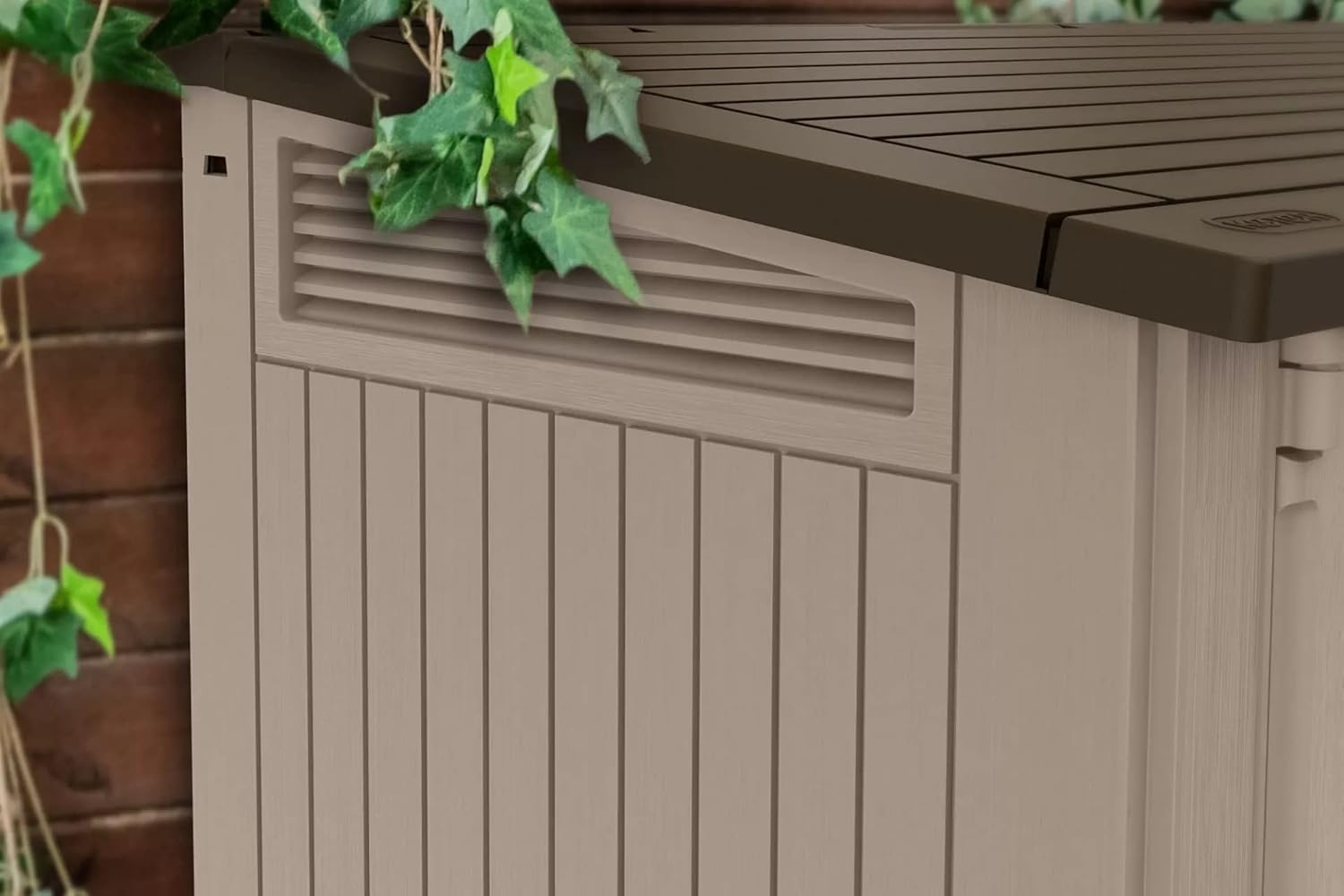
Image: A close-up view of the lockable latch mechanism on the Keter Store-It-Out MIDI shed, designed for use with a standard padlock (not included).
6. Maintenance
The Keter Store-It-Out MIDI shed is designed for low maintenance. Follow these simple guidelines to ensure its longevity and appearance:
- Cleaning: Wipe the shed surfaces with a damp cloth to remove dirt and debris. For stubborn stains, a mild soap solution can be used. Avoid abrasive cleaners or harsh chemicals, as these may damage the resin material.
- Inspection: Periodically check all connections, hinges, and latches to ensure they are secure and functioning correctly.
- Drainage: Ensure the gutter under the lid joint is clear of leaves, seeds, or other debris to prevent water backup and potential leakage into the shed.
- UV Protection: While the shed is UV protected, prolonged exposure to extreme direct sunlight over many years may cause slight fading. Regular cleaning can help maintain its appearance.

Image: A detailed view of the side ventilation feature on the Keter Store-It-Out MIDI shed, designed for air circulation.
7. Troubleshooting
This section addresses common issues you might encounter with your Keter Store-It-Out MIDI shed.
| Problem | Possible Cause | Solution |
|---|---|---|
| Water inside the shed | Clogged lid gutter; improper assembly; extreme weather conditions. | Clear any debris from the lid gutter. Ensure all panels are correctly assembled and securely fastened according to the manual. Verify the shed is on a level surface. |
| Doors do not close properly or fall off | Improper assembly of door hinges/connectors; uneven ground; warping due to extreme temperatures. | Re-check door assembly steps in the manual. Ensure the shed is on a perfectly level surface. If warping is severe, contact customer support. |
| Lid does not close securely | Misaligned hinges; debris in the latch mechanism; warping of the lid. | Inspect hinges for alignment and damage. Clear any obstructions from the latch. Ensure the shed is on a level surface. |
| Missing parts upon delivery | Packaging error or transit damage. | Immediately contact Keter customer support with your proof of purchase and a list of missing components. Do not attempt assembly. |
8. Specifications
| Feature | Detail |
|---|---|
| Brand | Keter |
| Model Name | Store-It-Out MIDI |
| Model Number | 211166 |
| Color | Beige/Brown |
| Material | Polypropylene resin plastic, Alloy Steel, Resin |
| External Dimensions (W x D x H) | 51 in. x 29 in. x 43.5 in. (129.5 cm x 73.7 cm x 110.5 cm) |
| Internal Dimensions (W x D x H) | 47.6 in. x 25.2 in. x 39.4 in. (120.9 cm x 64 cm x 100.1 cm) |
| Storage Capacity | 27.4 cu. ft. (776 Liters) |
| Floor Weight Capacity | 30 PSF (148.8 kg) |
| Roof Weight Capacity | 15 PSF (74.4 kg) |
| Item Weight | 39.4 Pounds (17.87 kg) |
| Water Resistance Level | Waterproof |
| Assembly Required | Yes |
| UPC | 731161036248 |

Image: A diagram illustrating the external dimensions of the Keter Store-It-Out MIDI shed: 43.5 inches high, 29 inches deep, and 51 inches wide.
9. Warranty and Support
Keter products are manufactured to high-quality standards. For specific warranty information regarding your Keter Store-It-Out MIDI shed, please refer to the warranty card included with your purchase or visit the official Keter website.
For customer support, missing parts, or technical assistance, please contact Keter customer service through their official channels. Have your model number (211166) and proof of purchase ready when contacting support.
You can also visit the Keter Store on Amazon for more product information and resources.


