
Introduction
The Cable Matters 5Gbps Long USB 3.0 Extension Cable is designed to extend the reach of your USB 3.0 and USB 2.0 peripherals. This 10-foot black cable provides SuperSpeed data transfer rates up to 5 Gbps, ensuring efficient and reliable connection for a wide range of devices. Its durable construction and universal compatibility make it an ideal solution for various applications.
Product Features
- High-Performance USB 3 Extension: Extends connection for USB 3.0 and USB 2.0 peripherals.
- SuperSpeed Data Transfer: Up to 5 Gbps, 10 times faster than USB 2.0.
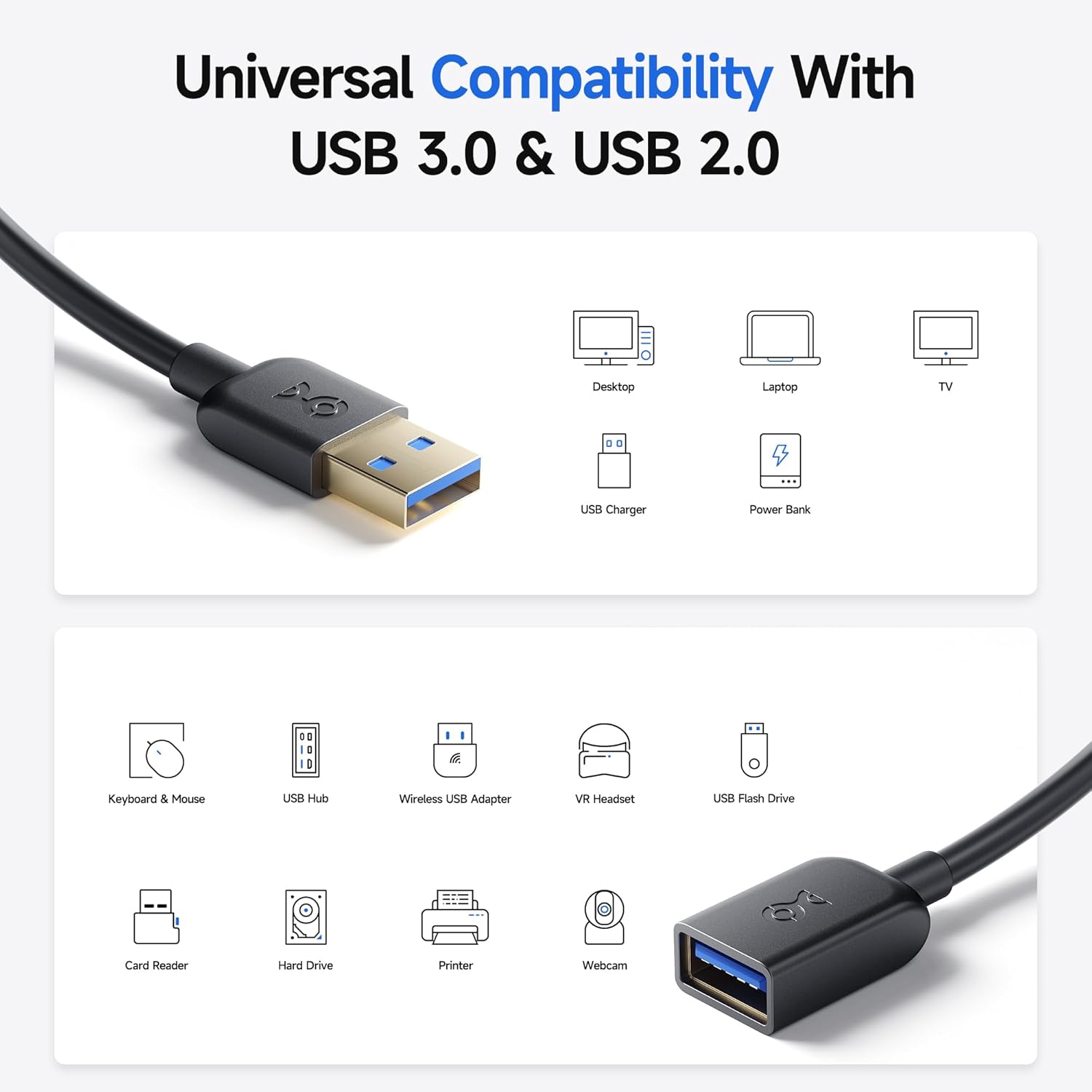
- Universal Compatibility: Works with VR headsets, hard drives, USB hubs, mice, keyboards, flash drives, printers, and more.
- Durable Design: Features molded strain relief connectors and grip treads for easy handling.
- Superior Construction: Gold-plated connectors, bare copper conductors, and foil & braid shielding ensure error-free data transmission.
Setup
Setting up your Cable Matters USB 3.0 Extension Cable is a straightforward process. Follow these steps to establish a connection:
- Identify the USB port on your computer or device where you wish to extend the connection. This port should ideally be a USB 3.0 port (often blue internally) for optimal performance, but the cable is also backward compatible with USB 2.0 ports.
- Take the male end (USB-A) of the Cable Matters extension cable and plug it firmly into the USB port on your computer or device.
- Connect your peripheral device (e.g., VR headset, hard drive, printer, webcam) to the female end (USB-A) of the Cable Matters extension cable. Ensure a secure connection.
- Verify that your device is recognized and functioning correctly.


Operating Instructions
The Cable Matters USB 3.0 Extension Cable functions as a direct extension of your existing USB connection. Once properly set up, it allows your devices to operate as if they were directly connected to the host port, but with added reach.
- Data Transfer: For devices requiring high-speed data transfer, such as external hard drives or VR headsets, ensure both the host port and the connected device support USB 3.0 for optimal 5 Gbps performance.
- Device Connectivity: Connect any compatible USB peripheral, including keyboards, mice, printers, webcams, and USB hubs, to the female end of the extension cable.
- Charging: The cable can also extend the reach of a USB charging cable to fast charge compatible smartphones or tablets.

Video: This official product video from Cable Matters demonstrates the features and applications of the USB extension cable, highlighting its versatility and performance.
Maintenance
To ensure the longevity and optimal performance of your Cable Matters USB 3.0 Extension Cable, follow these simple maintenance guidelines:
- Handle with Care: Avoid excessive bending, twisting, or pulling of the cable, especially near the connectors. The molded strain relief is designed for durability but can be damaged by extreme force.
- Keep Clean: Use a soft, dry cloth to gently wipe the cable and connectors. Avoid using harsh chemicals or abrasive materials that could damage the PVC jacket or gold-plated contacts.
- Store Properly: When not in use, coil the cable loosely. Avoid tight coiling or knotting, which can stress the internal conductors. Store in a cool, dry place away from direct sunlight and extreme temperatures.
- Inspect Regularly: Periodically check the cable and connectors for any signs of wear, fraying, or damage. If any damage is observed, discontinue use to prevent potential issues.


Troubleshooting
If you encounter issues with your Cable Matters USB 3.0 Extension Cable, consider the following troubleshooting steps:
- No Device Recognition:
- Ensure both ends of the extension cable are securely plugged into the host device and the peripheral.
- Try connecting the peripheral directly to the host device's USB port to confirm the peripheral is functional.
- Test the extension cable with a different USB port on your computer or another compatible device.
- If using a USB hub, try connecting the extension cable directly to the computer.
- Slow Data Transfer Speed:
- Confirm that both your computer's USB port and the connected peripheral support USB 3.0 (SuperSpeed). USB 3.0 ports are typically blue.
- Ensure that the drivers for your USB 3.0 host controller and peripheral are up to date.
- Avoid connecting multiple high-bandwidth devices through a single USB hub or port if performance is critical.
- Intermittent Connection:
- Check for any physical damage to the cable or connectors.
- Ensure the cable is not being bent or stressed in a way that could cause intermittent contact.
- Try restarting your computer or device.
Specifications
| Feature | Detail |
|---|---|
| Brand | Cable Matters |
| Model | 200008-BLACK-10 |
| Connector Type | USB Type A 3.0 |
| Cable Type | USB |
| Connector Gender | Male-to-Female |
| Data Transfer Rate | 5 Gigabits per second |
| Compatible Devices | USB 2.0/1.x compatible devices, VR headsets, hard drives, USB hubs, mice, keyboards, flash drives, printers, iPhone |
| Special Features | Braided, Data Transfer, Fast Charging, Gold-plated connectors, Molded strain relief |
| Item Length | 10 feet |
| Color | Black |
| Outer Material | Polyvinyl Chloride (PVC) |
| UPC | 713893577534, 738435983475 |
Warranty Information
Cable Matters is committed to providing high-quality products and an exceptional customer experience. While specific warranty details are not provided in this document, standard return and replacement policies typically apply. Please refer to your purchase documentation or the retailer's policy for detailed warranty information.
Generally, products purchased from Amazon.com are eligible for a 30-day refund or replacement policy.
Support
For further assistance, product information, or to explore other Cable Matters products, please visit the official Cable Matters store or contact their customer support.
Official Cable Matters Store: Cable Matters on Amazon