
1. Introduction
Thank you for choosing the iFrogz Skip On-Ear Headphones. This manual provides essential information for the proper setup, operation, and maintenance of your headphones. Please read this guide thoroughly before use and retain it for future reference.
2. Safety Information
To ensure safe operation and prevent damage, please observe the following guidelines:
- Avoid prolonged listening at high volumes to prevent hearing damage.
- Do not use headphones in situations where inability to hear ambient sounds could be dangerous (e.g., driving, cycling, walking in traffic).
- Keep the headphones dry. Do not expose them to water or moisture.
- Do not attempt to disassemble or modify the headphones. This will void the warranty.
- Keep out of reach of small children.
3. Package Contents
Verify that all items are present in your package:
- iFrogz Skip On-Ear Headphones (Model IF-SKP-PNK)
- User Manual (this document)
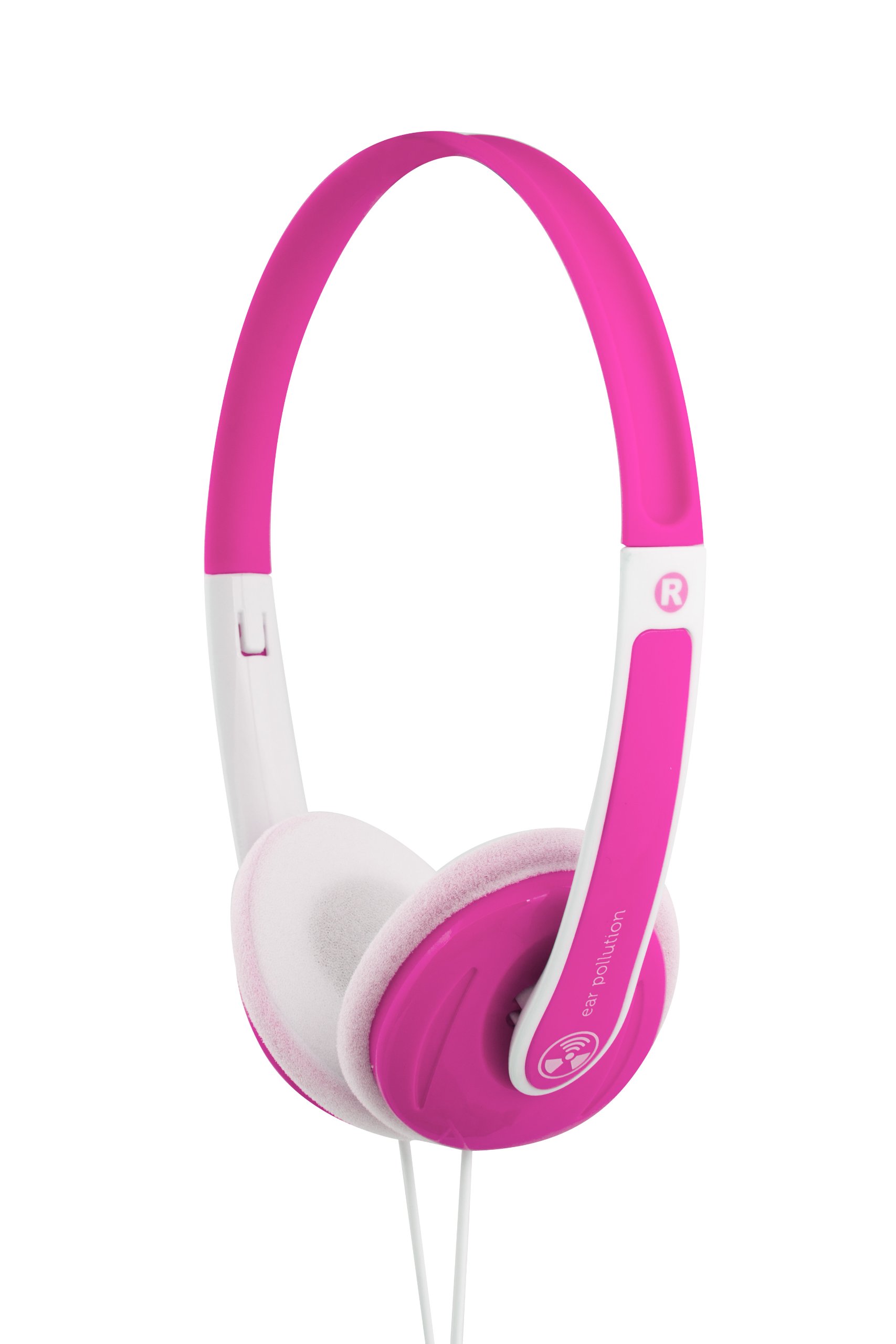
Image: Front view of the iFrogz Skip On-Ear Headphones in their clear retail packaging. The headphones are pink and white, with the iFrogz logo visible.

Image: Back view of the iFrogz Skip On-Ear Headphones retail packaging, showing product information and specifications.
4. Product Features
- Crisp Sound and lightweight design
- Adjustable band for various head sizes
- Driver Unit: 30 mm neodymium
- Impedance: 32 ohms
- Sensitivity: 105 dB +/- 3 dB at 1 kHz
- Frequency Response: 20 Hz to 20 kHz
- Cord Length: 1.2 m
5. Setup
5.1 Unpacking
Carefully remove the headphones from their packaging. Ensure no components are left behind.
5.2 Adjusting the Headband
Gently extend or retract the headband slides on both sides until the earcups rest comfortably over your ears. The headband should fit snugly without causing undue pressure.

Image: Side view of the iFrogz Skip On-Ear Headphones, showing the adjustable headband and earcup design within its packaging.
5.3 Connecting to an Audio Source
The iFrogz Skip headphones feature a standard 3.5mm audio jack. To connect:
- Locate the 3.5mm audio port on your smartphone, tablet, computer, or other audio device.
- Insert the 3.5mm audio plug from the headphone cable firmly into the audio port of your device.
Ensure the connection is secure for optimal audio transmission.
6. Operating Instructions
6.1 Wearing the Headphones
Place the headphones on your head with the earcups covering your ears. Adjust the headband for a comfortable and secure fit. The earcups are designed to rest on your ears.
6.2 Audio Playback
Once connected to your audio source, begin playing audio from your device. Control the volume directly from your connected device.
7. Maintenance
7.1 Cleaning
- Use a soft, dry cloth to wipe the exterior surfaces of the headphones.
- Do not use liquid cleaners, aerosols, or harsh chemicals.
- Avoid getting moisture into any openings.
7.2 Storage
When not in use, store the headphones in a clean, dry place away from extreme temperatures and direct sunlight. Avoid tangling the cable by coiling it loosely.
8. Troubleshooting
| Problem | Possible Cause | Solution |
|---|---|---|
| No sound |
|
|
| Poor sound quality (distorted, crackling) |
|
|
| Headphones are uncomfortable |
|
|
9. Specifications
| Feature | Detail |
|---|---|
| Brand | iFrogz |
| Model Number | IF-SKP-PNK |
| Color | Pink |
| Form Factor | On-Ear, Tri-fold |
| Driver Unit | 30 mm neodymium |
| Impedance | 32 ohms |
| Sensitivity | 105 dB +/- 3 dB at 1 kHz |
| Frequency Response | 20 Hz - 20 kHz |
| Cord Length | 1.2 m |
| Connectivity Technology | Wired (3.5mm jack) |
10. Warranty and Support
iFrogz products are designed for quality and durability. For warranty information and customer support, please refer to the official iFrogz website or contact their customer service directly. Keep your proof of purchase for warranty claims.
For further assistance, visit: www.ifrogz.com/support (Note: This is a placeholder URL as specific support information was not provided.)