
Introduction
The Zodiac MX8 is an advanced suction-side pool cleaner designed for all in-ground pool surfaces. It features dual cyclonic suction for powerful cleaning and efficient debris removal, requiring less flow than comparable cleaners. Its ultra-efficient design makes it an excellent choice for pools with solar, 2-speed, or variable-speed pumps, contributing to energy savings. The MX8 is engineered to tackle tough dirt and debris, ensuring a thoroughly clean pool environment.

Image: The Zodiac MX8 Suction Pool Cleaner, a compact and efficient device for maintaining pool cleanliness.
Key Features
- Dual Cyclonic Suction: Cleans faster and more aggressively with greater vacuum power, a wider cleaning path, and the largest debris inlet.
- Durable X-Trax: Allows for excellent traction on any pool surface, enabling the cleaner to navigate effectively.
- Wide Cleaning Path: Clears a large path through dirt and debris for comprehensive pool coverage.
- MaX-Drive Navigation: Programmed navigation with advanced 360° patterns ensures complete pool coverage, leaving no spot uncleaned.
- Energy Efficient Design: Requires less flow than other cleaners in its class, making it ideal for variable-speed pumps and promoting energy savings.
Setup and Installation
The Zodiac MX8 is a suction-side pool cleaner, meaning it operates using the suction from your pool's pump, eliminating the need for an electrical outlet. It can be connected to either your pool's skimmer or a dedicated return/vacuum line.
Connecting the Hoses
The cleaner comes with 36 feet of hose in separate sections. It is crucial to connect the hoses correctly to ensure optimal performance.
- Identify the feeder hose: This is the first hose section that connects directly to the cleaner and contains a float.
- Attach the feeder hose to the cleaner: Simply clip it into place on the cleaner's top port.
- Determine the required hose length: Stand at the point of connection (skimmer or return line) and extend the hose sections across the pool to the furthest point. You should have approximately one to two hose sections remaining out of the water.
- Connect additional hose sections: Attach the remaining hose sections by popping them into place and snapping them on.
- Connect the final hose end: Plug the end of the hose into your chosen suction point (return line or skimmer).
Video: A detailed demonstration of how to set up and install the Zodiac MX8 pool cleaner, including hose connection and placement in the pool. (Creator Type: Influencer)

Image: Front view of the Zodiac MX8, highlighting its compact and lightweight design, making it easy to handle.
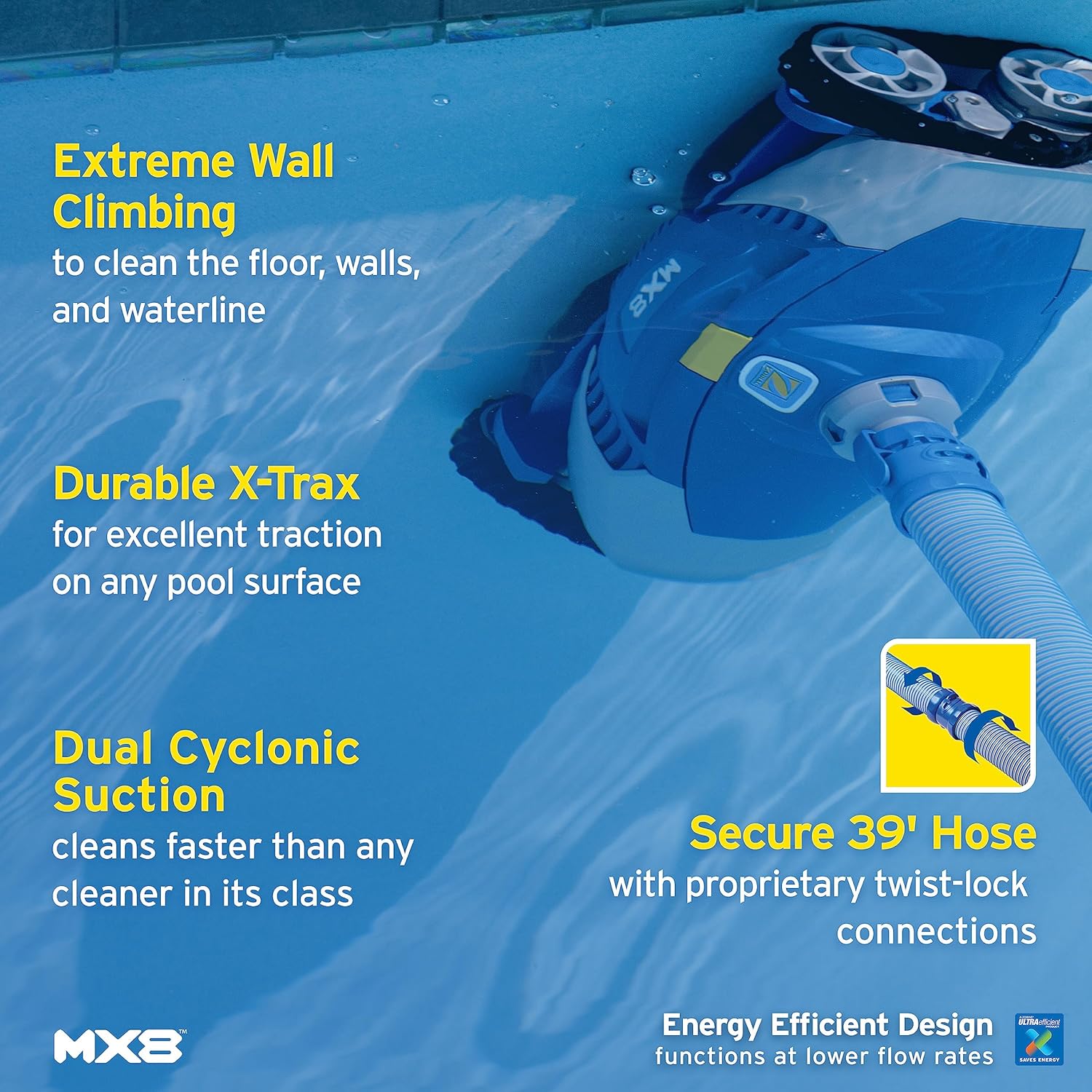
Image: Bottom view of the Zodiac MX8, showing the dual vacuums and X-Trax wheels designed for superior grip and wall climbing.
Operating Instructions
Once properly installed and connected to your pool's suction, the Zodiac MX8 will begin its cleaning cycle. The cleaner's MaX-Drive Navigation system allows it to move in advanced 360° patterns, ensuring thorough coverage of your pool.
- Floor Cleaning: The MX8 effectively cleans the pool floor, picking up dirt and debris with its powerful dual cyclonic suction.
- Wall Climbing: Thanks to its X-Trax wheels, the cleaner can grip and climb pool walls, scrubbing surfaces up to the waterline. This feature helps remove debris and buildup from vertical surfaces.
- Waterline Cleaning: Unlike many other cleaners, the MX8 is designed to clean above the waterline, addressing common areas for scum and dirt accumulation.
Video: The Zodiac MX8 in action, demonstrating its ability to climb walls, clean the waterline, and effectively scrub the pool floor. (Creator Type: Influencer)
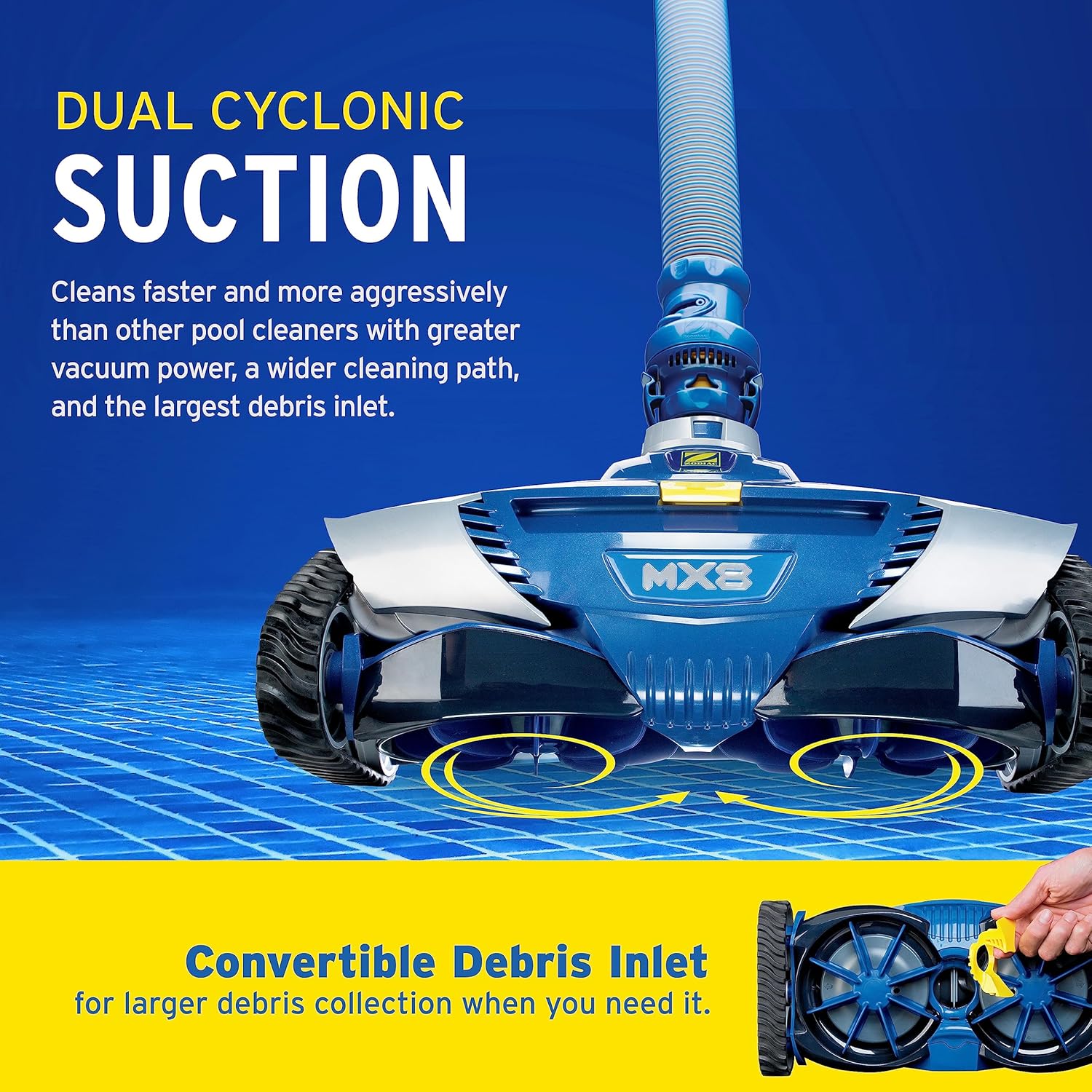
Image: The Zodiac MX8 actively cleaning a pool wall, showcasing its strong grip and ability to reach the waterline.
Maintenance
Regular maintenance is essential to prolong the life and efficiency of your Zodiac MX8 pool cleaner.
- Flow Regulator Valve: The cleaner features a flow regulator valve designed to consistently limit high water flow. Ensuring this valve is correct helps prevent damage to cleaner components and extends its lifespan.
- Wheel Rotation Timing: Periodically check the proper wheel rotation timing to verify the cleaner is operating at maximum efficiency.
- Hose Care: After use, unhook all hoses and parts. Store hoses straight, avoiding bends or prolonged exposure to direct sunlight, which can cause damage.
- Storage: Store the cleaner in a cool, dry place away from direct sunlight and harsh chemicals to prevent wear on parts like the wheels.
Troubleshooting Tips
While the Zodiac MX8 is designed for reliable operation, occasional issues may arise. Here are some common troubleshooting tips:
- Cleaner Gets Stuck: If the cleaner frequently gets stuck, try disassembling and reassembling the unit to ensure all parts, especially the tracks, are properly aligned and moving freely. New units or recently replaced tracks might be tight initially.
- Insufficient Suction: Adjust the vacuum suction by shifting flow between the skimmer and the cleaner's return line. For the first week of operation, prioritize suction to the cleaner.
- Parts Replacement: If a part breaks, consult the user guide for replacement instructions. Some warranties may cover parts only, requiring self-repair.
Specifications
| Feature | Detail |
|---|---|
| Power Source | AC |
| Item Weight | 1 Pounds |
| Hose Length | 36 Feet |
| Assembly Required | No |
| Control Method | Remote |
| Load Capacity | 5 Pounds |
| Efficiency | High |
| Installation Type | Suction Side |
| Product Dimensions | 9.5"L x 7.5"W x 16"H |
| Color | Blue |
| Material | Vinyl |
Warranty and Support
The Zodiac MX8 comes with a Limited Warranty. It is important to review the specific terms of your warranty, as some warranties may cover parts only, requiring the user to perform repairs.
For detailed information, refer to the official user documents:
For additional support or to purchase replacement parts, please visit the Zodiac Store or contact Zodiac customer service.


