
1. Introduction and Overview
The TFA 38.2028.01 is a digital kitchen timer designed for precise timekeeping in various kitchen tasks. It features both countdown and count-up functions, a clear touch screen display, and an acoustic alarm to signal the end of a set time. Its compact design and magnetic attachment offer convenient placement and ease of use.
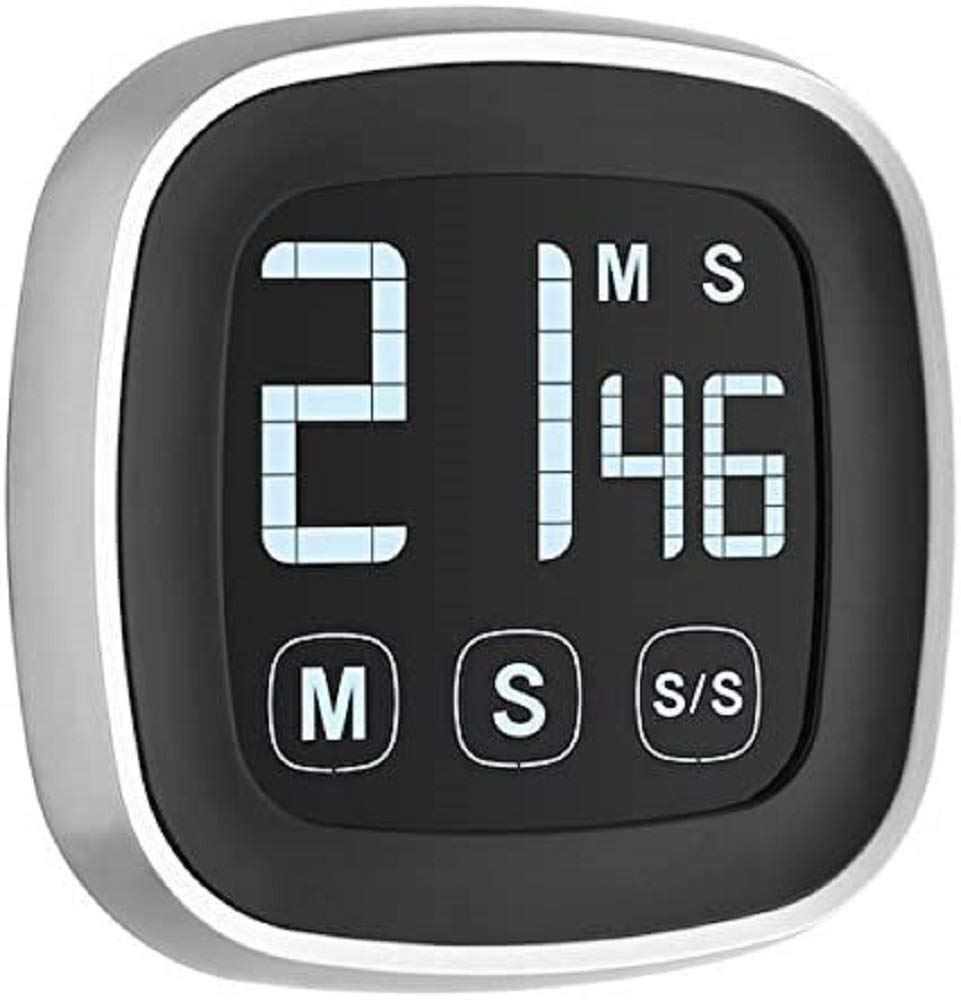
Image showing the front of the TFA 38.2028.01 Digital Kitchen Timer, featuring its touch screen display and compact black design.
2. Safety Information
- Read all instructions thoroughly before operating the device.
- Keep the device out of reach of children.
- Do not expose the timer to extreme temperatures, direct sunlight, or high humidity.
- Avoid immersing the device in water or other liquids.
- Use only the specified battery type (2 x AAA). Ensure correct polarity during installation.
- Do not attempt to disassemble or modify the timer.
3. Package Contents
- 1x TFA 38.2028.01 Digital Kitchen Timer
- 1x User Manual (this document)
4. Product Features
- Digital timer with a maximum capacity of 99 minutes and 59 seconds.
- Countdown and count-up (stopwatch) functions.
- Acoustic alarm when the set time reaches zero.
- Touch screen display (50x50 mm) with large LED digits for clear readability.
- Magnetic attachment for convenient placement on metallic surfaces.
- Compact dimensions: 76x76x25 mm.
5. Setup
5.1 Battery Installation
The TFA 38.2028.01 timer requires 2 AAA batteries (not included). Follow these steps to install them:
- Locate the battery compartment cover on the back of the device.
- Slide or lift the cover to open the compartment.
- Insert 2 AAA batteries, ensuring that the positive (+) and negative (-) terminals match the markings inside the compartment.
- Replace the battery compartment cover securely.
5.2 Placement
The timer features a magnetic back for easy attachment. You can place it on any metallic surface, such as a refrigerator door, oven hood, or magnetic board, for convenient access and visibility.
6. Operating Instructions
The timer operates using touch-sensitive buttons located on the display.
6.1 Setting the Countdown Timer
- Ensure the timer display shows 00:00. If not, press the 'MIN' and 'SEC' buttons simultaneously to reset it.
- To set the minutes, repeatedly press the 'MIN' button until the desired minute value is displayed.
- To set the seconds, repeatedly press the 'SEC' button until the desired second value is displayed.
- Once the desired time is set, press the 'START/STOP' button to begin the countdown. The display will show the remaining time.
- To pause the countdown, press 'START/STOP' again. To resume, press 'START/STOP'.
- When the timer reaches 00:00, an acoustic alarm will sound.
- To stop the alarm, press any button on the timer.
- To clear the set time and reset the timer to 00:00, press 'MIN' and 'SEC' simultaneously.
6.2 Using the Count-Up Function (Stopwatch)
- Ensure the timer display shows 00:00. If not, press the 'MIN' and 'SEC' buttons simultaneously to reset it.
- Press the 'START/STOP' button to begin counting up from 00:00.
- To pause the count-up, press 'START/STOP' again. To resume, press 'START/STOP'.
- To reset the count-up timer to 00:00, press 'MIN' and 'SEC' simultaneously while the timer is paused.
7. Maintenance
- Clean the timer's surface with a soft, dry cloth. Do not use abrasive cleaners, solvents, or harsh chemicals.
- Avoid getting moisture into the device, especially around the display and button areas.
- If the device will not be used for an extended period, remove the batteries to prevent leakage and potential damage.
8. Troubleshooting
- Timer not turning on: Check if the batteries are inserted correctly with the correct polarity. Replace old or depleted batteries with new ones.
- Display is dim or blank: This usually indicates low battery power. Replace the batteries. Note that the display backlight may dim after a period of inactivity to conserve battery life.
- Buttons unresponsive: Ensure your fingers are clean and dry when operating the touch screen. If the issue persists, try removing and reinserting the batteries to perform a soft reset.
- Alarm not sounding: Ensure the batteries have sufficient power. There is no volume control on this model; if the alarm is not audible, check battery status.
9. Specifications
| Attribute | Specification |
|---|---|
| Model Number | 38.2028.01 |
| Dimensions (L x W x H) | 7.59 x 2.49 x 7.59 cm (approx. 3 x 1 x 3 inches) |
| Weight | 20 g (approx. 0.7 oz) |
| Material | Plastic |
| Power Source | 2 x AAA batteries (not included) |
| Maximum Time | 99 minutes, 59 seconds |
| Display Type | Touch screen, LED digits |
| Features | Countdown, Count-up, Acoustic Alarm, Magnetic attachment |
10. Warranty and Support
For warranty information, technical support, or service inquiries regarding your TFA 38.2028.01 Digital Kitchen Timer, please refer to the documentation provided at the point of purchase. You may also visit the official TFA website or contact TFA customer service directly for assistance.


